


Hi there “Process Automation” fans,
Welcome to a new installment of “Process Automation” tips.
We eXperienced WireMock before; we eXperienced SoapUI before, but what if we combine the power of both tools? Why? Well, WireMock is great at serving REST mocks with JSON data, and SoapUI is great at serving/generating SOAP mocks with XML data (which is more complex than generating REST mocks). However, you can run WireMock as a headless (non-UI) service, and there is no option in SoapUI to do this…AHA! So, it’s time to serve SoapUI-generated mock services via a headless WireMock instance…
Let’s get right into it…
First, the easy part…Download and run WireMock (I run it on my OPA VM; watch out for the default port number 8080, which is our TomEE instance!)
1 | cd ~ |
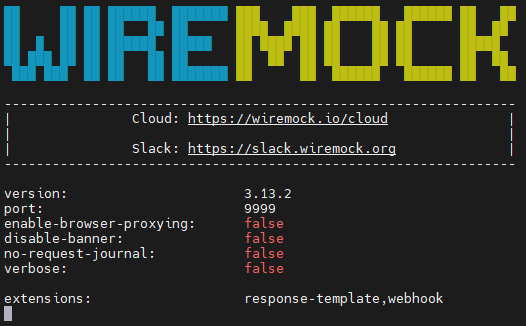
Note the two extra folders:
~/__files, for serving content through our HTTP request~/mappings, for serving JSON files which describe an endpoint with response information (we only use this one)
Now check a first response at: http://192.168.56.107:9999/__admin/
Great, but we don’t have any endpoints…yet!
…
Let’s now continue on our laptop, where you download “SoapUI Open Source”. We learned already that SoapUI can serve mock services from a service definition (a WSDL). I picked the service ‘CountryInfoService’ at http://webservices.oorsprong.org/websamples.countryinfo/CountryInfoService.wso?WSDL
Create a new project in SoapUI with this URL as input:
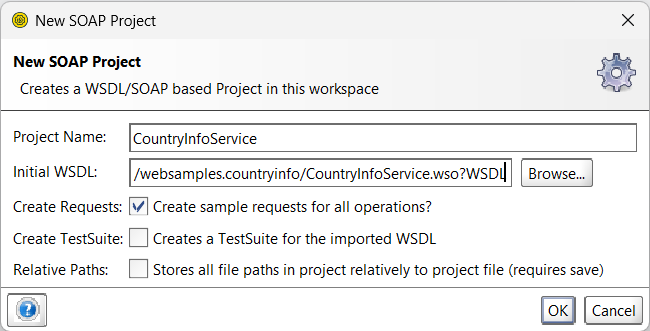
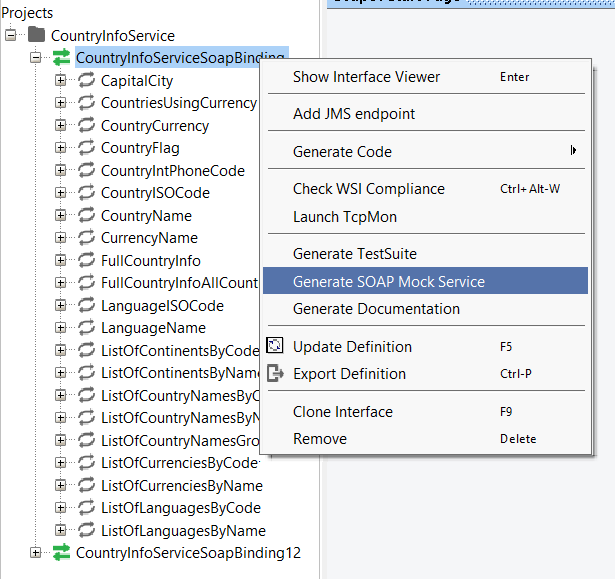
After this, right-click the first binding and generate mock services:
Just leave the next screen as is:
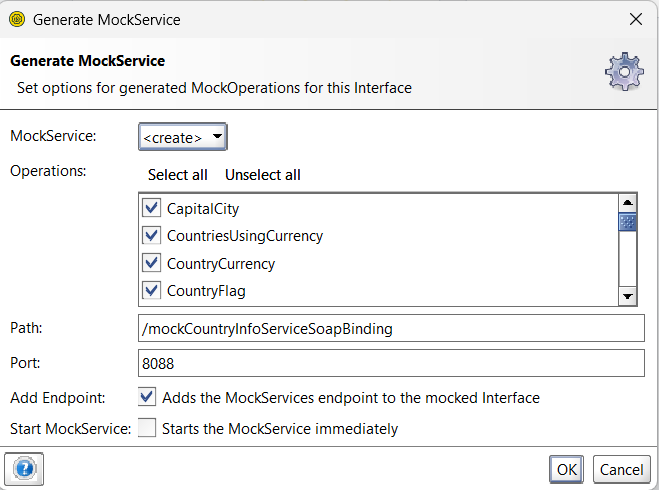
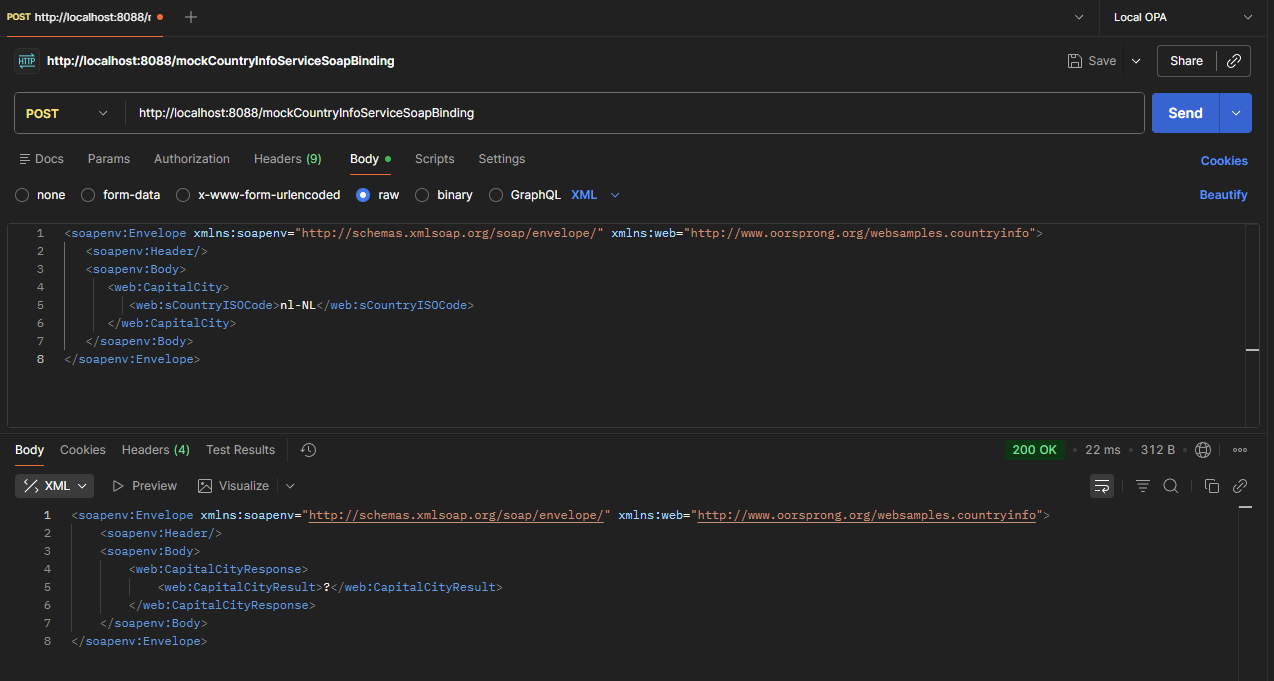
There is no need to start them; for that we use WireMock! However, feel free to play with it for now to get a feel for it. If you serve from SoapUI, you can make a call via Postman like this:
Notes:
- You can also do this directly in SoapUI; however, we want to get rid of that UI, so that’s why we use Postman!
- Keep in mind that a SOAP call is always a POST request with XML content in the body!
- The response is now a
?, but this is something you are in control of now, including a failing response when the external service isn’t doing what you expect in real life; that’s exactly why we “mock” things!
So, now we want to have this exact service call available from WireMock over the URL http://192.168.56.107:9999/mockCountryInfoServiceSoapBinding; with the exact same response! For this to happen, we first need a mapping file on the WireMock side on our VM: vi ~/mappings/CountryInfoServiceCapitalCityRequest.json
Use this content:
1 | { |
You see an XML filename CountryInfoServiceCapitalCityResponse.xml; create it via vi ~/__files/CountryInfoServiceCapitalCityResponse.xml
Use this content-part (which is our generated response from SoapUI!)
1 | <soapenv:Envelope xmlns:soapenv="http://schemas.xmlsoap.org/soap/envelope/" xmlns:web="http://www.oorsprong.org/websamples.countryinfo"> |
NICEEE…Now restart WireMock and guess what happens in Postman:
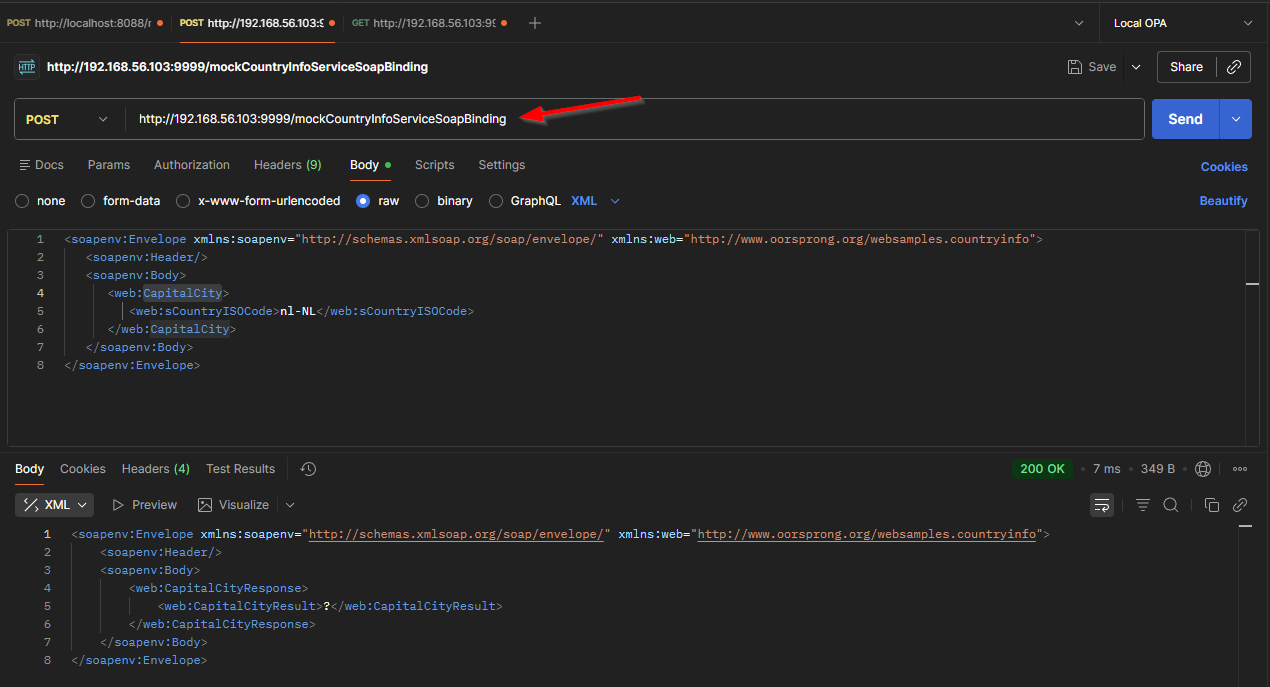
YESSS…That’s serving mocked SOAP-services over WireMock! 😍
Now I hear you saying, “Boring”…this is what we can do without SoapUI! I partly agree…However, we use a simple WSDL here with a simple outcome. We’ll talk again when your WSDL is 10 pages long! 😏
…
I continued my grind, and this is my current sample set of data including a fallback scenario (for our example service):
1 | mappings/ |
Download the set here
In case you’re wondering about curl!? Well, that’s a command-line tool to also replace your Postman UI…eXperience these calls:
1 | curl -X POST http://localhost:9999/mockCountryInfoServiceSoapBinding -H "Content-Type: text/xml; charset=utf-8" --data @curl/CountryInfoServiceCapitalCityRequest.xml |
“The heat is on” my friends… 🤪
…
…
…
Hmmm…And what about Process Automation?? WHAT ABOUT OPA?? Well, what about it? What you’ve just read is all the power you need to be in control of any external service calls you normally execute in your BPM implementations! So, next time I spot a project in the xECM field calling external services and not using WireMock in headless mode to mock them as described here, you’ll be mine! 🧐
It’s a “DONE”. Nothing more to say; just embrace WireMock, and we’ll chat again, next week, with a new topic about “Process Automation Tips”.
Don’t forget to subscribe to get updates on the activities happening on this site. Have you noticed the quiz where you find out if you are also “The Process Automation guy”?
