


Hi there “Process Automation” fans,
Welcome to a new installment of “Process Automation” tips.
A simple question from a comrade in the same OPA space: I’d like to clear the history of an entity instance after a certain period of time. How can I do that?
Indeed, how can we do that? Well, continue reading, which will bring you closer to the answer.
Let’s get right into it…
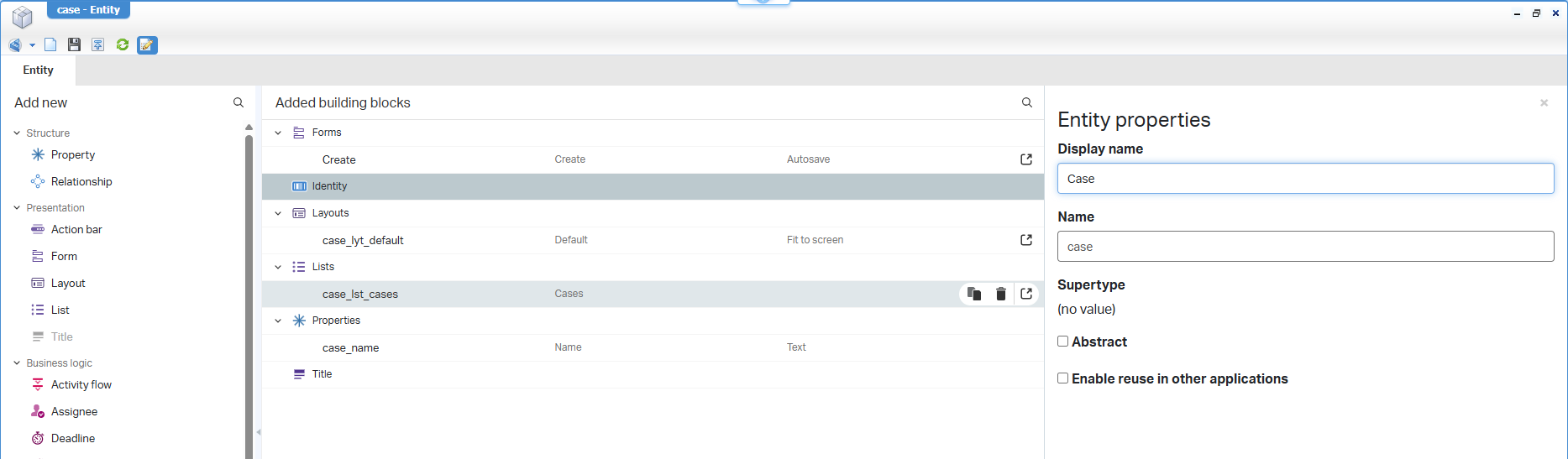
Let’s boot up the OPA machine and jump into your favorite workspace with the corresponding project. Create a ‘Case’ entity in the entities folder of the project with just one property case_name. Apply your naming conventions and make it nice and cozy like this:
For this post, you need to add the ‘History’ building block to our new entity; this includes a default history configuration with the name hl_case saved in a configs folder of the project. Also, make sure to add the ‘History’ panel to the default layout of our entity…an eazy-peazy task on your own; this is the project view so far:
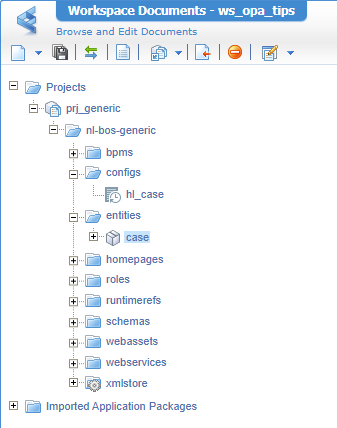
FYI: you can change the location of the history config in the properties of the document; or just drag & drop from the workspace view.
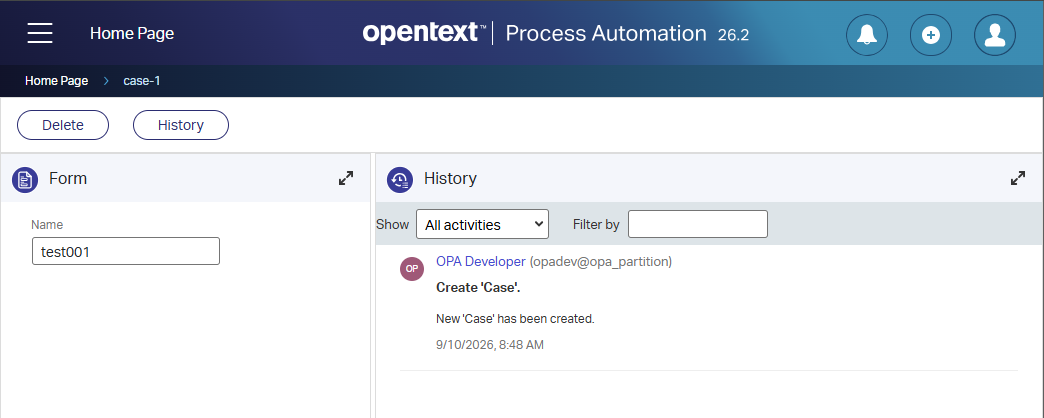
Publish the entity and create a new ‘Case’ instance at runtime. You can see already the first history data passing by:
Hitting the ‘History’ action button shows even more:
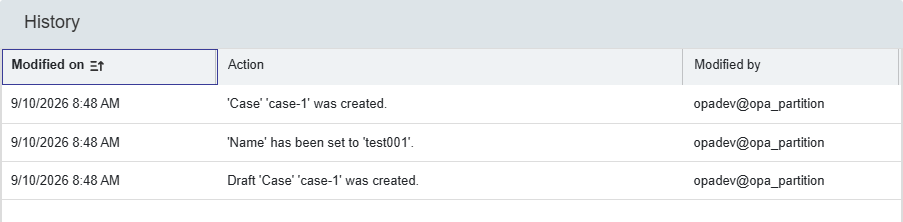
From eXperience, we know this data is saved in the database table o2opa_tipsgenerichistoryloglist. This is the table view via HeidiSQL:

…
If you pay close attention, you see there is a time difference of two hours! That’s because I’m in the Netherlands in the CEST time zone, which equals UTC+2. The database saved it in UTC format (timestamp without time zone), while the UI shows the CEST format.
You can do some quick SQL tests like this to see how this works:
1 | SHOW timezone; |
…
If you want to see the entries before a specific time (viewing at runtime!) for a specific entity instance, you can do this “smartly” via this query:
1 | SELECT * |
WARNING…Always make a database backup before deleting entries like those below!
AND if you want to delete those entries (which you double-checked!), run this:
1 | DELETE FROM o2opa_tipsgenerichistoryloglist |
After a refresh at runtime, you see directly the impact:

I created that extra entry with an update on the case_name property a couple of minutes later…dûh!
You see that’s an easy “DONE” for this post; nothing fancy, but you just need to know how to do it and see that it can’t do any harm to your database. However, it’s still DB data which you carefully want to back up (#CYA)…Have a great weekend, and we’ll continue the talk, next week, in another great post of “Process Automation Tips”.
Don’t forget to subscribe to get updates on the activities happening on this site. Have you noticed the quiz where you can find out if you are also “The Process Automation guy”?
