


Hi there “Process Automation” fans,
Welcome to a new installment of “Process Automation” tips.
Last week we saw a glimpse of n8n in action with a call from OPA to n8n; starting a workflow in n8n over the HTTP connector in OPA. Great, but let’s eXplore the other way around now! I already mentioned three ways of doing this, so let’s just go over all three of them…Just because we don’t have anything else to do in the heat (while I’m writing this in July!). 🫠
Let’s get right into it…
The main part for the three ways of calling OPA is the authentication part. For all three we require a SAML token for authentication. You grab a SAML token by calling OTDS for an OTDS ticket and converting this to a SAML token. All the details for both actions are found here and here. In quick steps:
- Do a POST request to OTDS on URL:
http://192.168.56.107:8181/otdsws/rest/authentication/credentialswith JSON{"userName": "opadev", "password": "admin"} - Get a copy of the result
ticketvalue which is the OTDS ticket - Do a POST request to URL
http://192.168.56.107:8080/home/opa_tips/com.eibus.web.soap.Gateway.wcpwith aRequestSOAP body including anOTAuthenticationelement (with the OTDS ticket) in theHeaderelement. - That last call returns a SAML artifact for the initial OTDS credentials
- Use this value in the follow-up call to OPA with URL parameter
?SAMLart={SAMLArtifactID}or as headerSAMLartkey/value in the request.
What you can also do (and what we also did for the Node-RED posts) is pass the SAMLart token as JSON into n8n, which we can reuse to make the call back. It all depends; as always! For this post, I just assume you have a SAMLart token available to play with; just a copied value will do. Gluing the ends together is a task on your own this time! 🫶
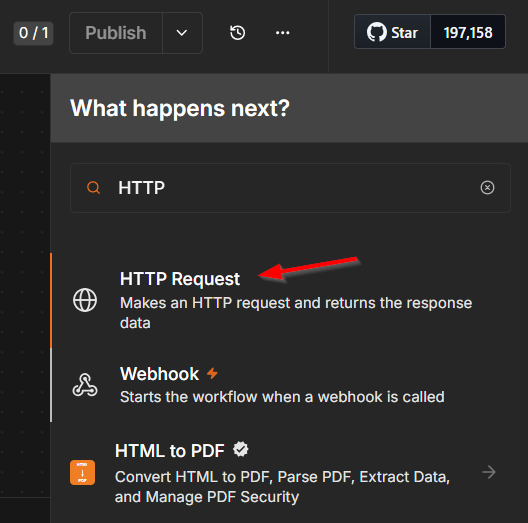
The below screenshots all use the same ‘HTTP Request’ node/item which is available from the list in n8n:
Call a SOAP message via the Gateway.wcp endpoint
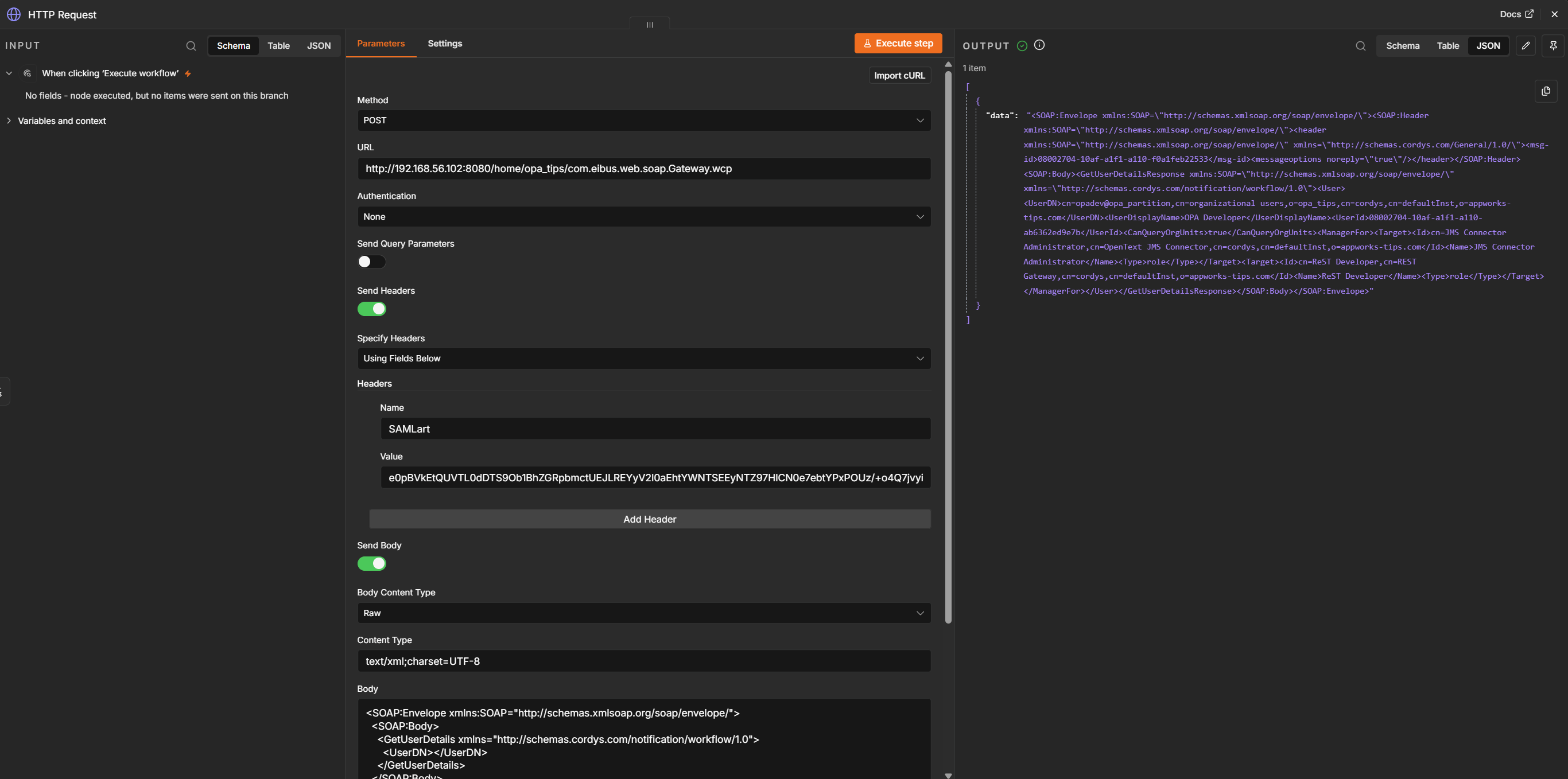
Input:
- Method: POST
- URL:
http://192.168.56.107:8080/home/opa_tips/com.eibus.web.soap.Gateway.wcp - Authentication: None
- Headers:
SAMLart = {your_saml_token} - Body type:
Raw - Content type:
text/xml;charset=UTF-8 - Body: can be any call you want that is available from the ‘Web Service Interface Explorer’ artifact in OPA
This OPA
Gateway.wcpURL only accepts POST requests!
Call the Typed REST layer of an entity solution
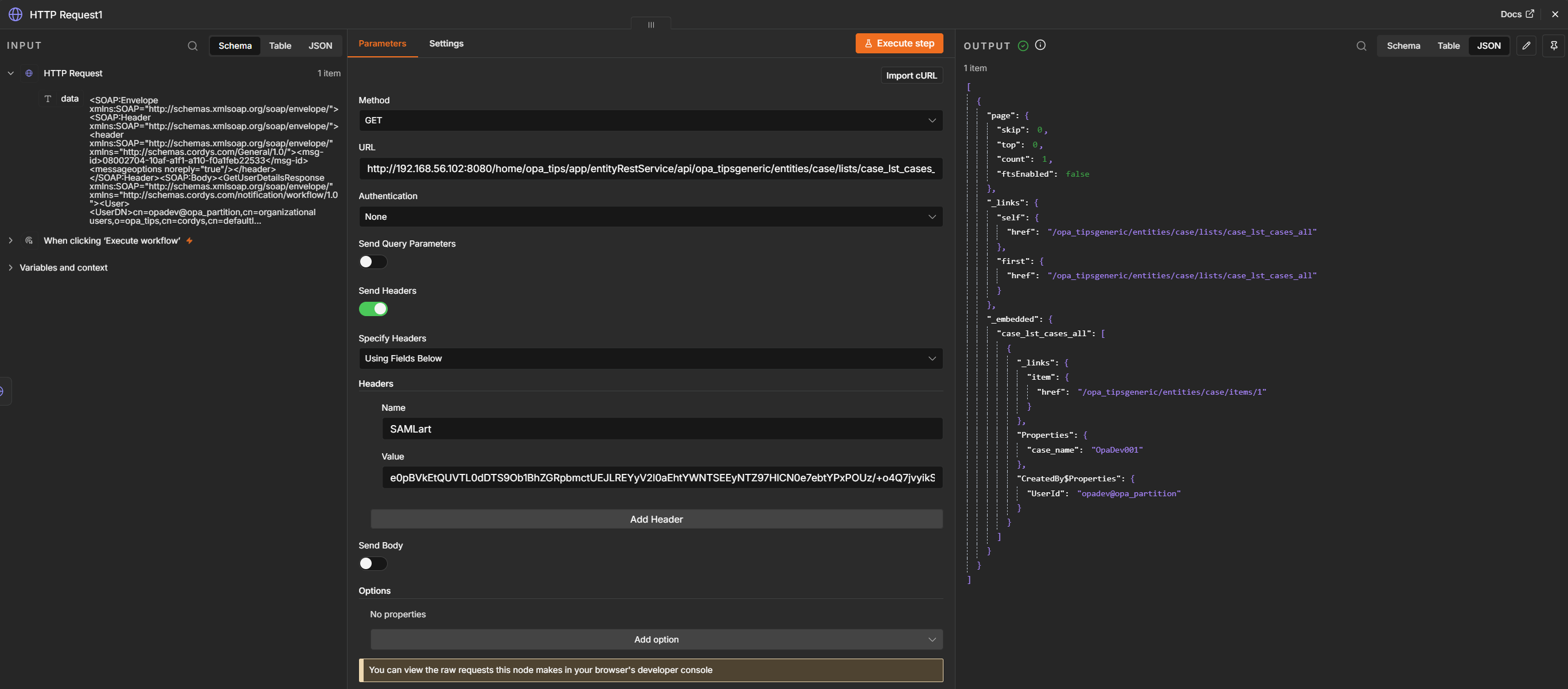
Input:
- Method: GET
- URL: it’s a URL from your deployed entity solution which is accessible from
/app/admin. You will find something like this for a ‘List’ building block with namecase_lst_cases_all:http://192.168.56.107:8080/home/opa_tips/app/entityRestService/api/opa_tipsgeneric/entities/case/lists/case_lst_cases_all - Authentication: None
- Headers:
SAMLart = {your_saml_token}
Generate a REST endpoint via the Gateway connector and call it
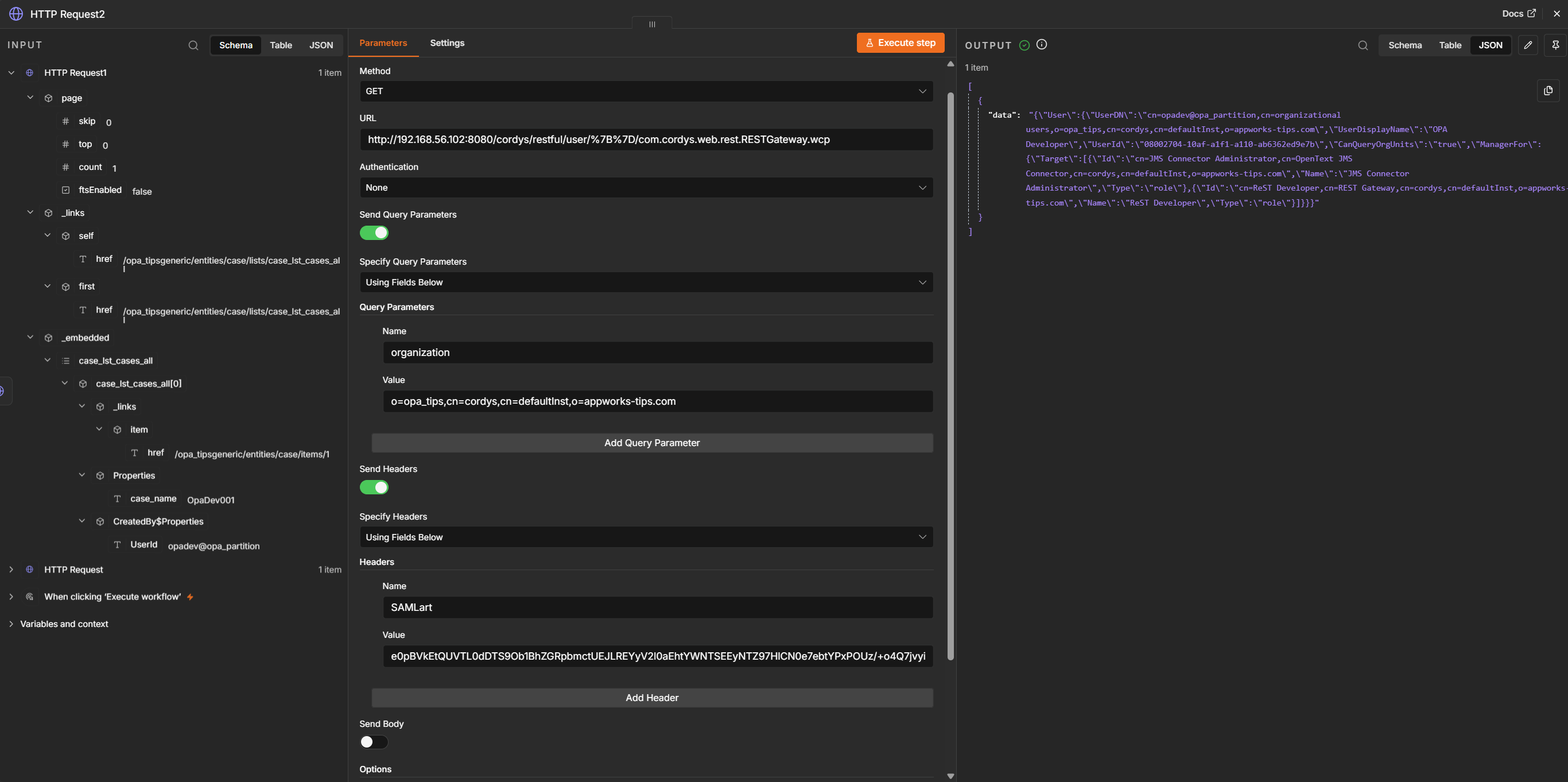
Input:
- Method: GET
- URL: it’s a URL generated from the REST Gateway connector. A URL generated from SOAP request
GetUserDetails, available behind URL:http://192.168.56.102:8080/cordys/restful/user/%7B%7D/com.cordys.web.rest.RESTGateway.wcp - URL/query parameter:
organization = o=opa_tips,cn=cordys,cn=defaultInst,o=appworks-tips.com - Authentication: None
- Headers:
SAMLart = {your_saml_token}
%7B%7D = {}which you can decode here.
A great “DONE” where you see the power of loosely coupled HTTP services (microservices?) connected together across two great platforms. You now see that things are not that impossible at all as long as you have a first entry point to start with. Well, now you have it; continue with all this power yourself, share it with the world, and send feedback on “what else” you would like to see in this blog post. The backlog is far from finished, but if I can help you out with a critical problem, I’m more than happy to write about it with a solid solution. Have a great weekend and we’ll continue posting next week, on a new topic of Process Automation Tips. 🔥
Don’t forget to subscribe to get updates on the activities happening on this site. Have you noticed the quiz where you can find out if you are also “The Process Automation guy”?
