


Hi there “Process Automation” fans,
Welcome to a new installment of “Process Automation” tips.
Sometimes you ask yourself a basic question which you validate with a colleague, and you both don’t have a clue about the answer. How do you read XML data from an external ONLINE source, just like you read XML data from the XML store!? Easy, right? Well…We were first thinking in file-connector terms, but that one doesn’t support URLs; only paths and network shares. So, what else? Well, it’s online; so, why not use a GET request over the HTTP connector…AHA! 🤗
Let’s get right into it…
First, two notes upfront:
- Most on-prem servers can’t access the internet like in this post. For this issue, you can use a proxy server (as “Middleman”) or use an SSH tunnel (as “Sneaky Path”). Both options are not for this post.
- Why read it from the interwebs when you can also download it and save it locally in the XMLStore? Great question, but what if the online version changes!? AHA!
There you go again…It all depends!
We’ll boot up our VM and in the meantime we need to search for an online XML resource. After a quick lunch walk with the dog, I found it on my own blog site behind this URL: https://appworks-tips.com/feed.xml
In the meantime, the VM is started. Dive into your workspace with the relevant project and add a new HTTP application connector as runtime reference (check the context menu of your project to accomplish this task!):
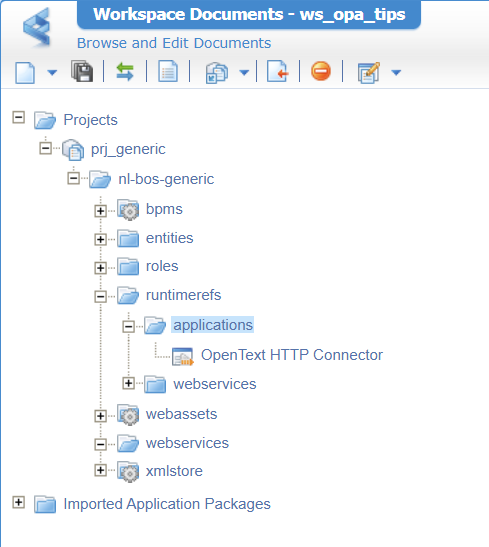
…AND create a new service group/container with that same HTTP connector:
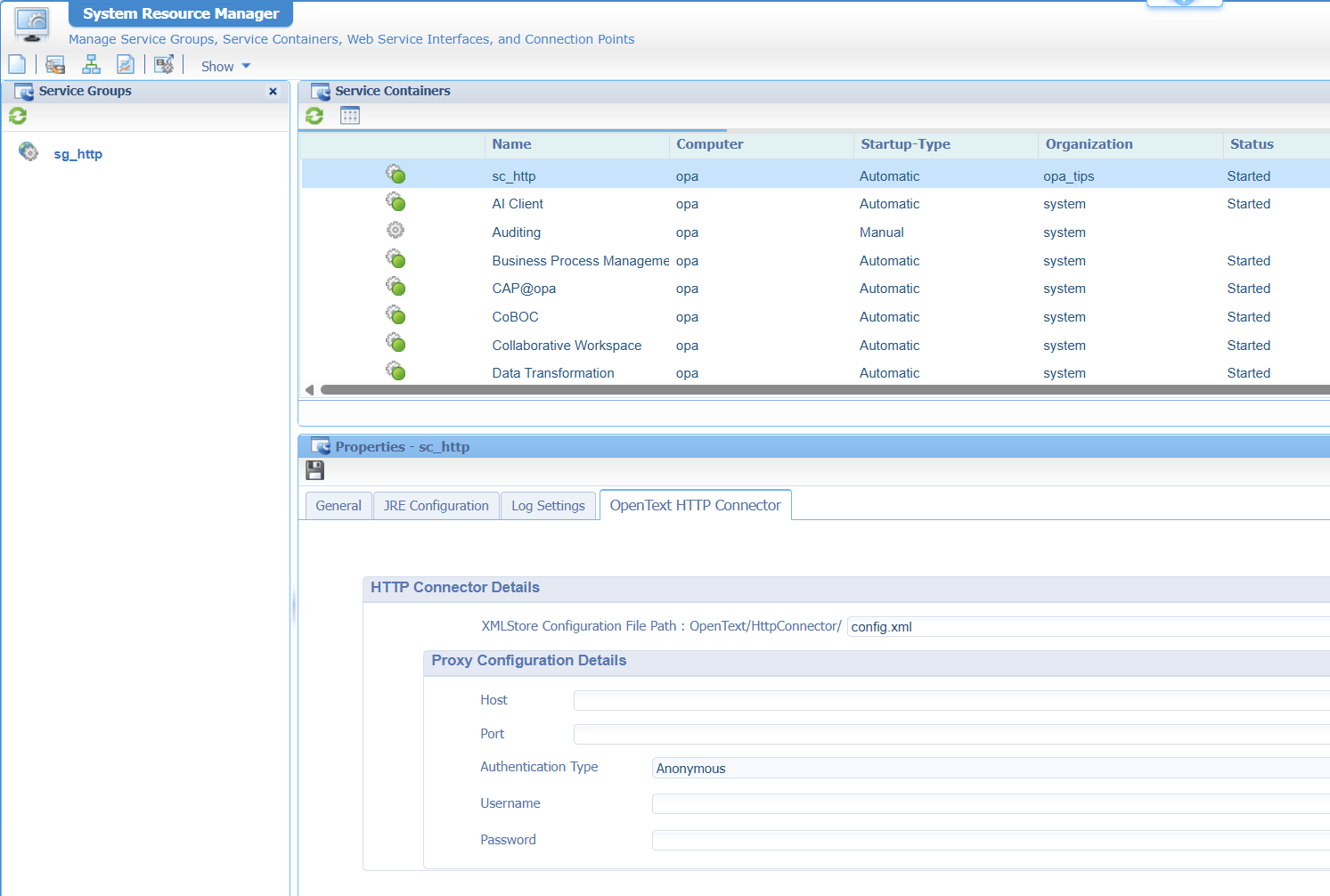
You see a reference to an XML store location to serve config.xml in folder /OpenText/HttpConnector/. That’s something you create like this (including that xds_generic XML store definition):
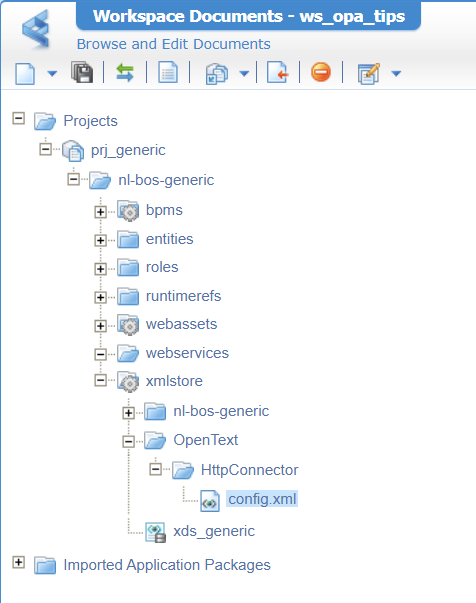
The content of the config.xml file looks like this:
1 | <configurations xmlns="http://httpconnector.opentext.com/1.0/configuration"> |
After publication, you’ll find it here:
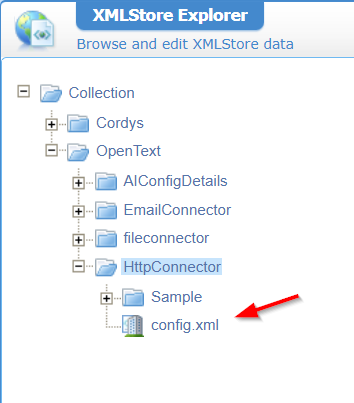
Don’t change it directly at this location, change it from within the solution. Other developers will benefit from the changes! You can use suffixes in the naming like
config_dev.xmlandconfig_tst.xmlfor other environments. Don’t forget to use the correct file for each service container in the relevant environment.
Now create a new custom webservice with this input:
- Source:
custom Web Service - Name:
ws_external - Description:
My great external service - Namespace:
http://schemas/opa_tipsprj_generic/ws - Interface name:
wsi_external - Implementation class:
HttpConnector - Add a new operation:
external
This will be the end result:
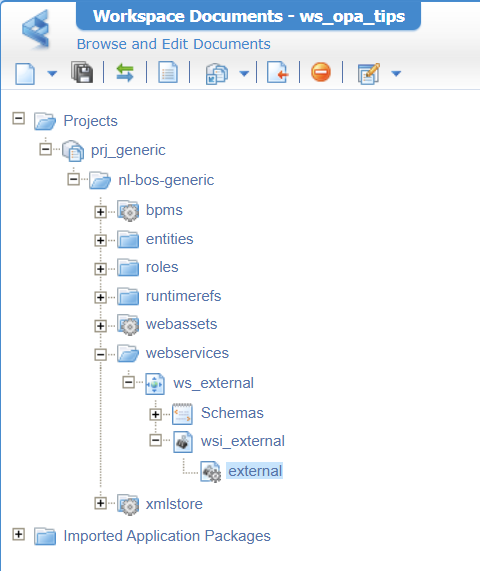
Our new operation requires an implementation like this:
1 | <implementation xmlns:c="http://schemas.cordys.com/cws/1.0" xmlns="http://httpconnector.opentext.com/1.0/implementation" xmlns:SOAP="http://schemas.xmlsoap.org/soap/envelope/" type="HTTP"> |
What on earth do we do here? Well, this is the definition of your operation telling it to use the connection ID of our
config.xml(in the HTTP connector); that’s our host URL. Then it pastes a URI behind it (in our case a variable parameter as XPathfilenamefrom our service call below!). Finally, it executes an HTTP GET request over two request/response classes, and expects a 200 value as a response (which is OK)
Right…Let’s publish, connect the service to the HTTP connector service group, restart the service container, and try it out; shall we?
1 | <SOAP:Envelope xmlns:SOAP="http://schemas.xmlsoap.org/soap/envelope/"> |
Pitfall:
<filename>test/feed.xml</filename>will result in URL:https://appworks-tips.com/test%2Ffeed.xml…that’s URL encoding in the connector which you can’t solve with something like this<filename><![CDATA[test/feed.xml]]></filename>; trust me (😇), I tried.
The result? Well, what about nice XML data to consume in your BPM:
1 | <data> |
That’s a PARTY!! 😎
…
Can we now also read JSON, as the HTTP connector serves both…right? Well, try it out yourself on https://appworks-tips.com/questions.json with this service call:
1 | <SOAP:Envelope xmlns:SOAP="http://schemas.xmlsoap.org/soap/envelope/"> |
Ohwwww mama…That’s working like a charm! This is exactly why I love to play with the OPA platform and all of its connectors!
Yes, nicely “DONE”. It has some after-smell on the URL encoding for XML parsing, but nothing we can’t overcome with multiple “workaround” configurations. Again, it’s interesting to see the power of the HTTP connector; it’s heavily underrated (in my opinion), but in the era of REST, you connect nearly anything to everything. These samples give a lot of confidence in the OPA platform, but be aware that you also need to implement the worst-case scenario once the “external source” is NOT giving a valid 200 response. Have a great weekend trying out this concept; we’ll continue our chat next week on another topic about “Process Automation Tips”.
Don’t forget to subscribe to get updates on the activities happening on this site. Have you noticed the quiz where you can find out if you are also “The Process Automation guy”?
