


Hi there “Process Automation” fans,
Welcome to a new installment of “Process Automation” tips.
In the OpenText forum, I saw this question pass by. How hard can it be? I knew the solution involved implementing business logic through a BPM. You can see my comment on that forum, but this post provides the full explanation.
Let’s get right into it…
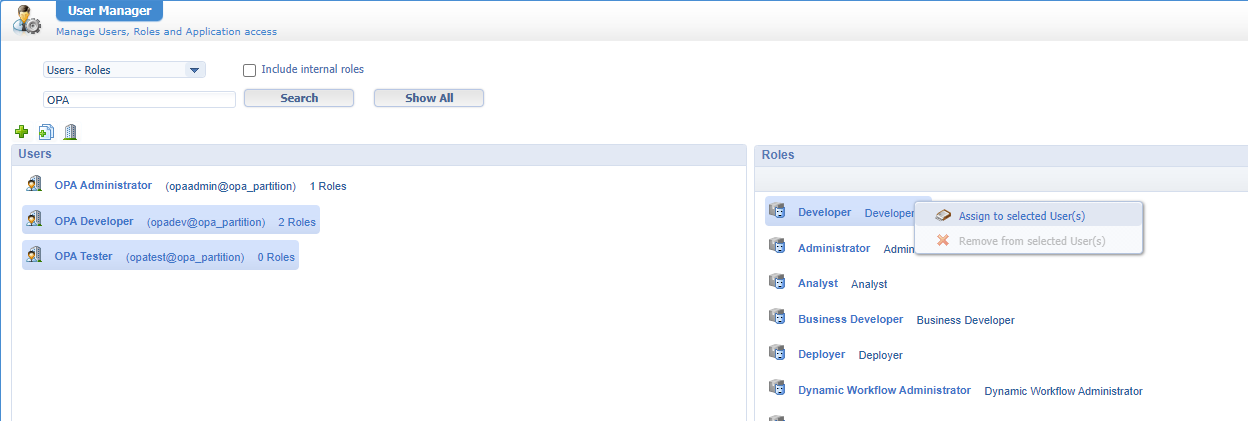
Boot up your OPA machine/VM and navigate to your favorite URL. After this, we’ll dive into the ‘User Manager’ artifact and make sure we have three users (in my case, OTDS users) available. I have opadev, opaadmin, and opatest; they should all have the ‘Developer’ role applied:
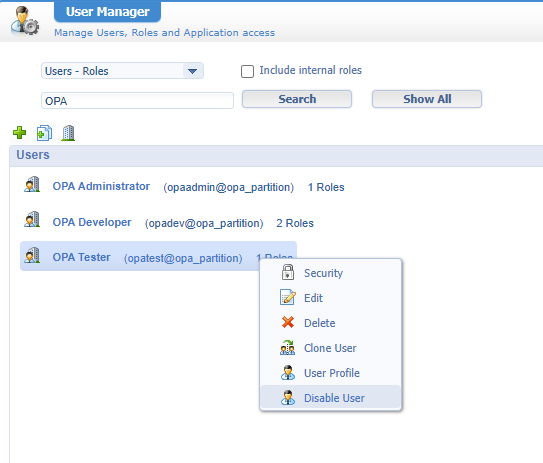
The next step is to disable the opatest account from the context menu:
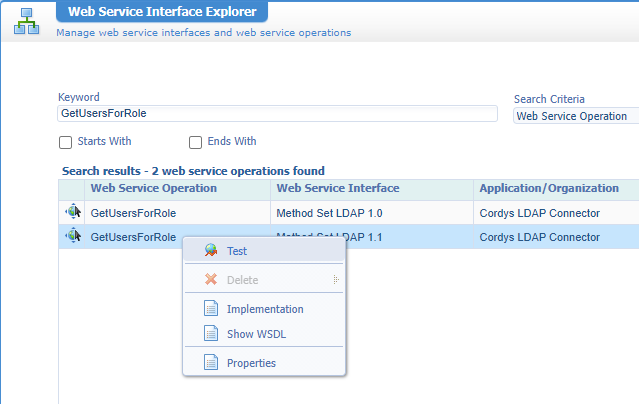
Now, open the ‘Web Service Interface Explorer’ artifact and let’s see what this specific service call sends back:
1 | <SOAP:Envelope xmlns:SOAP="http://schemas.xmlsoap.org/soap/envelope/"> |
This is the result (cleaned from overhead!) where you see ALL users (including our inactive/disabled):
1 | <data> |
You can clearly see the “enablement” of each account in the result of our service call. However, we don’t want ALL users; we want a service call that returns the active users (where enable=true)!
AHA…So, something like GetEnabledUsersForRole? That’s where it gets interesting! 🤗
Implementation time
Implementing a new service first requires some business logic in the form of a BPM. So, we now need a workspace with a corresponding project. It could be a “shared” project in the packaging properties if you’re planning to create other missing services as part of a utility project; that’s just a free tip! 😉
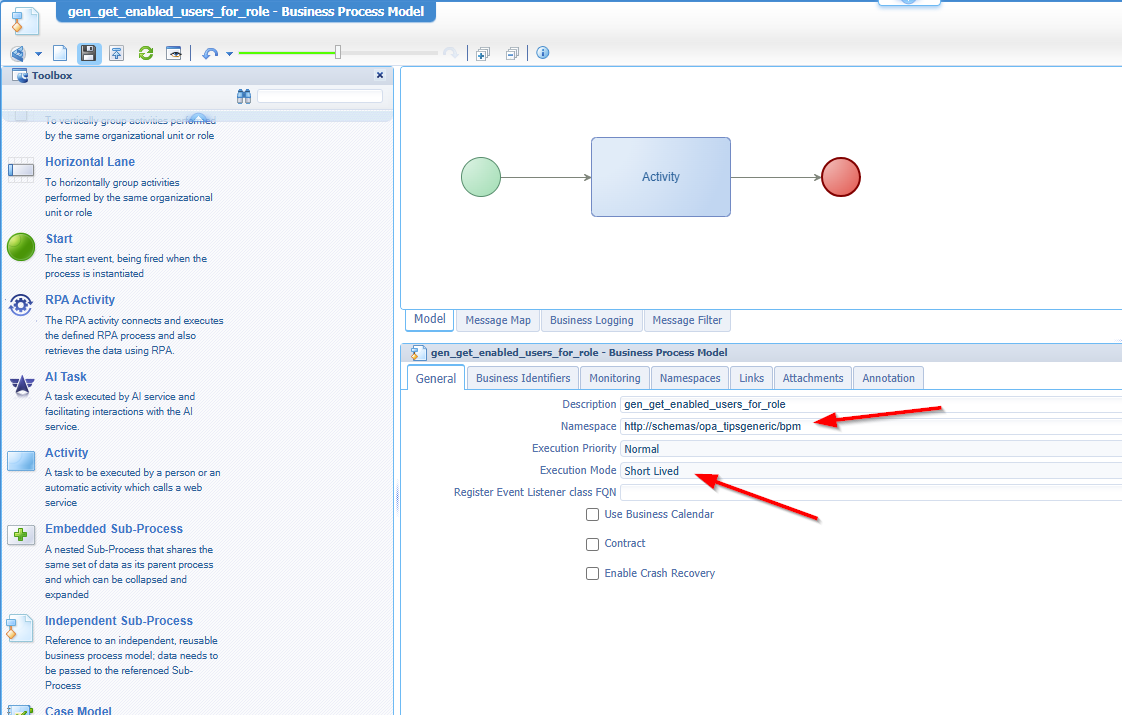
So, with the project in place, you can create a new Business Process Model in the bpms folder of the project. I name my BPM gen_get_enabled_users_for_role and it’s a simple one-activity flow (short-lived!) like this:
Notes on BPMs:
- We use short-lived because of the direct feedback we want. So, we don’t want a BPM identifier as the result, but actual data!
- Always set a namespace (which separates you from the people who don’t understand low-code!). I always use a template like this
http://schemas/{package_owner}{product_name}/bpm…It’s for a reason like this…thank me later!- Set the correct monitoring level for the BPM/activity (what is smart? Read here); I set it to full messagemap exposure, as we do more things below!
- Never forget to set the runtime security for a BPM in a real-life situation. You can do it in the context menu of the BPM document in the project. I don’t set it because we’re in the demo environment!
Now what? Well, that activity should call the platform service GetUsersForRole, but before we can use a platform service in our BPM, we need a runtime reference of that service (nicely in the runtimerefs folder of the project):
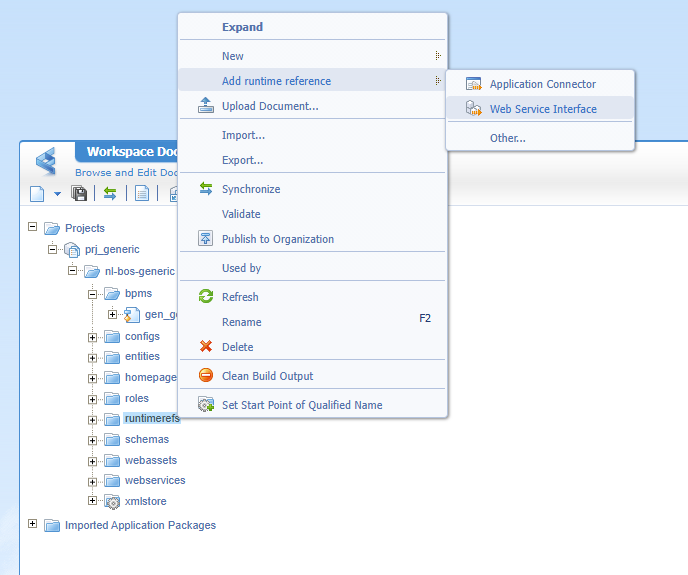
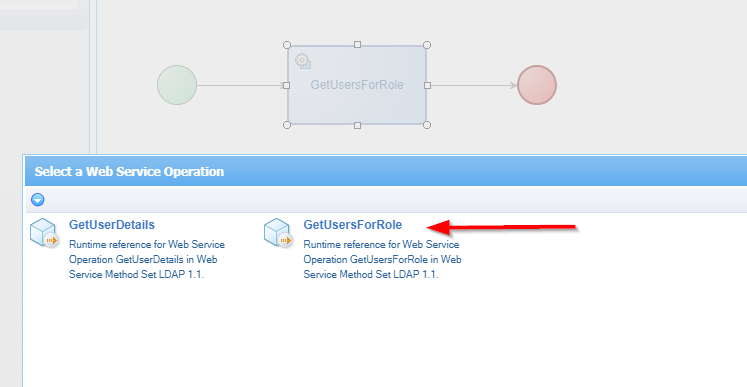
You need to add the one from the Cordys LDAP Connector category and pick the Method Set LDAP 1.1 method set. After the import, you see the GetUsersForRole operation available in the project. From the BPM activity, you can now insert the web service operation as a runtime reference from your project:
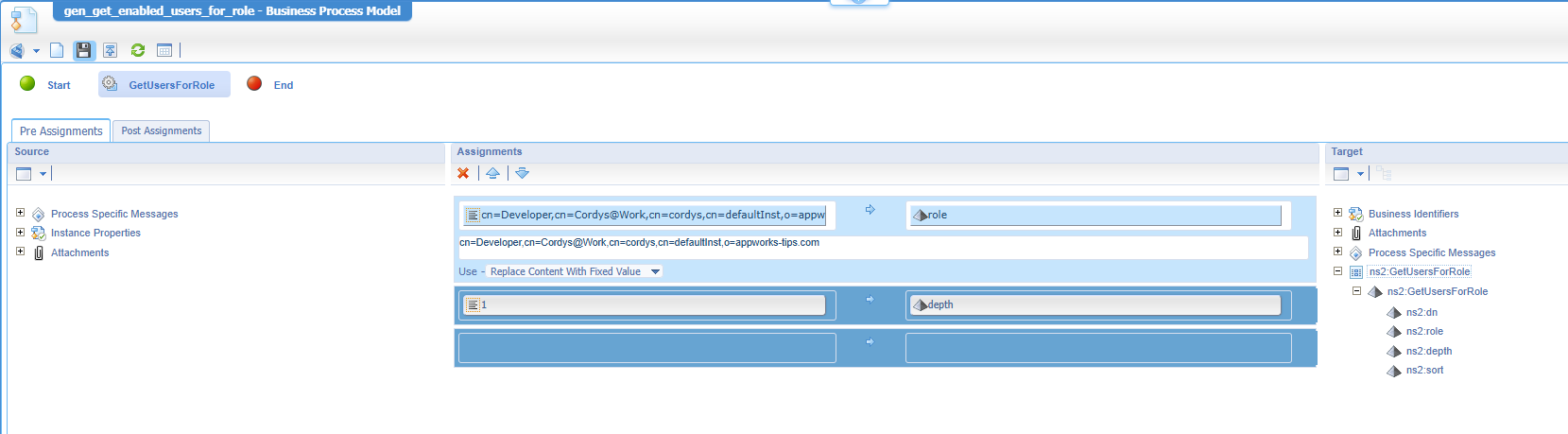
Great, the next thing is to add a messagemap (see the bottom tabs of the BPM) and add the required input assignments for the service call, which correspond to the input from our initial call at the top of this post:
OK, publish the BPM and do a first run with <F12>. If you set the correct monitoring levels, you can view the messagemap in the PIM as an instance of this BPM:
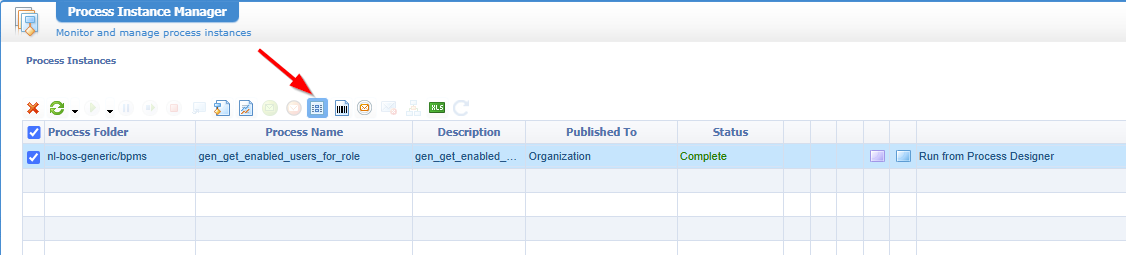
This messagemap will show a result similar to what we saw before (when calling the service manually from the ‘Web Service Interface Explorer’ artifact!). Now, copy that response XML, return to the messagemap of your precious BPM, and paste the XML as a new message:
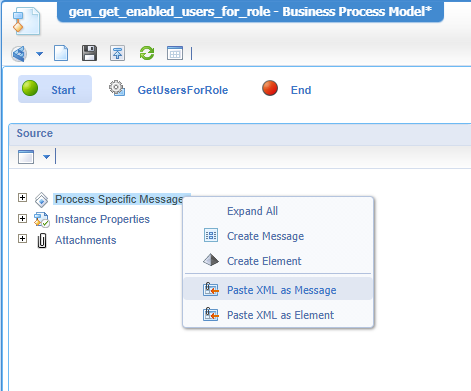
You can do the same for the tuple element, but now paste in an XML element! Eventually, you have something like this:
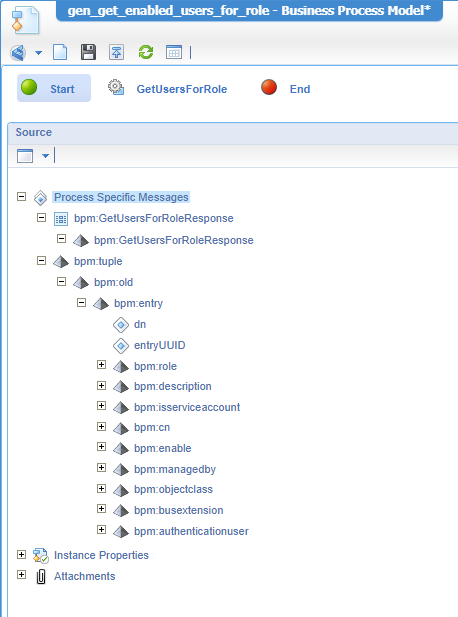
FYI: I cleared the
tupleelement from theGetUsersForRoleResponse…Probably not required, but it felt good. Later on we’ll add each foundtupleelement to a new output message!
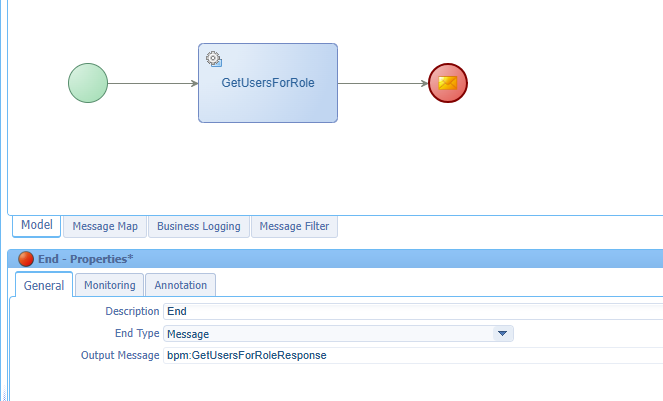
Now go to the properties of the red end-construct of the BPM and select the message bpm:GetUsersForRoleResponse (be sure to select the correct one!):
The only thing left now is filtering out the initial service call response, looping over the entries and adding them to the output! AHA…!?!? 🙃 Watch and learn…
…
Add a second activity named Filter. Go to the messagemap and add a mapping like this:
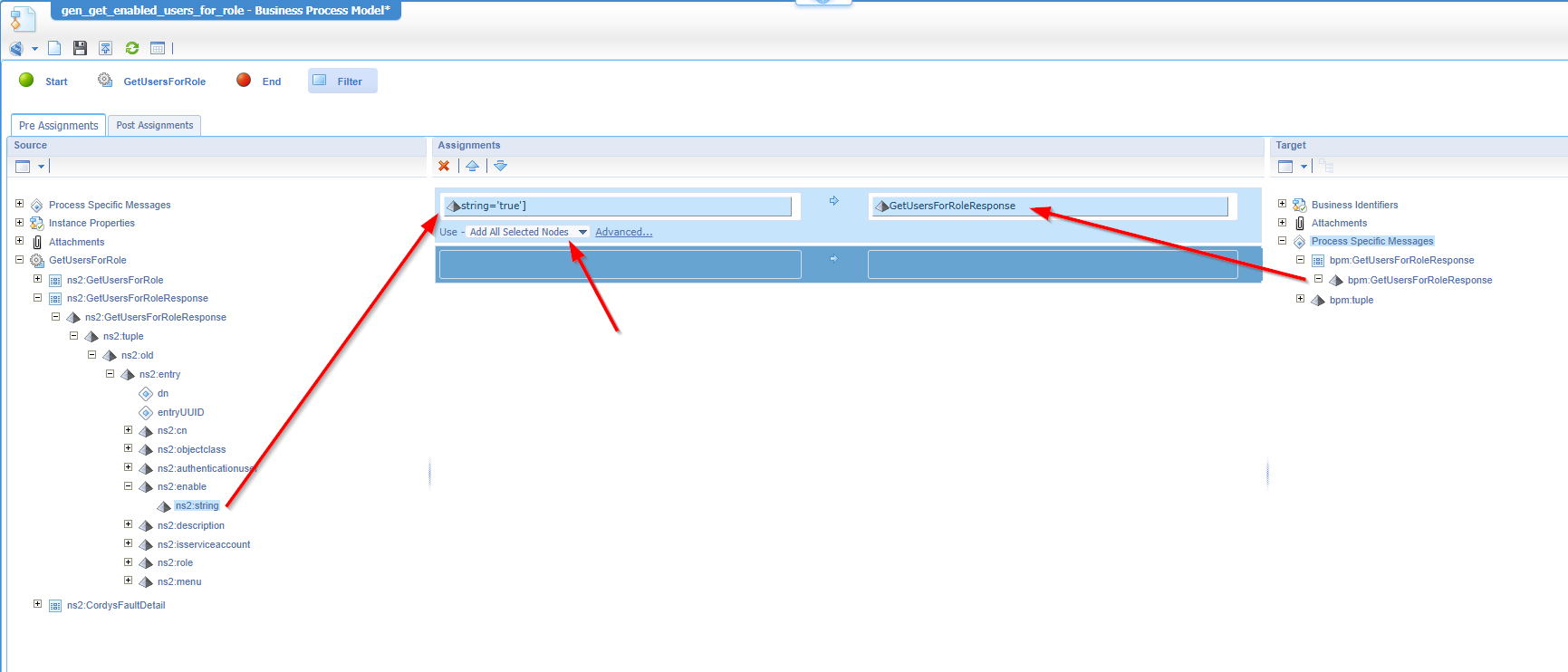
Make sure to select the correct usage-assignment and update the expression like this:
ns2:GetUsersForRoleResponse/ns2:GetUsersForRoleResponse/ns2:tuple[./ns2:old/ns2:entry/ns2:enable/ns2:string/text()='true']
By the way, these all give the same result:
1 | ns2:GetUsersForRoleResponse/ns2:GetUsersForRoleResponse/ns2:tuple[./ns2:old/ns2:entry/ns2:enable/ns2:string/text()='true'] |
How do I know? Well, if you copy the full messagemap from a BPM instance in the PIM, you can copy the XML in the XML-tab of the XPath Editor! Comment me below if you don’t have a clue!
FYI: For this implementation, you don’t need any for-loop in the BPM! That’s because the smart use of expressions and assignments is a better choice here!
Publish the BPM, run an instance, and watch the PIM:
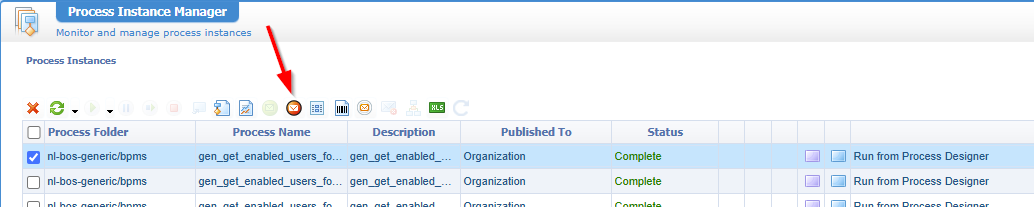
The output will now only show the filtered users! NICEEEEE! 😎
And now what? Well, just generate a service out of it and you’re done…
Generate a service for a BPM
Right-click the BPM from the project view, go to ‘Execution’ in the context menu, and ‘Generate Web Service’. Use this for the input:
- WS name:
ws_gen_processes - Location:
prj_generic/nl-bos-generic/webservices - WS interface name:
wsi_gen_processes - WS operation name:
GetEnabledUsersForRole
Mark the operation and click finish to get this result:
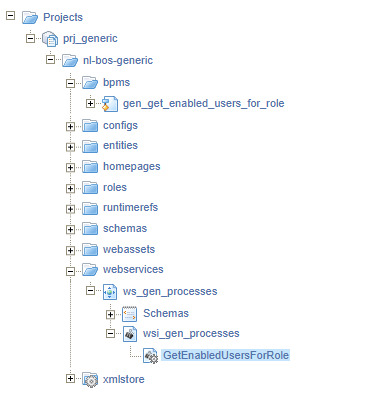
…
The service is a BPM-dependent service that requires you to have a service container/group of type BPM. You can create it in the ‘System Resource Manager’ with this input:
- Connector:
Business Process Management - Service group name:
sg_bpm- Select our new service as service interface
- Service name:
sc_bpm- Startup automatically
- Assign to the OS
- Admin Database: Use DSO ‘Cordys System’ under the ‘system’ organization
- Use this DSO also for the ‘Scheduler’ database (the other tab!)
…
It’s time to publish the service and perform a first test with a SOAP-message like this:
1 | <SOAP:Envelope xmlns:SOAP="http://schemas.xmlsoap.org/soap/envelope/"> |
The result? Well, what do you expect!? Yes, it’s a list of tuple elements with ONLY our active users! 🥳
…
A final thought…We now use a hard-coded value to get the users for a specific role, but you can, of course, extend the BPM with an input message that contains the DN-value of the role; that’s a task for you. The service call can eventually look like this:
1 | <SOAP:Envelope xmlns:SOAP="http://schemas.xmlsoap.org/soap/envelope/"> |
If you add this input-message feature to the BPM, don’t forget to regenerate the service AND publish it again!
That’s a nicely filtered “DONE”, where we see the power of advanced business logic with BPMs once again. You see how easy it is to create your own (micro)services that you can reuse within your solution. Yes, low-code is powerful stuff, and this is exactly why we love the OPA platform so much. It provides endless possibilities and ways to implement a feature request; you can see how easy it can be. However, be prepared: This is a simple example, while embedding it in large projects can be challenging. Still, it’s a great platform that can greatly benefit customers; that’s why we shout it from the rooftops…Have a great weekend! 😉
Don’t forget to subscribe to get updates on the activities happening on this site. Have you noticed the quiz where you can find out if you are also “The Process Automation guy”?
