


Hi there “Process Automation” fans,
Welcome to a new installment of “Process Automation” tips.
Great, I have a day off! And what do you do on a free day with kids and wife away from home? You do a quick dive into new hypes to see where they can help you on your journey. For this day I pick n8n…Let’s see if we can connect it with our favorite OPA platform.
Let’s get right into it…
n8n “smells” almost similar to Node-RED (introduced by IBM and moved to OpenJS Foundation in 2016). Here is a comparison table:
| Topic | Node-RED | n8n |
|---|---|---|
| Main purpose | Low-code programming for event-driven applications. | Workflow automation for business processes, application integrations, and AI workflows. |
| Typical mindset | “A message or event arrived; what should happen next?” | “This business action occurred; which systems and steps must now run?” |
| Best suited for | IoT, MQTT, hardware, industrial systems, real-time data streams, protocol conversion, and lightweight APIs. | SaaS integrations, scheduled synchronisation, CRM automation, email processing, database workflows, document processing, and AI agents. |
| Execution model | Usually a continuously running application in which messages travel through nodes. | Usually separate workflow executions started by a webhook, schedule, application event, or manual action. |
| Data model | Primarily passes a msg object from node to node. It feels like programming with visual message routes. |
Primarily processes JSON items and application records. It feels like an integration pipeline. |
| Visual design | Very free-form. Flows can branch, loop, and send messages in many directions. | More structured around a trigger followed by business-processing steps. |
| Real-time and edge use | Excellent. It can run on cloud servers, local machines, industrial gateways, and devices such as Raspberry Pi. | Mainly server- or cloud-focused. It can be self-hosted, but it is not primarily an edge or device runtime. |
| Application integrations | Many integrations are available through community packages. Quality and maintenance can differ per package. | Strong collection of built-in application nodes, credential handling, and community nodes. |
| Custom logic | JavaScript Function nodes and custom Node.js nodes. Very flexible for developers. | Expressions, Code nodes, HTTP calls, and custom nodes. Flexible, but focused on workflow automation. |
| AI support | AI is possible through community nodes and APIs, but it is not the original core of the platform. | AI is a major product focus, with AI agents, models, memory, vector stores, RAG, and tool nodes. |
| Debugging | Attach Debug nodes and inspect messages passing through the flow. | Inspect stored workflow executions and the input and output of every node. |
| Scaling | Individual runtimes are lightweight. Enterprise scaling usually requires additional architecture or products. | Supports queue mode and worker instances for horizontal workflow execution. |
| Version control | Projects can use Git to track flow files. | Git-based source control and environments are available in selected paid editions. |
| Hosting | Primarily self-hosted. | Available as n8n Cloud or self-hosted. |
| Licence | Open source under the Apache 2.0 licence. | Source-available under n8n’s Sustainable Use License. Commercial restrictions can apply. |
| Learning curve | Easier for developers and people familiar with messages, events, and protocols. | Easier for business automation and common application integrations. |
| Closest comparison | A lightweight visual integration runtime or event-processing platform. | A self-hostable alternative to Zapier, Make, or Power Automate with more developer control. |
| Choose it when | You need real-time events, MQTT, IoT, local processing, or protocol handling. | You need business automation, REST integrations, AI workflows, or scheduled jobs. |
When to choose what?
- For business automation, REST integrations, AI agents, and scheduled jobs, I would start with n8n, which is closer to visual business orchestration.
- For real-time events, MQTT, IoT, protocol handling, local processing, or building a lightweight technical integration service, I would choose Node-RED, which is closer to visual programming.
How to start with n8n? Well, you can simply run it locally via the simplest command: npx n8n (which requires NodeJS; check via node --version; mine is v24.15.0). After this…grab a coffee!
You can also start online for free with one shared project, one user, and 50 flow instances, but I seem to be a “boomer” who wants to be in control of what happens. “The cloud” is not a savior for making everything great!
The command did its thing…Time to shift gears with a move to the browser tuning in at http://localhost:5678:
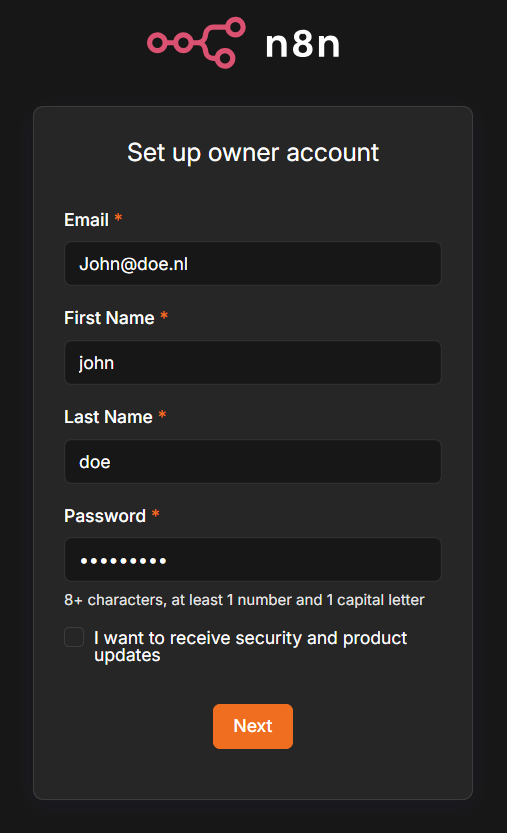
There is no need to use a real address from what I eXperienced; although they ask you every last detail (incl. a recommendation to an advanced license), you can just skip it all to start with this nice overview screen:
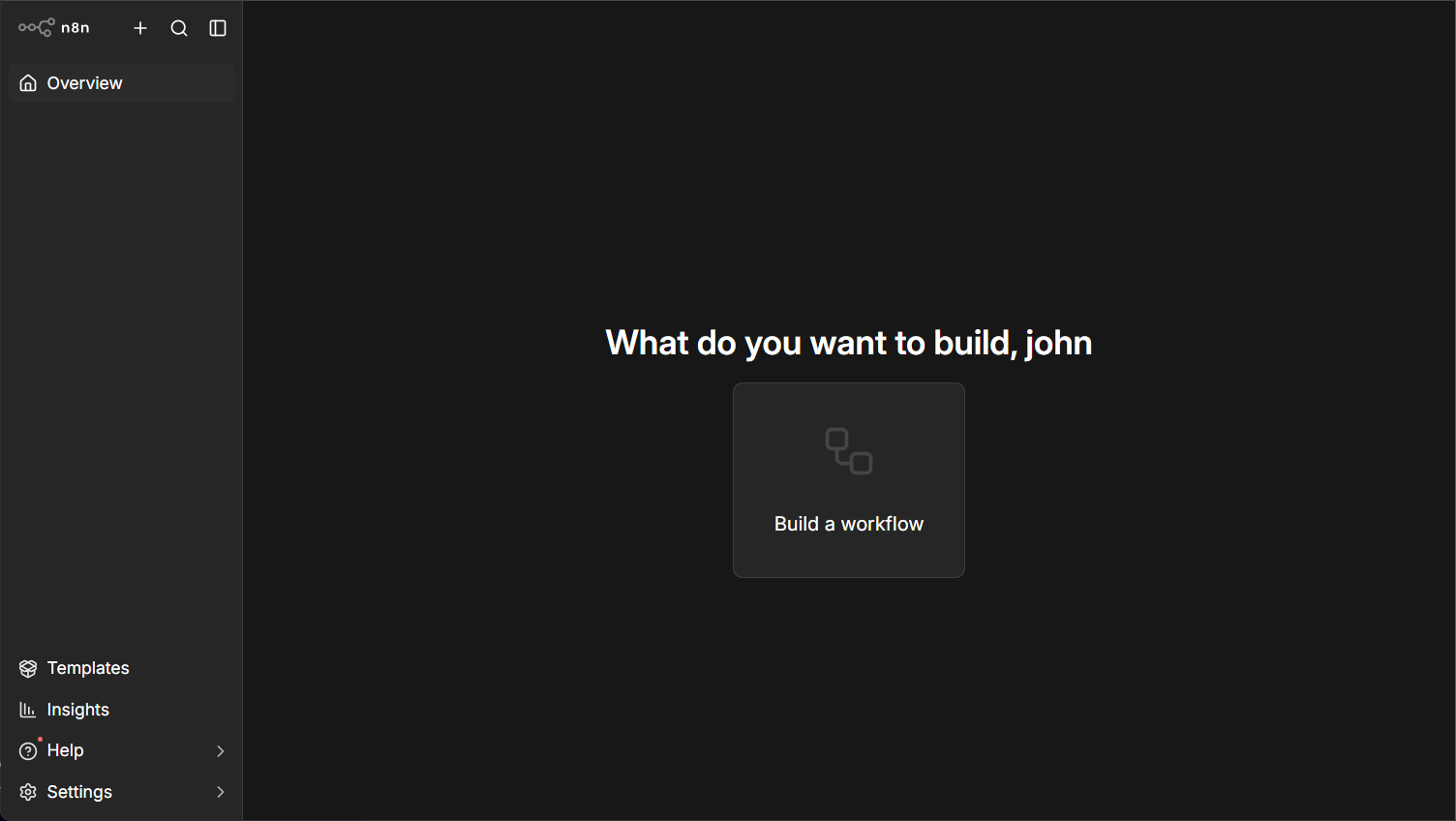
Let’s start with the bottom-left ‘Settings’…You can click through it yourself; these are my observations:
- We’re on a “community edition”…Well, we’re smart enough; right?
- You can only have one “admin” account which is fine for our playground!
- “Roles” is an enterprise option…we don’t need it.
- The API section is probably our entrance from an OPA standpoint…
- External secrets, environments, and SSO are enterprise stuff…we’ll skip it; same for log streaming!
- OpenTelemetry is disabled by default; that’s something you don’t see that often.
- Under “Community nodes”, you can install from this resource…Let’s find out if we require any!?
Now go back to the overview page and hit that button ‘Build a workflow’ which brings you to a new screen:
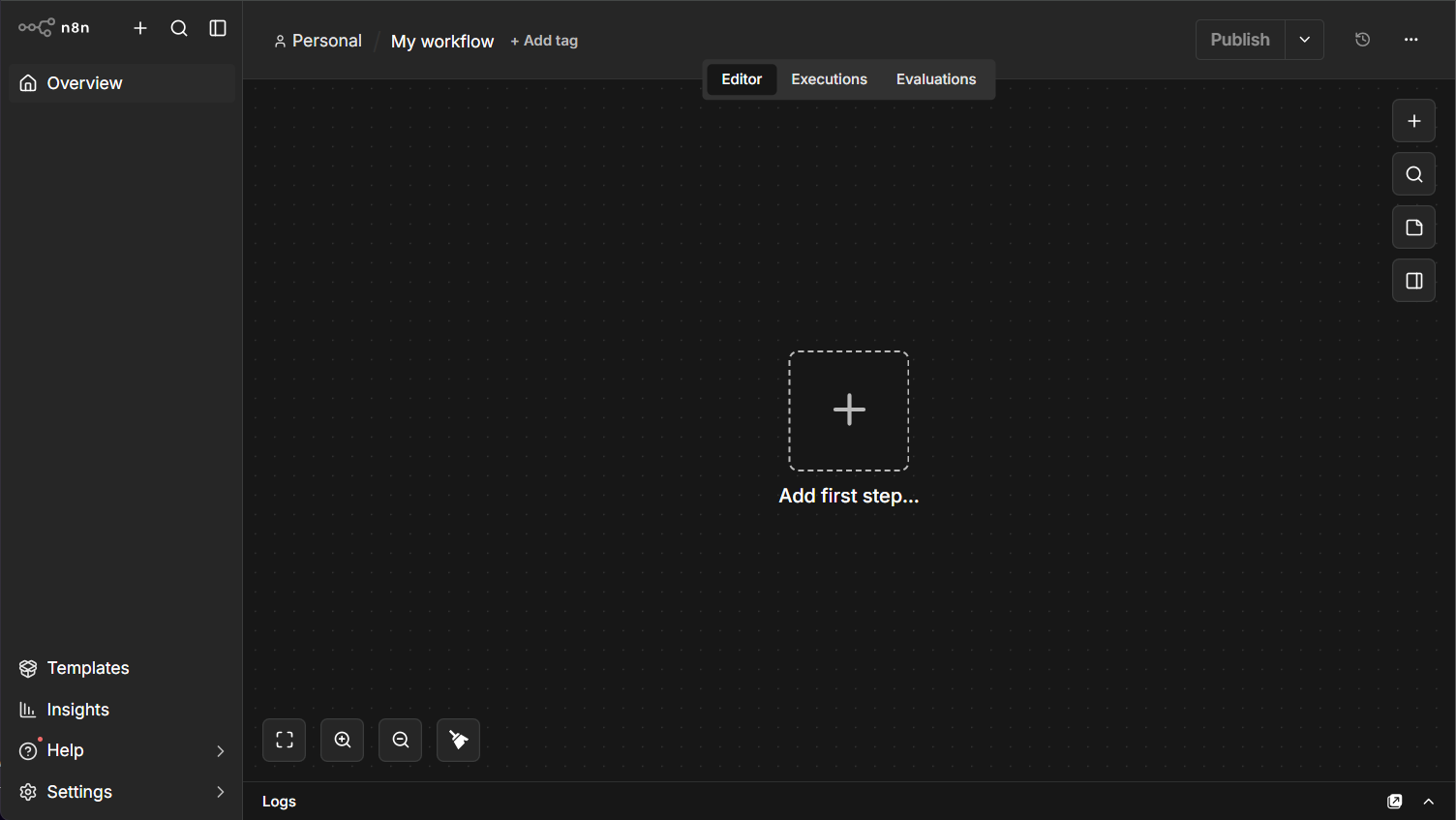
Click around whatever you see and end by adding a first step, which is an ‘On webhook call’ with these parameters:
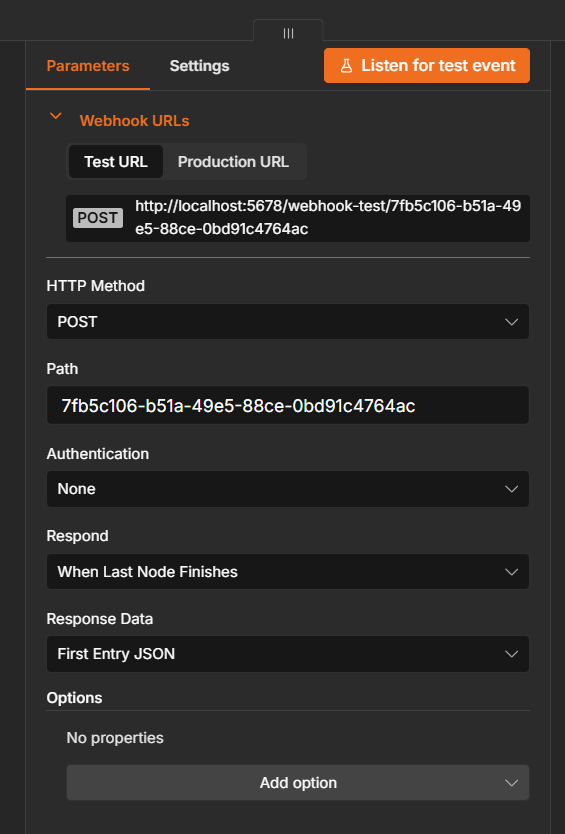
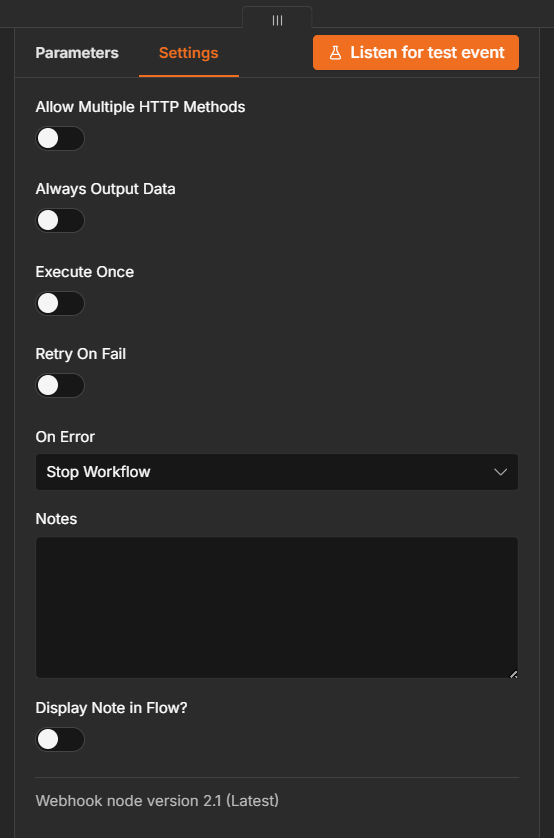
Double-check also the ‘Settings’ tab for some interesting settings on execution modes, retry options, and error handling:
Now ‘Listen for test event’ and do a PowerShell command like this:
1 | Invoke-RestMethod -Method Post -Uri "http://localhost:5678/webhook-test/7fb5c106-b51a-49e5-88ce-0bd91c4764ac" -ContentType "application/json" -Body '{"firstName":"John","lastName":"Doe","email":"john.doe@example.com","active":true,"age":42,"roles":["USER","ADMIN"],"address":{"street":"123 Main Street","city":"Amsterdam","country":"Netherlands"}}' |
What happened to good old cURL? Well, nothing; however, PowerShell is for the new age!
The result:
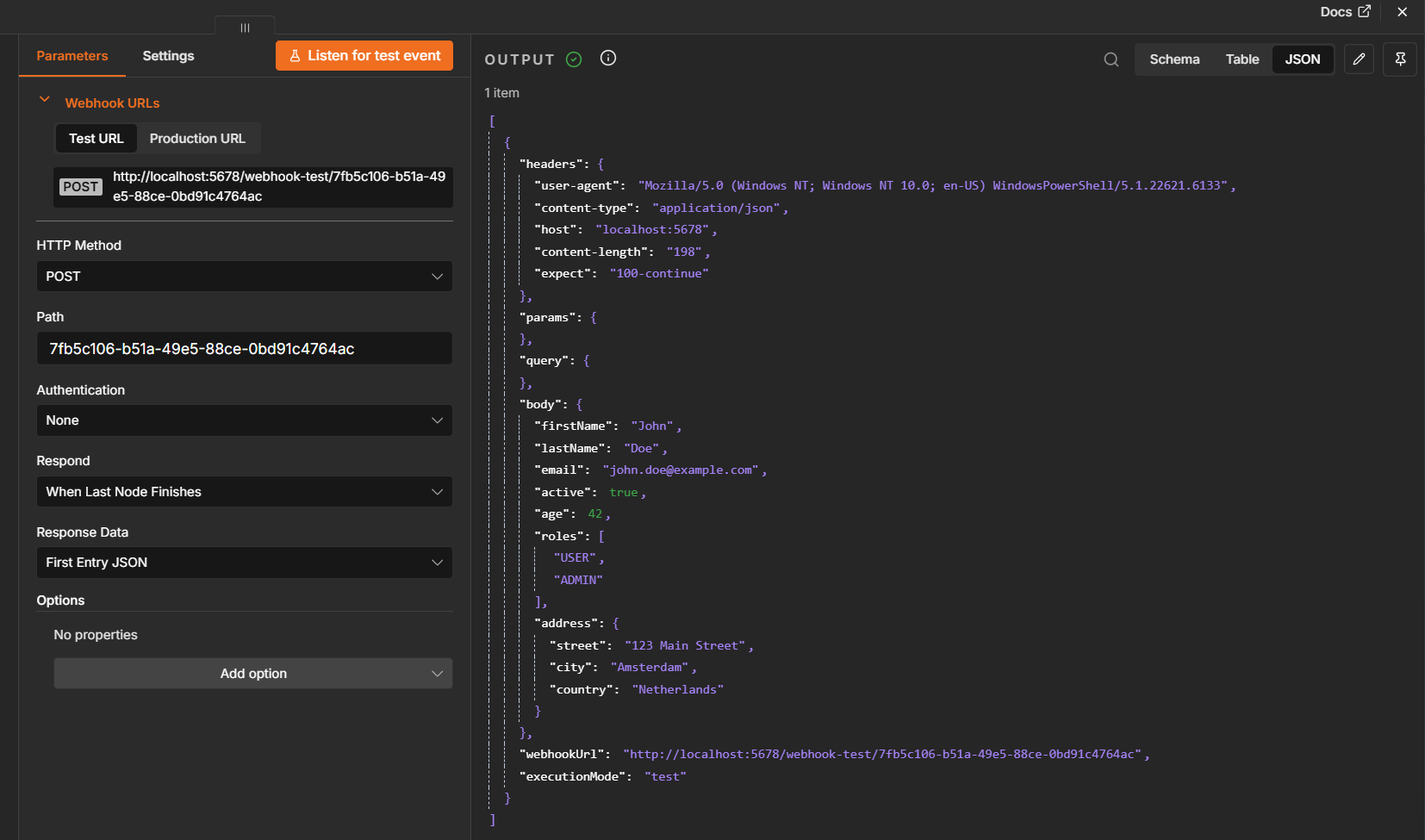
NICEEEEE! 😍
Now go back to the overview of your flow and click ‘Execute workflow’; it’ll wait until you invoke the POST call to the webhook URL again AND it starts one instance! Well, great, but what if I need to call it 100 times; do I need to hit that button over and over again!? Well, nope! Publish your BPM and see what happens now? Don’t forget to change your URL to a “production” URL; a similar URL without -test…AHA!!
Fire away and watch the ‘Executions’ passing by:
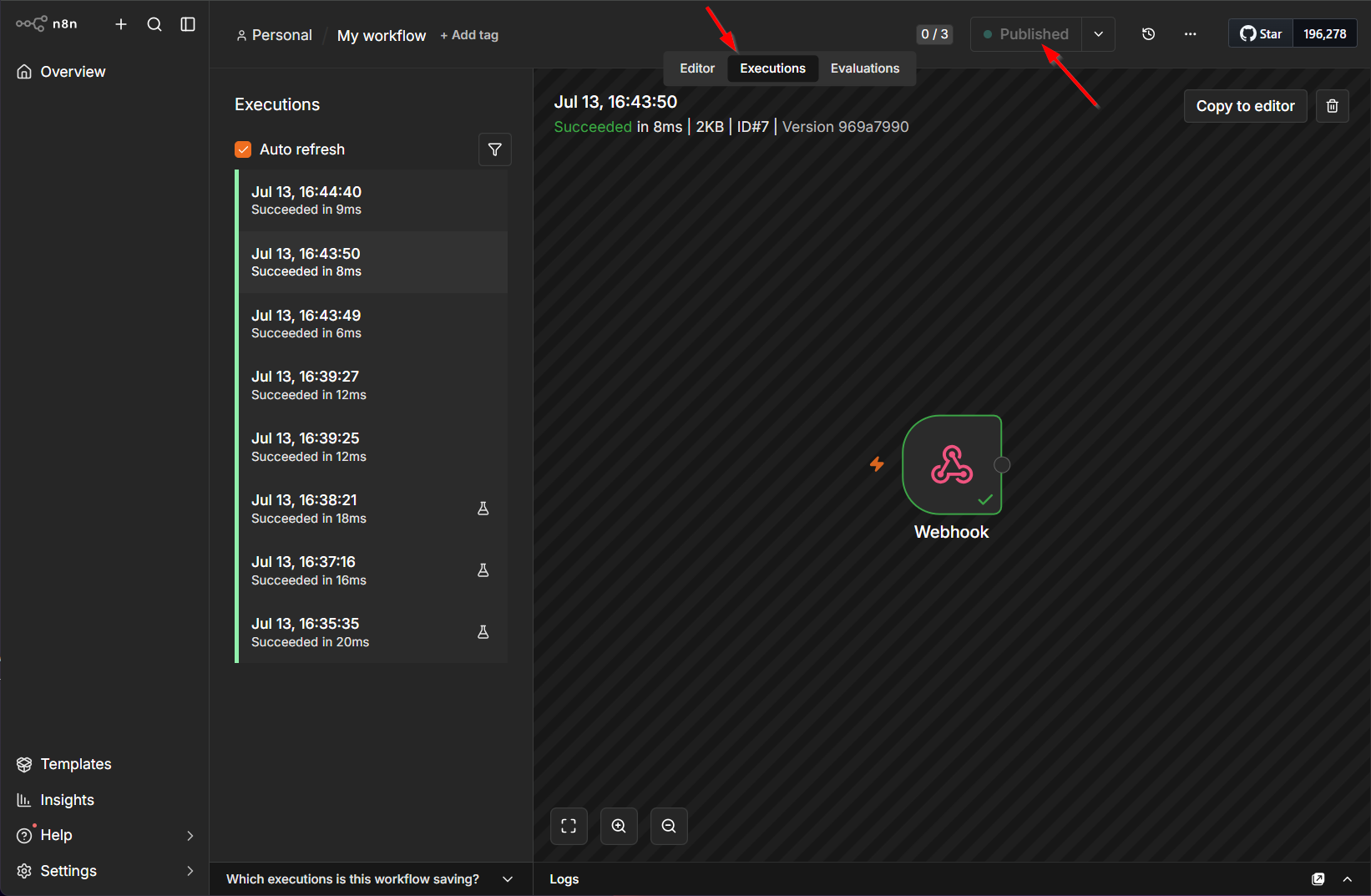
Perfect, but we get back the same response as our input JSON!? Let’s add a second step ‘Edit fields’ with a manual mapping like this:
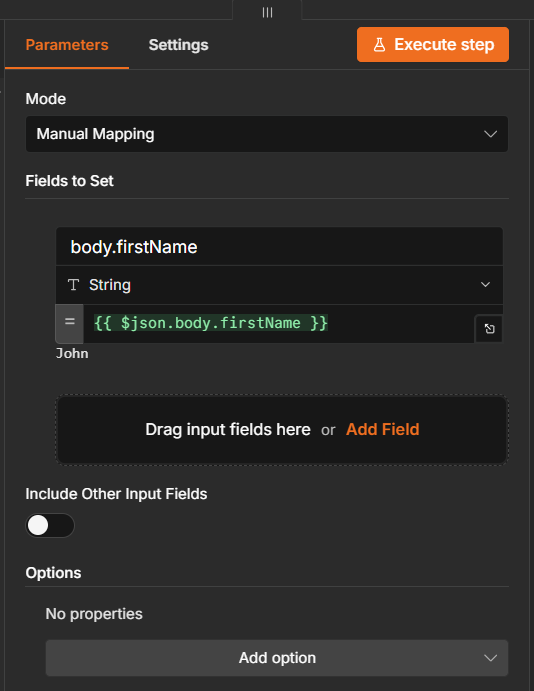
Great, let’s get back to the flow, execute the workflow, and call the end-point (incl. some JSON beautification):
1 | ConvertTo-Json -InputObject (Invoke-RestMethod -Method Post -Uri "http://localhost:5678/webhook-test/7fb5c106-b51a-49e5-88ce-0bd91c4764ac" -ContentType "application/json" -Body '{"firstName":"John","lastName":"Doe","email":"john.doe@example.com","active":true,"age":42,"roles":["USER","ADMIN"],"address":{"street":"123 Main Street","city":"Amsterdam","country":"Netherlands"}}') -Depth 10 |
Ohw mama…we’re getting somewhere with a JSON response like this:
1 | { |
To finish off the flow, you can “end” with a ‘No operations’ step…However, it’s not required. My published flow looks like this now:
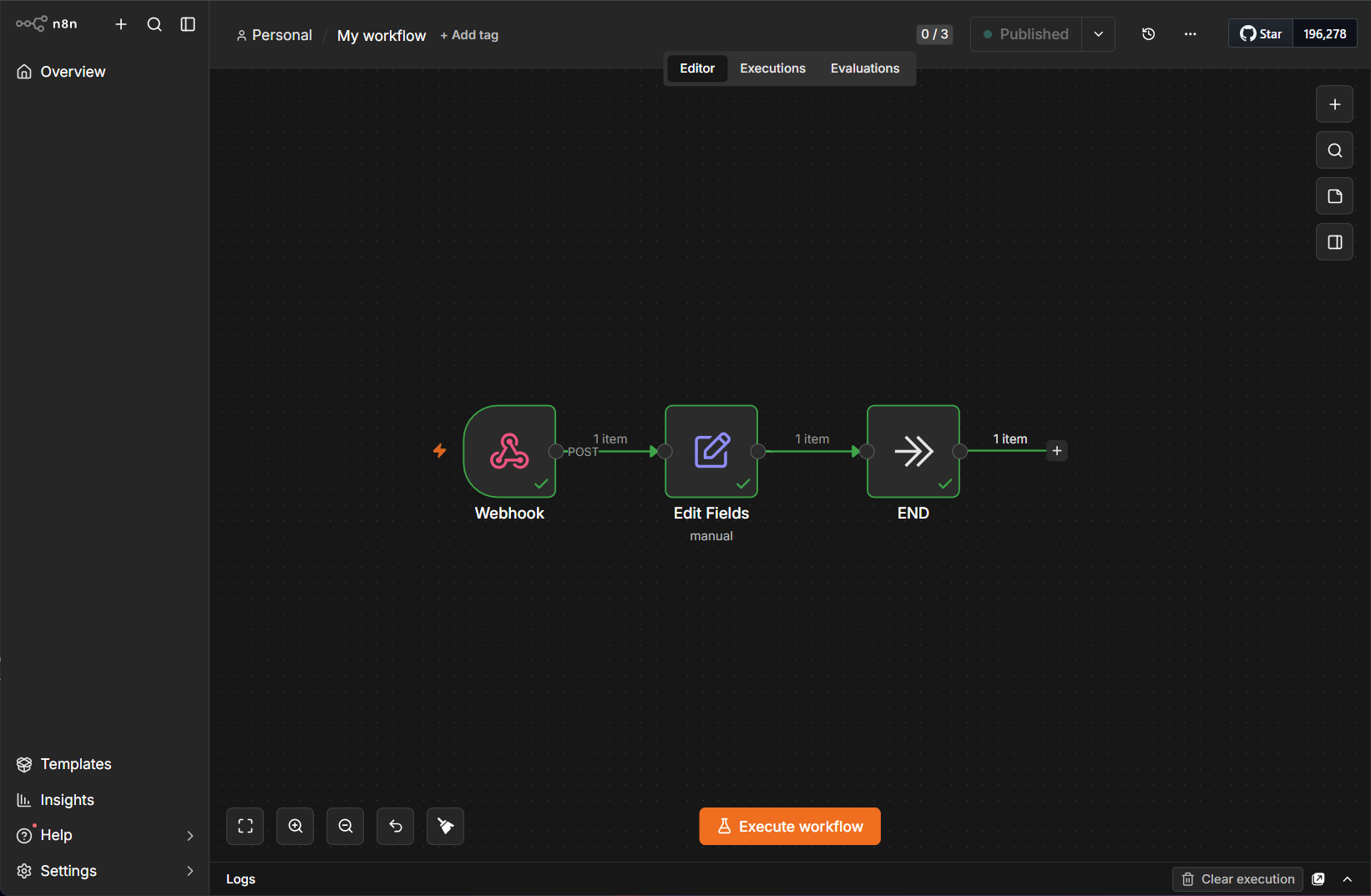
You can fire away whatever you want, and it “feels” a little like WireMock on steroids now! However, we have much more powerful steps to eXplore (not for this post) like:
- Human-in-the-loop (HITL) step to keep yourself busy!
- AI calls where the world is endless…
- Programming with loops, if-else, switch, and wait
- Calling subflows, data management, custom code
- Transformation with compression, conversion, extraction, XML, etc.
- Triggers from forms, app events, schedules, chat messages, incoming mail
- Calling nearly every exotic app in the universe…
…
How to stop n8n? Well, hit <Ctrl>+<c> in the command screen where you initially ran npx n8n. You can start again with npx n8n. For a long-term solution I would install it globally via npm install n8n -g and start it with n8n.
The OPA call
This will be a rather easy task as we have a REST URL available and there is only one connector that makes this call possible…Yes, the HTTP-connector. I just follow my own post with these quick steps and off-road example parts:
- Add the ‘OpenText HTTP Connector’ as an application runtime reference
- Create a new HTTP service connector in the ‘System Resource Manager’ artifact
- Name group:
sg_http - Name server:
sc_http - Select all service interfaces
- Point to a
config.xml…see next step
- Name group:
- Create
config.xmlin XML Store with ‘XML Store Definition’ (XSD)
1 | <configurations xmlns="http://httpconnector.opentext.com/1.0/configuration"> |
- Create a new custom webservice
- Name service:
ws_n8n - Namespace
http://schemas/opa_tipsgeneric/ws - Name interface:
wsi_n8n - Implementation class:
HttpConnector - Operation:
start_workflow
- Name service:
1 | <implementation xmlns="http://httpconnector.opentext.com/1.0/implementation" type="HTTP"> |
…
Publish, restart sc_http, and test the service call:
1 | <SOAP:Envelope xmlns:SOAP="http://schemas.xmlsoap.org/soap/envelope/"> |
With a valid response:
1 | <data> |
Including an execution instance in n8n:
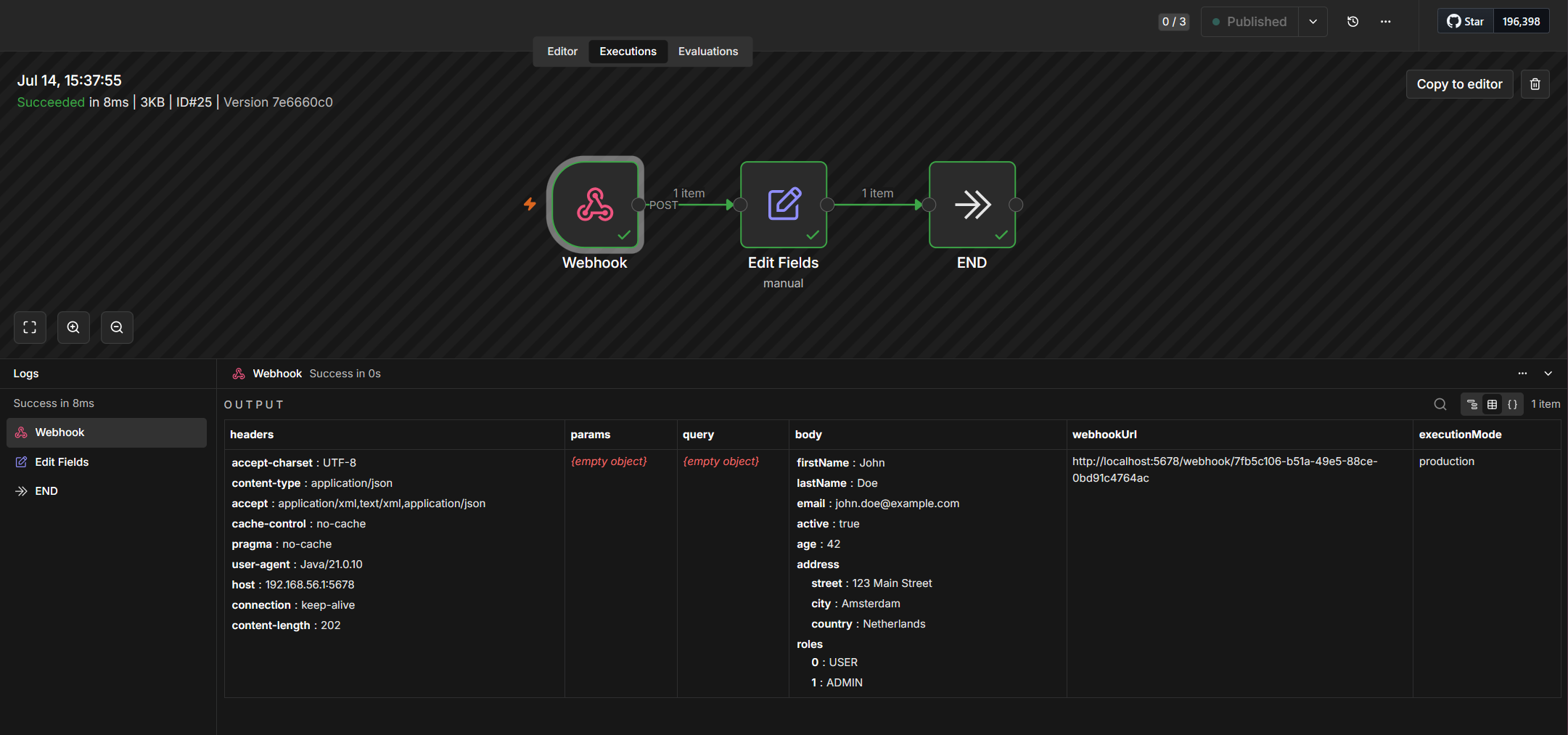
NICEEEEEE! “I love it when a plan comes together” | John “Hannibal” Smith (A-Team)
Call OPA from n8n
WHAT? Is this possible? Yes, my friend; we even have three ways to execute it:
- Call a SOAP message via the
Gateway.wcpendpoint. - Call the Typed REST layer of an entity solution.
- Generate a REST endpoint via the Gateway connector and call it.
All three require authentication (over OTDS), but let me know which one you prefer as the next post in the comments below…
Final thought
Beyond n8n is agentic AI, where AI will build the workflow for you! Interesting…Now just a thought: Can we teach AI to build a BPM in Process Automation out of a prompt? Now that’s a fascinating question!
That’s it with an n8n “DONE” where we eXplored the first basics of external flow building. Nice stuff to play with, but (in my opinion) a little overrated in the whole hype. You can run n8n locally, but it clearly wants you to move as quickly as possible into the cloud. There it is again; “the cloud”. Now you tell me…what company data do you already send into the cloud? Does it feel good? Did it really bring that cost-reduction you hear everywhere? Have a comment below, and we’ll chat about another great topic, next week, here, at “OpenText Process Automation Tips”!
Don’t forget to subscribe to get updates on the activities happening on this site. Have you noticed the quiz where you can find out if you are also “The Process Automation guy”?
