


Hi there “Process Automation” fans,
Welcome to a new installment of “Process Automation” tips.
This post will give you a “key-notes” update of ‘OpenText World (Orlando, Florida) onsite 2026’ from last October 19-22, 2026)! A multi-day event physically happening in Orlando, Florida (at the Hyatt Regency) with lots of shared sessions to join. This time I joined the party in the United States AND boy-o-boy what a country! It was my first time in the US, but next year I already know that I’ll join the party again; it was amazing! I saw so many people, shook so many people’s hands, joined lots of meaningful sessions, provided my feedback to my friends at the innovation labs, and partied along at dinners, drinks, and sightseeing. This post will show what I saw during these 4 days; actually, 6 days as I treated myself to “the American eXperience”…
Let’s get right into it…
With OpenText, there is only one thing that seems important! Now you guess what that might be!?!? Yes, there it is again; AI! I didn’t hear “Aviator” a lot, but AI is for sure a thing.
The key takeaways for this year are:
- The new CEO ‘Ayman Antoun’; read more here. A great talker on stage with humor and jokes.
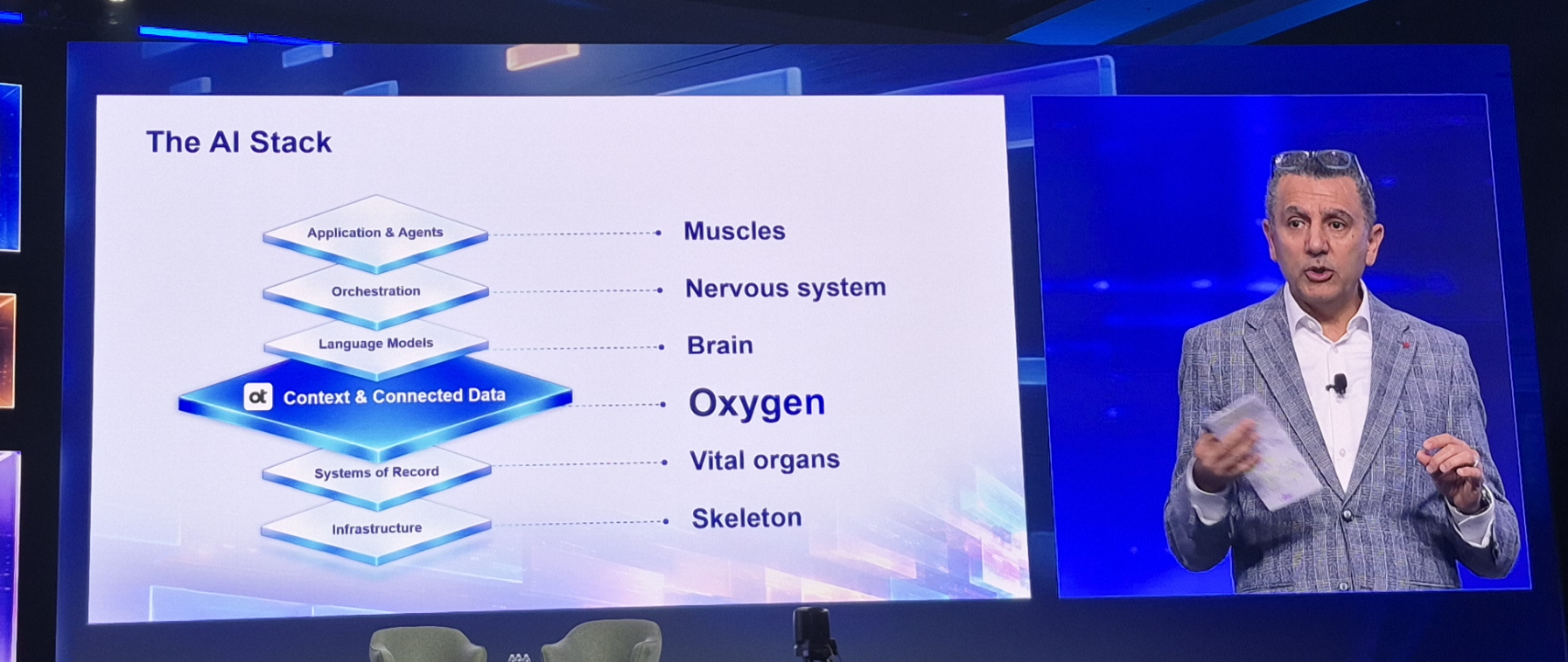
- Trusted Context & Connected Data
- Building agents and orchestrating them to your advantage in context of your business.
- Nothing happens without partners.
This is a list of interesting links for you to eXplore:
Also watch out for #opentextworld2026 at LinkedIn! AND don’t forget about the events app for Android and Apple
Time to go through my trip, consume keynotes, sessions, and labs…Based on my stacked agenda:
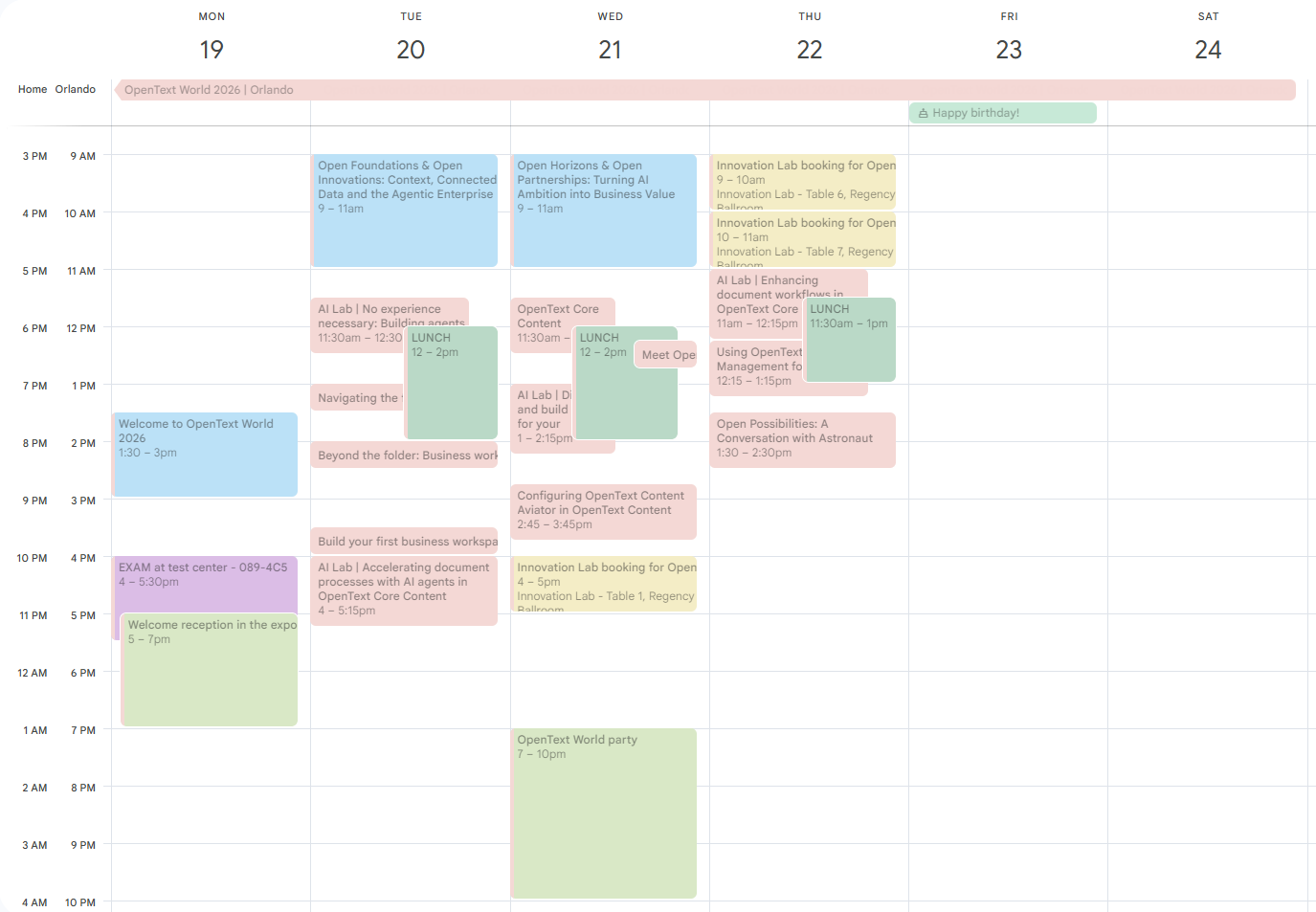
Day 0 - Travel to the USA
One thing you need to do for long distance trips is preparation and planning ahead. Traveling to the US requires you to have an approved ESTA AND IF you travel into the UK you need an approved ETA. However, I only transferred at Manchester airport where you don’t need an ETA (clearly not all people at KLM check-in were aware of this). AND don’t forget your passport…dûh!
Make sure you travel on time. I almost missed my flight from AMS to MAN because of issues at passing the security (at Schiphol). It took ages before I passed through and needed to take a run after (although I was already there 2.5 hours before; at the P3-long-parking spot for my car).
I didn’t even have time to pick up my reserved dollars ($$$) at the travelers station at Schiphol plaza…It’s what it is, but let me tell you this. If you show your credit card, you can pay anywhere. So, no dollars for me this time, but I will still get them next time; $50,= would be enough…just for the tips.
Another thing to not forget is a travel adapter. See here about your options.
Pro tip: don’t forget any water! Trips do get you dehydrated from stress. You can’t pass it through any security, but buy a new bottle where possible!
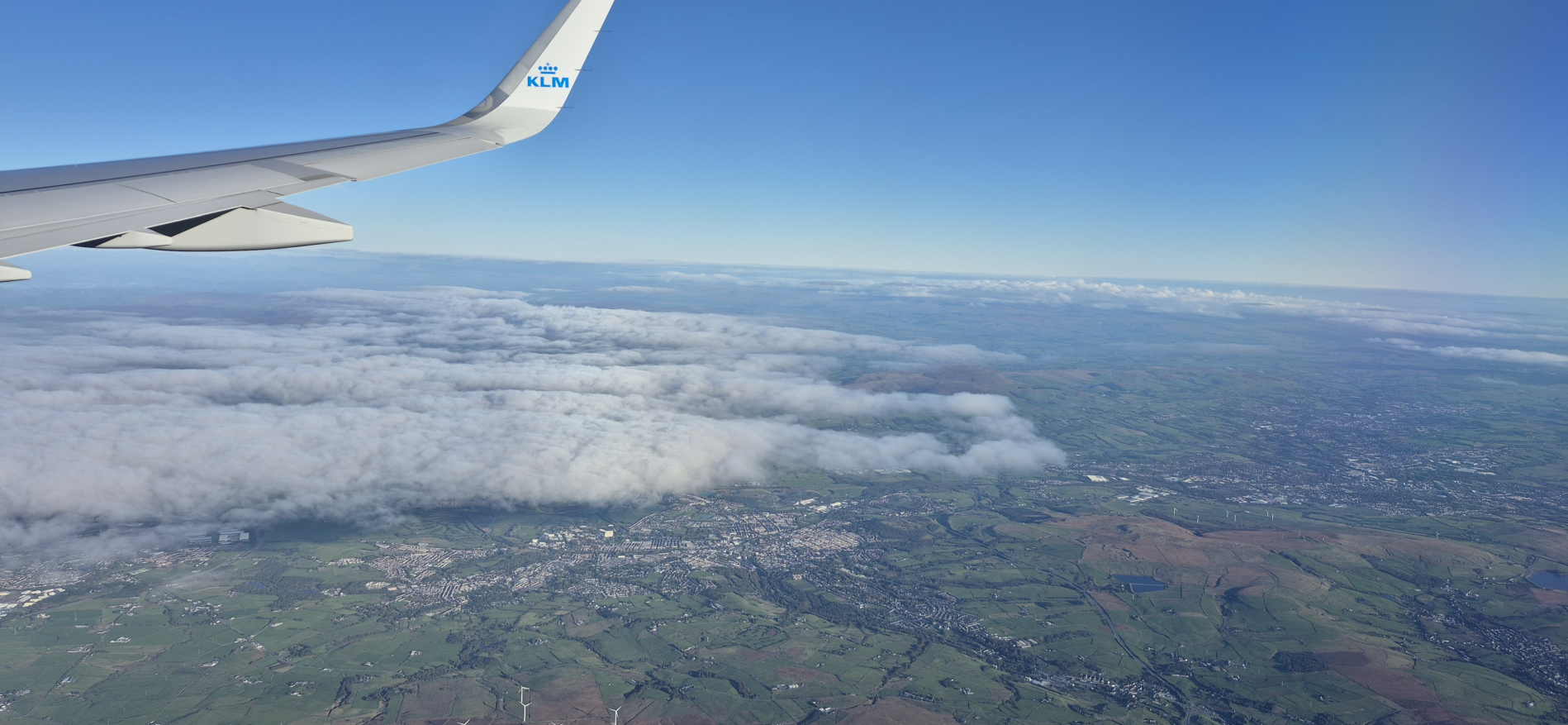
My first plane took me from ‘Schiphol’ (Amsterdam) to Manchester (UK) with a splendid view:
Finally, the trip to Orlando (MCO) with Delta Virgin (which was for me a totally new and wonderful eXperience…incl. infotainment!):
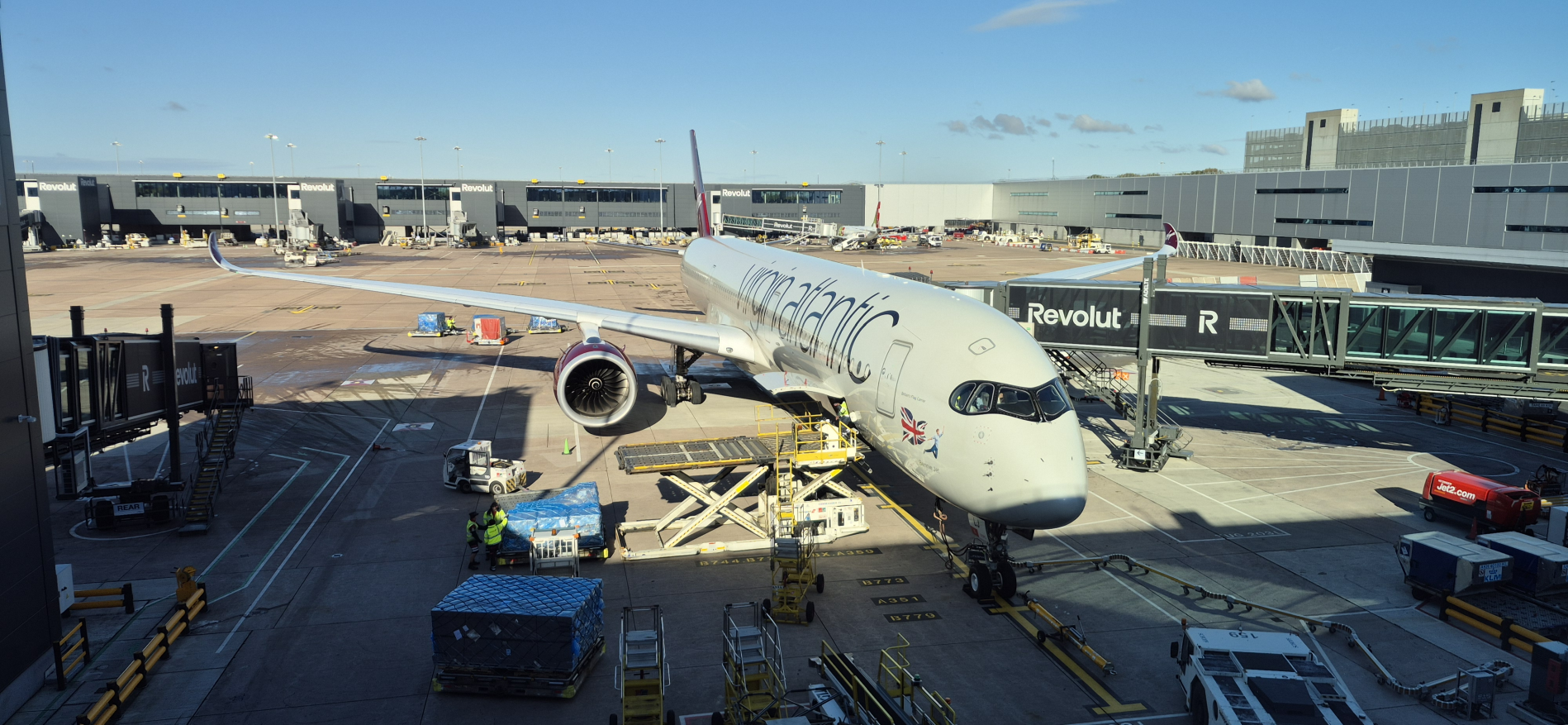
In numbers:
- Flight time: > 8 hours
- Altitude: > 11 km
- Temperature: -60 ℃
- Speed: > 900 kph
- Distance: > 6800 km
Landing in Orlando moved me quickly through security with an enjoyable conversation at the security person who had a background in R’dam (Netherlands). The line was not that long behind me, so he took the time to give the best introduction to the USA to a noob like me!
TIP: If you pass the USA border more often, use the Mobile Passport Control app!
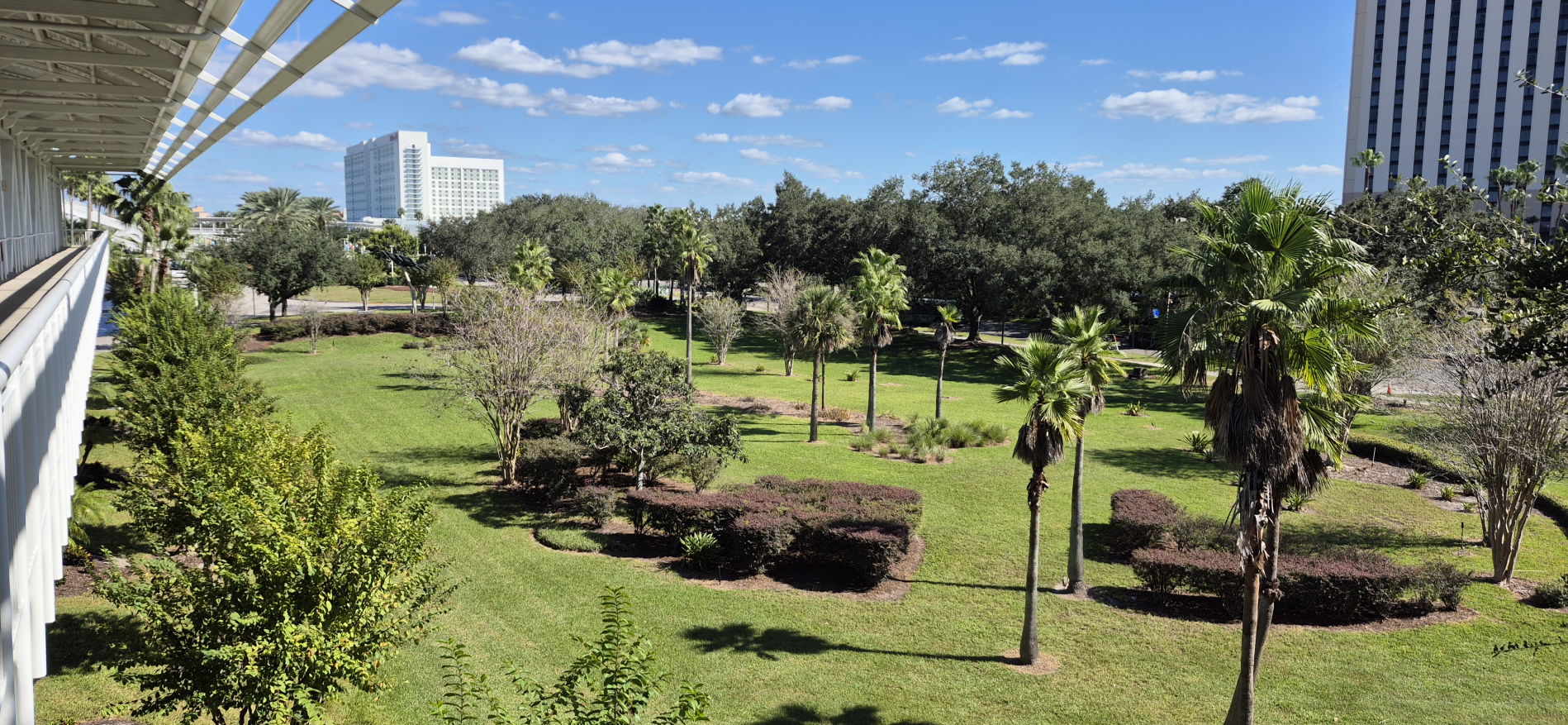
Once in Florida (USA), it was 25 ℃, palm trees, large driveways, and an amazing vibe to walk around…
Let’s continue with the OpenText World event itself…
Day 1 - WELCOME & free exam attempt
The first day starts late (an excellent choice because of jetlag headaches). It starts with registration at the OpenText desk in the Hyatt Regency where the event was organized in the convention center part of the hotel. The only session planned for that day was a welcome to OpenText World 2026. Nice to join, but also sometimes a little awkward…Well, it is what it is. You had a chance to get your first questions answered.
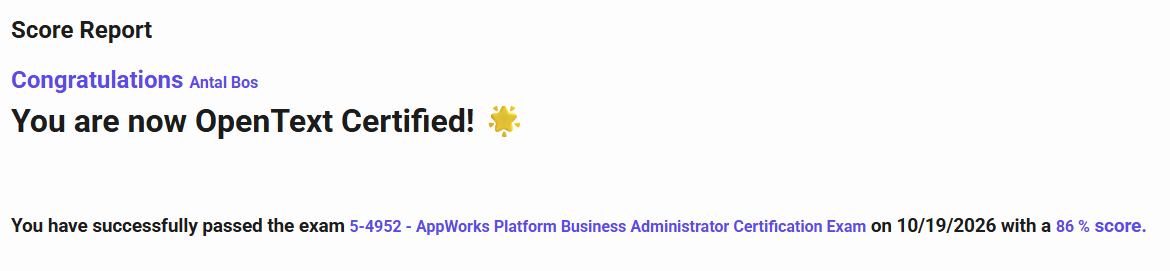
After the welcome, I had an exam! As you might know, joining OT World gives you one free attempt at getting yourself certified. So, I took my attempt on ‘5-4952 v24.2 - AppWorks Platform Business Administrator Certification Exam’. AND guess what!? I nailed it:
This also includes a badge at Credly:
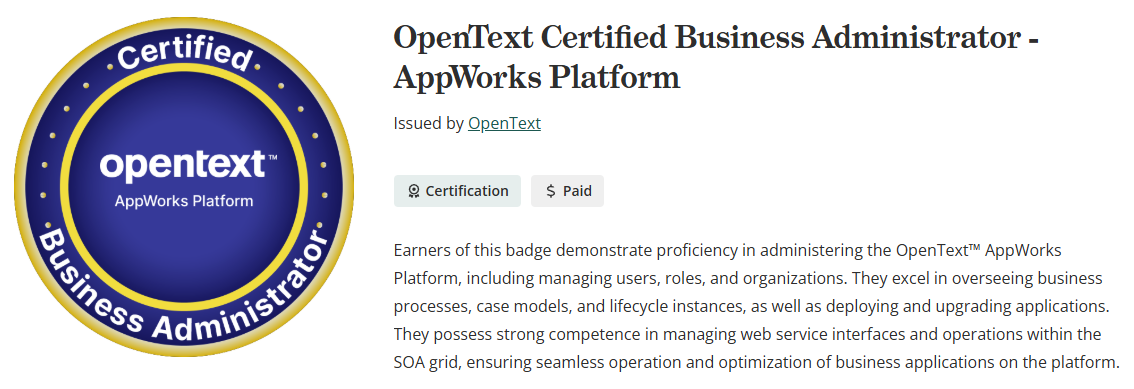
So, a great achievement in my career!
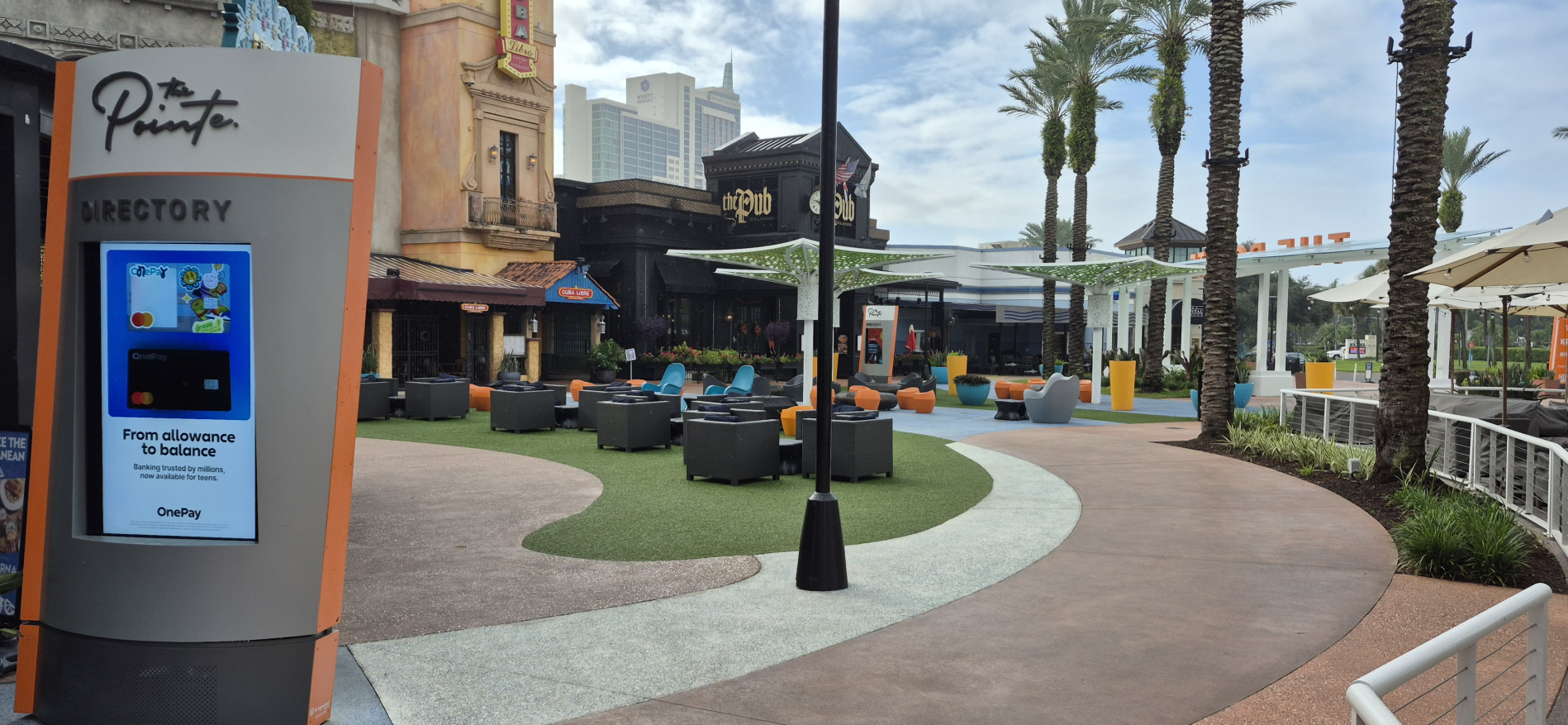
After this exam, it was time to destress on a beer at the welcome reception of the event where I directly got in contact with other Dutch comrades that brought me eventually into ‘The Pub’ at ‘The Pointe’ which is a social space for the local people and where also the deep-dive conversations happen with similar minded people in the OpenText space.
Day 2 - Documentum Business Workspaces & Core Content update
This day starts with a key-note from the new CEO ‘Ayman Antoun’ with his jokes around the Oreo-cookies. I don’t know if he really likes them!? There are definitely better cookies in the world; like the overengineered and toooo expensive cookies of ‘Het koekmannetje’. Three things are clear in his key-note:
- OpenText is open for possibilities with “OPENPOSSIBILITIES” together with partners
- The AI era needs Trusted Context & Connected Data for a credible outcome
- There is a little OpenText in every Oreo cookie!
After this, it was the turn for ‘Shannon Bell’ (Executive Vice President, Chief Product and Technology Officer…A mouthful) on a data-insights-show where composable AI lets the agents go out, lets external agents come in, and lets Aviator Studio extend OpenText applications:
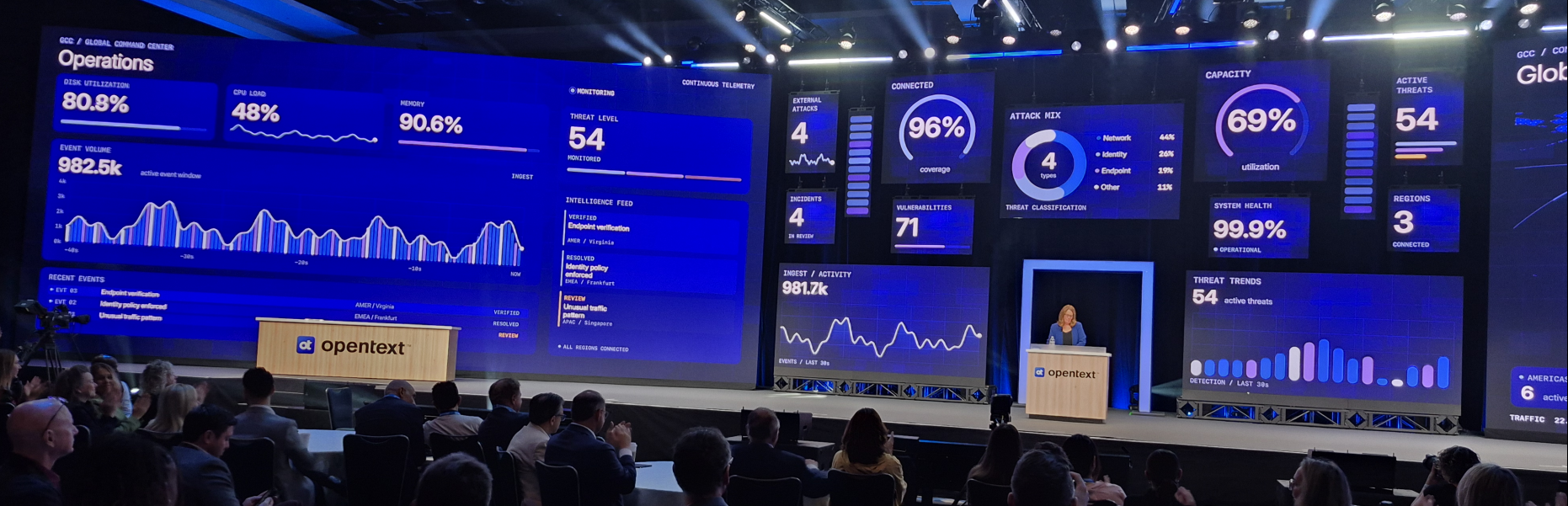
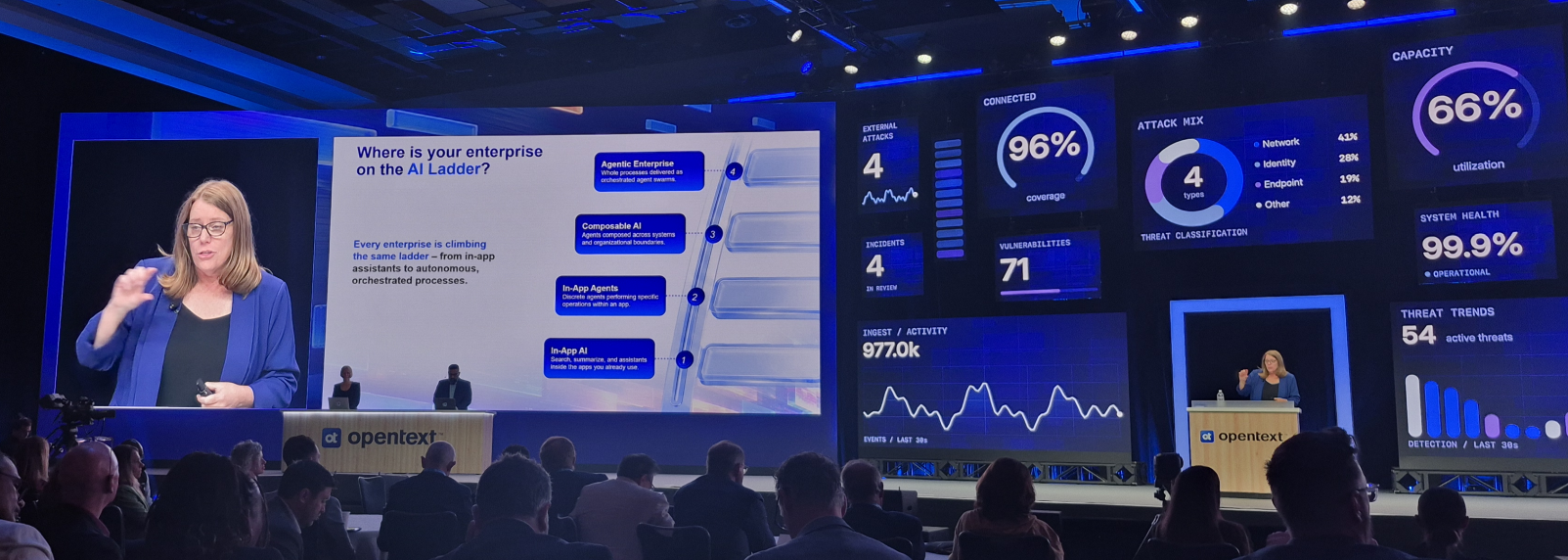
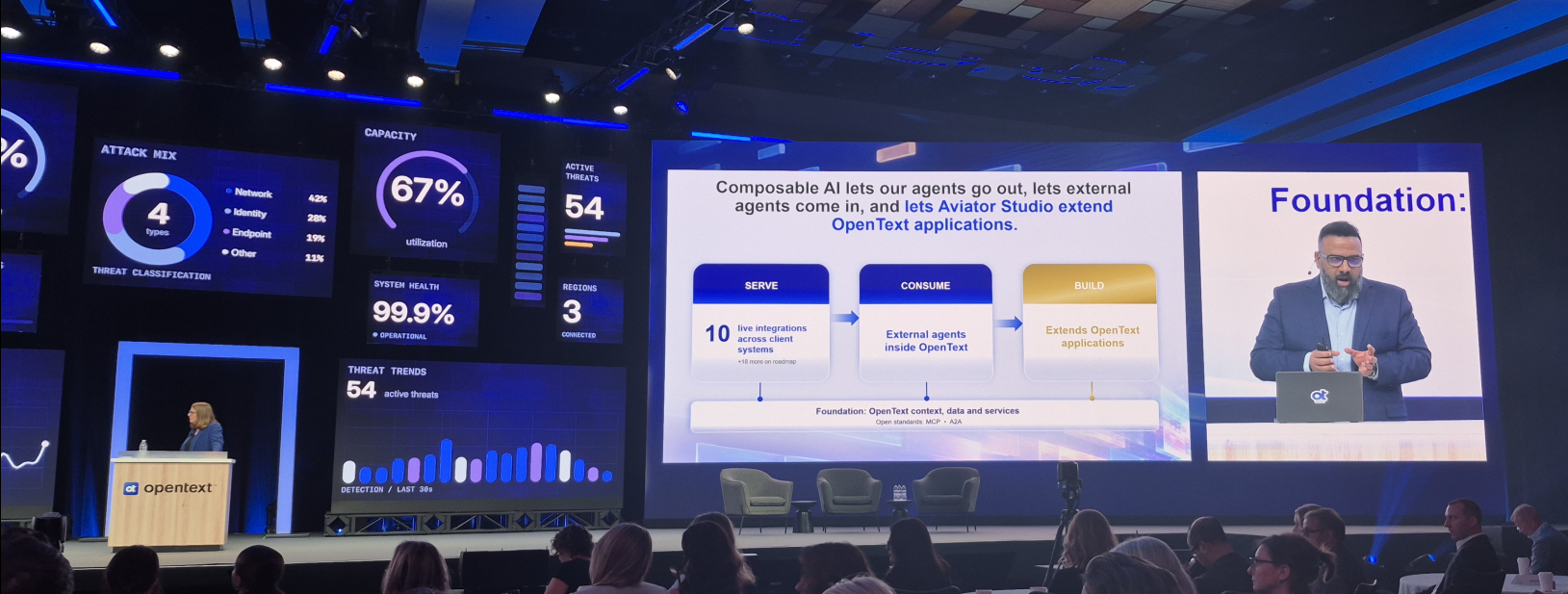
Interesting to see and hear with lots of examples and clients on stage telling their stories about how they implement AI within their businesses.
…
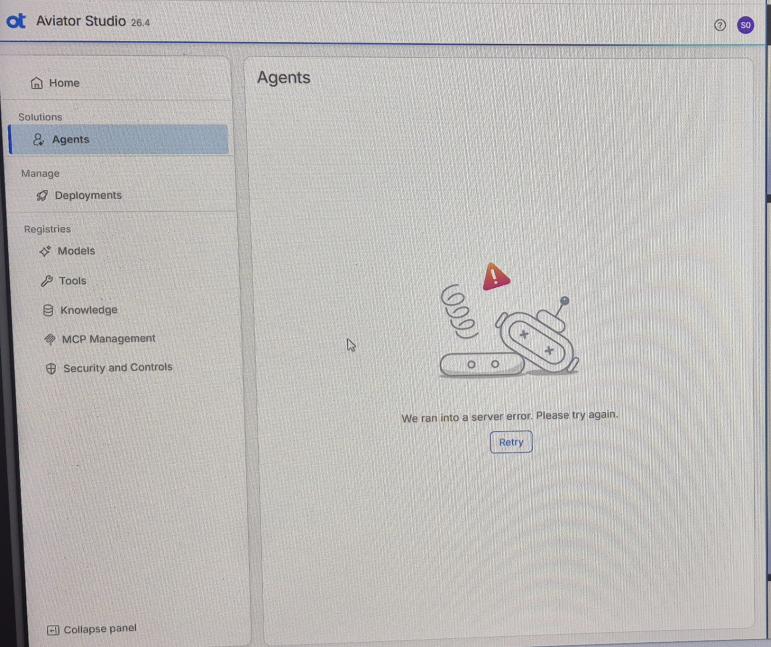
After the key-note, it was time for my first hands-on session ‘Building agents with OpenText Aviator Studio’. With nice insights into creating your AI agents based on models (LLMs), tools, knowledge (your databases), MCP management, and security/controls (your guardrails). With Aviator Studio you connect the dots together on your data. The end-result is a deployable agent which you can reuse across OpenText products. At least when it’s not running into a server error:
These are the three ways to connect with your agent:
- Model Context Protocol (MCP) server - Provided by OT or 3rd parties and registered in Aviator Registry via Aviator Gateway
- REST API call - Provided by commercial or custom apps; any allowlisted REST endpoint, wrapped as an OpenAPI tool
- Pre-built tool - Provided by Aviator Studio; built in code and shipped with Aviator Studio
It was a great session to join and fascinating to see how it works, but I conclude this is more the job for a data analyst to connect the dots together across your data-lake. During writing this post, I can also remember the term “Data AI” passing by somewhere in the UI.
After this data AI session, it was time to jump into some Documentum sessions. There were three of them, and I don’t know what it is with those Documentum sessions; they always feel a little chaotic and unstructured for some reason. But whatever…my main reason for joining the Documentum sessions is to have a better feeling and understanding of the new Business Workspaces support since version 25.4 of the platform.
Why? Well, I know the power of BWs which is saving data in one location and exposing that same data to other locations (like SAP, MS Teams, Outlook, etc.). I also have a background in Documentum AND I always said that when the time is there that Documentum supports BWs, AND our OPA docstore connector can use them, we have a golden pair of systems. OPA can do the processing, and Documentum can handle the cases (with documents/metadata). I don’t know why it took so long before the support was available, but I guess it’s a little hitting against the flagship of OpenText; which is Content Management (with xECM!). Great, but we also know (at least in my humble opinion) that Documentum is the far better repository for managing content and metadata at a larger scale. Documentum is powerful with its services for solid storage without all the collaborative nonsense you have with Content Management.
So, what sessions did I follow? Well, first ‘What’s next for OpenText Documentum CM’ which was not that interesting to me and didn’t tell me much beyond what I already knew. Next was ‘Business workspace in Opentext Documentum’. Again nice, but just a high-overview on my quote above this line. Then there was ‘Build your first Business workspace in OpenText Documentum (hand-on eXperience)’. I thought that the fun would now start, but you needed to bring your own device although there were hundreds of laptops available in other session rooms which was for me a #BUMMER as now I needed to see how somebody else did it (which is not the “hand-on eXperience!). But nevertheless; Here it is in quick steps…
Notes:
- A Documentum business workspace inherits from the
dm_foldertype with type namedm_bws.- If you define a new business workspace (in the new SmartUI Admin console of Documentum content Management), you just create a new type which inherits from
dm_bws.
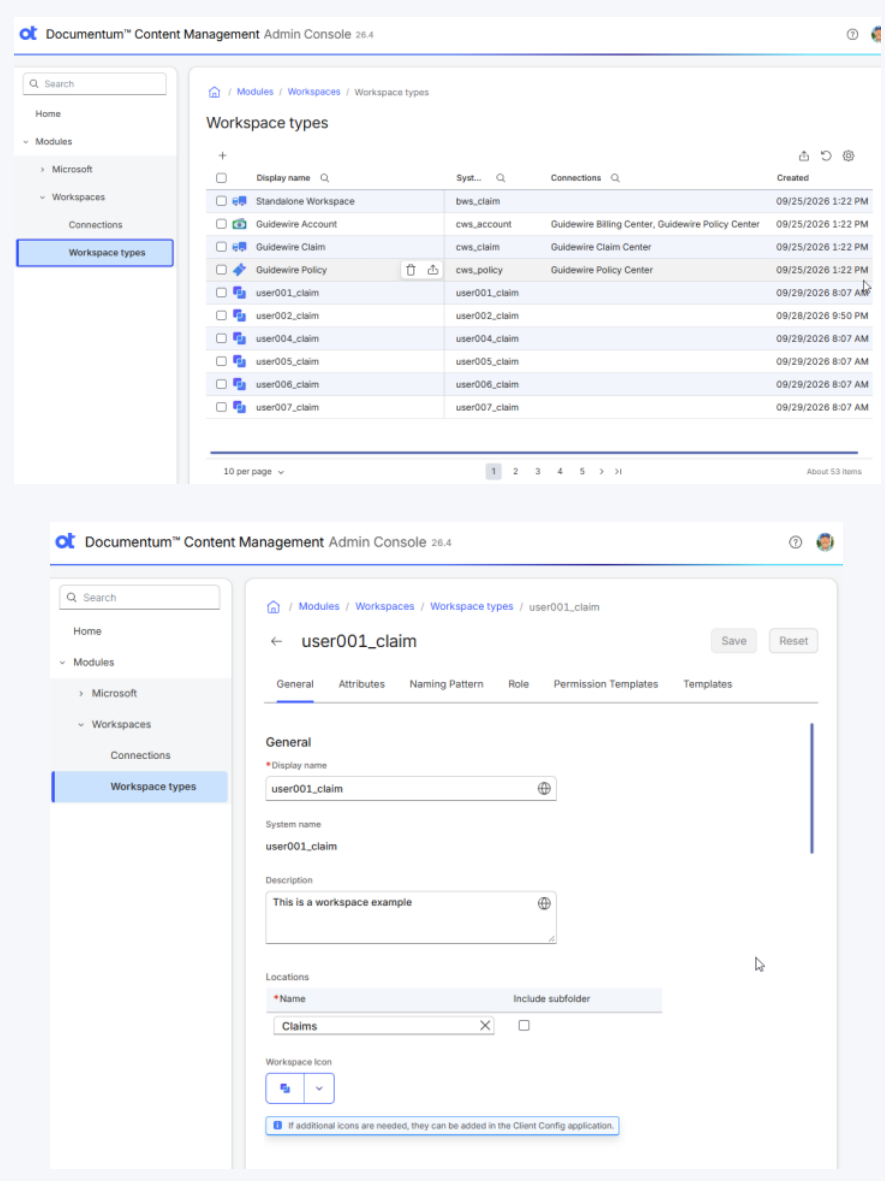
Create a ‘Workspace types’ under ‘Modules’ > ‘Workspaces’ > ‘Workspace types’; things you can define are:
- ‘Attributes’; they get a name, a type (like String), a size, and whether they are repeating or not
- ‘Naming pattern’; makes the workspace name dynamic, like
Claim - $value(claim_number) - $value(claim_type) - $value(claimant) - ‘Roles’; define your roles that can access the workspace (next to
dm_worldanddm_owner). - ‘Permission Templates’; here you define the permissions for
dm_world,dm_owner, and your own defined roles. At least somebody needs access! - ‘Templates’; this is where you define your folders in the workspace and who has permission! There is also an option for folder mapping to route a new document into a folder based on document properties/values
DON’T forget to publish the template like I did…It’ll drive you nuts!
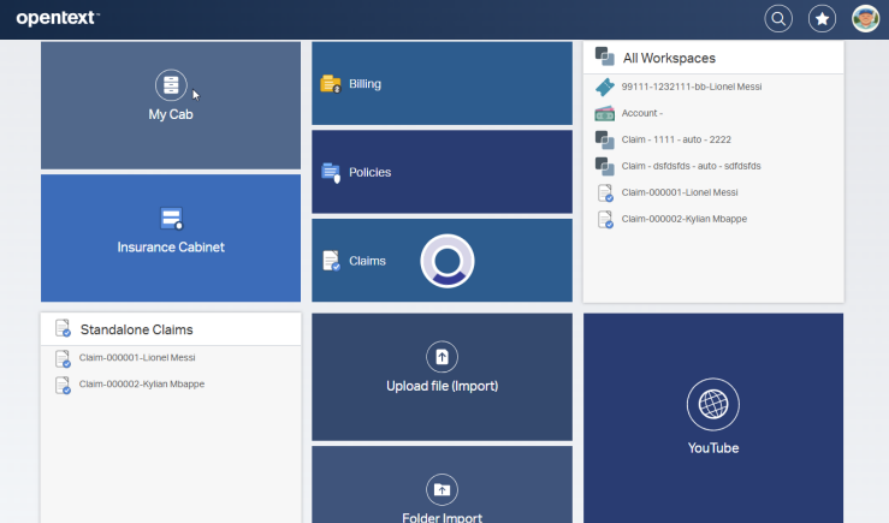
Once ready, go into Documentum SmartView which will show the tiles (incl. the workspaces):
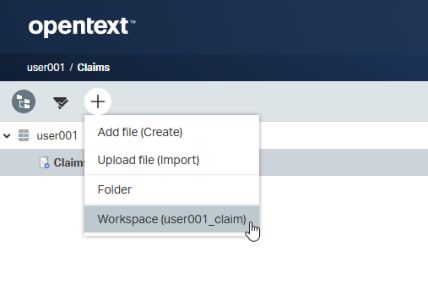
From your home cabinet, you can eventually create a new business workspace (if published AND you have the permission to do so):
It’s nice to see some xECM in Documentum falling into place:
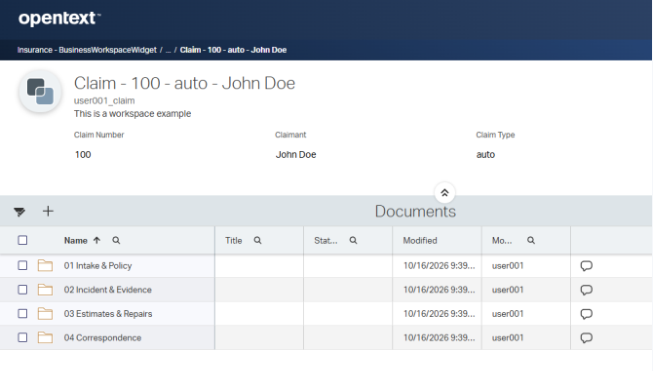
If I miss something in the steps, comment me below…I also don’t know what else is created in the background in Documentum (like TBO-usage, permission-sets, aliases, etc.), but I have a post on the backlog to see more of this new Documentum Business Workspace feature with exactly these questions!
Let’s continue the day as my last session was ‘Accelerating document processes with AI agents in OpenText Core Content Management’. This session started with a “no-code” workflow editor in Core Content! Great to see and nice to play with as you can build a simple flow with simple decisions, manual tasks and some more advanced tasks where two are important to remember:
- The Agent AI activity to call an agent designed in the Aviator Studio.
- The Workflow activity to call an “advanced” workflow created with Thrust Studio (as a plugin in Visual Studio code). More on this part in day 4 of the event where the real power is found…see below!
FYI: if you want to play with Core Content, get a free 90-day trial eXperience here! Use the ‘Extend Apps’ part and leave the ‘Build Apps’ for what it is. Building apps for the cloud platform services looks like a dead-end. ‘Core Content Management’ is the new movement from what I see and hear.
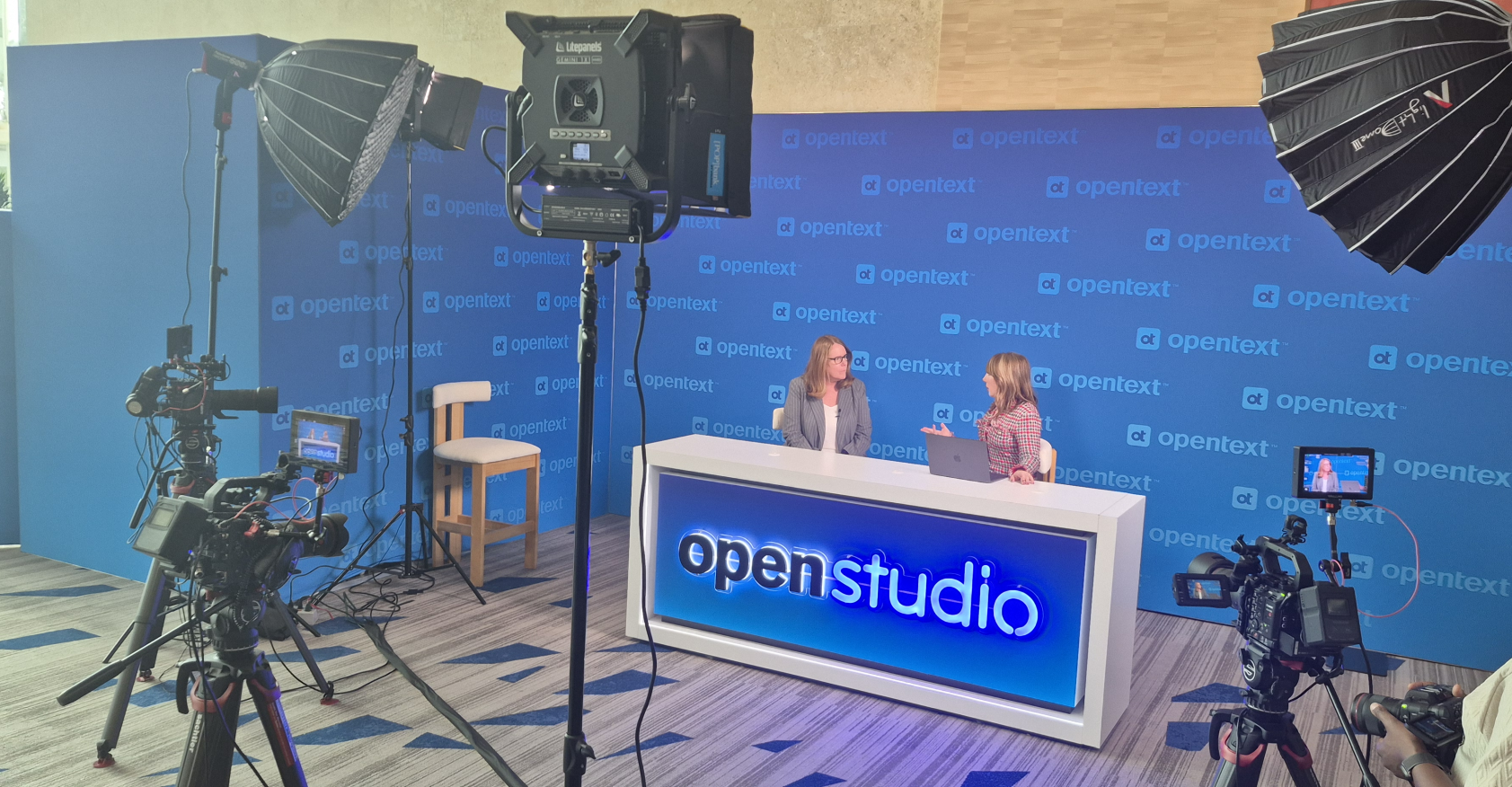
Walking around the event area, I saw also OpenStudio passing by which I never saw in real-life before:
Eventually it was dinner time, and I was invited to join some OpenText “techies” at the nearby Mexican. It was taco-time (which tasted great); a fire-lady did her show; BUT better, all my techie questions got answered directly from product owners, developers, and analysts…That’s also exactly why you want to join OpenText world. The event sessions are good, but what happens outside the sessions is even better. You start to create a bond that will bring people closer together…particularly important!
Day 3 - Aviator Studio & Agents orchestration & PARTY
This day of an OpenText event always starts with some “Muhi-time” from EVP ‘Muhi Majzoub’. A nice quick morning talk with some customer Q/A eXperiences, but mostly more a recap from what we saw the day before already:
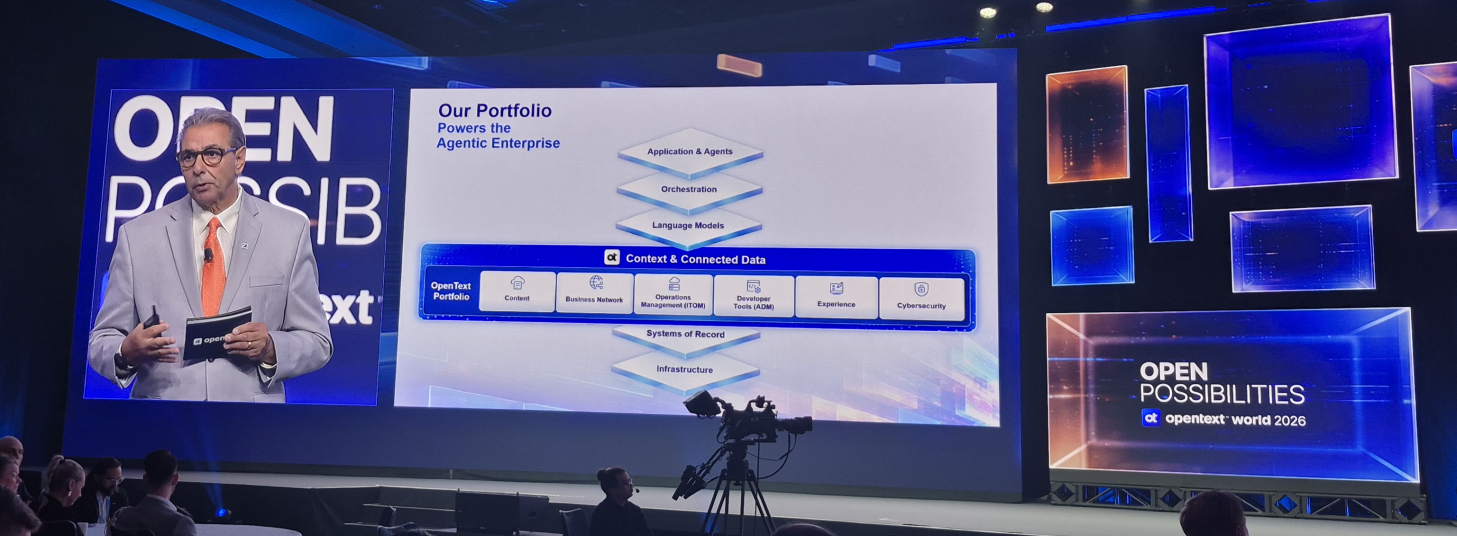
After this, I had some time to eXplore the expo floor with stands/booths to ask your questions. However, most booths have a “sales”-character which typically isn’t my thing. It was also pretty crowded at that moment. It was time to continue into my next session on ‘OpenText Core Content Management and OpenText Aviator: Create AI agents with Aviator Studio’. It was a little recap from what I saw before already, but still interesting to see it from a different perspective. This session was given by Samuel Peuker who I connected with earlier this year. So, I just wanted to shake hands on this new connection, and it was a pleasure to meet him in real-life. All my questions got answered about manager agents, subagents, crap in/crap out, decision calls, and where these tools will move to. I think one thing is key; OpenText is a “content” company so it’s important to keep AI in context of the company content, connecting it together, adding guardrails, removing possible hallucinations, and making sure the AI supports the knowledge worker in its daily job.
In the afternoon, I joined another session from Samuel ‘Configuring OpenText Content Aviator in OpenText Content Management’. It was a great technical session about exactly what the title told me. Just a deep-dive on how to connect content aviator in the good old OTCS. Good to see how the dots are connected, but for now I keep it that way…if you want I can ask for the presentation on all the needed steps.
Finally, it was time for the first innovation lab ‘Stay in Control with Content Aviator’. The innovation lab lets you provide feedback on the scenarios they serve you. You do this with someone from the iLab-team going through a list of questions mostly about the UI/UX of a certain OpenText product; In this case ‘Content Aviator’. I can’t tell that much (as it’s not allowed), but I always take some time for these sessions and provide my feedback on how it all feels/smells/tastes.
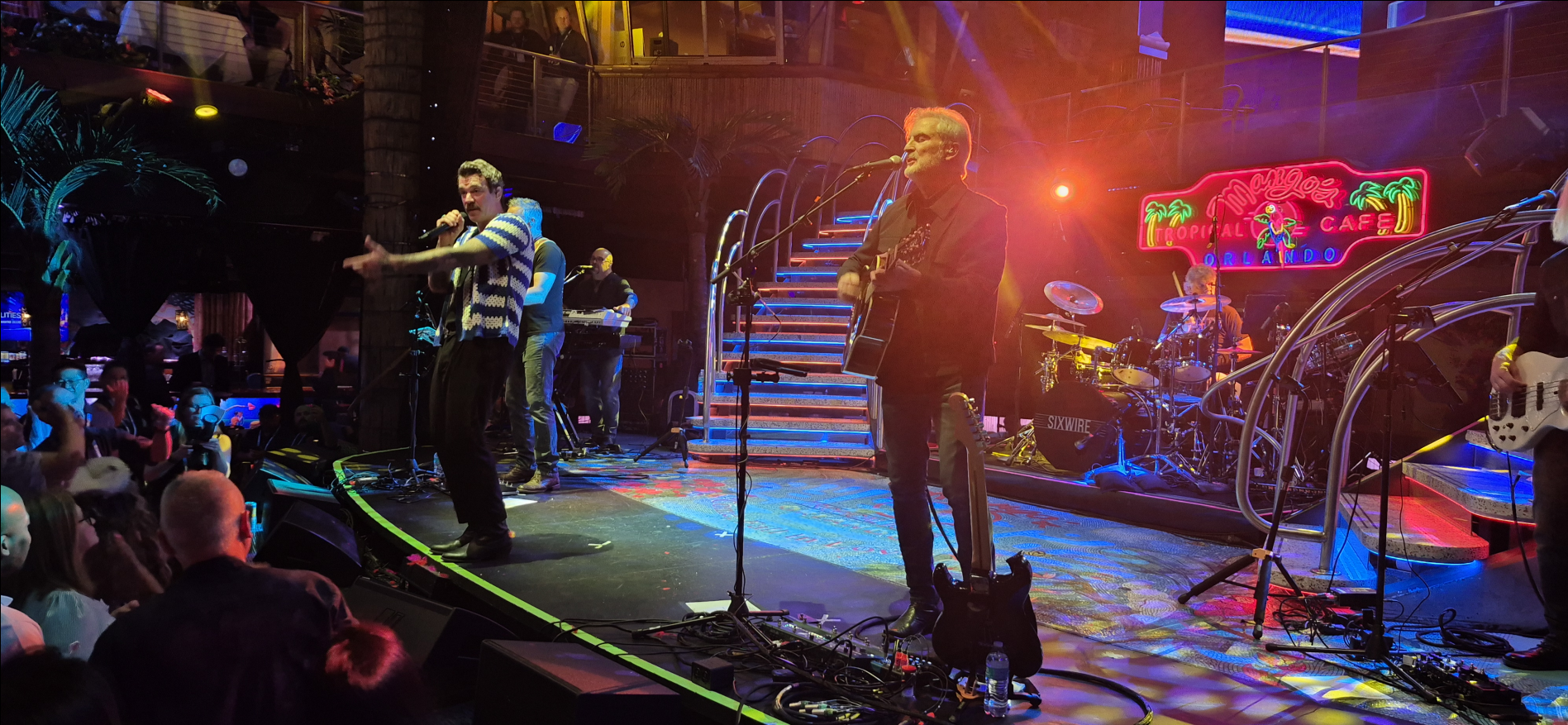
In the evening, it was party time at the Mango’s Tropical Cafe (10 min. by the arranged shuttle buses). A great (toooo short) evening with the Sixwire band featuring local singers to hype up the crowd. After a quick dinner and some drinks, I first had an amazing talk with local American Chris Fox on all the regular things American people do which is for me, as a Dutch-guy, an eye-opener. After this it was time to join all the other Dutch people on the dance-floor which I leave to your own imagination:
Day 4 - Innovation labs & Advanced Core Content workflows & SPACE
The final day! It starts in the morning again with 2 innovation labs ‘Aviator Studio: AI-Assisted Agent Creation’ and after that one ‘Aviator Studio: Agent Evaluations and AI-Assisted Customization’. Again, I can’t share that much, but it’s good to see where Aviator Studio and the creation/evaluation of AI-assisted agents are going to. It was also a nice chat with the ladies of the iLab-team. If you read this…you can always ping me for feedback on the OpenText products.
After those iLab sessions, it was time for the grand final session on advanced workflow creation in Thrust Studio in the session ‘Enhancing document workflows in OpenText Core Content Management with advanced AI automation’. The presenter (from whom I get an extra update now and then together with his colleague), was running around for a coffee first before the session started. There was no pressure as it was the last lab for today and we were only with three people in the room…Strange, as this session shows what will potentially be the replacement of Process Automation; I hope that it’ll take a long time, but still it was fascinating to see the build of an advanced workflow in Visual Studio code. It was simple, but it did HTTP calls, agent calls, and decision splits on advanced expressions; just like we normally would do in an OPA advanced logic BPM. The look & feel has some strange behavior, but the logic simply works. After publication of the workflow (which lands in Core Content), you can call it from an activity in a simple workflow in Core Content (incl. a mapping of any input data).
Authentication for Core Content is a mechanism in itself (probably OTDS), and user/group management happens in Core Content Admin Console. So, that raises a first hurdle on how authentication happens to external systems; specifically OpenText products with again OTDS authentication!? Yes, that’s a question in itself which you don’t easily solve once in the cloud at OpenText. You can find solutions for this, but one OTDS instance across on-prem and off-prem platforms could be a thing…that’s at least what I think; comment on me otherwise!
FYI: If you start an instance of an advanced workflow, you can grab the specific insights of that instance via the Workbench tool; just like we have the PIM in OPA.
Now for that great question: When will customers replace OPA (and xECM) with Core Content and Thrust Studio? Here in the Netherlands I don’t see it happening that soon…We want to have things in our own control and under our own supervision; especially when it comes to critical business data. Running Core Content on-premise would be a solution, but that’s not possible (at the moment). If that will ever be possible remains unanswered; well, good for us who work with the solidity of the good old OPA platform.
Another question: What happened with the services API layer that was supposed to be so great? Well, it’s still available, but more in the back-end as Core SaaS products/apps. I would put my time in Core Content instead of creating an (Angular?) UI consuming the API of the good old OpenText Cloud Platform (OCP).
Finally, after a quick lunch it was ‘Reid Wiseman’ time as commander of the Artemis II to finish off the OpenText World event. A great American/Canadian talk on his story and insights on this lunar flyby mission around the moon. It was great listening to his story, and it was told in a way, you almost eXperienced it with him…Respectable job and thank you!
The event was over after this talk, the crowd fell apart, everybody moved back to his/her hotel to prepare themselves for going back to where they all came from. Well, I heard about a 15-hour flight (#OMG) where I thought that my 8-hour flight was already long. Well, it is what it is; I had some extra time off…to explore Orlando!
Day 5-6 - The American eXperience
During my stay in Orlando, I wanted to have the American eXperience (as 23rd October is also my birthday)! So, what do you do? You rent a Ford pickup! I got myself a Ranger for 2 days (well, 1 full day and two half days) to eXplore Orlando beyond the usual tourist attractions. What an amazing car it was…automatic, cruise-control, climate-control, with great high-seated chairs; You truly felt like an American!
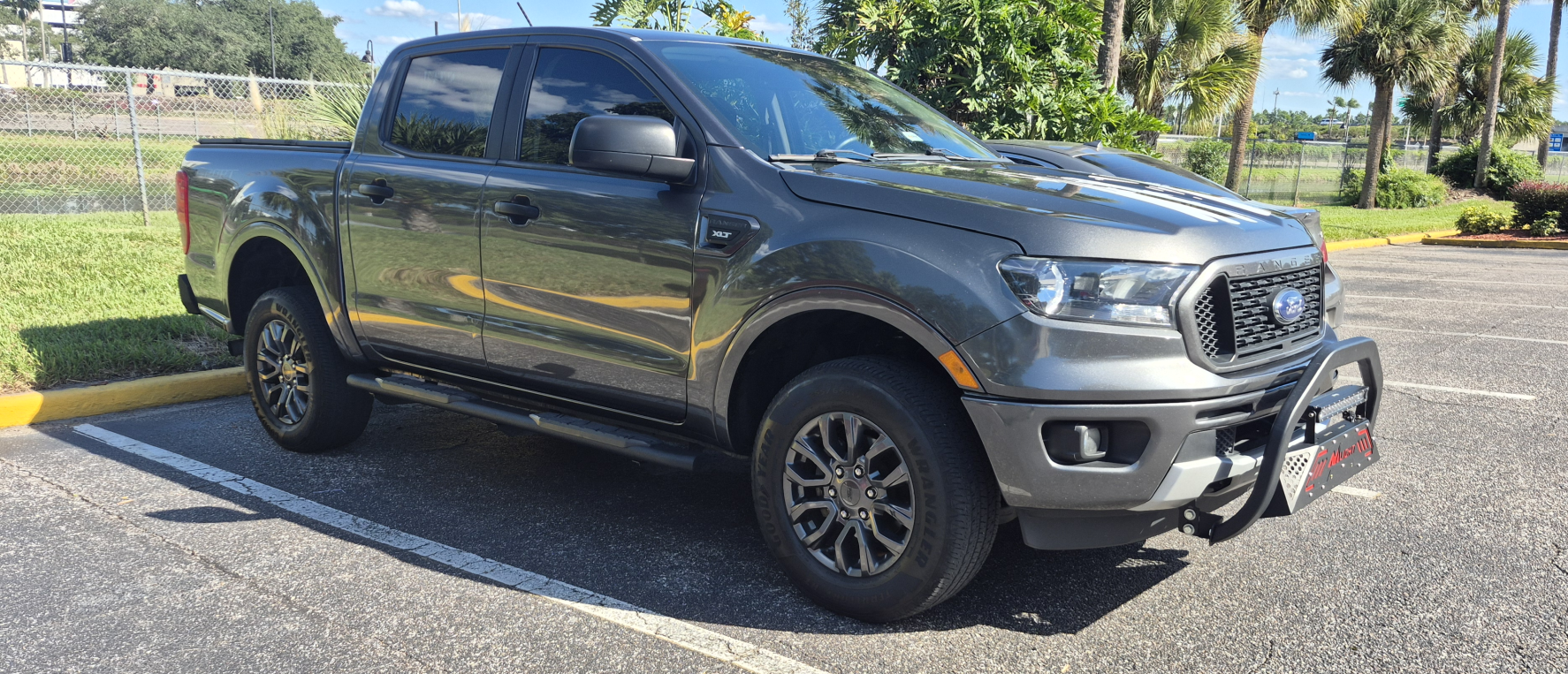
Instead of spending my time at theme parks, I wanted to experience the real Florida: small American towns, beautiful lakes, scenic roads, residential neighborhoods, and everyday American life. And, of course, a little shopping along the way!
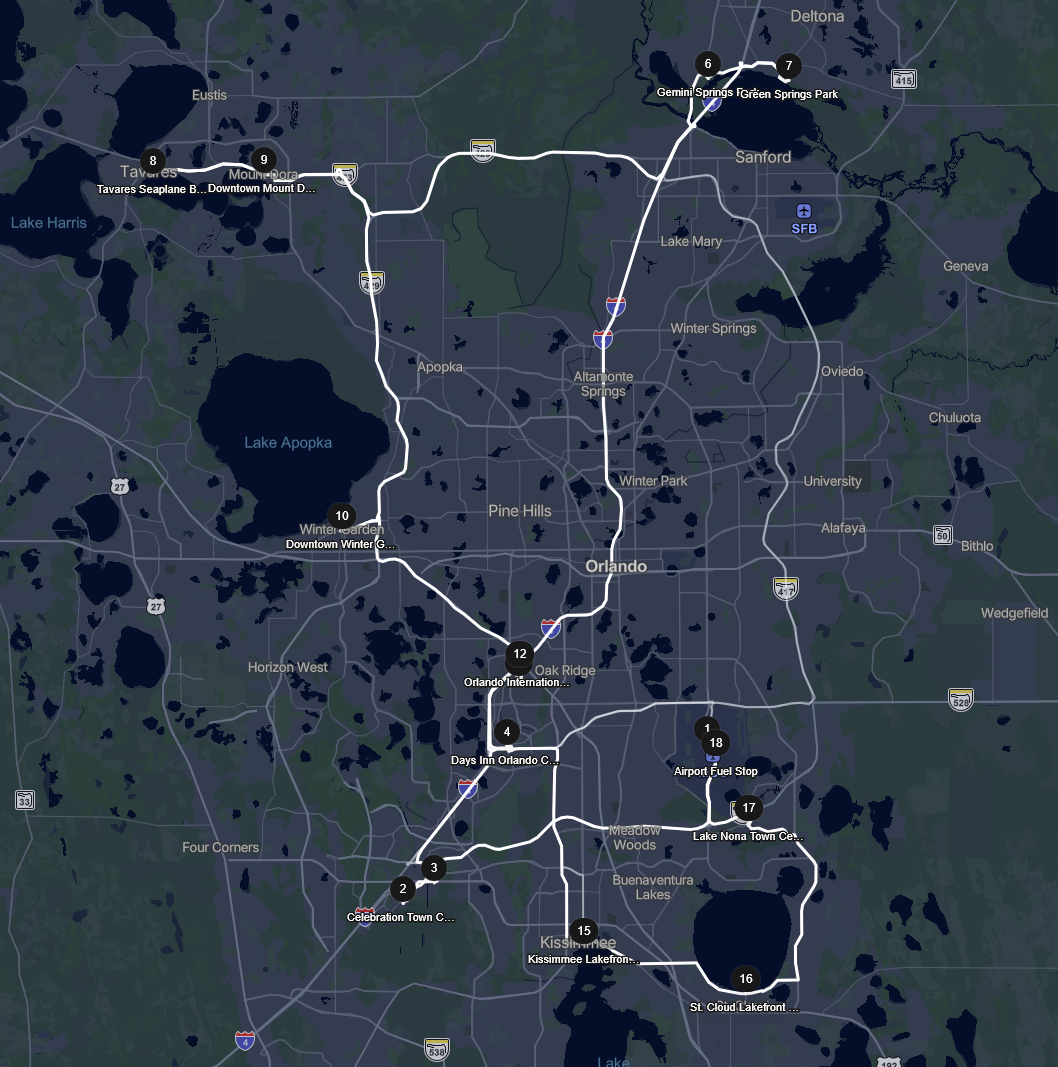
Outlets and Celebration
My first drive took me to Vineland Premium Outlets for a quick walk-around (just to feel the vibe), then I drove to Disney Springs which was a wonderful place to see with chill areas and Disney shops (with too expensive stuff). Next on my list was Celebration, a beautiful, carefully planned American town near Disney World. I explored the charming downtown area, enjoyed a meal at a diner counter together with an amazing local retired American telling me all about their habits and doings in daily life, did a walk around the lake, and drove through the surrounding neighborhoods.
On my way back, I passed through the Old Town Kissimmee area (with live karaoke from the locals) before returning to International Drive (my Days Inn by Wyndham hotel location).
Lakes, Small Towns, and Shopping
The second route explored the northern side of Orlando, taking in the natural springs region (‘Green Springs’ was the best!) and towns around Central Florida’s many lakes.

Highlights along the route included Tavares, where I watched a seaplane take off, and the charming surroundings of Mount Dora.
Shopping was also part of the adventure, including Orlando Outlet Marketplace (not that great for a family trip, but great for being cheap on good stuff) near Fun Spot America, Orlando International Premium Outlets (which was a better experience than the marketplace), and (let’s not forget) Walmart. I saw large malls before, but this one was beyond that…I couldn’t even see the end from inside.
American Neighborhoods and the Airport
For the final drive, I headed through the Kissimmee and St. Cloud area, enjoying the lakefront scenery and some of the residential communities around southeast Orlando. I found a small alligator and wondered where its mama would be:

The route continued toward Lake Nona, where I stopped for lunch at the Wave hotel before making my way back to Orlando International Airport to return the Ford Ranger.
What an eXperience! And a great thanks to my host ‘Carlos’ for renting the car via the Turo app. I only found one risk which was the liability protection/insurance for non-us citizens. So, be aware…But nevertheless, for the best experiences you need some #YOLO
What made this road-trip special? The best part wasn’t any single attraction. It was the freedom to leave the tourist areas behind and discover how Americans actually live. Driving through quiet neighborhoods, seeing the distinctive styles of houses, exploring small towns, and taking scenic roads without a strict schedule made this a memorable experience!
Finally, where and when will OpenText World be next year? Well, I don’t have a clue!? Normally they announce this at the last day, but nothing was communicated (yet). If I know, you will know it too. What I do see is the promotion of the one-day-city summits; register here.
WAIT…what about the product labs? Great question! Tune in to demos.opentext.com for the new “TestDrive!” eXperience and see for yourself what is possible with the products of OpenText.
That’s a “DONE”…In short: Trusted Context & Connected Data with AI powered agents will bring value to your business. I heard it multiple times this week “Crap in, is crap out” and “Great AI starts with great Information Management”. This was my wrap for OT World 2026 in Orlando Florida; Have a great weekend, and we see each other in another great topic about Process Automation Tips. Cheers!
Don’t forget to subscribe to get updates on the activities happening on this site. Have you noticed the quiz where you find out if you are also “The Process Automation guy”?
