


Hi there “Process Automation” fans,
Welcome to a new installment of “Process Automation” tips.
Process Automation 26.2 for Q2 2026 is GA. It’s again a small release after a sneak peek in the release notes, but I quickly saw something great passing by. #SPOILER_ALERT We can now customize our own AI model! ✨ 🤗 ✨
Let’s jump through the list of new functions and features. Take your coffee and cake to consume yourself on this new 26.2 release!
Let’s get right into it…
I did a fresh installation AND I did an upgrade, following my own upgrade post! Why both? Well, because of a too-much-time struggle with the “audit feature” described below on my new VM, while it DOES work on my upgraded VM; Strange!? That’s also the only feature; all the rest is working fine on the new VM, where I don’t need any xECM this time…lucky me! 😅 This post reviews the OpenText Process Automation CE 26.2 Release Notes PDF. I’ll jump through each feature one by one in the following sections.
The quick tag at OT support is #ProcessAutomation26.2!
I always struggle to find the PDF “OpenText Process Automation Supported Environments”; So, here is the link!
🆕 Update on the available changes in 26.2 🆕
We have an AI update again in the pipeline; Hopefully, we’ll make it work! Another breakthrough is the redundancy of the CARS installation…In the future, we don’t need it anymore, as the LDAP entries are saved in the database. It’s a “preview” feature for now, but the basics are working so far. Let’s start with feature #1…
Extensible AI Connector
NICEEEE…
Time to first do a quick search on “AI Connector” in the OPA manuals where you can find this “theory”:
- Create a JAR file implementing
ProcessAutomationAIClient; See here for an example on OPA JAR building and deployment. Search for ‘Java Archive Definition’ for more examples. - Deploy this JAR (via Java Archive Definition) into
$CORDYS_HOME/aijars. You can change this (default) location in thewcp.propertieswith flag:awp.ai.jar.deploy.folder={custom deployment path} - Make sure to also create these folders; however, I saw them being created automagically too after my first AI call:
$CORDYS_HOME/aijars/shared$CORDYS_HOME/aijars/organization$CORDYS_HOME/aijars/organization/{your orgname}
- Deploy all the CAP files for AI power; See also release
24.2to learn the basics on AI within OPA. Make sure you understand it all first, so you can make a first SOAP call viaSendRequestToAI - In the ‘AI Connector Configuration’ artifact…
- Under ‘Tools’, add a new entry:
- Name:
Ollama - Contract type:
Custom(I didn’t try the ‘OpenAI Compatible’ option!) - Custom impl. class:
nl.bos.connectors.OllamaPlugin - Model name:
qwen3 - Model version:
8b
- Name:
- Under ‘Applications’, use this new tool as default connection and provide an API key (it’s required, but we don’t need it for our local LLM)
- Under ‘Tools’, add a new entry:
- In the
wcp.properties, you can add the Ollama URL (see code below):nl.bos.custom.ollama_url=http://192.168.56.1:11434/api/chat - You can also set the timeout like this (in the WCP-props):
com.opentext.ai.rest.timeout=60. Default timeout is 60 sec.
…
It’s time to put this theory into a practical example with Ollama. I have no clue if it will work, but let’s find out…
First, I make sure OpenAI is working on my VM with a call like this:
1 | <SOAP:Envelope xmlns:SOAP="http://schemas.xmlsoap.org/soap/envelope/"> |
This is my quick config where I get a smooth response:
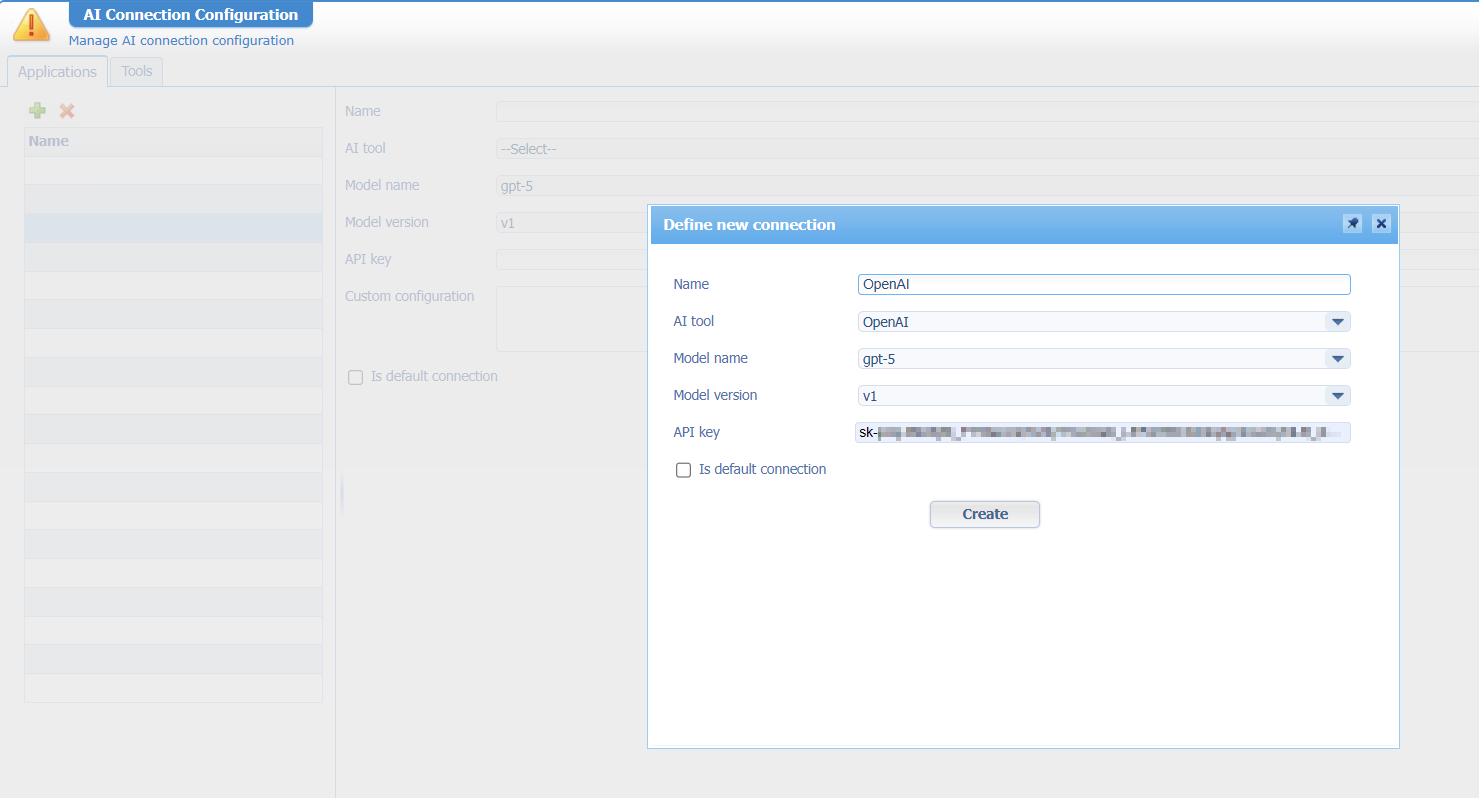
You can create an API key for OpenAI here
Great, let’s shift gears…
Open the ‘AI Connection Configuration’ artifact again, go to the second ‘Tools’ tab, and create a new AI tool like this:
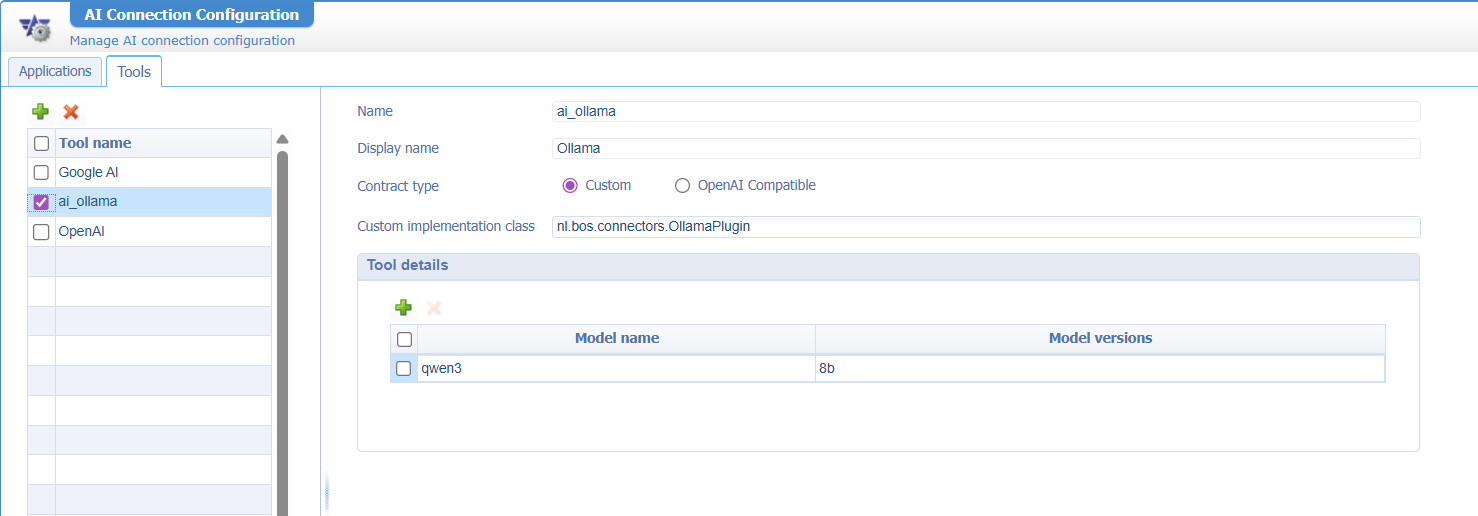
I don’t know if Ollama is “OpenAI Compatible”, but I’m simply curious about the custom part…try it yourself and comment at the bottom of this post.
Now go to the other ‘Applications’ tab and create a new entry like this:
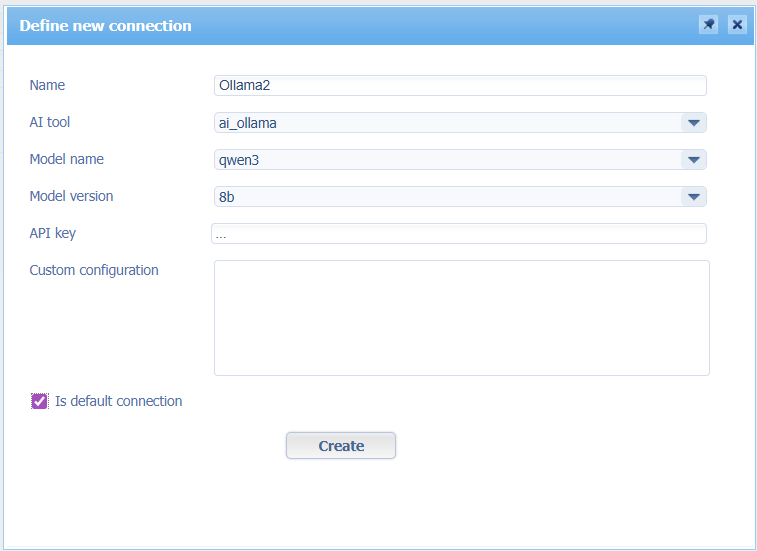
Ok, fire away:
1 | <SOAP:Envelope xmlns:SOAP="http://schemas.xmlsoap.org/soap/envelope/"> |
FAILURE of course with an understandable error: java.lang.ClassNotFoundException: nl.bos.connectors.OllamaPlugin
So, we need to program something fancy like this (no worries; the basics are found in the advanced development documentation too):
1 | package nl.bos.connectors; |
The implementation class
com/opentext/processautomation/aiconnector/ProcessAutomationAIClient.classis part of JAR file/opt/opentext/ProcessAutomation/defaultInst/crosscontext/entityruntime-bean-interface.jar
The only thing we need to do is convert this code part into a JAR on the server at location /opt/opentext/ProcessAutomation/defaultInst/aijars. This is something a ‘Java Archive Definition’ can perfectly do for us:
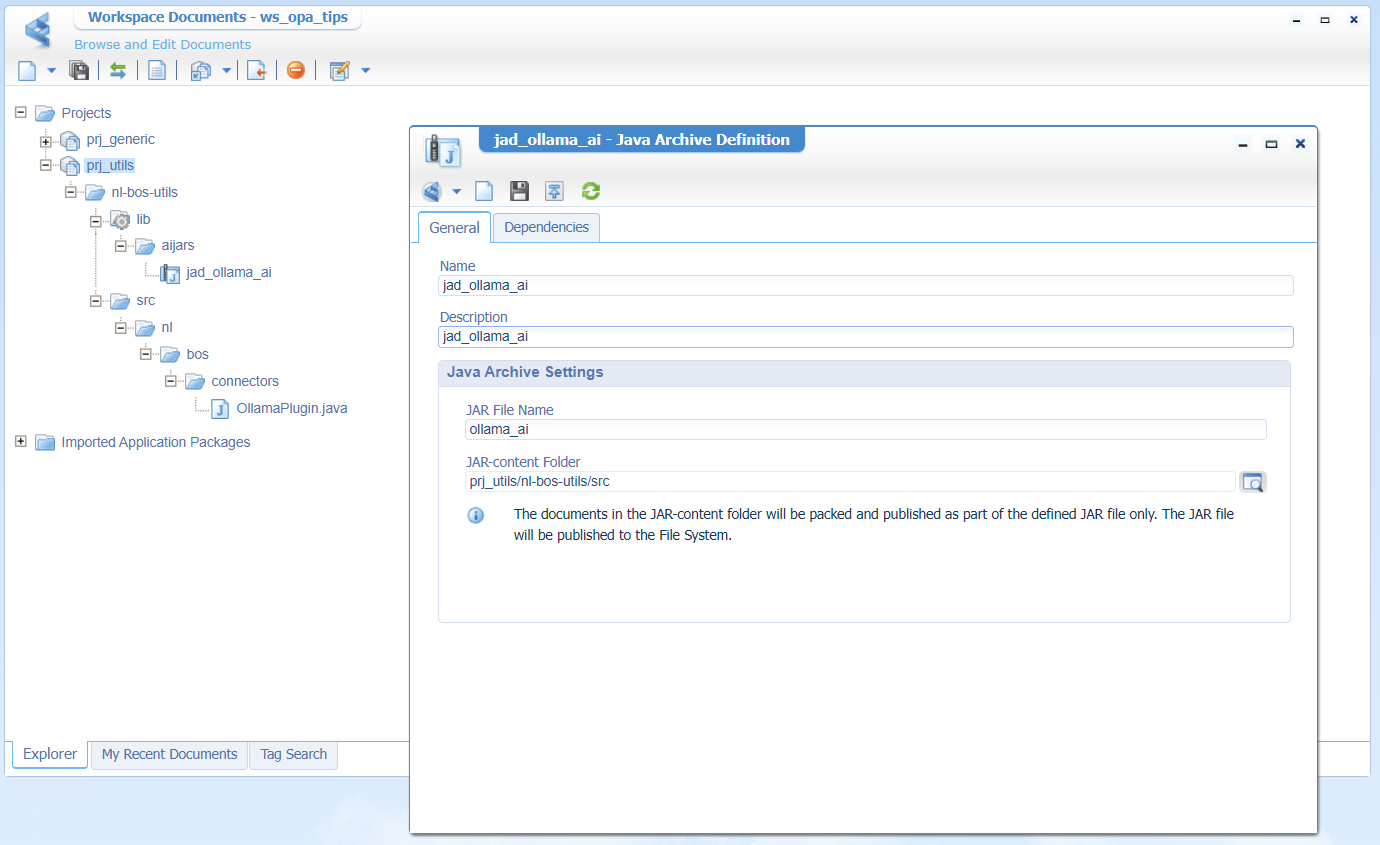
Notes:
- Do it in a separate project as you deliver JAR files only in the “Shared” package!
- The
OllamaPlugin.javafile contains the above code snippet. - That folder structure is important…That’s Java!
- Make
libthe “Start Point of Qualified Name” (from the context menu) - Our new JAR file has a dependency (second tab of the JAD) to another ‘Java Archive’ with this location:
?CORDYS_INSTALL_DIR?/crosscontext/entityruntime-bean-interface.jar
After a valid publication, a double-check of the JAR file on the server, and a restart of TomEE, it’s time for a second call…Well, it’s not an error, but it’s also no response!? Fascinating, as this means our code is at least found! 🤗
Time for a quick remote debugging session over my IntelliJ IDEA; You can learn this JPDA feature (in context of OPA) yourself here. I quickly conclude that we need to update our wcp.properties file with our own custom entry: nl.bos.custom.ollama_url=http://192.168.56.1:11434
AND we need to make sure Ollama is running (to avoid a HttpConnectTimeoutException invoking http://192.168.56.1:11434 HTTP connect timed out) with our qwen3:8b model, and fingers crossed it will all run on my laptop! 🙈 🙉 🙊
When you have Ollama locally running, you can check:
http://localhost:11434/api/tagshttp://localhost:11434/api/ps- CMD:
- CMD:
ollama list- CMD:
ollama run qwen3:8b- #RTFM
OHWWW AND…You need to make sure you can access Ollama on your local laptop from your VM (it’s a Windows 11 firewall thing!). You can check with curl http://192.168.56.1:11434/api/tags from your VM!
If it keeps failing, try this in PowerShell:
setx OLLAMA_HOST 0.0.0.0and stop Ollama from your Windows taskbar; Start a new PowerShell session (to pick up the environment variable) and start Ollamaollama list; checknetstat -ano | findstr :11434for this value:TCP 0.0.0.0:11434 0.0.0.0:0 LISTENING- Add an inbound rule to your firewall (with PowerShell):
Time for a third try…with again a step closer to our end-goal…
1 | <data> |
Could this be because of our required ‘API key’, where we provide ...; Why not put an empty string in our code for sendMessage(...)? All valid questions to get an answer! The answer is simple; It doesn’t matter; My local Ollama is totally ignoring it.
I got the 405 method not allowed because of a wrong URL. I started with http://192.168.56.1:11434, but eventually changed it to http://192.168.56.1:11434/api/chat
My next issue was a timeout thing; the OPA Gateway isn’t receiving a response within 30 sec. from my local Ollama LLM!? Well, what do you expect from a local laptop (running VMs and LLMs)…However, shutting down all redundant apps on my machine eventually brought me to this euphoric moment of the post:
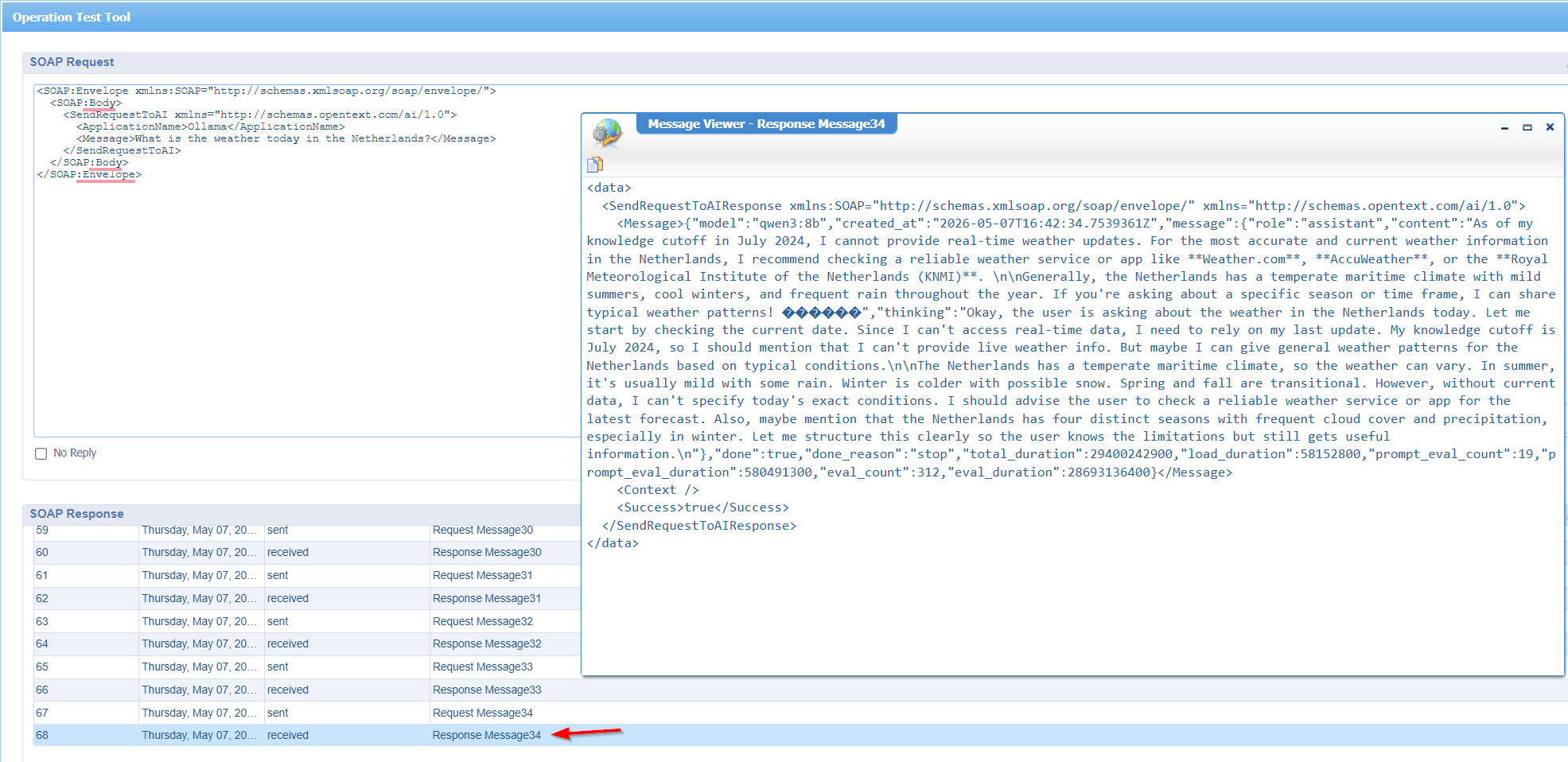
YES…It’s working my friends (after 34 tries)! Running and calling your local AI from OPA; Our next step could be introducing our own Spring Boot MCP Server to let our AI interact with external tools and resources in a structured way!
This is also a great post to read about the MCP topic!
Now the world of AI is at our feet…✨.✦ ݁˖✨
What else? Well, I leave it for another post; It’s on my backlog! Let’s continue to the next new feature…
Audit for exporting list data to file
You can find the enablement of audit in this post. We are curious about this specific setting in the ‘Audit Configuration’ artifact:
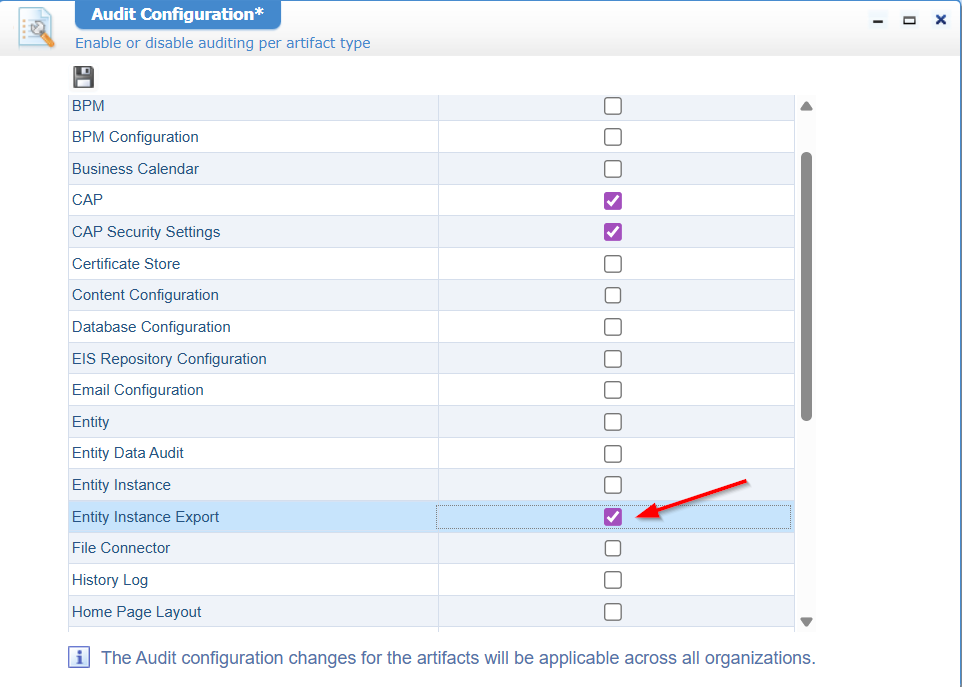
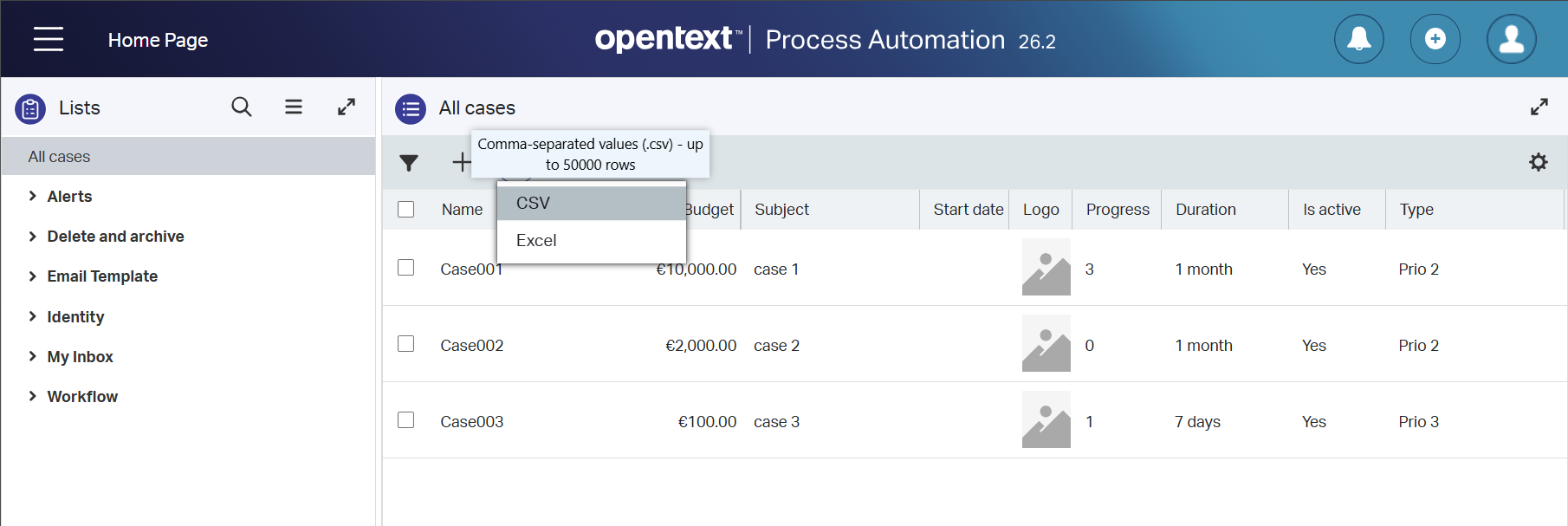
Once in place, make sure you have an entity (with some properties), create some instances in runtime, and export them from the list in runtime:
Now, go to the ‘Audit viewer’ artifact and have a look:
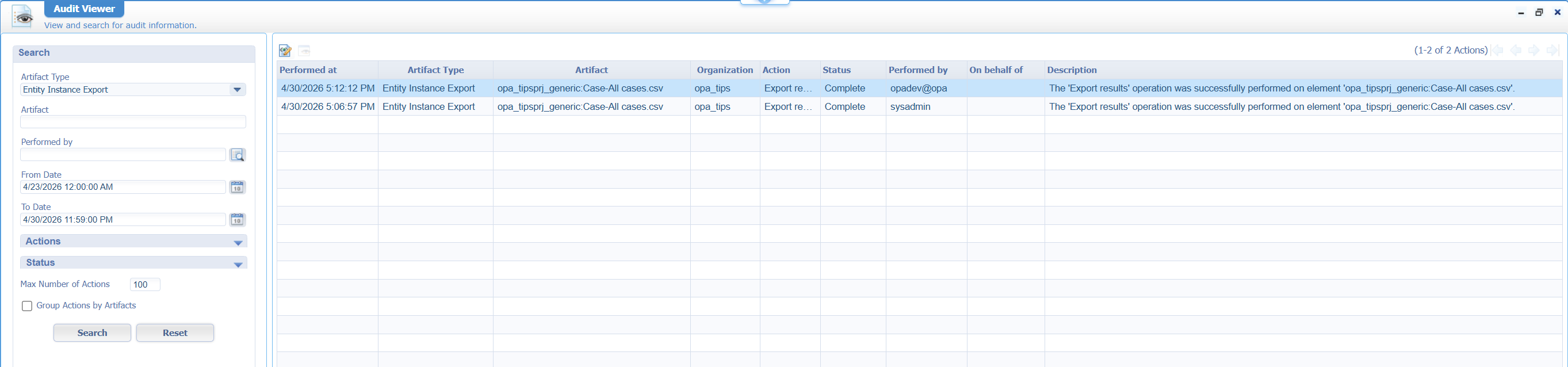
It’s a party AND double-clicking the row shows the number of records in the export! 🥳
Next…
Email template for scheduled email notifications
First we’ll make sure to enable mail functionality in our organization. In quick steps, you’ll fix it like this:
- Start an SMTP server; I use smtp4dev on my local laptop
- Add a new service container of type ‘E-mail’ pointing to the SMTP server (it’s my local laptop IP)
- Call a
SetProfileservice call; this way we know from “whom” we send out mail - Create an entity with the ‘Email’ building block in place
- Call a
sendEmailservice call to send a mail from an instance of that entity
1 | <!--SetProfile--> |
Eventually, you’ll receive mail like this:
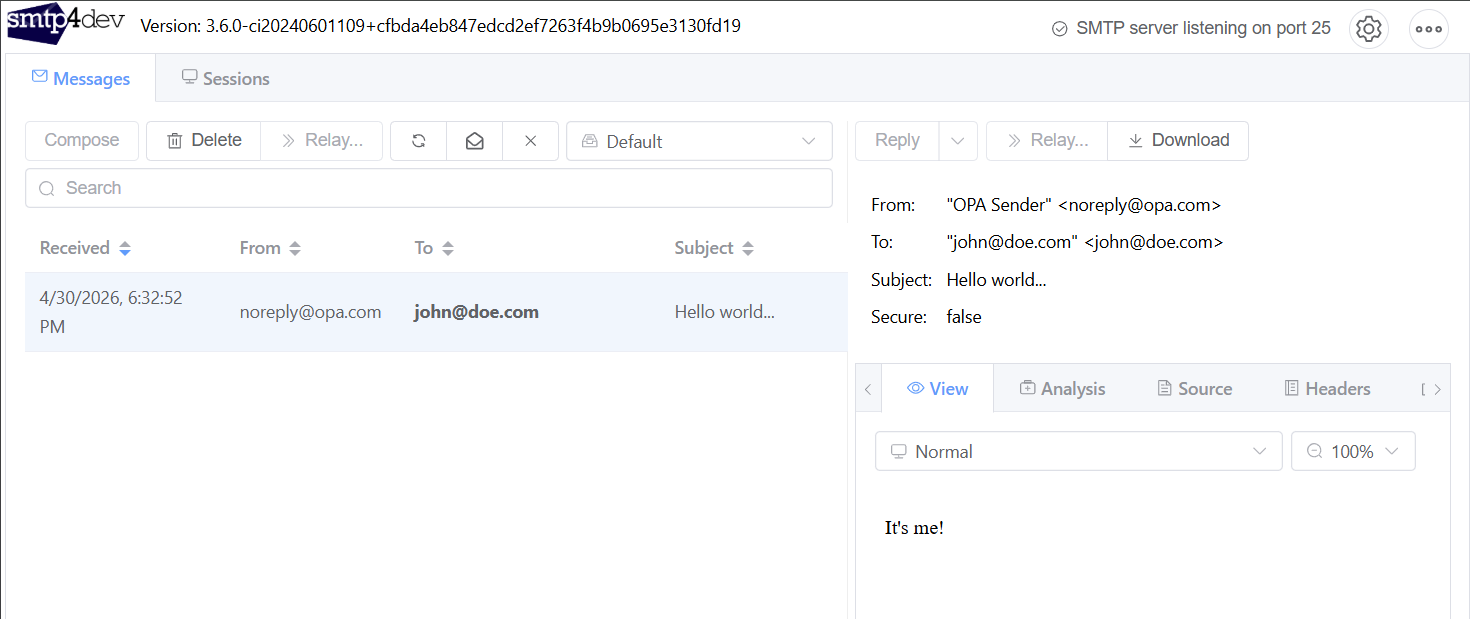
If this goes tooooooooo fast…check this post where we send out a similar mail with
SendMail(see the small nuance withsendEmail!)sendEmailis entity instance “aware”;SendMailis not!
…
Now, let’s first make sure we receive notification mails!
The notification BB is pretty picky before it sends something out. I needed to add a role AND also an expression; A simple {true} will do:
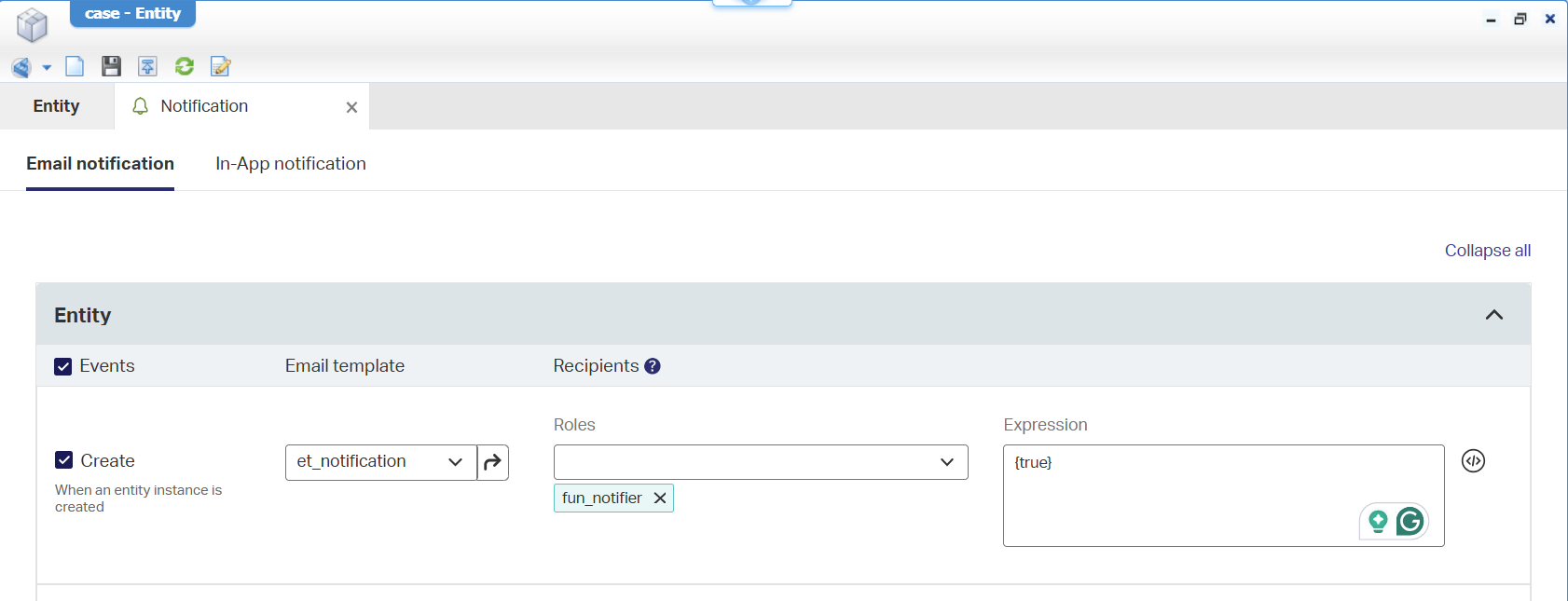
Make sure you also apply yourself to that role from the ‘User Manager’ artifact!
Now create an instance of the entity in runtime and watch the log files where I see these entries passing by:
1 | Missing final '@domain' in string ``true'' |
Weird!? However, “who” sends these notification mails is the great question here!? I would expect it to use the mail config setting you do in /app/admin (see below), but it doesn’t work. What DOES work is the deletion or an update of my entity instance! Without any role/expression, I instantly receive a notification! So, creation is something specific…Not for now! Also, not all notifications drop into my mailbox…Strange! It all feels a bit buggy to me.
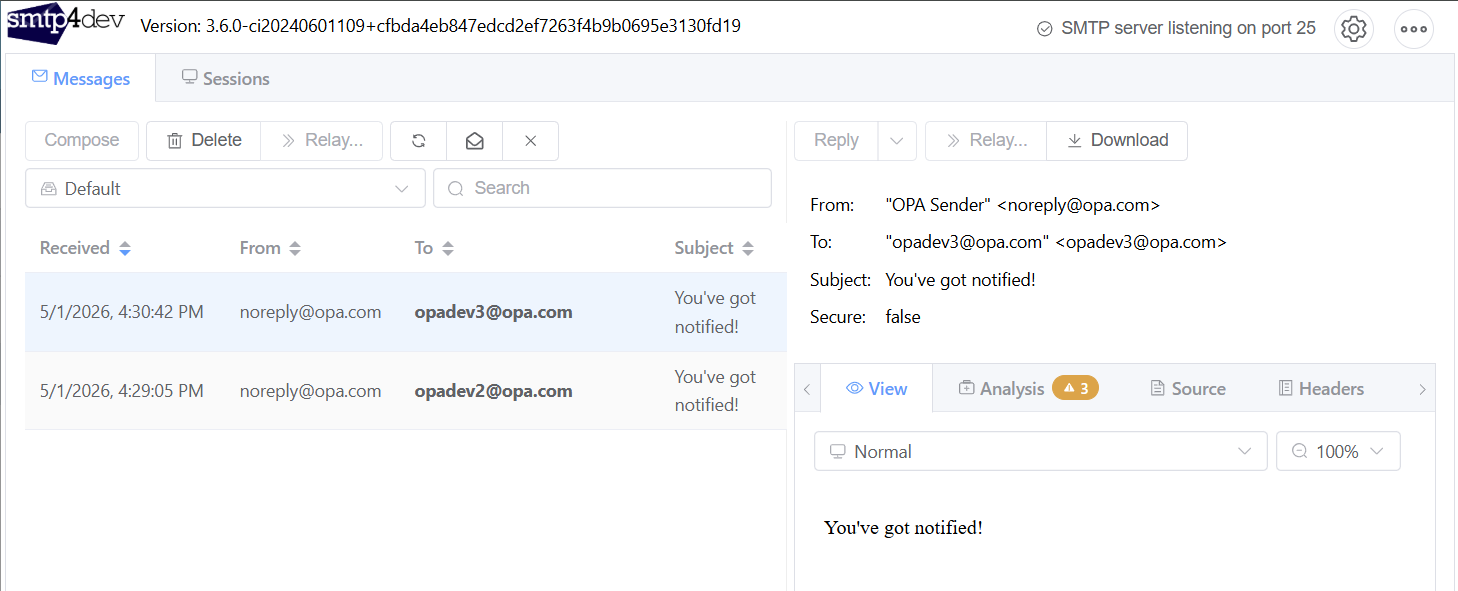
…
After a long struggle of playing with settings, I finally get what I want (as a first task event)…A scheduled notification:
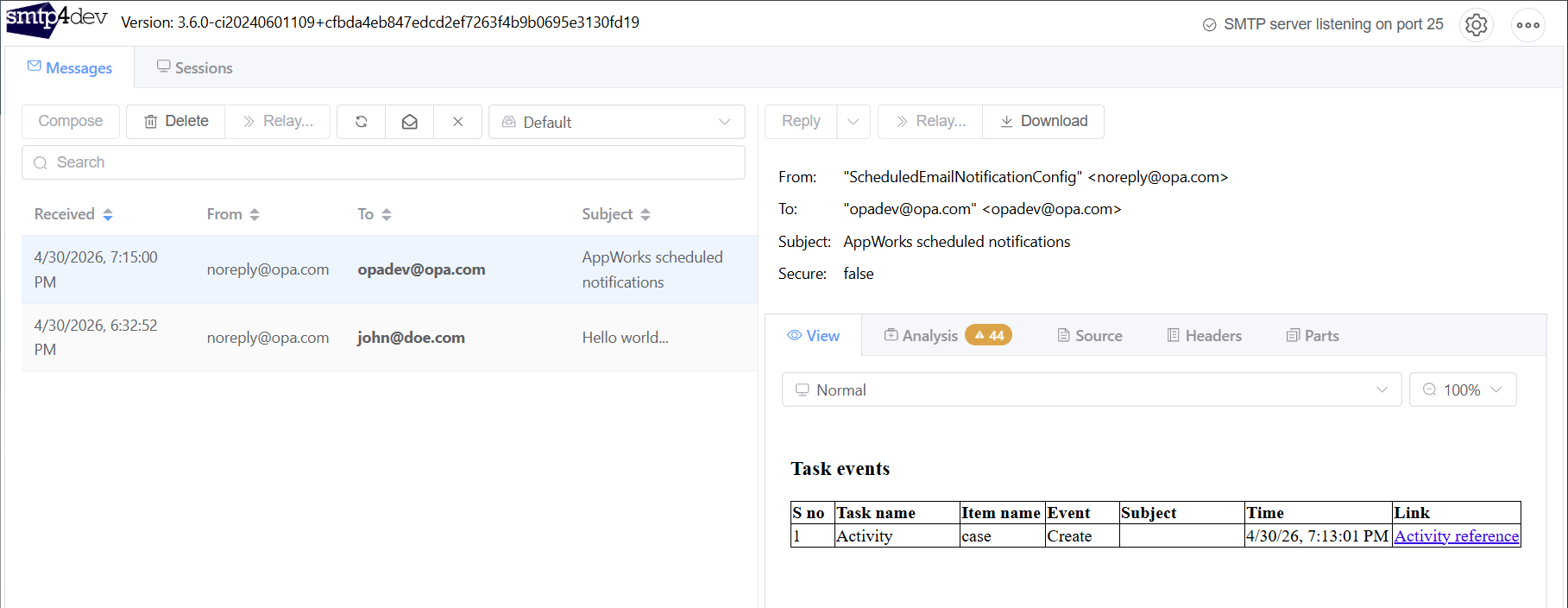
This is a default notification mail where someone clearly preferred the old name in the mail subject ‘AppWorks scheduled notifications’! 🤣
These are the bullets I played with before the above came alive:
- Add the ‘Notification’ BB to the entity and eventually also on the related lifecycle task entity (because of the lifecycle; to see if that would work)
- Making sure my account
opadev@opa.comhas an email address consolidated from OTDS! - Start the ‘Scheduling’ service container in
/system - Setting the mail settings for the
ScheduledEmailNotificationConfigin the solutionOpentextEntityRuntimeModelsUtilwithin/app/admin - Enabling the ‘Schedule notification’ for the user profile in runtime
- #RTFM in the low-code guide under section ‘Enabling notifications’
- Keeping my fingers crossed at 7:15:00 PM CET
Yes, that’s making a simple ‘Notification’ BB hard to understand and complex to configure!?!?
…
So, all is working now…Let’s tune in to the feature itself! Watch this in runtime:
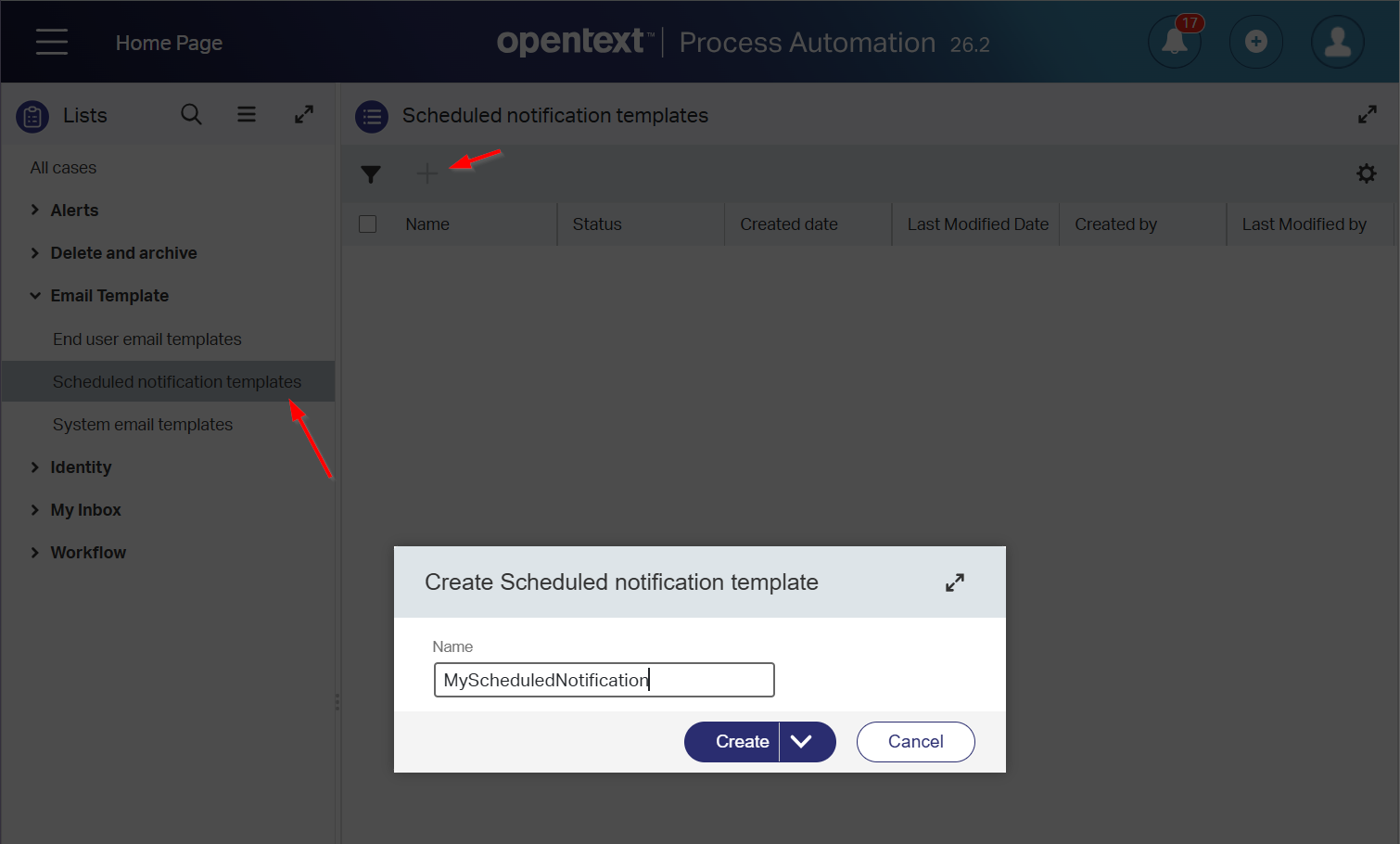
Open this new entry and update to whatever you like to receive:
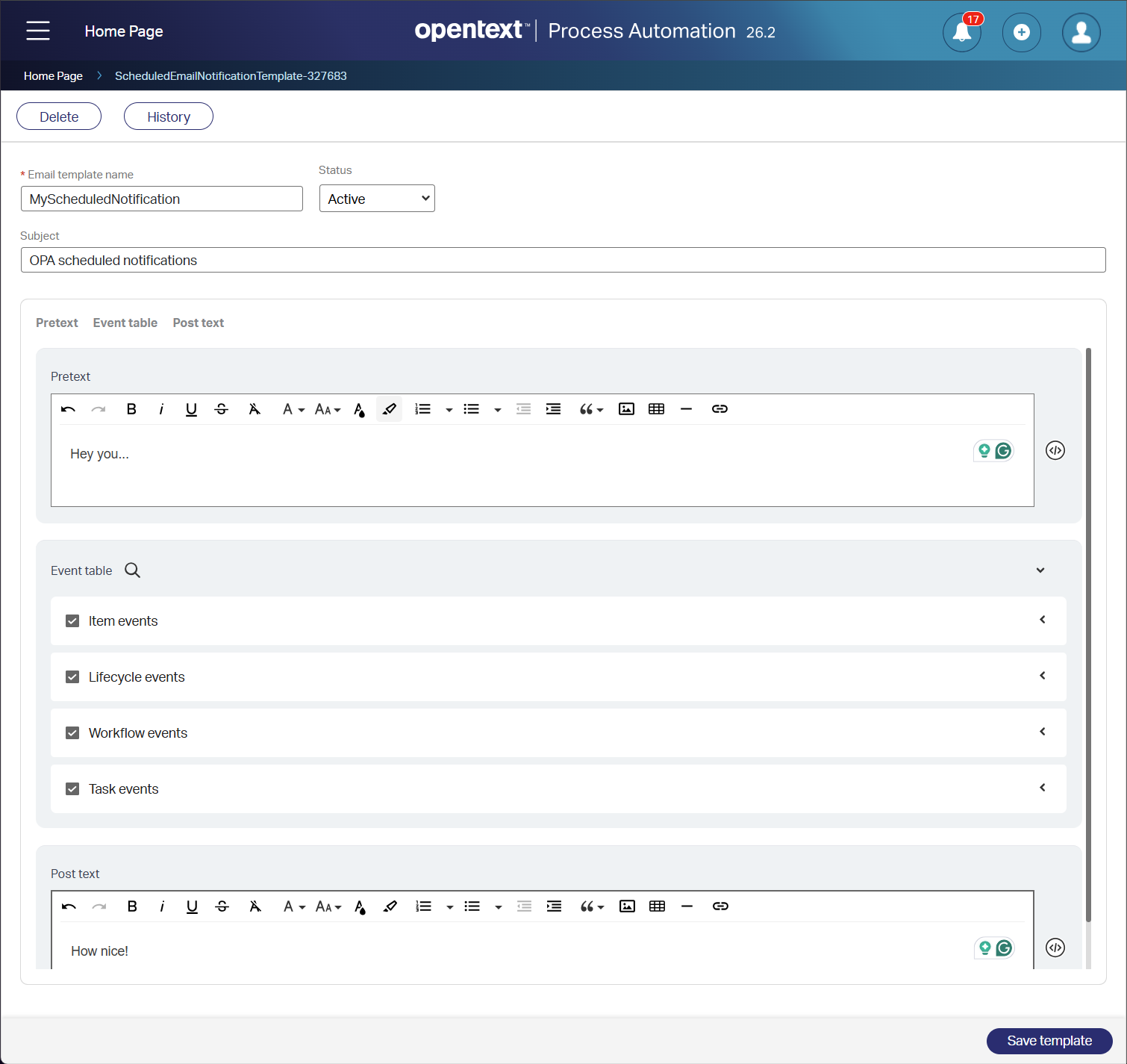
Now sit and wait until 7:15:00 PM again OR update the schedule time in your user profile and wait for only 2 minutes:
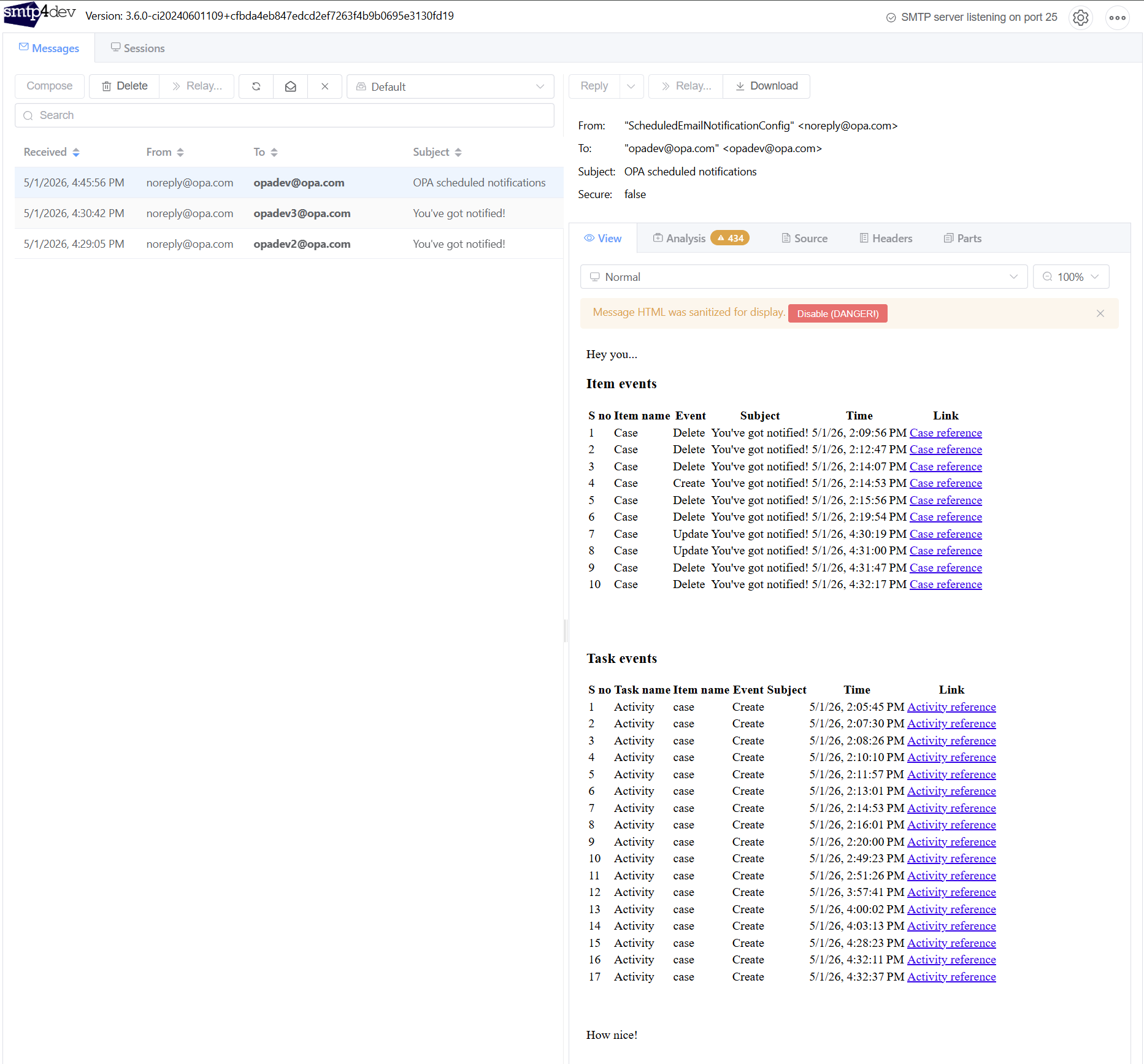
That’s a ✅ where we learned a lot more about notifications this time…NICE!
My next question would be: What if we create another “Active” scheduled notification template? Is the last one used? Will we get two notification mails? I leave the answer with you to try out…comment below if you find it out!
Web service to share an item with user, group, and role
This is a recognizable feature from a previous collaboration project of mine…Let’s see!
So, make sure you have an entity with a ‘Security’ building block in place and also a ‘Sharing’ BB (incl. an instance role ins_case_share). Enable all the checkmarks for the security/sharing matrix and do your action in runtime with the ‘Sharing’ action button:
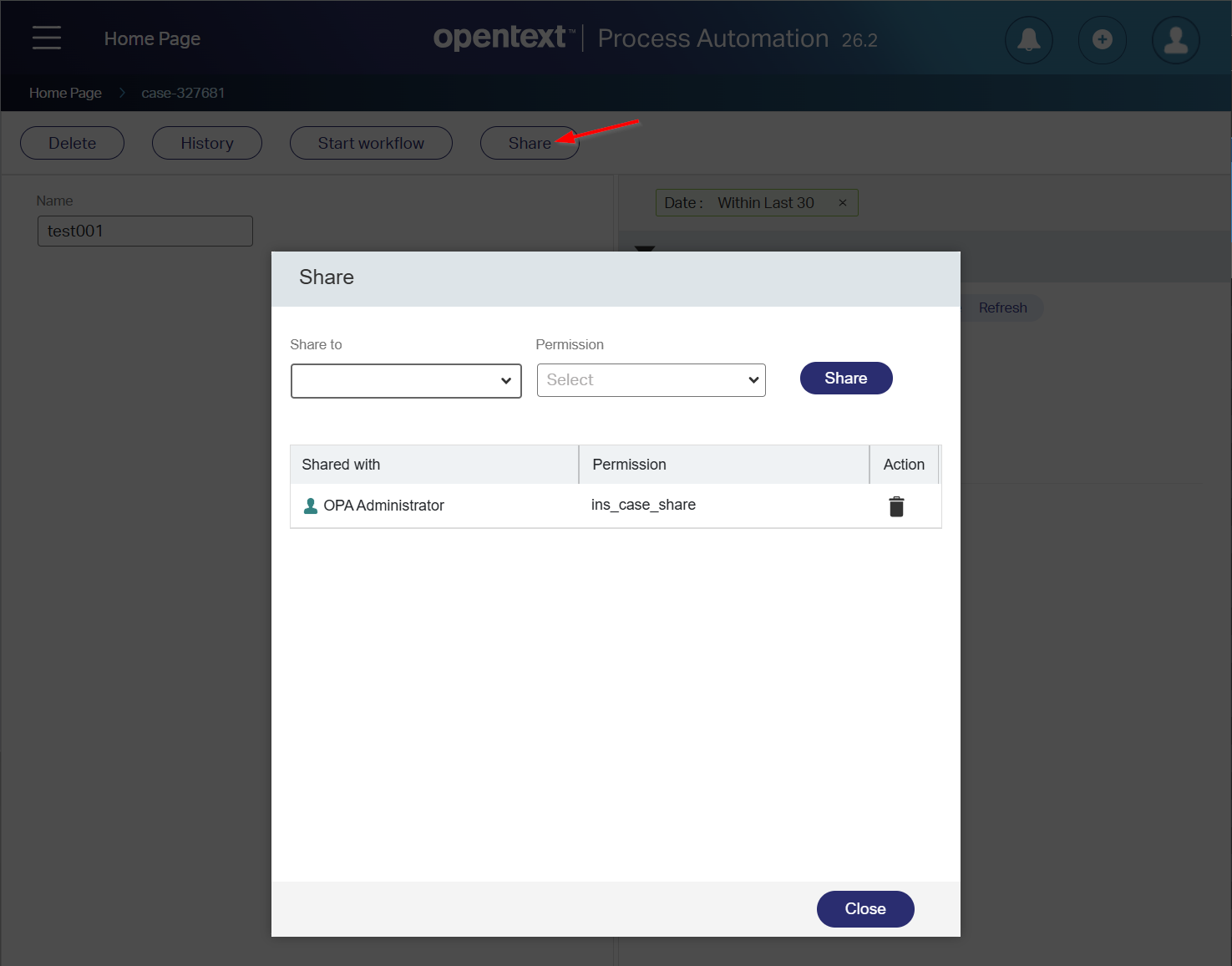
Nothing special this far…All out-of-the-box-low-code-stuff!
The “specialty” is in these new SOAP service calls:
1 | <!--ShareEntityInstance--> |
A quick note: Calling
ShareEntityInstanceWithIdentitiesmultiple times with a similar identity doesn’t complain, whileShareEntityInstancetells me it already exists!
Due date configuration for a task in a workflow template
This is a runtime feature for ‘Workflow’ creators that have the corresponding role applied to their account. If you also have an entity with the ‘Dynamic workflow’ building block in place, you can now configure your due date for a dynamic workflow template:
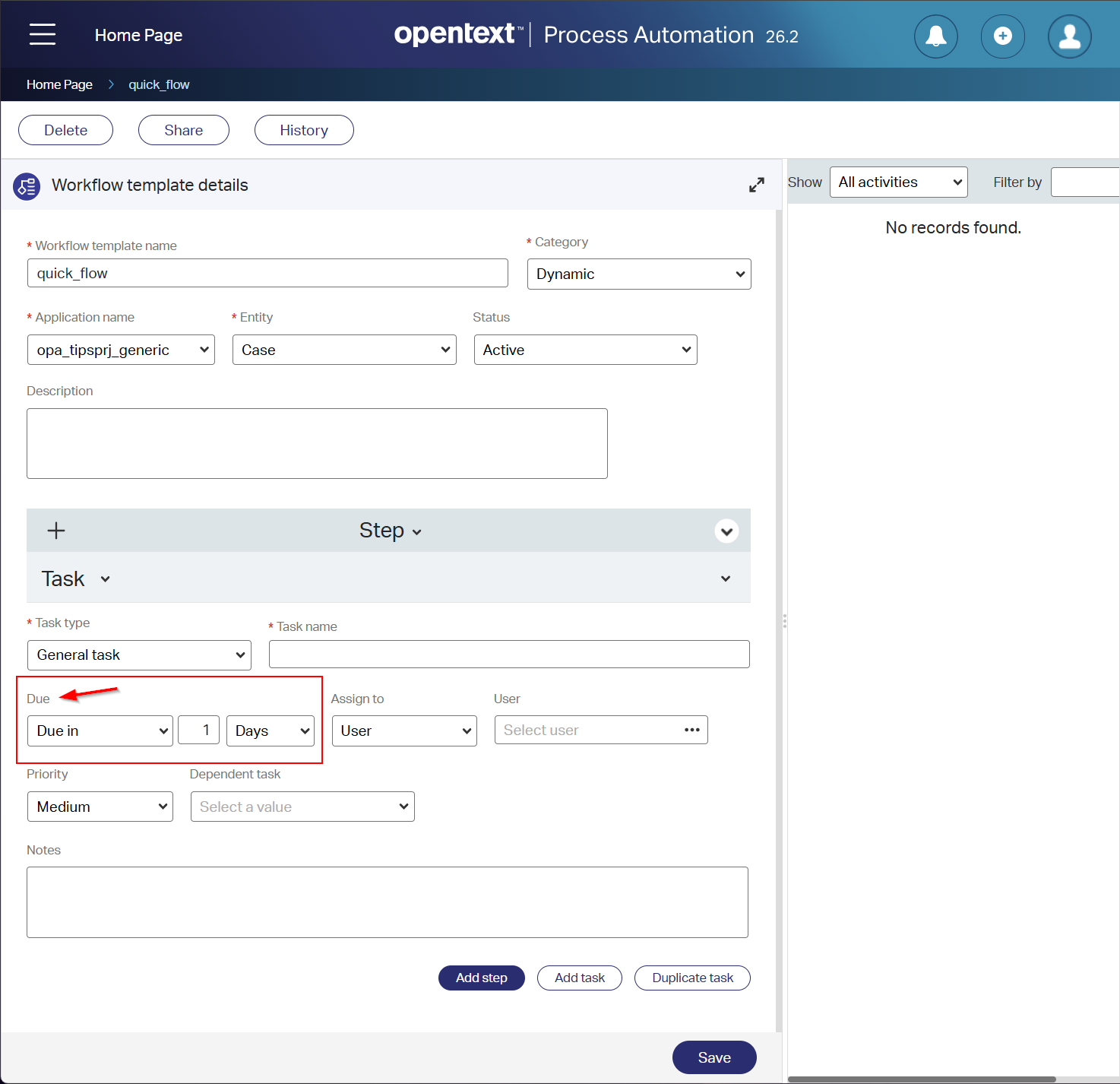
When creating an instance out of the dynamic workflow template in your entity, you can manipulate that same ‘Due in’ option. As simple as that! Nothing more, nothing less…Next!
Deployment of Process automation without LDAP - Preview
“LDAP” in this case is our CARS instance on default port 6366, where configuration strings, security constraints, and much more are saved.
You can now install OPA with an environment variable USE_DB_AS_LDAP=true, which makes the installation of CARS redundant and skips the CARS setting in the regular OPA installation wizard. Ok, but where can I now find the entries? Well, they’re now saved in the OPA database under the ldap_% tables.
It’s an interesting step and also a scary one! For performance, I can understand it, but the CARS component is connected across the full OPA platform, where I already found these two issues:
- Our Cordys Management Console tool isn’t working anymore! It heavily depends on CARS. Start it with command
sh /opt/opentext/ProcessAutomation/defaultInst/bin/cmc.shand tell me where to connect to:
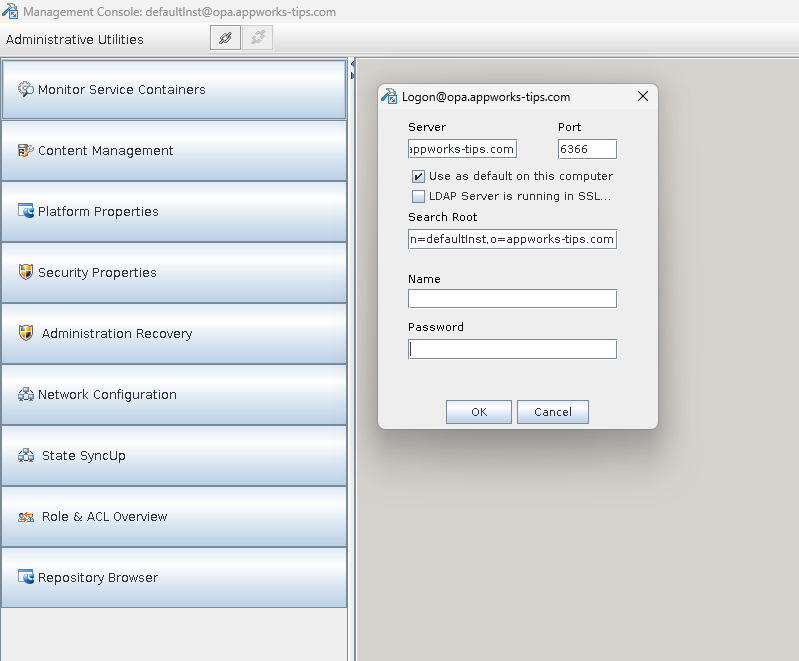
A Postgres connection isn’t working:
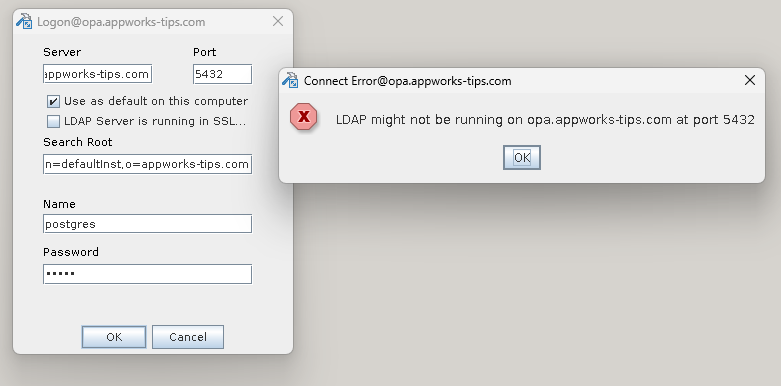
I couldn’t find any replacement tool for CMC; I also couldn’t find any migration tool to move from CARS to DB or vice versa!?
- OTDS consolidation gives an error! Users and groups are consolidated the first time, but the second time OTDS can’t find the UUID (which is normally found in CARS from what I understand):
1 | 2026-04-23 16:29:30.984|ERROR ||1412976999131784662|4807545431502339270|Push Connector| |
For now, I am staying with my CARS instance as it’s also a “Preview” feature.
History building block enhancements – Preview
If you have an entity with the history building block in place, you can use a ‘History’ panel in your layout with a runtime view like this (old way):
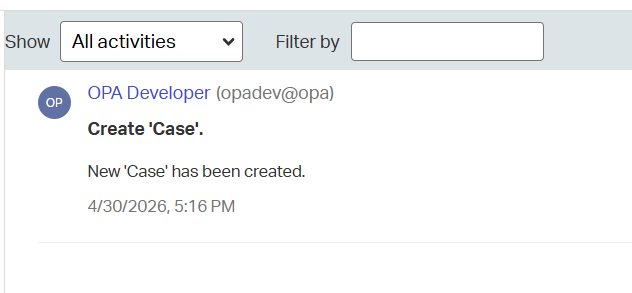
To use this new “Preview” feature, you first need to enable it with a feature toggle in the wcp.properties. Add this entry feature.toggle.history.use.newstorage=true, restart TomEE, and check the result in runtime…
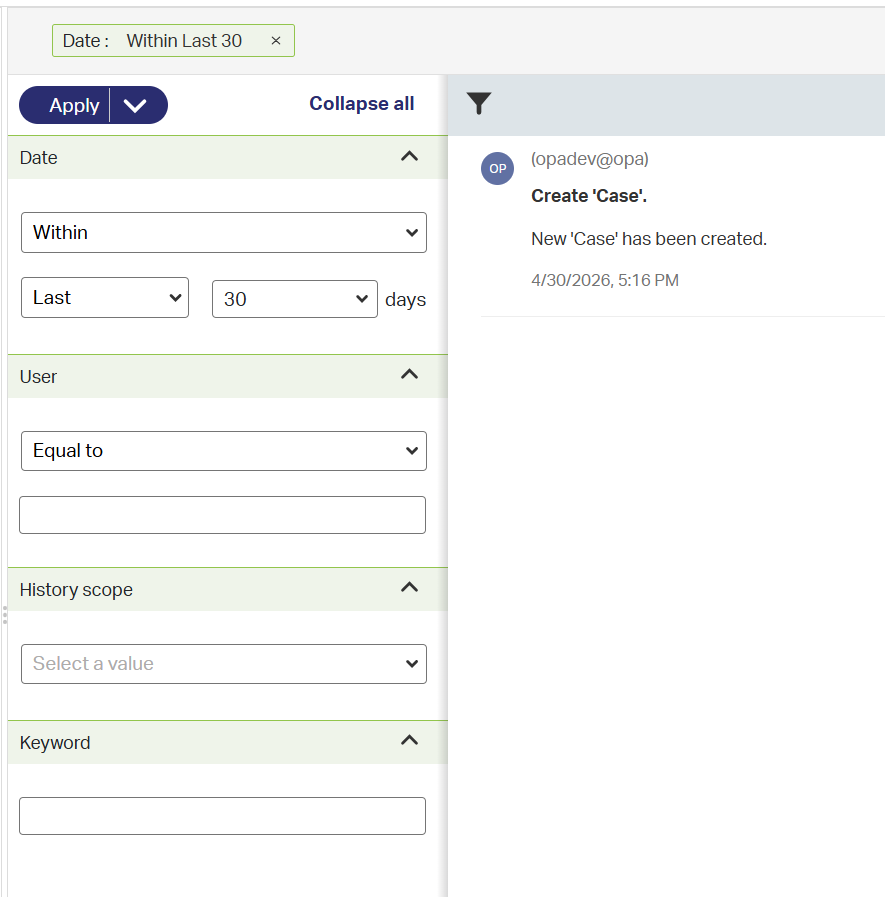
That’s a “regular” filter panel…Wonderful job!
Discontinued and deprecated features
There are no discontinued or deprecated features for the 26.2 release, which was also the case in release 26.1.
I give it a “DONE” on OpenText Process Automation Platform 26.2; The playground is open for you to play with all the new fascinating features for this Q2 2026 release. Have a great weekend, and we’ll connect again, next week, with another topic at “Process Automation Tips”.
Don’t forget to subscribe to get updates on the activities happening on this site. Have you noticed the quiz where you find out if you are also “The Process Automation guy”?
