


Hi there “Process Automation” fans,
Welcome to a new installment of “Process Automation” tips.
We saw a request passing by from administrators who want to clean up user accounts long after their due date (incl. people long-time retired). Great, as when somebody notices this, you immediately know the company has a lag in the off-boarding procedure for an employee (something we see tooooo often!). It’s even a security leak if those accounts are still active/enabled, AND it’s even more dramatic when it’s a (service) account where the password hasn’t changed for the last decade. WHAT!? In this era we live in!? Yes, my friends; that’s still the truth today.
Let’s not make it a security discussion post, but a practical post to see what will happen when you really delete a user from existence in the OPA platform…
Let’s get right into it…
So, where to start? Well, let’s start by booting up our OPA machine including an attached OTDS instance (the default at nearly all customers). Make sure you have an account to login with (mine is opatest to play with for this post):
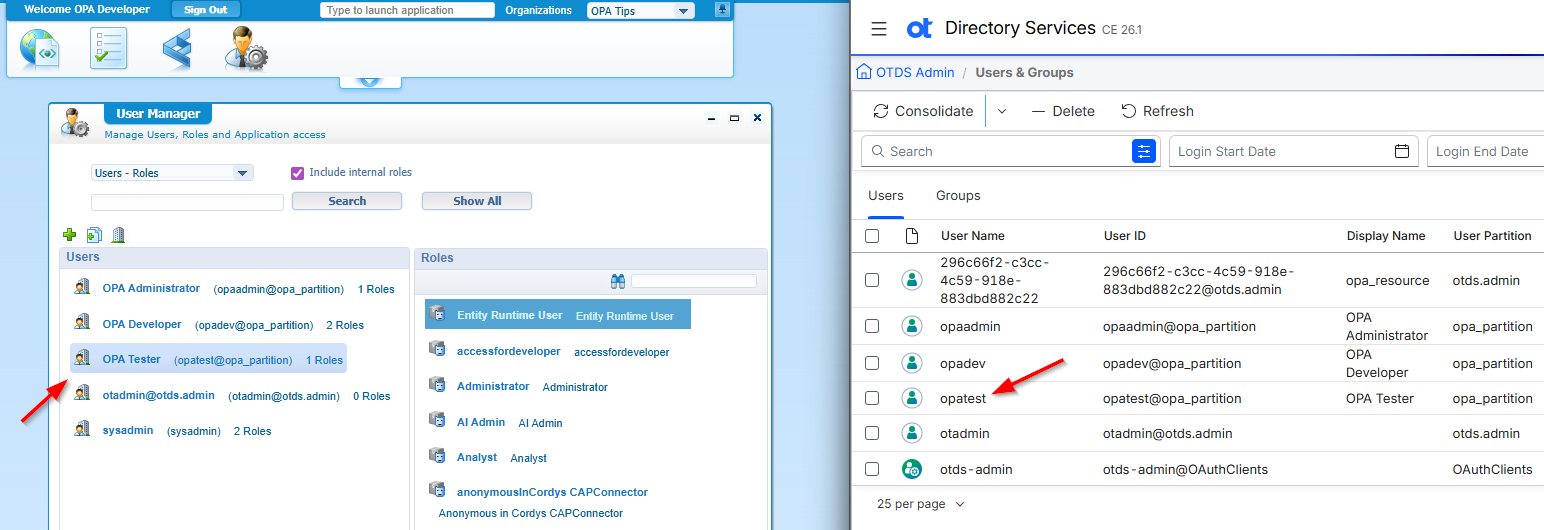
If you don’t have a clue how to do this “consolidation”, I recommend reading this OTDS post first.
BUT first we’ll use the opadev account to create a simple project having this in place:
- A one-prop (of your choice) ‘Case’ entity (saved in the
entitiesfolder of your project). - A ‘Lifecycle’ BB with just one state; including an entry state to an activity.
- An ‘Assignee’ BB where the “creator” is assigned on creation of the case; so ‘To the creator’.
- Extend the ‘DefaultLayout’ with a ‘Tasks’ and ‘Progress bar’ panel.
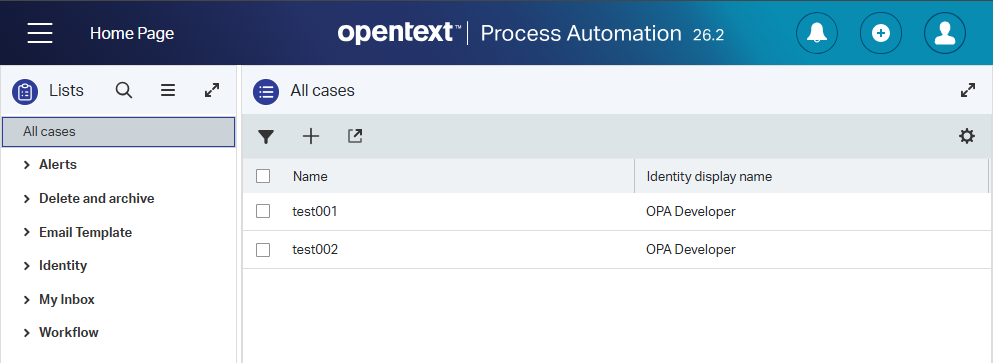
- Extend the list with the ‘Assignee’ identity display name and give the list a proper label like
All cases. - Extend the ‘Create’ form with the ‘Assignee’ display name…just to see what happens.
- A ‘Security’ BB where the ‘Identity User’ role has all permissions (because our test account has only the role of ‘Entity Runtime User’ applied!).
Do a publication!
Now login with the opatest account in runtime (in an incognito tab to not share sessions), and create an instance of the ‘Case’ entity…All eazy peazy stuff; comment me otherwize!…🤪
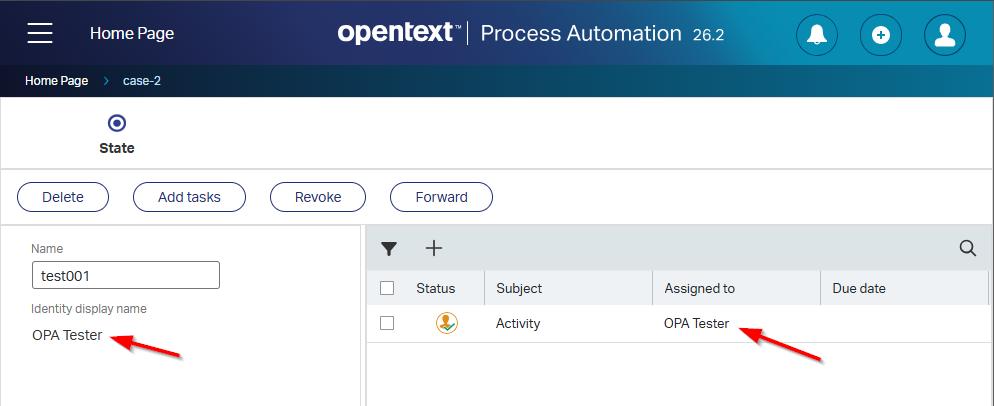
Open “the one” to grab a view like this where the red arrows mark the spot that will hit our continuous actions:
Delete the account in OTDS
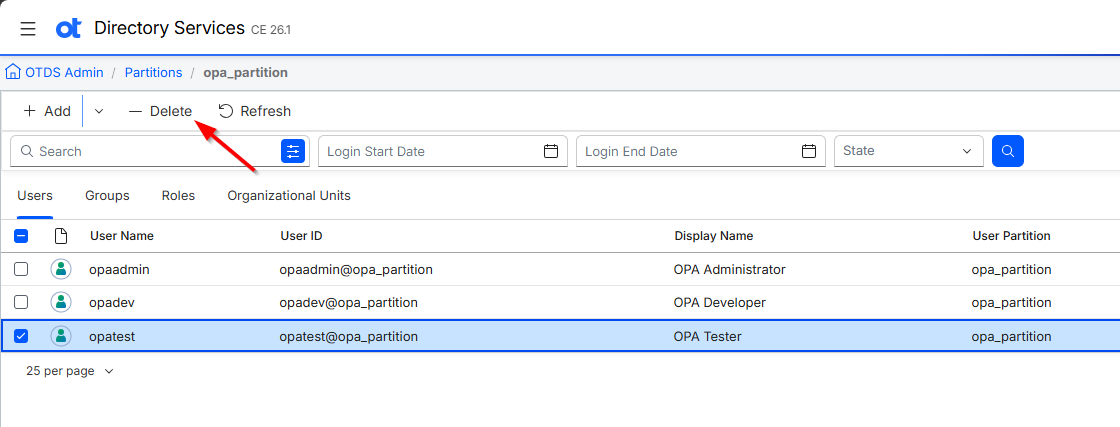
Now go to OTDS, and jump into the ‘Users & Groups’ section; find the account and delete it under the actions!? Is it working for you? Well, neither is it working here. Why? Well, that’s because (in OTDS) you remove users from the ‘Partition’! Aha…So, move your ass; open the partition for your organization (you can check it from your connected ‘Resource’), and delete the account from there:
Before you consolidate to OPA, make sure the synchronization settings on the connected ‘Resource’ allow you to delete users in OPA:
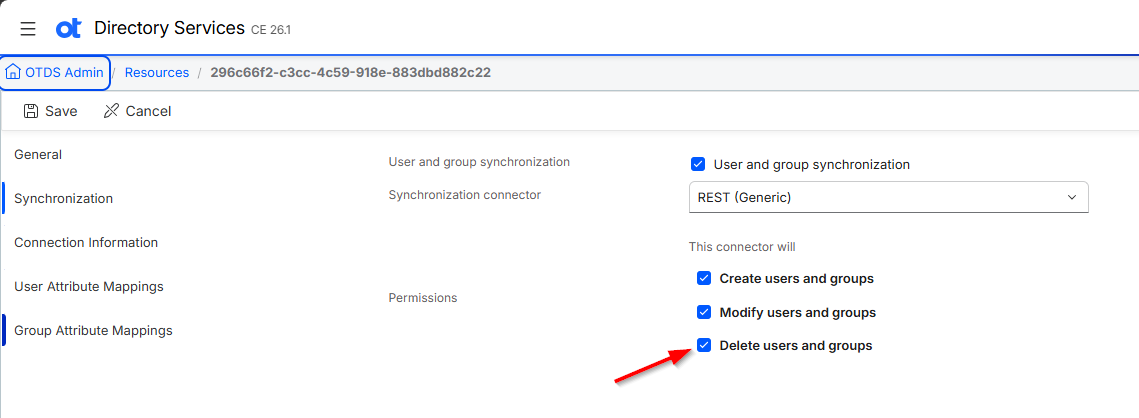
On resource level, go to actions and consolidate to OPA with this option enabled:
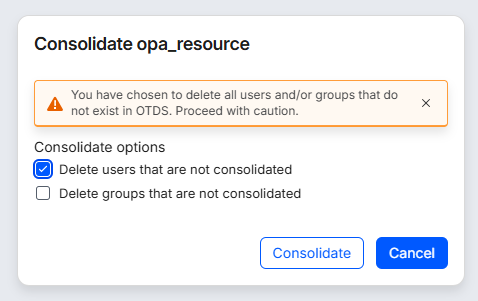
Now open the ‘User Manager’ artifact in OPA for your organization and check the result:
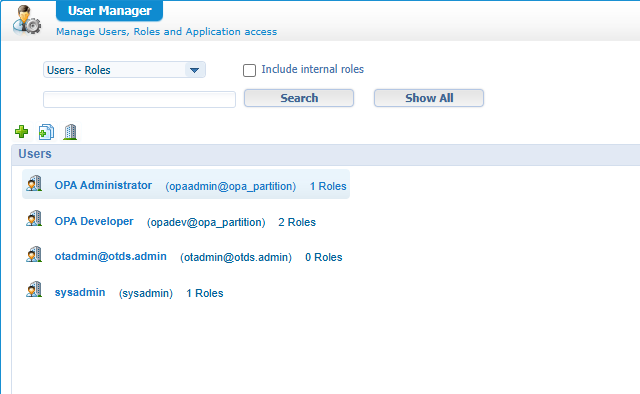
Great, but you can’t login with this account in runtime; I do have a session still open, but a refresh gives me a full 401 HTTP error page. So, we’ll continue the impact verification with the opadev account, which we still have in place. Go into runtime and see what happened on the instance:
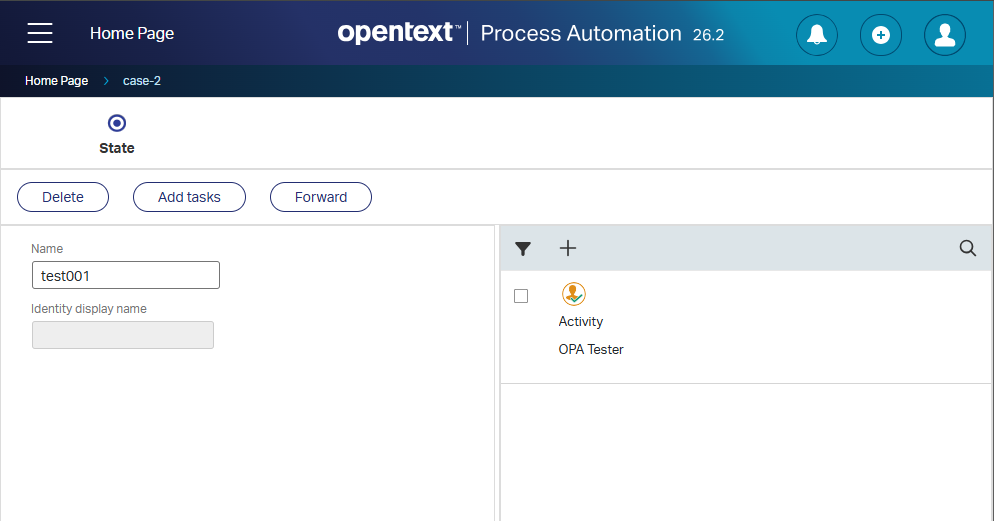
Things I noticed:
- The assignee name is empty, which is OK.
- The activity is still on name of the old account; however, my
opadevaccount can still forward/delete/complete it, which is OK. - I miss the ‘Assign’ button in the actionbar!? This is weird and NAK (“Not Acknowledged”…It’s a thing from the past!)
This last bullet gives me a reason to have a look in the database:
1 | SELECT id, case_name, assigneeidentity_id |
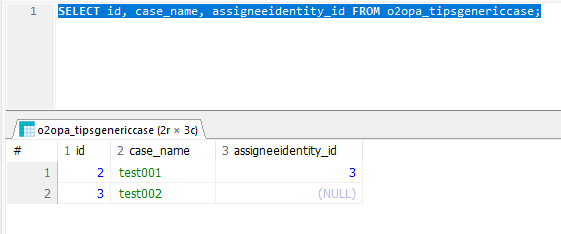
Do you see what I see!? There is still an assignee ID in place!? But the display name is empty!? Yes, you tell me indeed!? Looks like a bug to me…Let’s clean this value in the database with an insert NULL action. After this action, we get back our ‘Assign’ button in runtime, which behaves like ever before!
That’s a great insights-user-removal DONE; it’s always good to see (in a sandbox) what these types of actions might cause as a disaster. So, prepare wisely before deleting an account. Make sure they can’t login in the first place, make sure to assign cases/tasks to somebody else, then delete the account and continue life. If you think about it, it all sounds so logical; however, in practical life at customers they sometimes think differently. It’s what it is…hopefully they’ll learn from this post. Have a great (and warm) weekend, we’ll continue our journey next week with another topic about “Process Automation Tips”.
Don’t forget to subscribe to get updates on the activities happening on this site. Have you noticed the quiz where you find out if you are also “The Process Automation guy”?
