


Hi there “Process Automation” fans,
Welcome to a new installment of “Process Automation” tips.
Again, a long-lived item on the backlog of “Process Automation Tips”: implementing a way to control the ordering of a list. Not manually, but via action buttons. We did some investigation on ordering items in a list before, but we’ll now build some nice, advanced logic for easily moving your entity instance up and down in a list.
Let’s get right into it…
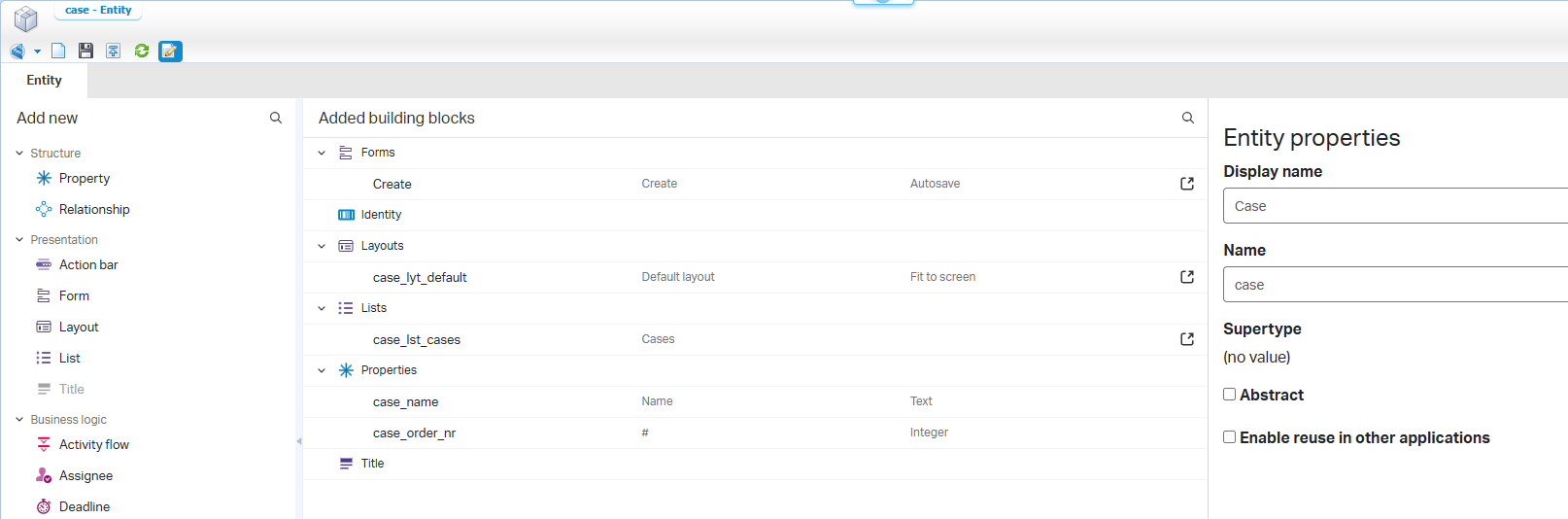
Boot up your OPA VM and dive into your workspace/project. We start with a simple ‘Case’ entity like this (saved in the entities folder of the project):
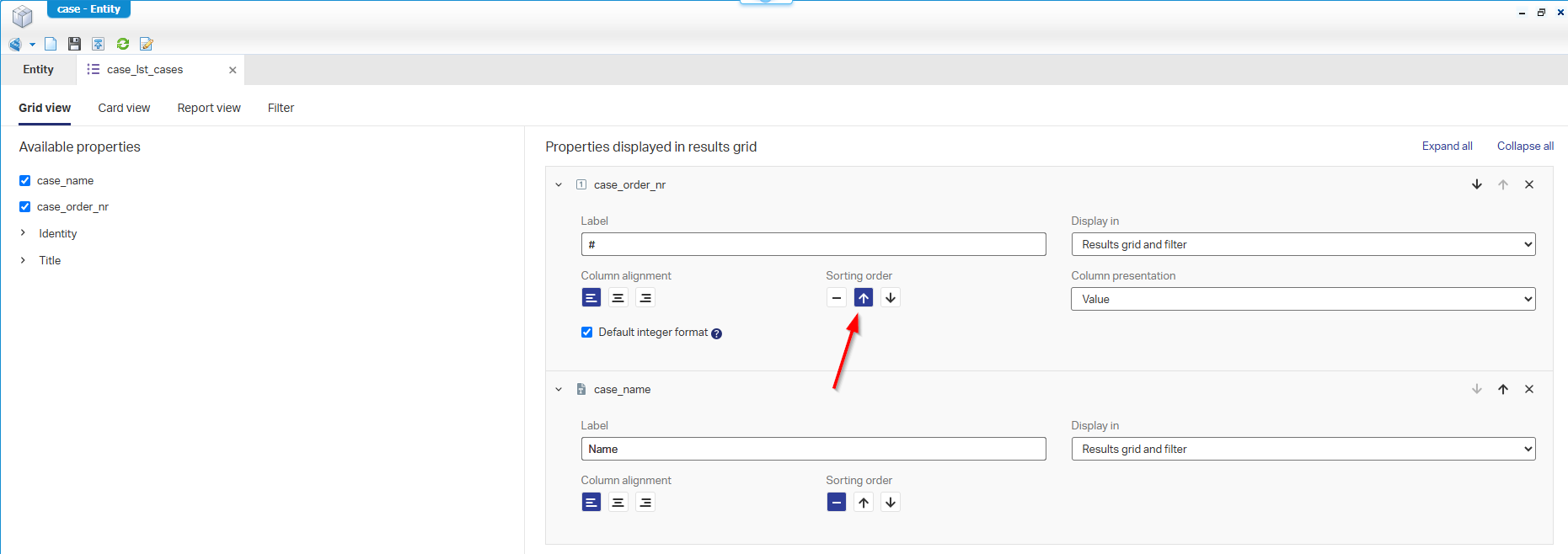
Make sure to order the list ascending by the case_order_nr:
Publish the entity and create some instances…
Tip: use order numbers with gaps
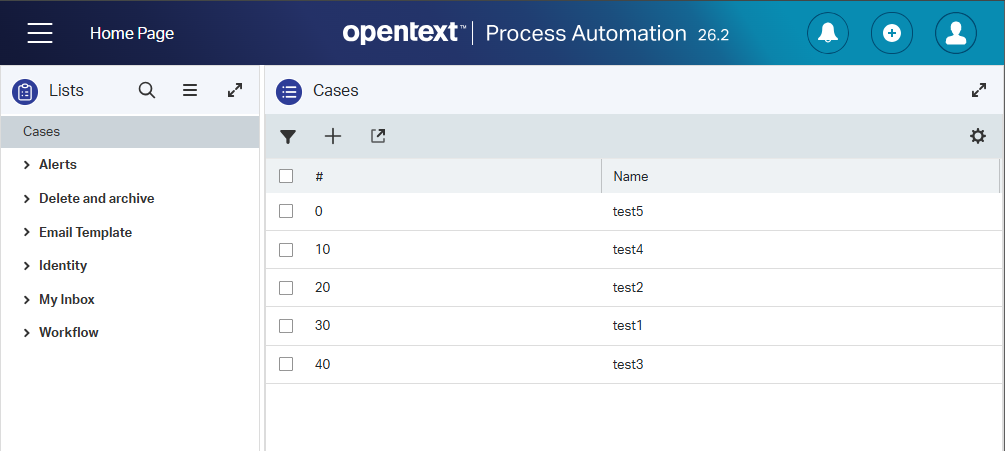
[0, 10, 20, 30, 40]. Why? Well, later you can insert something between two rows without renumbering.
You should have a list like this in runtime:
Great, but if we want to order items, we need to open/view the entity instance and change the order number; can we do better/smarter? Yes, please… 🤗
BPM pre-logic
The only way to reorder items in such a list (like above) without opening the item is via business rules on custom action buttons. So, when you select an entry (AND select only one!), you move the entry up in ranking, or you move it down in ranking. Let’s put this logic first on paper:
BPM logic moving down:
1 | Entity caseCurrent = Readcase(rootEntityInstanceId); |
BPM logic moving up:
1 | Entity caseCurrent = Readcase(rootEntityInstanceId); |
Tip: swapping the number with the neighbor is key. However, if the numbers should be unique (because of a uniqueness rule!?), use a temporary number and save it first!
Before we start building this logic, we first need some new webservice operations.
It’s not in the screenshot below, but also checkmark the READ and UPDATE operations.
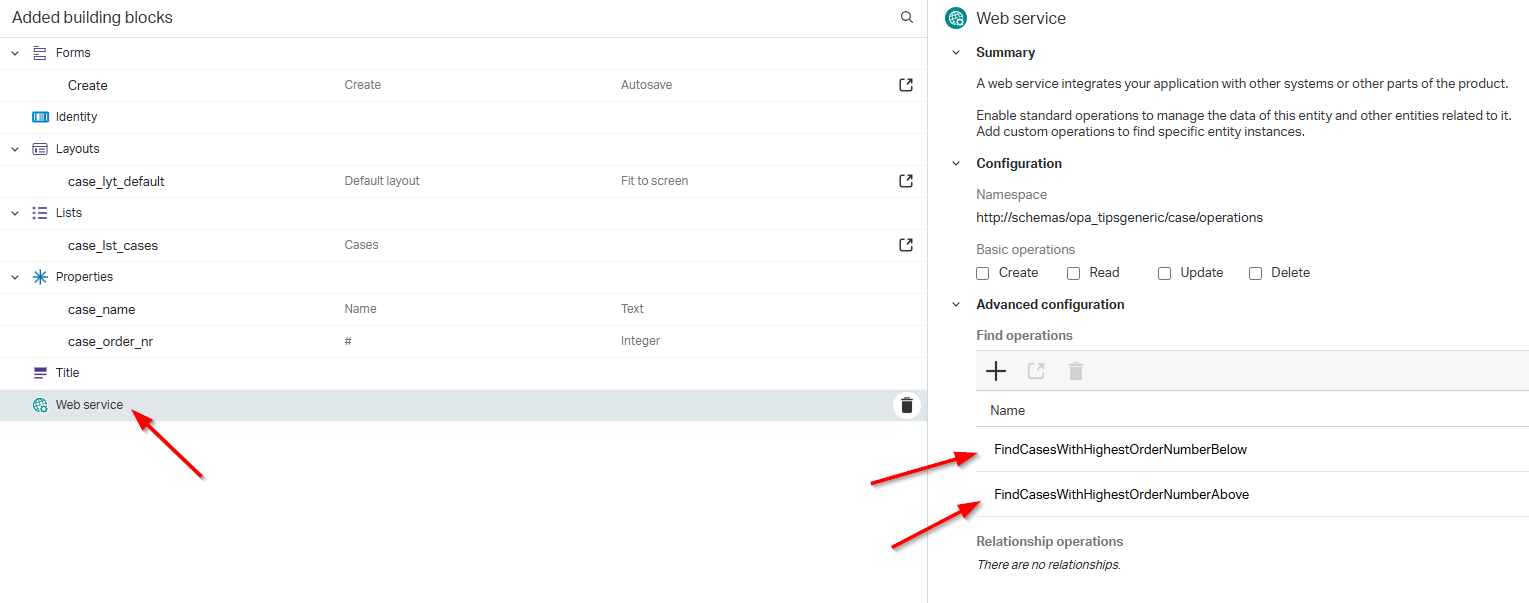
These are the settings behind both of them:
- ‘FindCasesWithHighestOrderNumberBelow‘
- Parameters: ‘orderNrCurrent’ as Integer
- Filter:
case_order_nr < Parameter(orderNrCurrent)- Results: sort by ‘case_order_nr’ descending
- ‘FindCasesWithHighestOrderNumberAbove‘
- Parameters: ‘orderNrCurrent’ as Integer
- Filter:
case_order_nr > Parameter(orderNrCurrent)- Results: sort by ‘case_order_nr’ ascending
For these services, we also need a new service container of type ‘Application Server Connector’. You can create it on your own in the ‘System Resource Manager’ artifact; no clue? Leave a comment below…
Once in place, you can test via these requests (in the Web Service Interface Explorer):
1 | <!--In the example entries [0, 10, 20, 30, 40], this will |
NICEEEE…works greatly!
Action rules
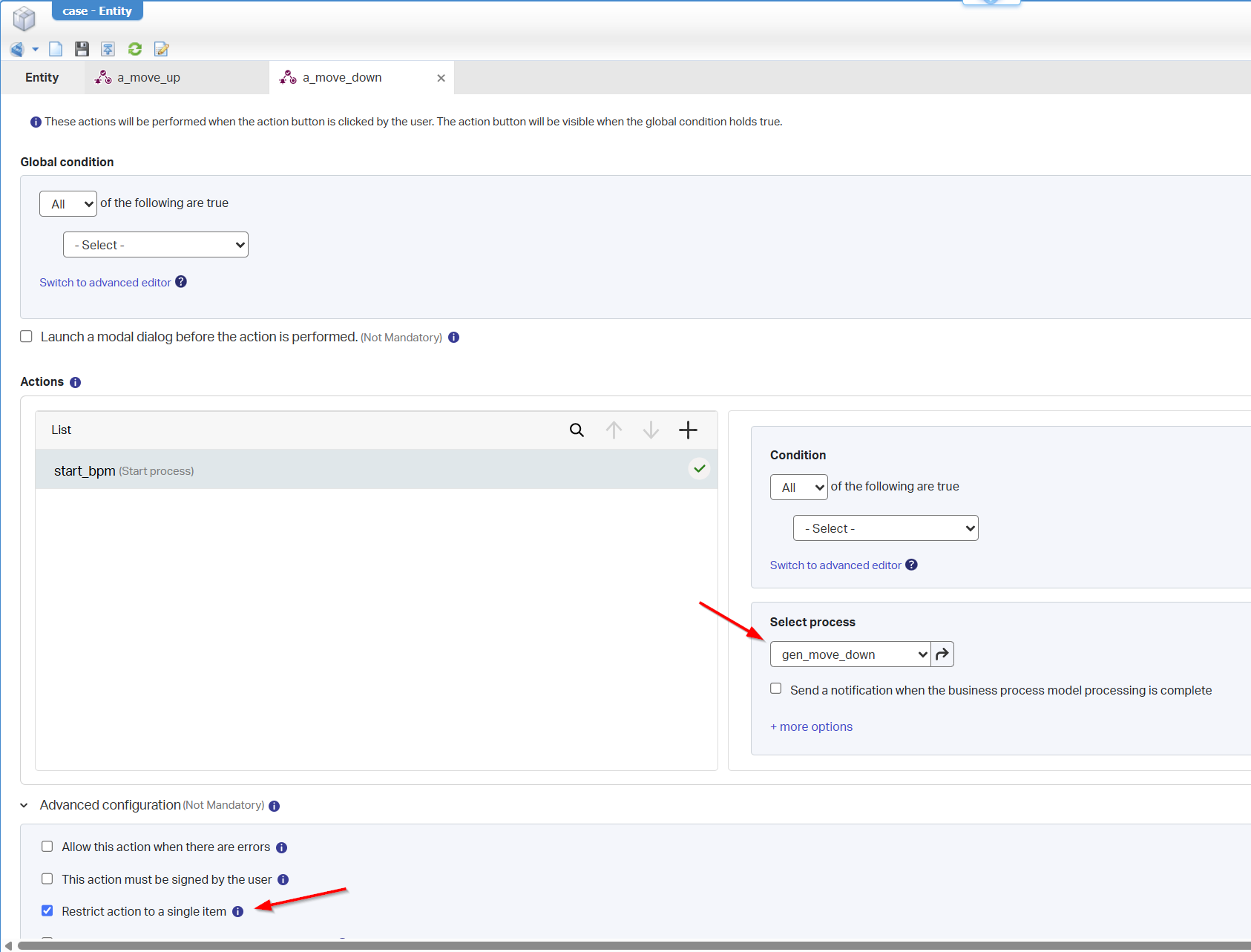
Our next step is to add two new action rules a_move_up (with label ‘Move up’) and a_move_down (with label ‘Move down’). Both start an independent BPM (just a one-activity BPM for now). Watch the restriction option to a single-item selection:
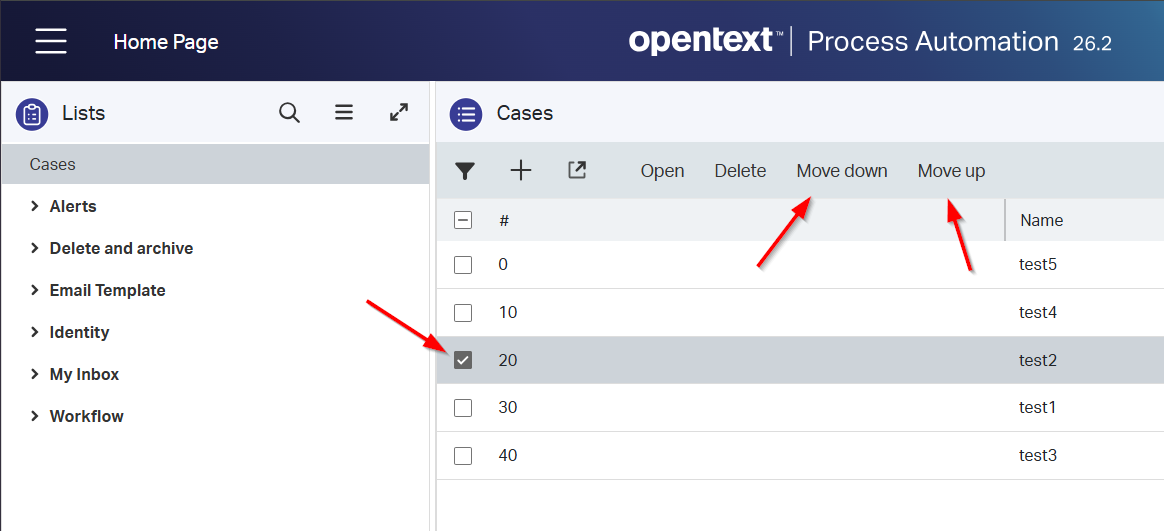
After publication, you can hit those buttons in runtime:
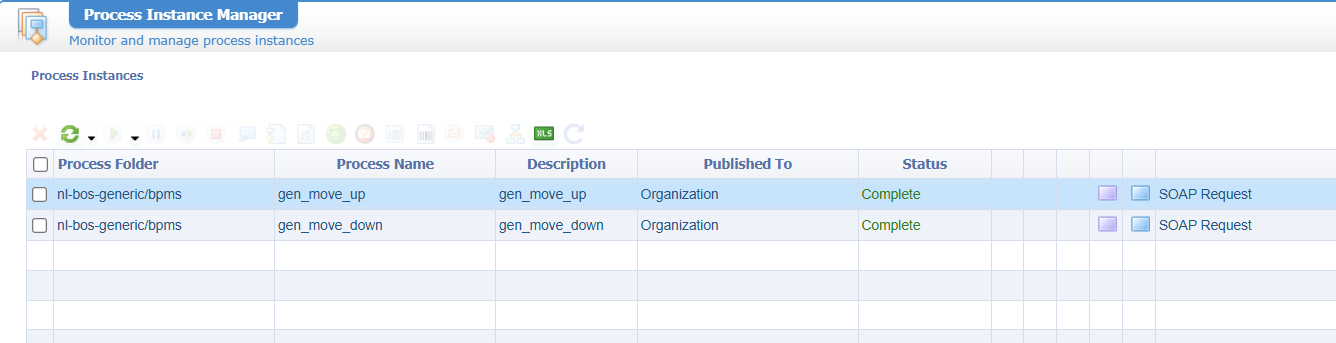
AND in the backend (our PIM) you’ll find two new BPM instances:
BPM implementation
First, we make sure to set the execution mode to ‘Short Lived’:
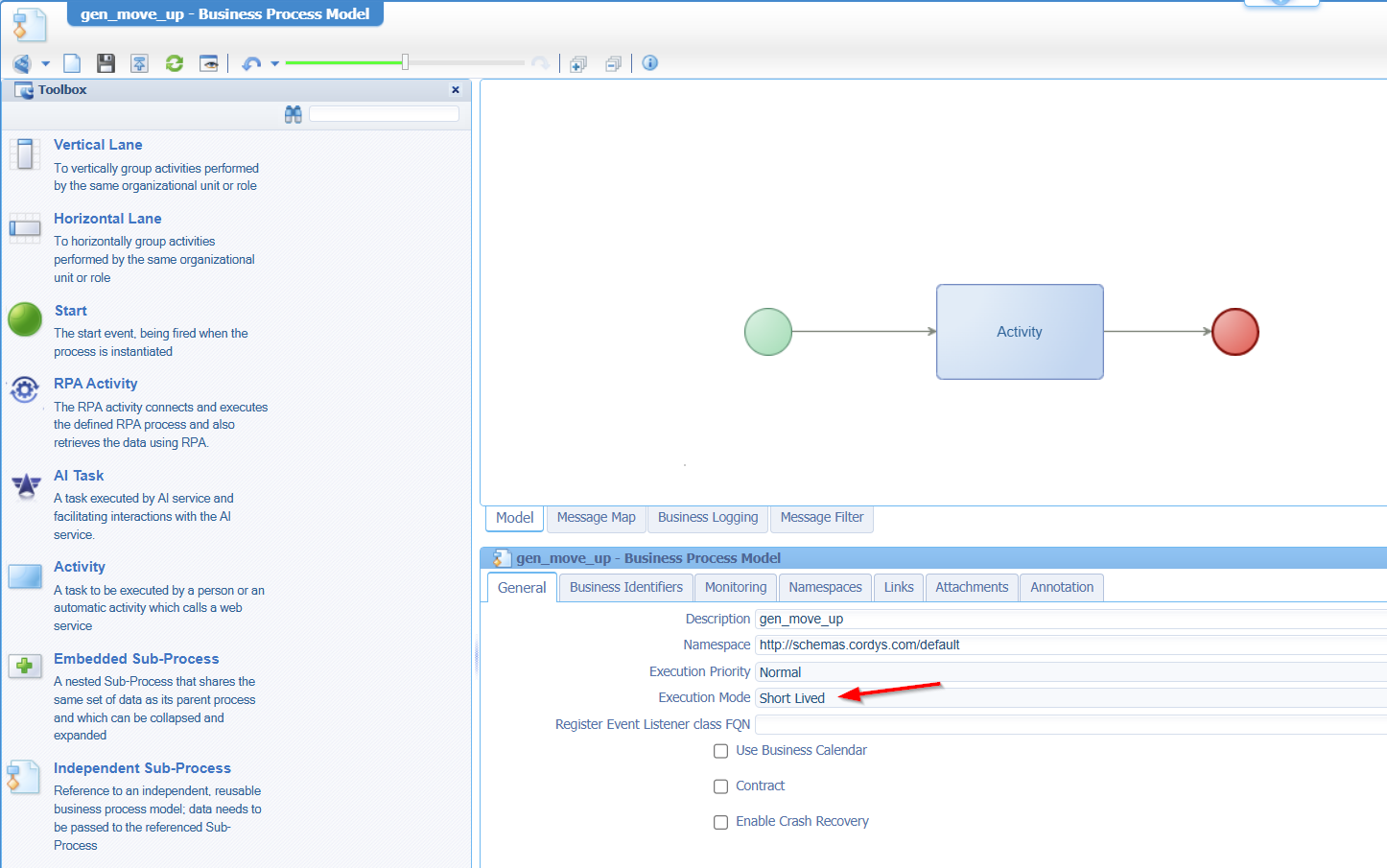
Why short-lived? Because we directly want to see our changes in runtime in the list, as this makes it a “synchronized” call.
For the implementation (on gen_move_up), we start with something like this:

Notes per construct:
- ‘Read case’; gets the current selected instance via the ‘rootEntityInstanceId’
- ‘Find Cases With Highest OrderNumber Below’; gets the ‘case_order_nr’ as input from ‘Read case’ (incl. an offset=0 and limit=1)
- ‘Case available?’; when the count of cases of the search !=0, we go forward (
count(ns2:FindCasesWithHighestOrderNumberBelowOutput/ns2:FindCasesWithHighestOrderNumberBelowResponse/ns3:case) != 0), else, we go to the end (as we reached the top of our list)- ‘Update case (current)’; update the ‘case_order_nr’ with the ‘case_order_nr’ of the case below
- ‘Update case (below)’; update the ‘case_order_nr’ with the ‘case_order_nr’ of the current case (so, vice versa!)
This is the consolidated view of the messagemap:
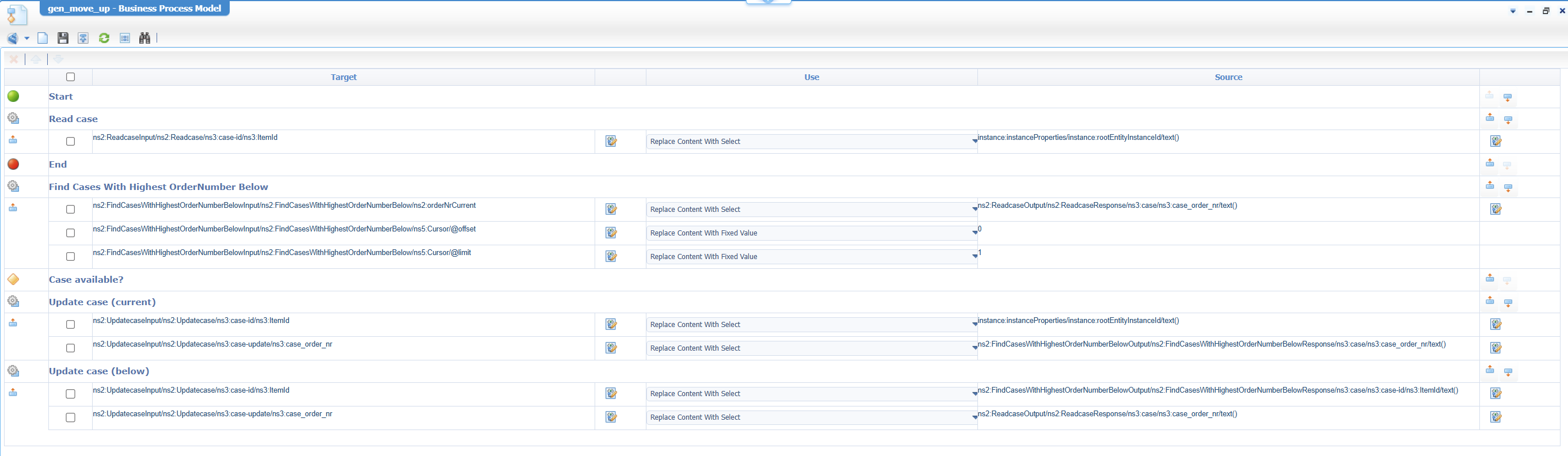
Do a publication and try it out in runtime…Trust me; it works like a charm!
What about the other BPM!? Yes, what about it? I leave that task for you to figure out; the only difference is the find-cases service call…Easy-peasy with this hint:

A nice extra advanced “homework” task is to move the item to the end of the list when it reaches the top where we now stop. It’s the same for the bottom instance; instead of stopping, you can move it back to the top.
That’s an ordered “DONE” where we see the power of simple BPM logic implementing a splendid feature on a result list of entity instances. What else? It would be my next question, but I leave it open for answers in the comments below. Have a great ordered weekend, and we dive into another topic, next week, on “OpenText Process Automation Tips”!
Don’t forget to subscribe to get updates on the activities happening on this site. Have you noticed the quiz where you can find out if you are also “The Process Automation guy”?
