


Hi there “Process Automation” fans,
Welcome to a new installment of “Process Automation” tips.
I always thought it was a bridge too far, but we found the holy grail for running your custom JS files in runtime. Finally! Was it hard to figure out? Well, not at all; however, you need to do a magic trick, which we explain in this post. Is it something I recommend doing? Nope, but sometimes you have those customers who just don’t care as long as the functionality is fixed. OK, but (we as consultants) should protect the customer from damaging the platform through their own decisions…right? Again, I totally agree, and this is also a last resort, so be aware of the consequences! Inform your customer and document in great detail the why/how/who/what of the implementation parts…
Let’s get right into it…
OK, loading JavaScript into runtime!?!? The only way I can imagine (via your solution!) is through a ‘Web Content’ panel on a homepage (or a layout). This quickly takes me to this post, where we already learned (in the first section) how to start with the platform’s delivered libraries via a layout (like jQuery). We do this post via a new homepage, as that one has a broader loading field. We load our script ‘onload’ with the homepage through a ‘Web Content’ panel.
If you followed the first section of that post, you will have an HTML and JavaScript file in place (we add CSS later)…This is my current view:
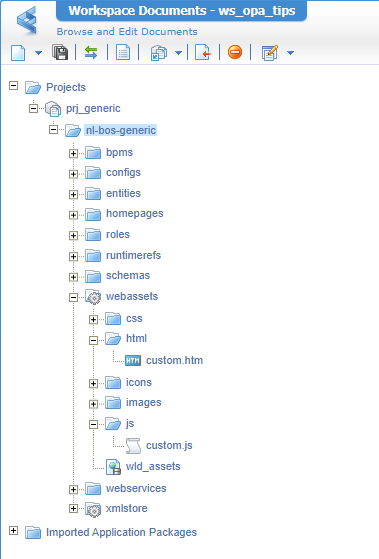
This is my HTML file custom.htm:
1 | <html> |
We don’t need a
<body>element as we only want to “load” that JS file!
This is my JS file custom.js:
1 | $(document).ready(function() { |
Both are served through a Web Library Definition in your solution!
At runtime, you can access them like this (after publication):
http://192.168.56.107:8080/home/opa_tips/html/custom.htmhttp://192.168.56.107:8080/home/opa_tips/js/custom.js
Our next step is to create a new homepage type of document (like you also create an entity, but in a homepages folder) with a ‘Web Content’ panel like this:
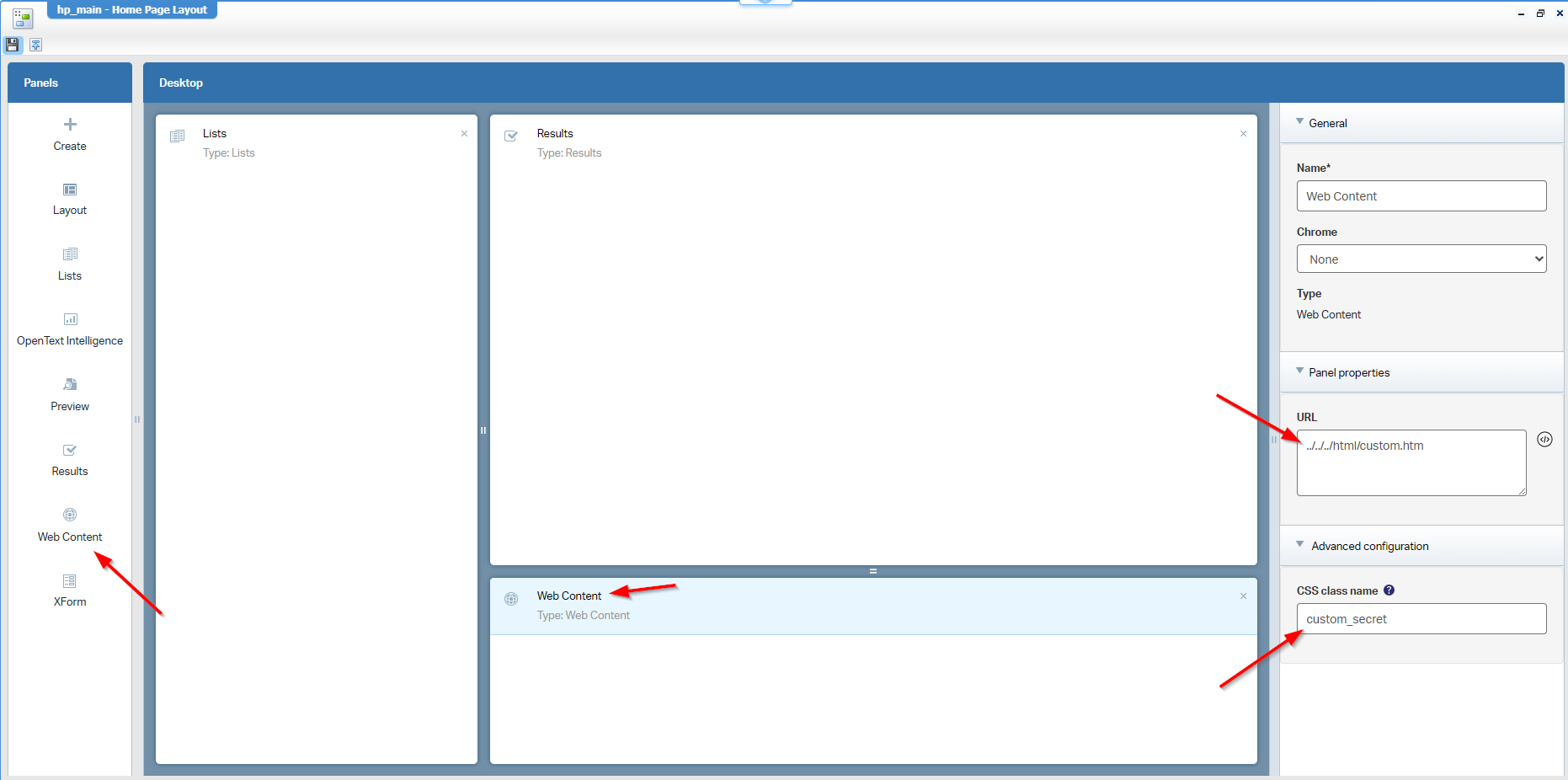
Notes:
- I use a relative path to
../../../html/custom.htmto avoid managing host/port names as it all runs within the same organization. - Don’t forget to set the CSS class for the panel to
custom_secret; we’ll use it later on…watch and learn!
Do a publication and have a look in runtime (incl. a view in the browser’s developer tools):
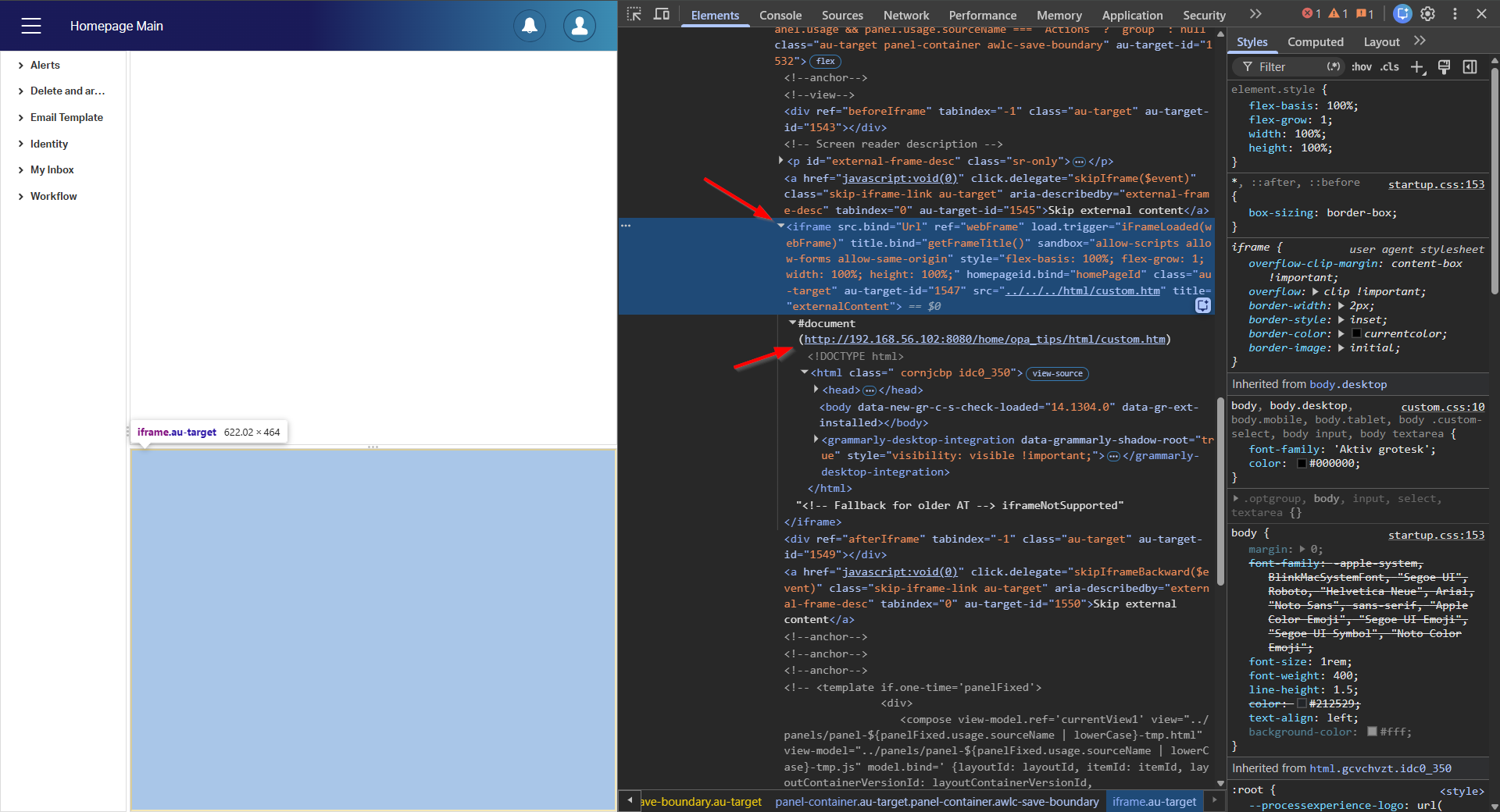
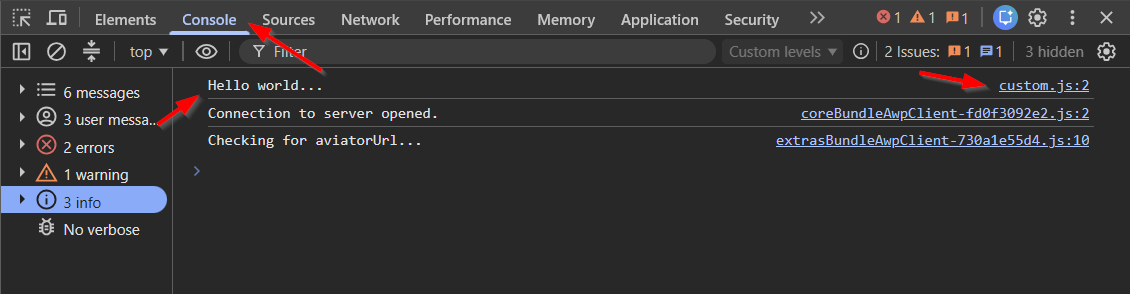
And the console shows the output we want to see:
Nice, but now I’m stuck with a useless panel in the homepage!?!? Yes, but you can drag it to the bottom! 🤪 And I need to tell all my users to do so? 🤔
My friend…You can do better! 🤫
The secret pathway
So, we want to get rid of that panel…How about this little script in custom.html, just after the <head>?
1 | <script> |
Well, it does hide the iframe, but the homepage panel is still intact. This is also not something you’ll solve in the current custom.html. The panel is part of the homepage, and the homepage is part of the solution CSS…AHA! And what better place do we have to play with the solution CSS? Yes, a ‘Theme’ type of document that imports a custom CSS file from the ‘Web Library Definition’, like your previous two custom files (HTML and JS)…NICE; how? Read this first.
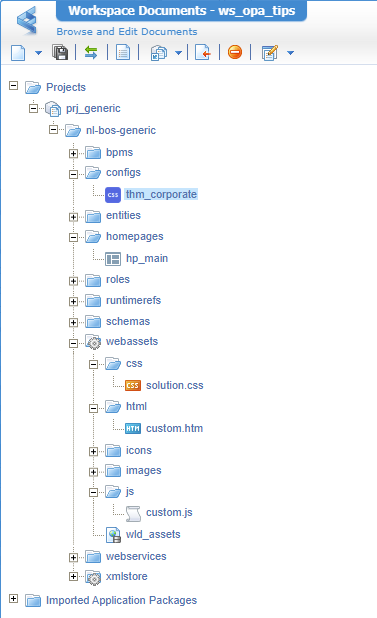
Once you know the details about @import "../css/solution.css";, you can add a solution.css file to the webassets directory of your solution, nicely placed in the css folder. This will be the content:
1 | layout-row:has(> layout-zone > layout-panel.custom_secret) { |
Do you see something familiar? Yes, it’s our keyword custom_secret!
What do these CSS selectors/rules do? Good question! It has two parts:
- Selecting the
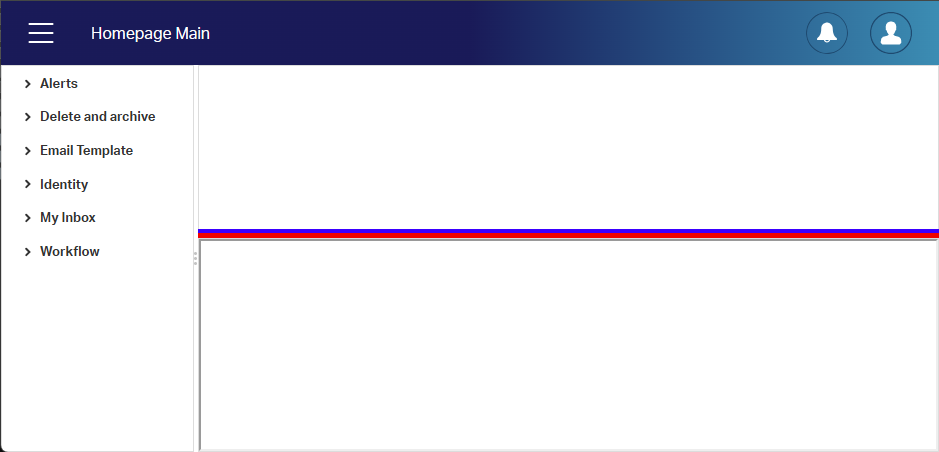
layout-rowthat has alayout-zonewith alayout-panelin it (your homepage panel!) where your custom homepage CSS class is applied; AND make it RED!- Selecting the
layout-columnthat has the same things as the first one but has an extralayout-divider-horizontal; AND make it BLUE!
This is my view for a first publication on our new changes:
Now see what is visible in runtime:
Great, let’s now hide it like this in the CSS and do another publication:
1 | layout-row:has(> layout-zone > layout-panel.custom_secret), |
Make sure to use an incognito tab, as you want to avoid any caching during these exercises.
In runtime? Well, have a look:
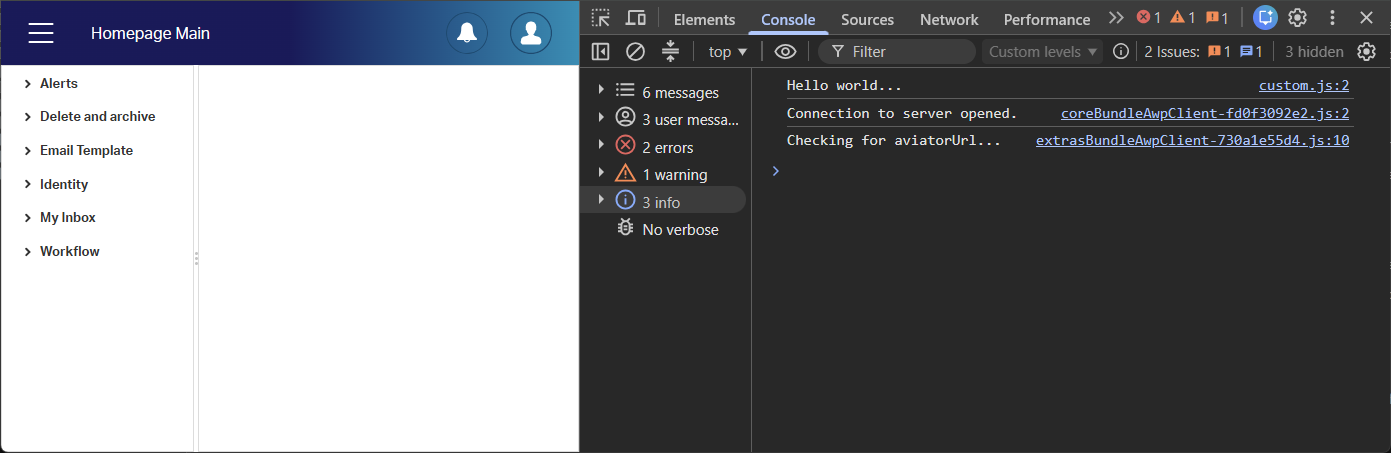
The panel is gone (not slid down! 😇), AND we still see our JavaScript message call in the console…
I call it a party! 😎
Note: the CSS in this post is specific to my example; your homepage might need a different CSS selector! It’s purely an example to trigger your creativity so you know what is possible.
That’s a secret “DONE” where low-code powers functionality at runtime. A great accomplishment, as the road is now open for anything JavaScript-related. Try it out, see if it solves your use case, and communicate it back in the comments below. Have a great, warm weekend, and we’ll have a look at another great topic at “OpenText Process Automation Tips”; Cheers! 🍺
Don’t forget to subscribe to get updates on the activities happening on this site. Have you noticed the quiz where you can find out if you are also “The Process Automation guy”?
