


Hi there “Process Automation” fans,
Welcome to a new installment of “Process Automation” tips.
Great, we’ve run into another failure where we hit a wall of problems (or let’s say “new insights”) during CAP deployment in a specific organization. In DEV, it all works fine, but one wrong checkmark in the packaging configuration for a specific type of document can make your life miserable. However, if you have followed this blog site for the last couple of years, you know we’ll dive into the unknown to prepare you for impact, so you don’t make the same mistake ever again…
Let’s get right into it…
What mistake/failure are we talking about? Well, it’s the mistake of deploying custom Java code in a specific organization!? #WHAT? Yes, it’s stuff you don’t learn during expensive training or by reading documentation. This is just “do it”, “fail it”, and “learn from it”; a PS colleague warned us about this a long, long time ago (from what I can remember), but it never “snapped”…until now.
See this picture and detect what is wrong:
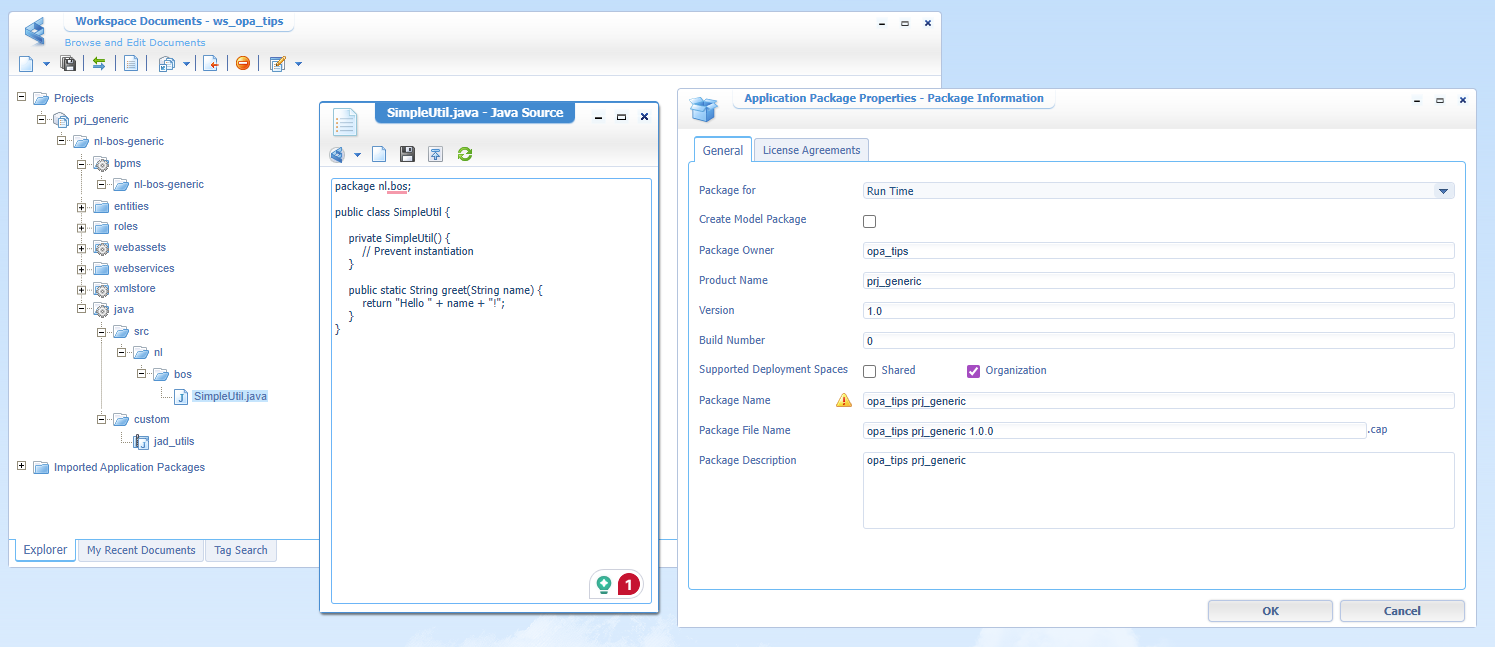
If you want to know how to call such
SimpleUtil.greet(...)method from a BPM perspective, read this.
…
FYI: after publication, you’ll find the JAR file on this server path:/opt/opentext/ProcessAutomationCE/defaultInst/custom/utils.jar
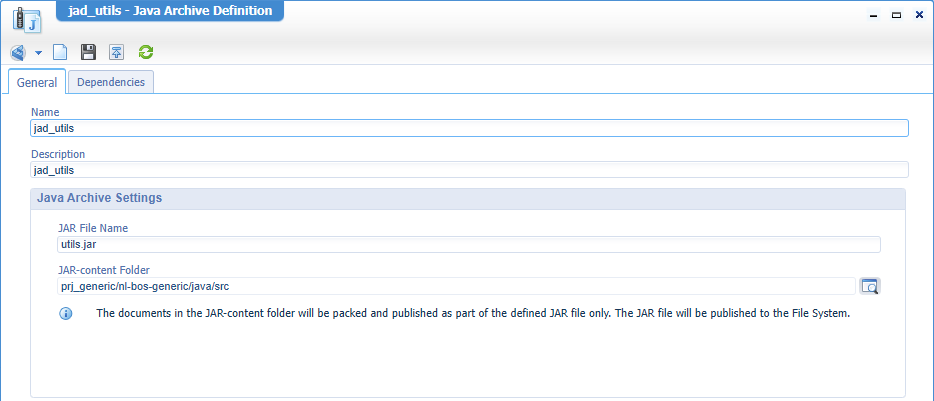
If you don’t see the problem already, you can continue reading; if you do see it, we should meet up! 🤝
Ok, you see that publication is fine. Now let’s create a package out of this project:
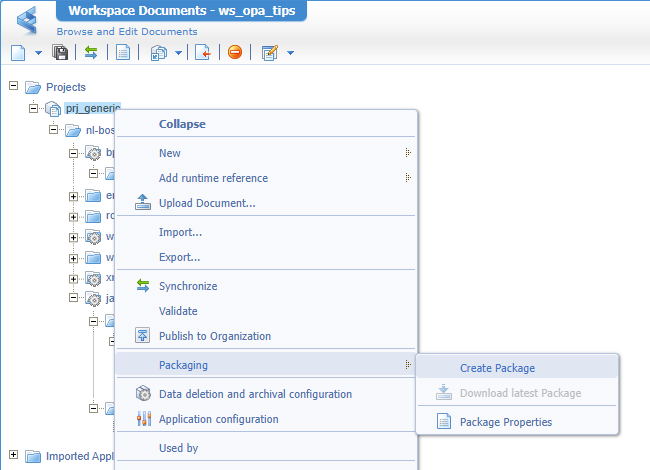
I’ll get a file named opa_tips prj_generic 1.0.0.cap. Now move into the “shared” /system organization (using the sysadmin account), open the ‘Application Deployer’, and select your second “deploy” organization (you can do this in DEV which is even a good practice!). Next, browse for your CAP file, and hit ‘Upload and Deploy’:
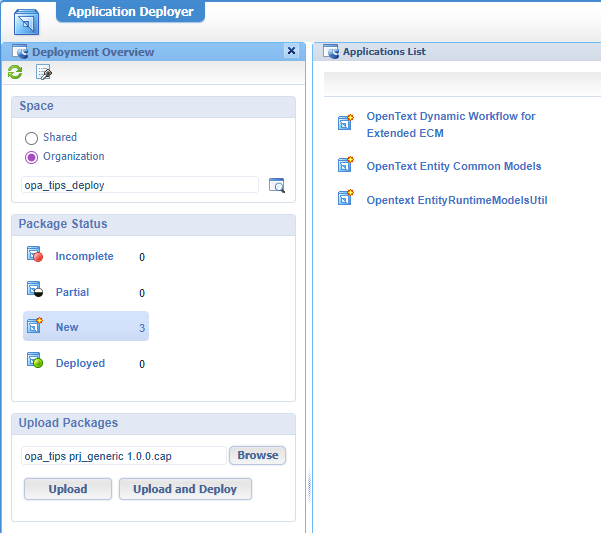
If you don’t have a second organization, read this post.
Continue through the wizard until, eventually, you hit the wall of disasters:
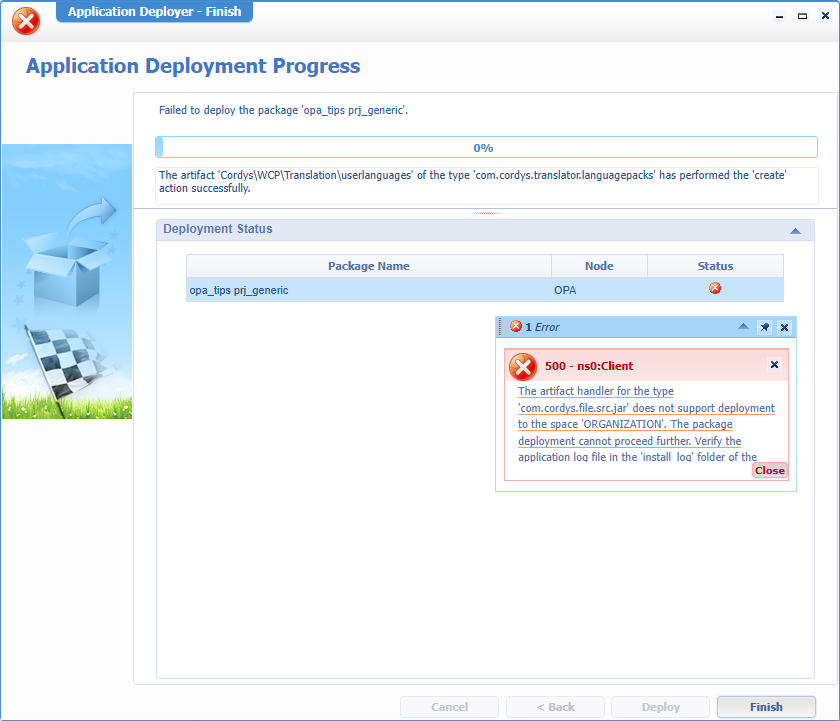
Can you find this in the documentation? Well, I couldn’t find it after a quick look; that’s also the reason to share these details with the world…So, just be aware!
…
The next great question is: How do you solve it? Well, what about a new “utils” project that has the correct settings at project level:
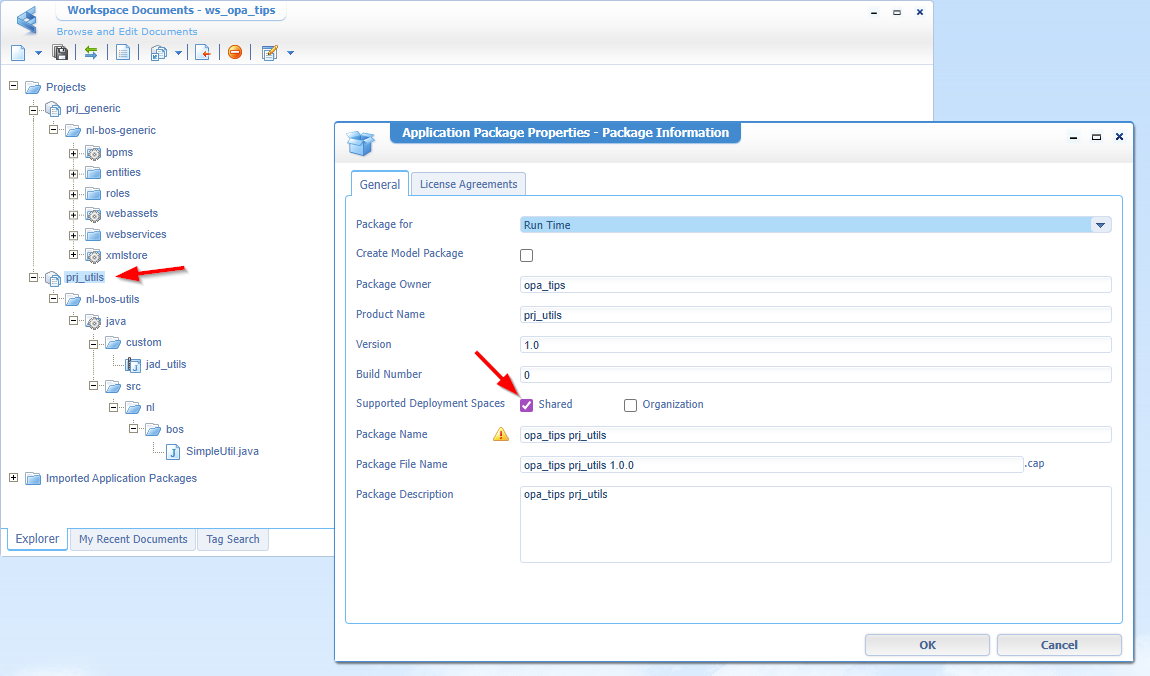
NICEEEE…This also sounds logical, as a JAR file is a “shared” resource on the server! 🤫 Right, but what about a “Theme” type of document…That’s also a shared one, right? Yes, you’re partly correct…However, let’s not dive into that rabbit hole for this post. The same issue appears when another “utils” project saves the JAR file on the exact same path on the server! YES, my friends…that’s where the real war starts to take place across non-communicating teams! 🤐
A busted “DONE” where trial and error moves us all further in knowledge and eXperience. It’s a lesson learned where we now know where to park customization safely and solidly. Will we hit this wall again with other types of documents? Probably, but we’ll let you know when the time comes. Have a great weekend and keep it locked on “Process Automation Tips” for new installments, thoughts, tricks, and ideas.
Don’t forget to subscribe to get updates on the activities happening on this site. Have you noticed the quiz where you find out if you are also “The Process Automation guy”?
