


Hi there “Process Automation” fans,
Welcome to a new installment of “Process Automation” tips.
O-boy…did I see something fancy passing by during an R&D session with OpenText support. It’s worth sharing and gives you an interesting view on the state for a current entity instance in runtime. We did eXplore a similar feature in this post, but this time we got grip on a different entry point which relates to the Aurelia framework the OPA runtime UI is built around.
Let’s get right into it…
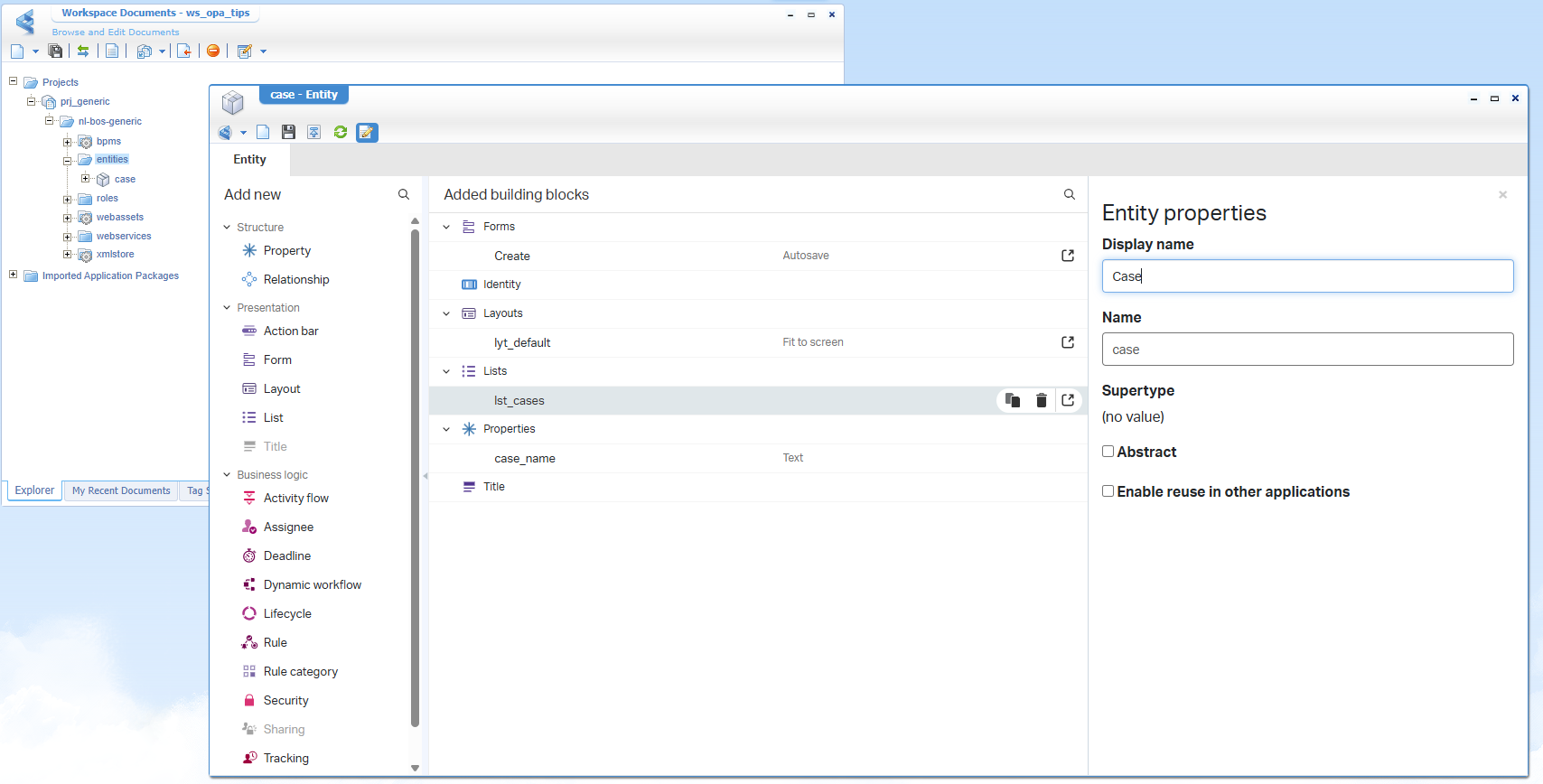
It’s time to boot up our OPA machine and dive into a favorite workspace and related project. Here we create a ‘Case’ entity with one property case_name. Generate all the default building blocks and rename them based on your own naming conversions.
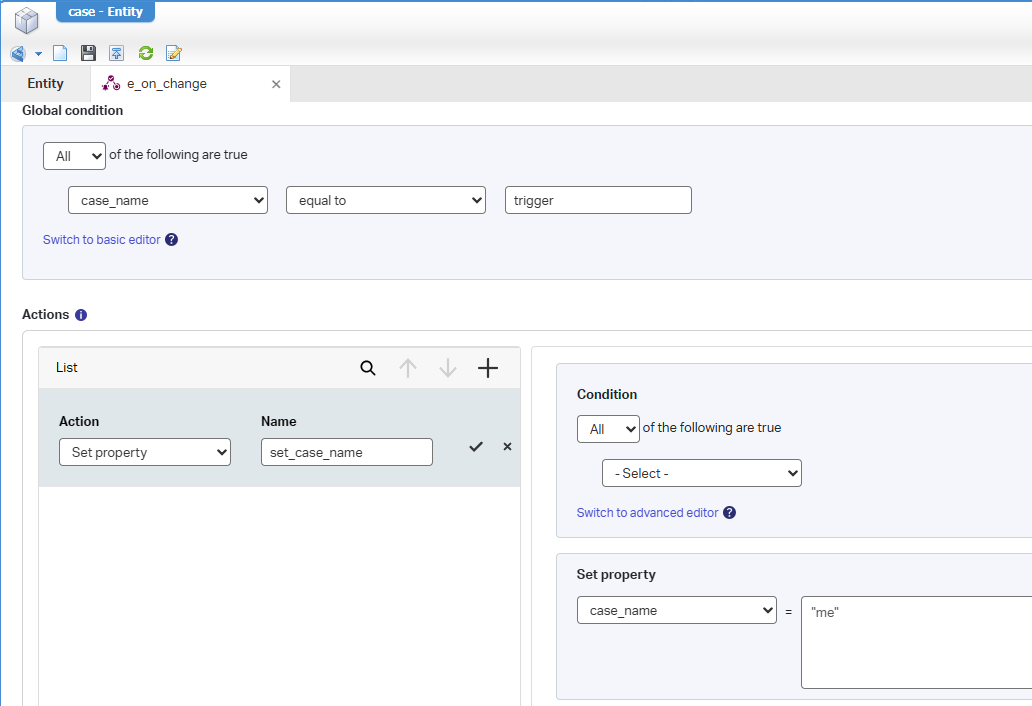
Now add a new ‘Application UI’ type of ‘Rule’ building block with the name e_on_change with an implementation like this:
After publication, you should have a list to maintain cases, and you can create a new instance like this:
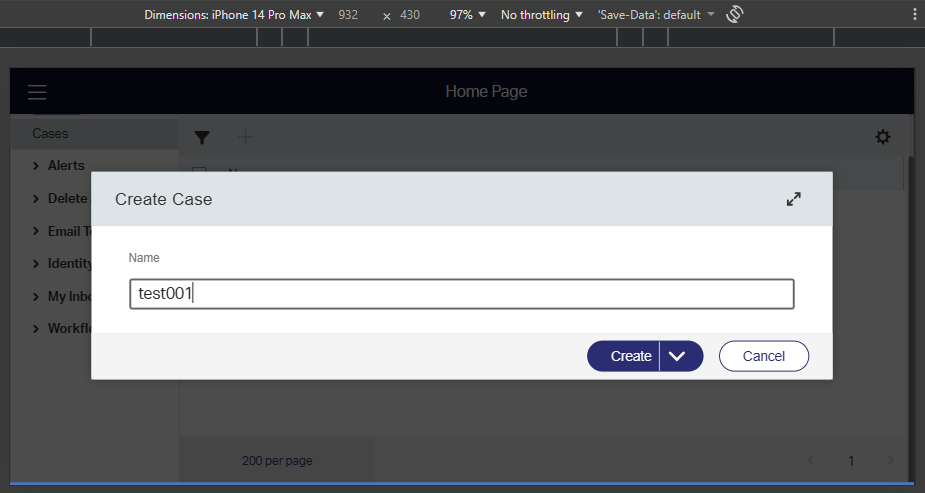
That’s an iPhone view screenshot…A trick you can enable in the developer console of your browser; Just fun to play with!
No rocket science so far…You can change the name to trigger and the name will instantly change to me!
…
Now, from within runtime, open the developer console from your browser (<F12> or <Ctrl>+<Shift>+I) and select the body-element (required for the next step!):
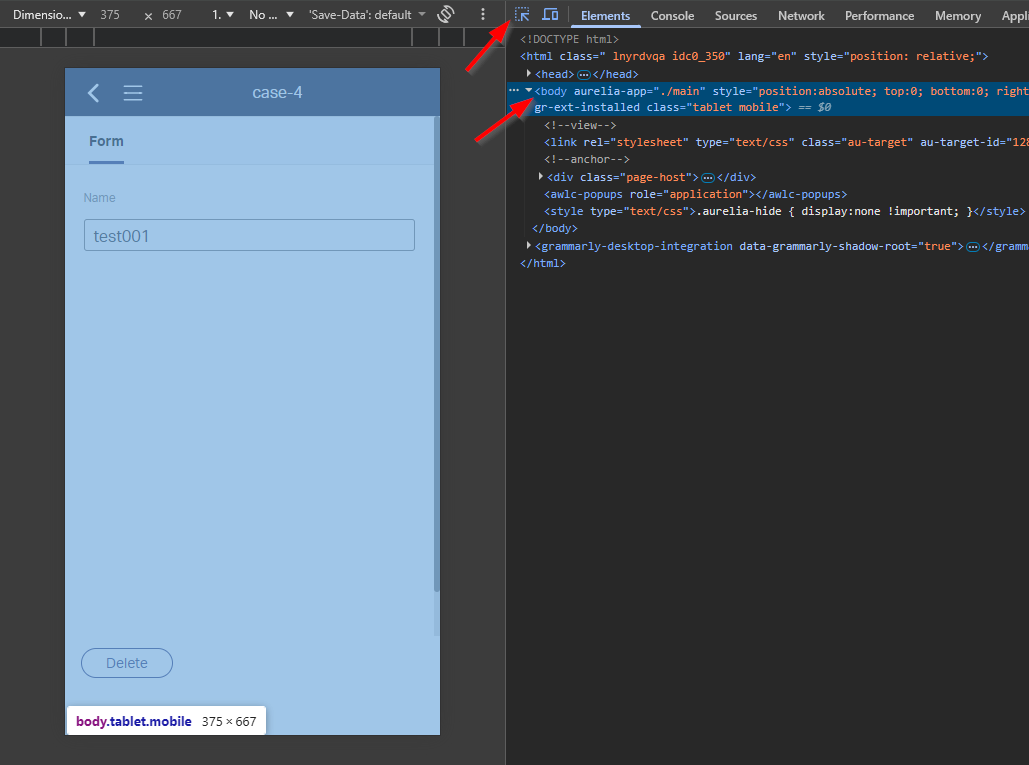
Jump to the second tab ‘Console’, and type this line:$0.aurelia.container.viewModel.sSOService.itemState.items

This is a little background information on this call:
| Part | What it does |
|---|---|
$0 |
The DOM element currently selected in your Browser DevTools. |
.aurelia |
The property where Aurelia stores framework metadata for that element. |
.container |
Accesses the Dependency Injection (DI) Container for that component’s scope. |
.viewModel |
Retrieves the class instance (the logic) driving that specific UI piece. |
.sSOService |
Accesses the specific injected Single Sign-On service on that ViewModel. |
You see three ‘ItemId’ entries passing by. One is your current entity instance (our case instance), one is a relative ‘Person’ entity instance, and one is a relative ‘User’ entity. The last two instances are for security and delivered from the Identity package of the platform (just that you know, but not important this post).
We can now extend our line with a call like this where we can check more state details about our entity instance:$0.aurelia.container.viewModel.sSOService.itemState.items['0800279aadfea1f18166f8592962ace2.4'].$clientMeta
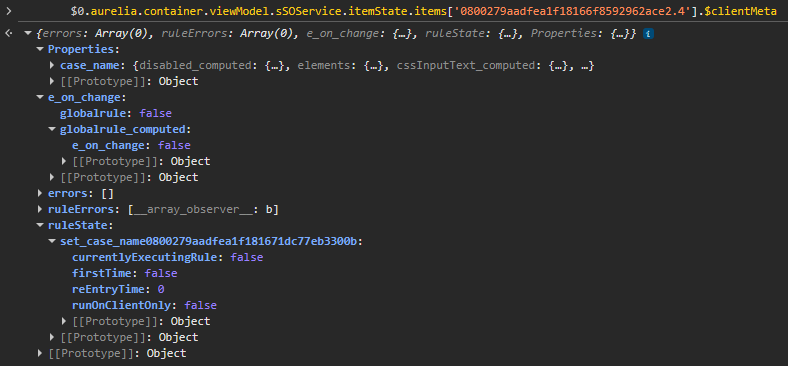
Nice insights…That’s also our application rule you see passing by!
It’s client side, so you will not find functional rules, action rules, nor uniqueness rules!
What else can we do? Well, what about setting our case_name value? Yes, please…
$0.aurelia.container.viewModel.sSOService.itemState.items['0800279aadfea1f18166f8592962ace2.4'].item.Properties.case_name = "NEW"
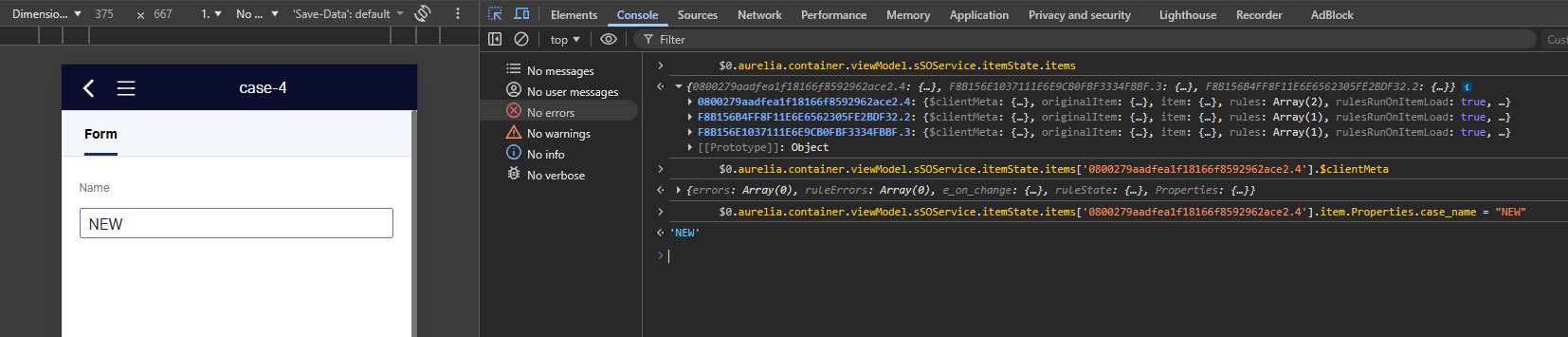
I also tried to set it to trigger (to fire our rule); However, it will not change the value to me…Looks like we’re just before all the rule logic here!
Another thing I tried is setting the value to a larger value to trigger an error in runtime:
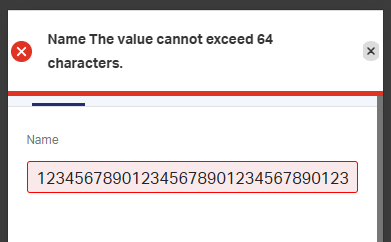
You can view this error at:$0.aurelia.container.viewModel.sSOService.itemState.items['0800279aadfea1f18166f8592962ace2.4'].$clientMeta.errors
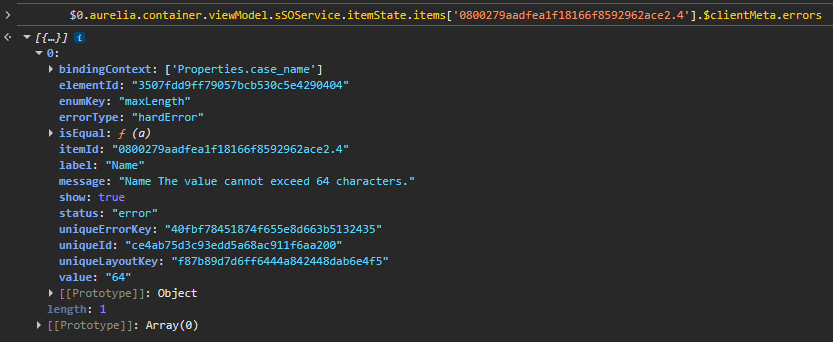
Fascinating stuff…!
That’s an insiders “DONE” where we found another entry for manipulating data in runtime and view more insights on the current state for an entity instance. Asking questions and watching others closely is incredibly important to gain more knowledge about the platform. This is exactly why we have the OpenText Process Automation Tips platform to share all these valuable tricks with the world. Continue to share it, so we’re all aware of what is possible with our beloved platform. Have a great weekend…cheers!
Don’t forget to subscribe to get updates on the activities happening on this site. Have you noticed the quiz where you find out if you are also “The Process Automation guy”?
