


Hi there “Process Automation” fans,
Welcome to a new installment of “Process Automation” tips.
Health and monitoring; including sharing the details and collaborating about it! I see it going wrong in so many projects. The reason (at least for me) is unclear as it’s one of the main “eyes” of your platform. When things go wrong it’s your first sign to act…proactively! Don’t wait until end-users start to complain, but monitor what happens in the system. This is not the first post we’ll talk about monitoring; probably also not the last one, but I found (again!) some interesting things to share about the topic…read and enjoy!
Let’s get right into it…
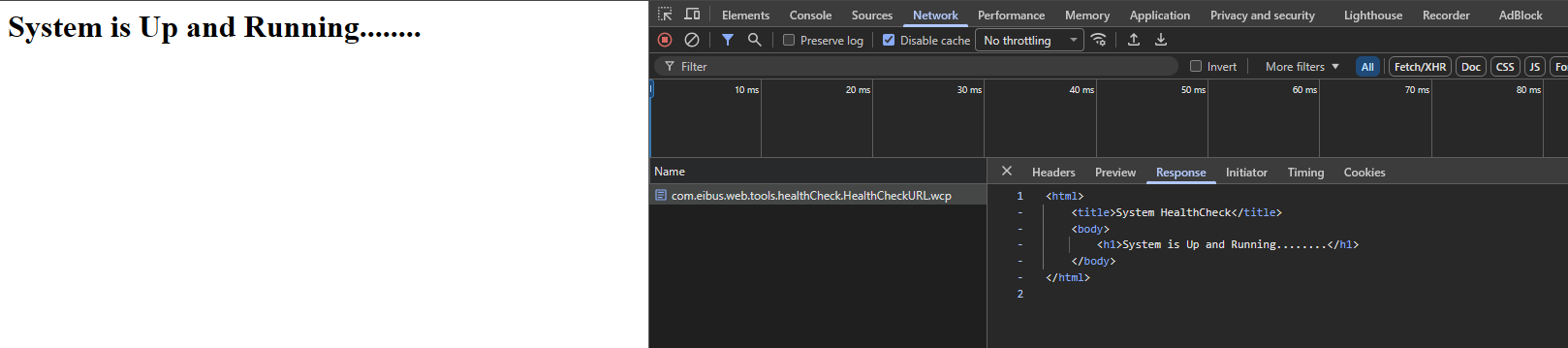
When we talk about health and monitoring, there are two main URLs important:
- OPA overall health at:
http://opa.mydomain.com/cordysguest/com.eibus.web.tools.healthCheck.HealthCheckURL.wcp
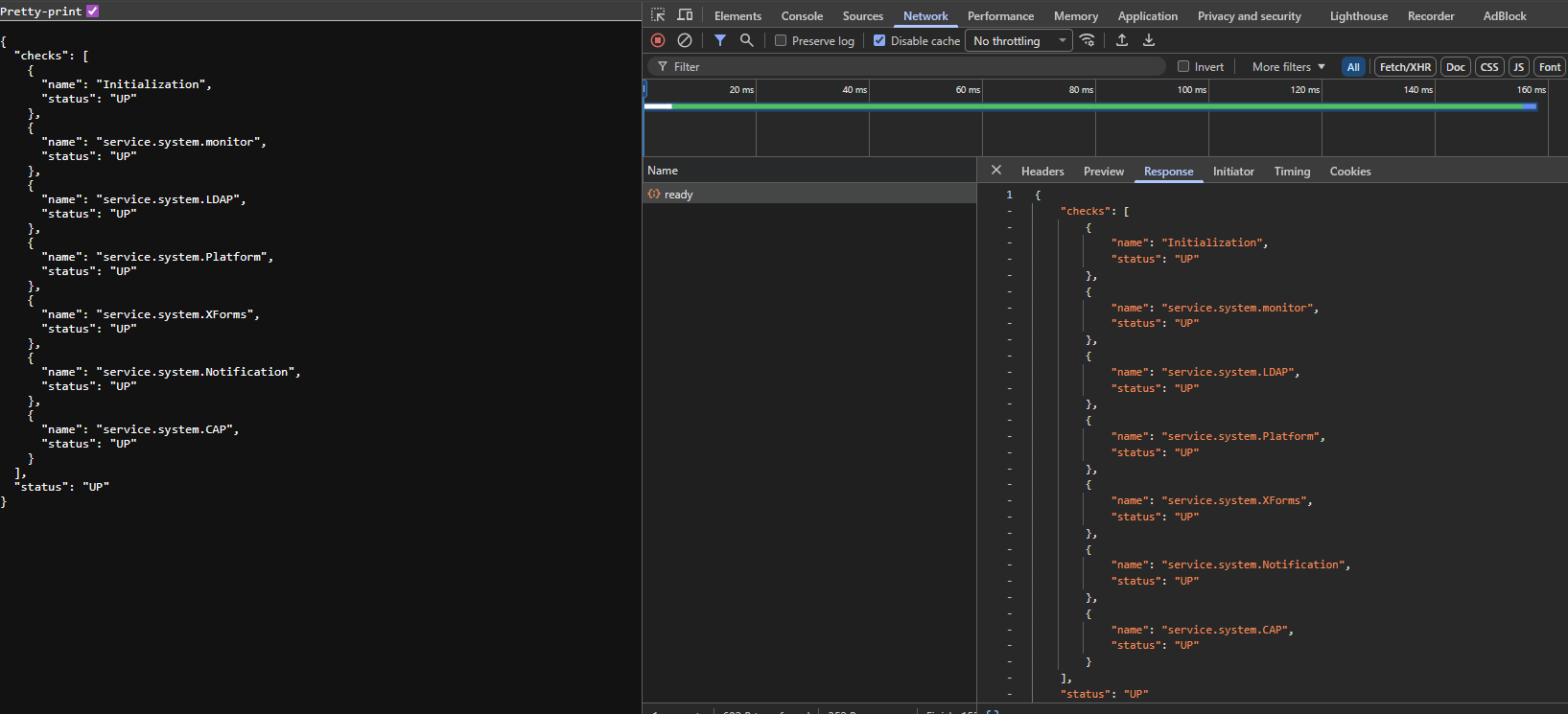
- OPA services health at:
http://opa.mydomain.com/home/system/app/mp/health/ready
Notes:
- See also the “HealthCheckURL” section in the administration guide of the OPA platform.
- An organization specific URL has the same outcome:
http://opa.mydomain.com/home/opa_tips/app/mp/health/ready
This is the default JSON output on {org_name}/system/app/mp/health/ready. See screenshot from above:
1 | { |
This JSON result gives me two valid questions:
- These are service container states, but where is the rest; Like the BPM, CWS, or Logging containers?
- What if I create my own service container? Will it magically be in the result?
Time for a Q/A
#RTFM tells me about four important properties in the wcp.properties configuration file for the OPA platform relevant for our answers:
1 | platform.management.health.ready.availability=true|false |
This is the documentation for those true|false properties:
- When set to TRUE, it returns the readiness of the components provided in the components property.
- When set to FALSE, it excludes the components provided.
!?!?…Is it me? Or is this just OpenText documentation you require to read up-side-down; You tell me! Also, the
true|falsedoes not always match as expected…See below!
…
FYI: Useservice.and NOTService.with a capital (as in the up-side-down docs!) #SABOTAGE…Or that’s because I’m on Unix!?
…
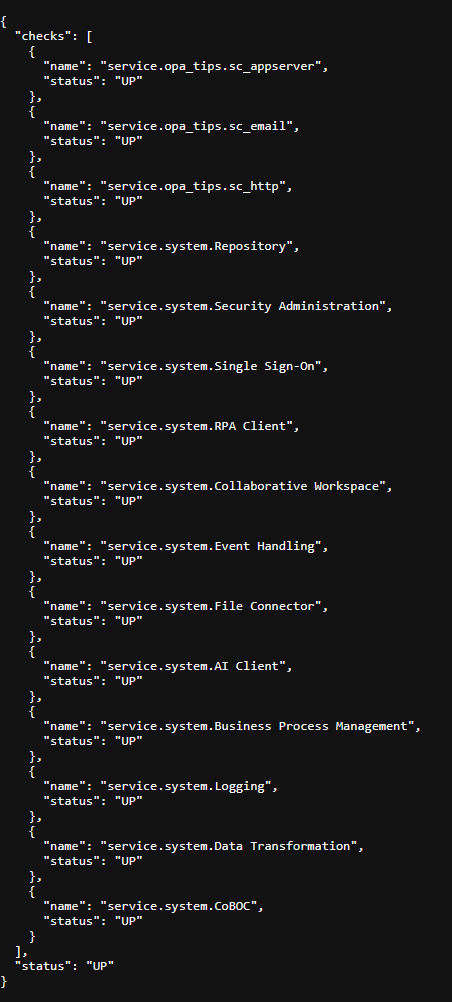
Before we start; I have an organization opa_tips and have three extra service container up and running serving requests for my current project (all with a corresponding service group): sc_appserver, sc_email, and sc_http.
It’s about time to assess some settings; IMPORTANT: After each change in the wcp.properties file, you need to restart TomEE!
You can edit the file via: sudo vi /opt/opentext/ProcessAutomationCE/defaultInst/config/wcp.properties
1 | ########## |
From an administration point of view, I would always go for option 1…showing full health, but it’s all up to you now!
…
I was also curious where these health services live insight the platform!? I found this location:
/opt/tomee/apache-tomee-plus-10.1.2/webapps/home#app#mp
In this directory, these two class files are interesting to further do your investigations:
1 | com.opentext.health.AppworkHealthEndPoint |
That’s a great “DONE” where we expose wrongly documented topics about a high value feature; it almost feels as if they (OpenText) do it wrongly on purpose, but I’ll give them the benefit of the doubt. However, we now have splendid examples available on how it all works properly. It’s now up to you to expand this knowledge to your maintenance team and make sure to properly monitor these end-point for failure. Have a great weekend and I will see you next week on another topic about “Process Automation Tips”.
Don’t forget to subscribe to get updates on the activities happening on this site. Have you noticed the quiz where you find out if you are also “The Process Automation guy”?
