


Hi there “Process Automation” fans,
Welcome to a new installment of “Process Automation” tips.
For this post we’ll dive again into the reverse proxy setting (via NGINX) to harden our VMs for the bad outside world. We did it before purely for the OPA platform, but as we gain knowledge for xECM, we want to extend the NGINX configuration also to this platform. AND our previous attempt has a weird timeout-smell that we also want to solve!
Let’s get right into it…
The “what?” and “why?” are already explained in the introduction, but I was simply curious what other advantages ChatGPT would suggest using a reverse proxy:
A reverse proxy sits in front of your apps and decides how traffic enters, where it goes, and under what rules with these benefits:
- One clean URL instead of port chaos; cleaner URLs, easier user access, easier docs, and easier future changes.
- TLS / HTTPS once, not everywhere; you have one single HTTP endpoint, backends stay HTTP. Certificate live in NGINX, renew once, and rotate once.
- Protection before traffic hits your app; NGINX blocks bad traffic before it reaches Tomcat. Request limits, IP blocking, method filtering, and header sanity checks. TomEE isn’t a firewall; NGINX is!
- Timeouts and buffering control; NGINX lets you tune long-running requests, streaming, buffering, and idle connections
- Hide and swap backends freely; Users don’t notice. Bookmarks don’t break.
- Observability & debugging; Central access logs, request timing, and upstream failures.
- Performance; Even on a simple VM, NGINX is great at static files, connection handling, and keep-alive reusability. Especially over multi-UIs like OPA, OTDS, xECM, multi-tomcats, etc.
The “timeout-smell” in the introduction is about this error (which you get after some time of inactivity)
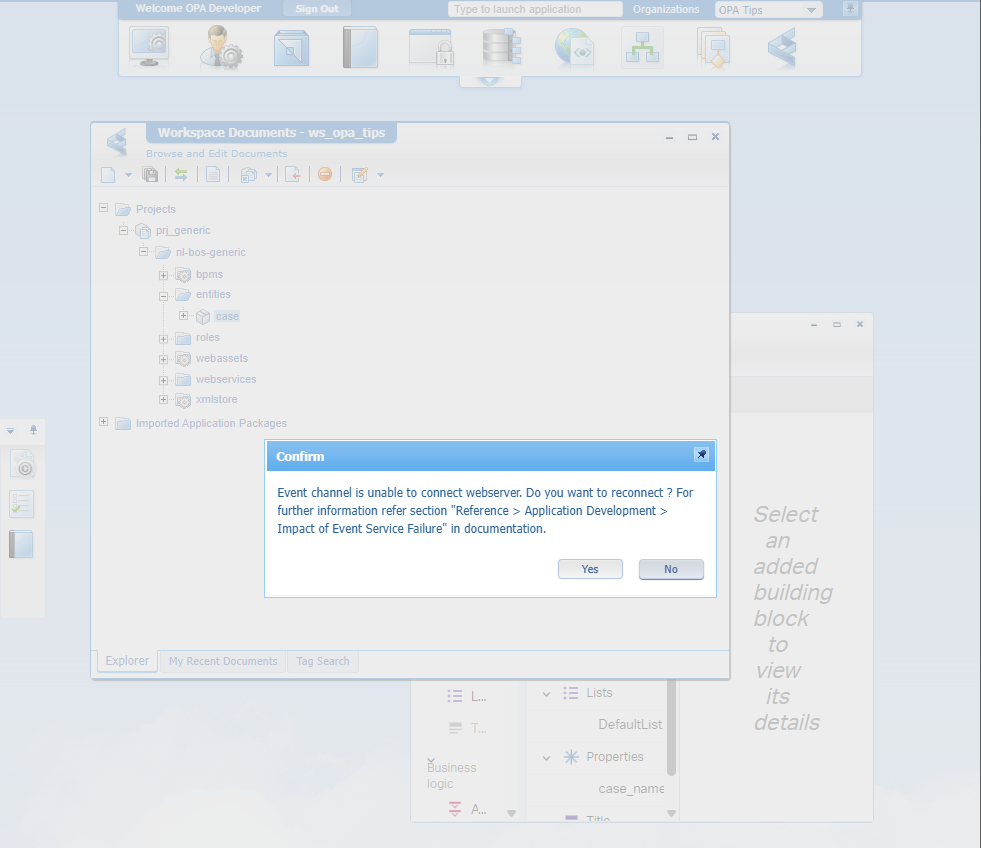
Interesting, but solvable with the steps in this post including the xECM URLs for convenient non-ports reserve proxy browsing eXperience over multiple UIs (OPA over TomEE and xECM over Tomcat).
…
It’s time to open the NGINX configuration file: sudo vi /etc/nginx/nginx.conf
Update it smartly based on whatever you have currently for this content. Compared with the previous NGINX post it’s more about location mappings, timeout settings, content upload size, and a better ‘Forward-For’ value:
1 | worker_processes 1; |
Save it all, validate with sudo nginx -t and restart NGINX with sudo systemctl restart nginx.
…
After this config change, we’ll also do an update in these locations:
- Update OTDS URL in xECM
- Set timeout in xECM (because we can!)
- Update OTDS URL in OPA
- Update DocStore service container URLs
- Restart with clean cache
Update OTDS URL in xECM
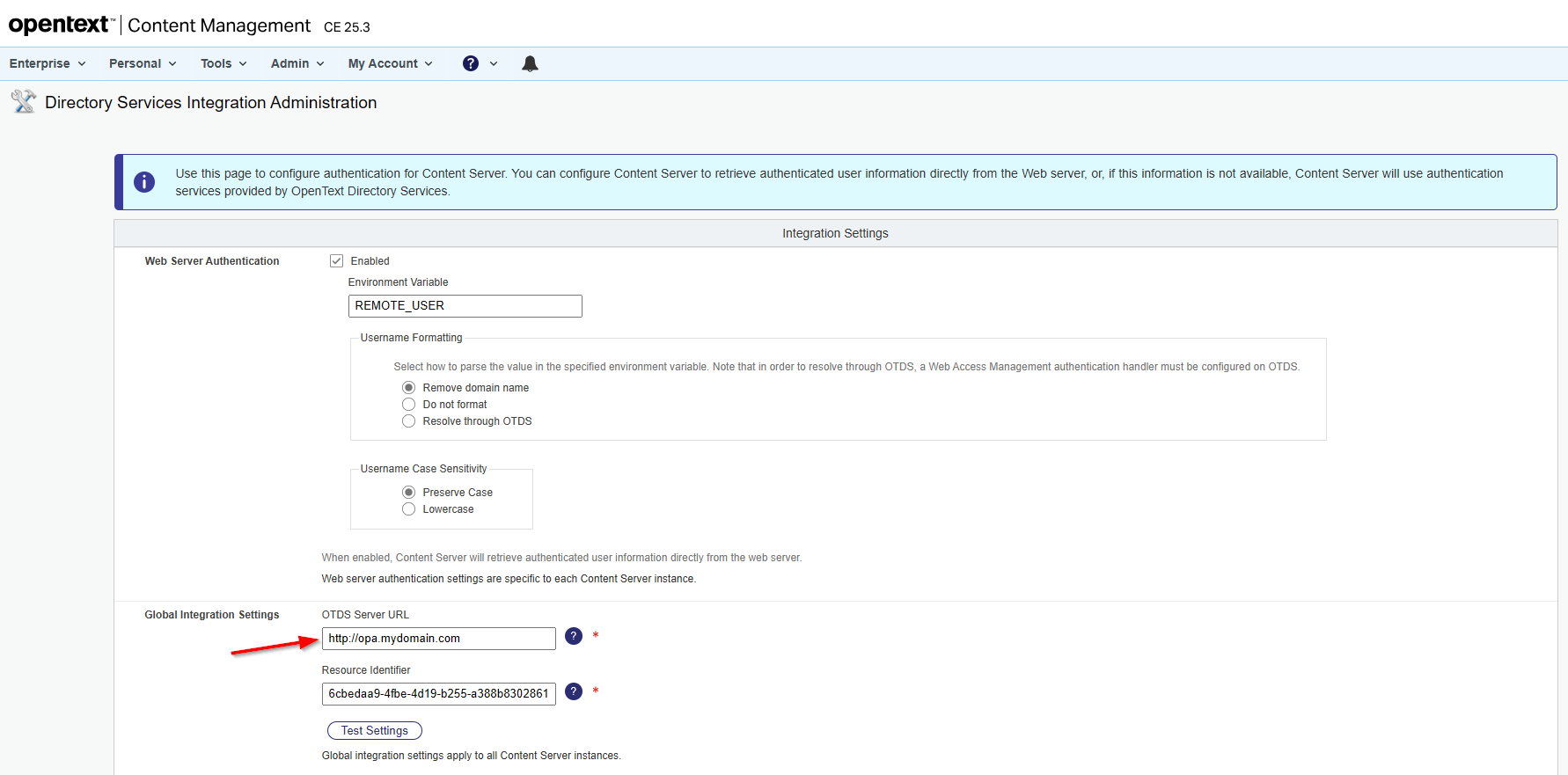
For these settings it better to use the administrator login via http://opa.mydomain.com/livelink/cs?func=admin.adminuserlogin and provide the credentials (mine is admin:admin).
Dive into the administration section of xECM (from the menubar) and open section “Configure Integration Settings” (?func=otdsintegration.settings) to update this value:
Set timeout in xECM
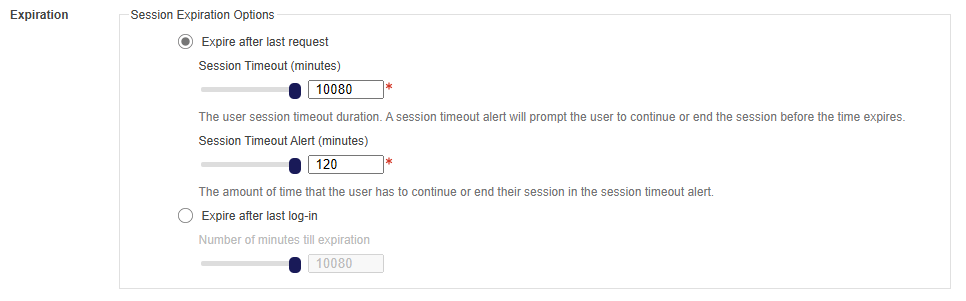
In that same administration section of xECM, you can also search for “Security Parameters” (?func=admin.securityvars). Open it, and update the authentication timeout settings (I’m on DEV; Set it wisely!):
Update OTDS URL in OPA
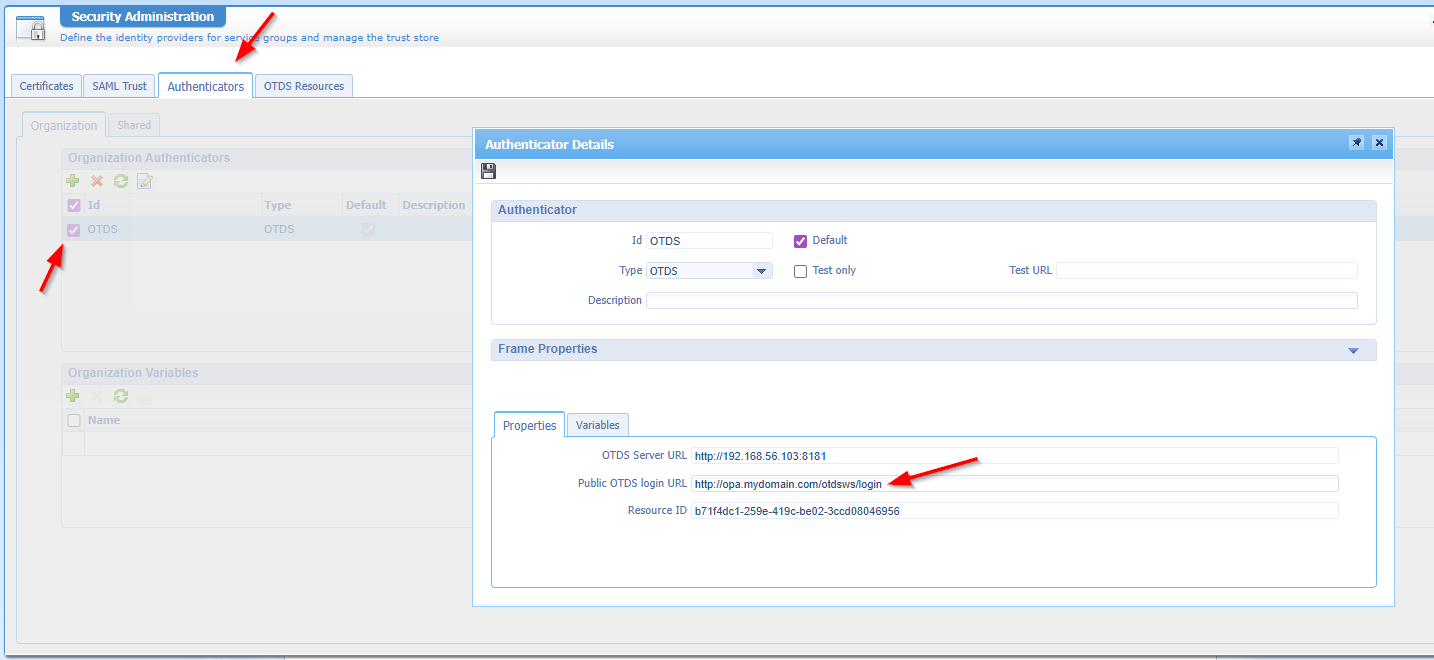
Now move to OPA designtime, open the ‘Security Administration’ artifact, and update the public OTDS login URL:
Update DocStore service container URLs
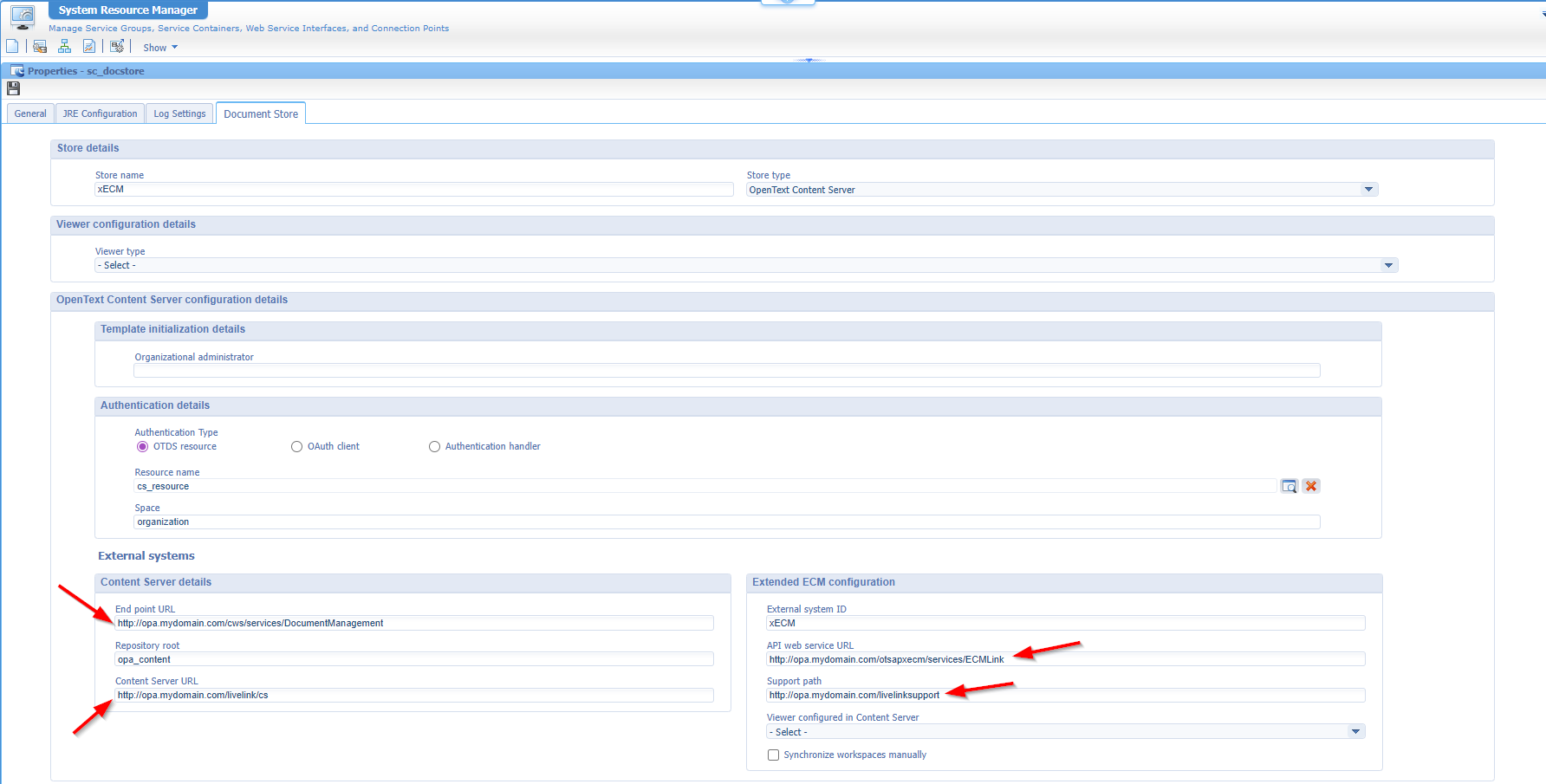
Next is the ‘docstore’ type of service container in our organization. Get the properties, and update the URLs:
Restart with clean cache
After all these changes, it’s best to restart it all. I just reboot my VM, grab a cup of coffee, and monitor when all services are up and running again which eventually will be a party! 🥳
With all these changes in place, we now have a better experience across the two UIs; solidly and safely over a reverse proxy in NGINX; how nice!
Greatly “DONE” where we’re hardening our VM further over a reverse proxy server with NGINX. Give it a shot yourself on your VM/server and eXperience the impact of such server. I see all the benefits already and my VMs will not run without anymore. Have a great weekend, and we jump into a new topic next week at “OpenText Process Automation Tips”.
Don’t forget to subscribe to get updates on the activities happening on this site. Have you noticed the quiz where you find out if you are also “The Process Automation guy”?
