


Hi there “Process Automation” fans,
Welcome to a new installment of “Process Automation” tips.
Every project has it; an entity with location details. To make a demo great (or make your solution great), you can’t get around the fact to show the location on a proper map. One company became great with maps; Which is Google.
When searching Google for “Embed Google Maps in an iframe” you will pass on this manual. Business-wise it’s better, but for demo’s this post shows a quick and magic workaround…
Why “embed in an iframe”?…Watch and learn my friends!
Let’s get right into it…
Boot up your system and dive into a new workspace/project. Here we create a new entity ‘Claim’ with 2 required properties (clm_address and clm_city). You can add additional properties for you to play with, but we only require those two props for the post. Generate all the default building blocks, and make it all nice and shiny according to your standards and naming conventions.
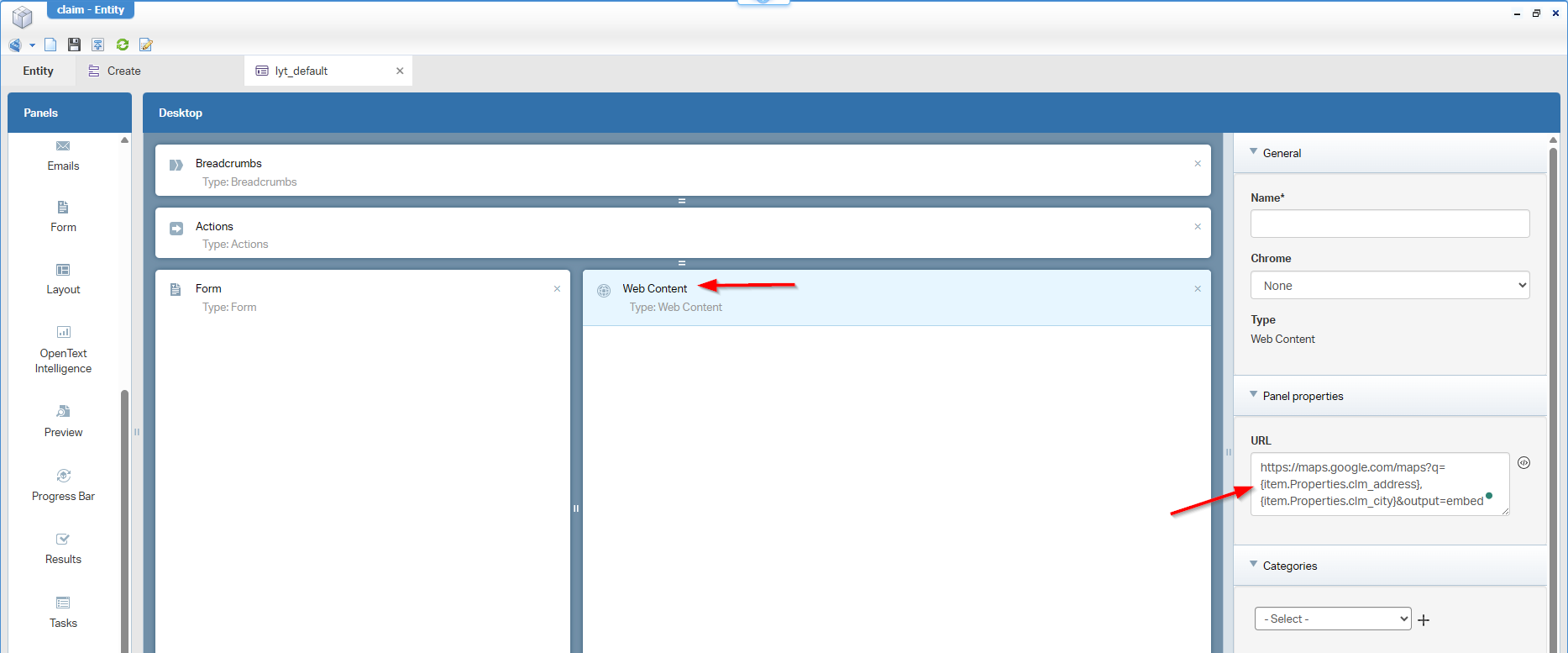
Now open the layout (mine is lyt_default) and add a ‘Web Content’ panel next to the form. The input will look like this:
For you to copy
https://maps.google.com/maps?q={item.Properties.clm_address},{item.Properties.clm_city}&output=embed
You find the power in this URL in parameter: output=embed!
…
Publish it all and do your evaluation in runtime:
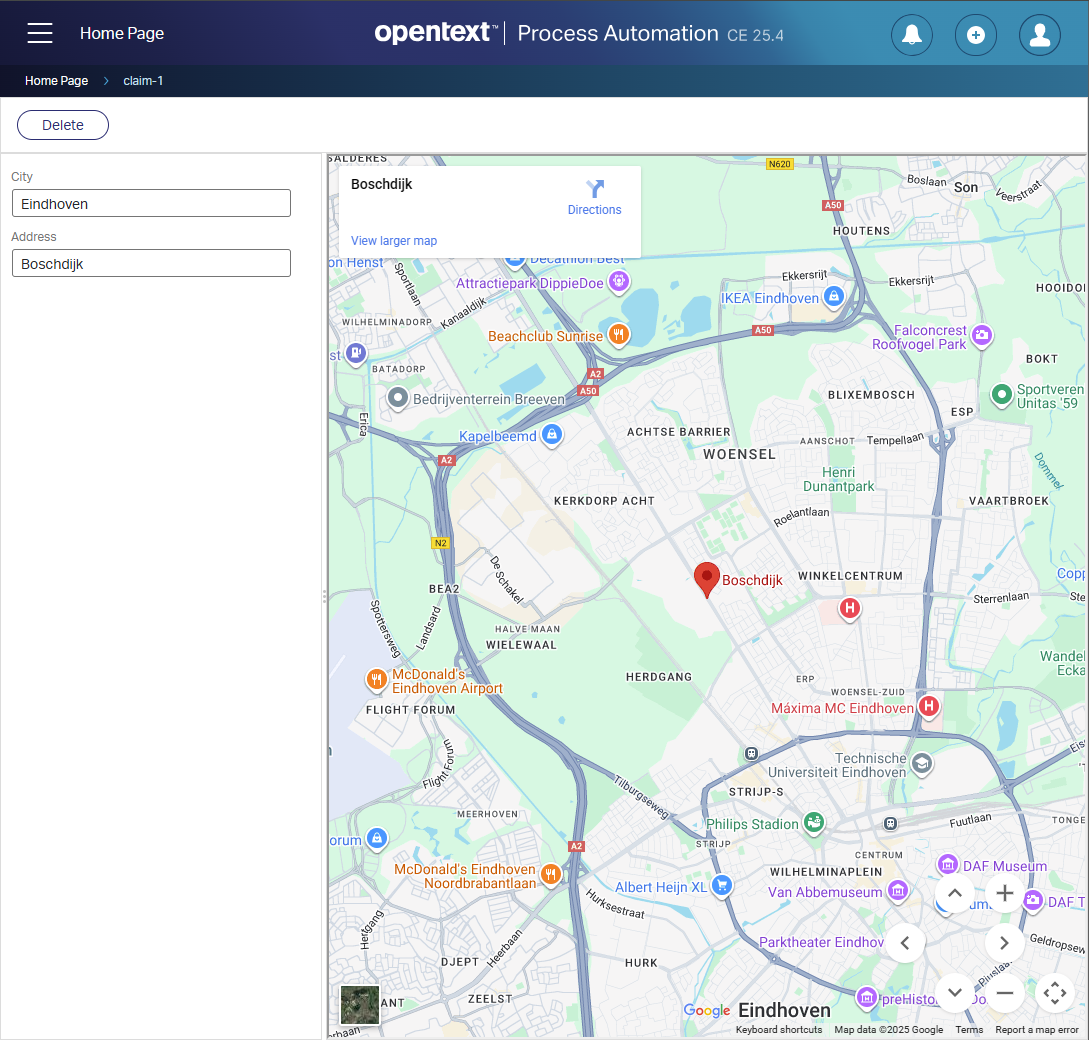
NICEEEE! 😎
What about that iframe? Well, watch this from the Chrome developer tools:
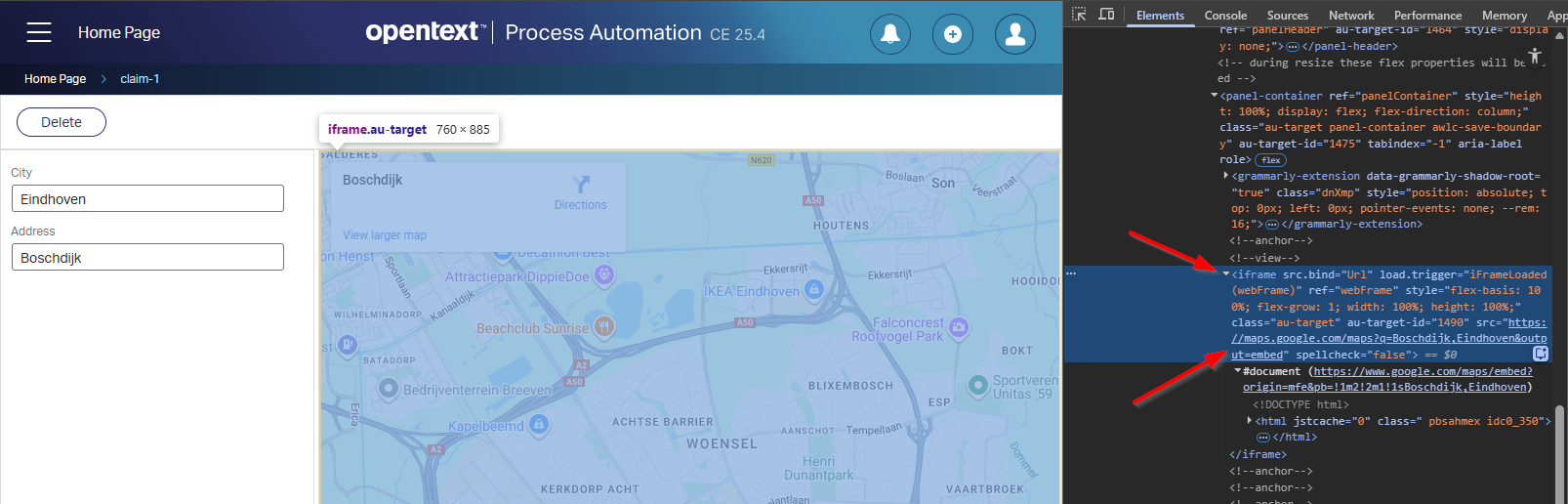
AHAAAA…Busted! 👀
…
Finally, the difference between the embed-API and the magic ?output=embed parameter (according to ChatGPT):
| Topic | Google Maps Embed API (/embed/v1) |
Magic embed (maps.google.com?output=embed) |
|---|---|---|
| API key | Yes | No |
| Billing | Yes | No |
| Supported | Yes (official) | No (undocumented) |
| Stability | High | Medium / Low |
| Commercial use | Safe | Risky |
| Feature control | High | Low |
That’s a magic “DONE” where we learned the secrets (and uncertainty) behind the Google Maps API for specific location use-cases. It’s always interesting to see how information flows and how workarounds (we also learn from others) pass by in the eXperience for our beloved OPA platform. We’ll continue to share it all, collaborate with others, and move us further to a next level of growth. Have a great weekend using this new knowledge for your solutions. Let’s explore a new topic, next week, at “OpenText Process Automation Tips”; Cheers!
Don’t forget to subscribe to get updates on the activities happening on this site. Have you noticed the quiz where you find out if you are also “The Process Automation guy”?
