


Hi there “Process Automation” fans,
Welcome to a new installment of “Process Automation” tips.
A new year, a new GA release for Q1 2026 (26.1). The list of release notes is small (after a quick pre-check), but still fascinating to get informed about it. #SPOILER_ALERT We’ll get a new preferences framework for user-specific preferences! 😮
It’s time to go through the list of new functionalities. So, take your drink, beer, wine, or whatever you like, and consume yourself on this new release!
Let’s get right into it…
I do an upgrade from version 25.4.7 to this version, following my own upgrade post which takes less time. I leave CARS alone on version 2.8.12 (which is also the version delivered for OPA 26.1.9!), I leave the OTDS instance 25.3.0 as is, and leave xECM as is for version 25.3. This post reviews the OpenText AppWorks Platform CE 26.1 Release Notes PDF. I’ll jump through each feature one by one in the following sections.
The quick tag within OT support is #ProcessAutomation26.1!
🆕 Update on the available changes in 26.1 🆕
Normally, I start with a fancy introduction in this section, but there is not much fancy stuff to write about…We don’t even need xECM for this release to review the new functionalities! Well, it is what it is; buckle up as here we go…
Support for case-insensitive filtering and sorting with PostgreSQL
Interesting, as by default PostgreSQL has a Case-Sensitive collation (a set of rules that define how characters/strings are compared and ordered). I wonder how they did this trick and where we can change it!?
We’ll first check our current PostgreSQL database instance (version 17): sudo -u postgres psql
With \l, we find ourselves the required information:
| Name | Owner | Encoding | Locale Provider | Collate | Ctype | Access privileges |
|---|---|---|---|---|---|---|
| opa_db | postgres | UTF8 | libc | en_US.UTF-8 | en_US.UTF-8 | postgres=CTc/postgres |
| otds_db | postgres | UTF8 | libc | en_US.UTF-8 | en_US.UTF-8 |
You can also find these details with this query:SELECT datname, datcollate, datctype FROM pg_database WHERE datname = current_database();
en_US.UTF-8 means English (US) sorting rules, case folding, and character classes are English-based. However, this does not tell anything about CS/CI collation. libc is important here as that makes our database (by default) case-sensitive…AHA!
Watch this (from HeidiSQL):
1 | SELECT 'OPA' = 'opa' -- false → CS |
Ok, so to get CI behavior in a (by default) CS database, you need to ask for it! You can do this in 4 ways, but it will always have a performance impact:
- ILIKE (quick, but limited) -
SELECT 'OPA' ILIKE 'opa' - LOWER() / UPPER() (common, but dangerous) -
SELECT LOWER('OPA') = LOWER('opa'); - COLLATE (only works with ICU CI collations) -
SELECT 'OPA' COLLATE "en_ci" = 'opa';(you require a new collationCREATE COLLATION en_ci (provider = icu, locale = 'en-u-ks-level2', deterministic = false);) - citext (best practical solution) -
SELECT 'OPA'::citext = 'opa';(you require an extensionCREATE EXTENSION IF NOT EXISTS citext SCHEMA public;)
Now the great question…What did OpenText choose? Well, let’s first see what the documentation tells us:

So, it’s a feature toggle…AND we learned about these toggles before!
Also, this line from the release notes is important (the last part on “text fields”):
1 | The entity list filter and sort functionalities have been enhanced to support |
Ok, let’s enable the toggle first with a TomEE restart:
1 | vi /opt/opentext/AppWorksPlatform/defaultInst/config/wcp.properties |
Now, with a simple-one-text-prop case instance in runtime, it should do the trick:
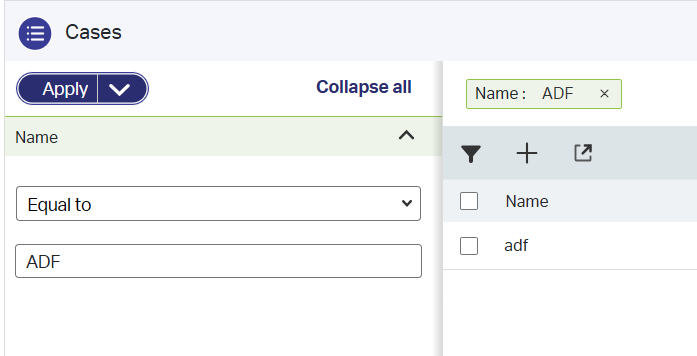
That’s a party! 🤠
How about the query statement from a DB perspective (after some log-enablement):
1 | SELECT |
Well, we found our answer…BUSTED! If it’s right/wrong isn’t up to me…That’s a choice you can solidly make now!
Automatically navigate to the next item
Seamlessly jumping into the next item of the list! Again, a fascinating feature and extremely useful (I assume).
From a development standpoint we’ll get a new navigate type of event On action complete for an “Application UI” ‘Rule’ building block. The concept works like this; You create an action type of rule on your entity, when this action completes, this new “navigate” action goes off, and moves you further to (for this feature) the next item in the list.
This is our action rule:
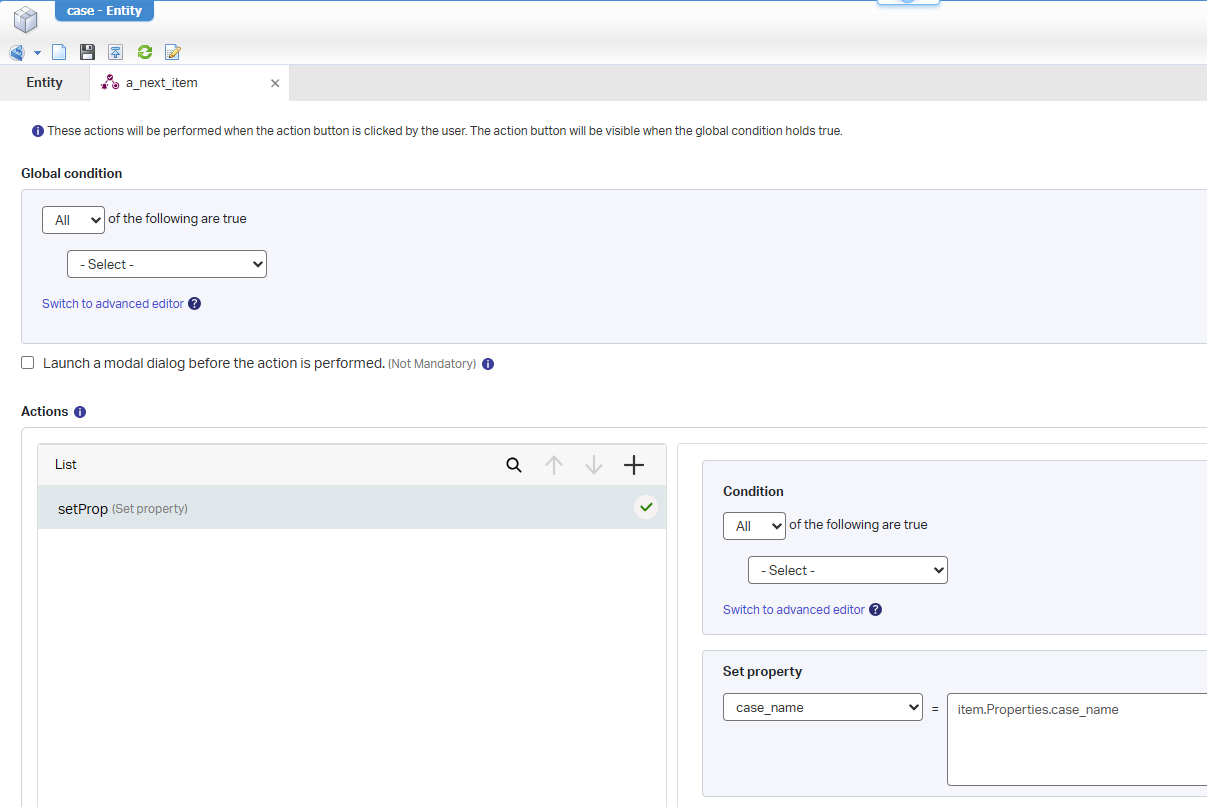
FYI: don’t do this stuff in a real solution; It’s better to start a dummy BPM. A BPM with one activity without any monitor logging!
This is the ‘Navigate’ event rule:
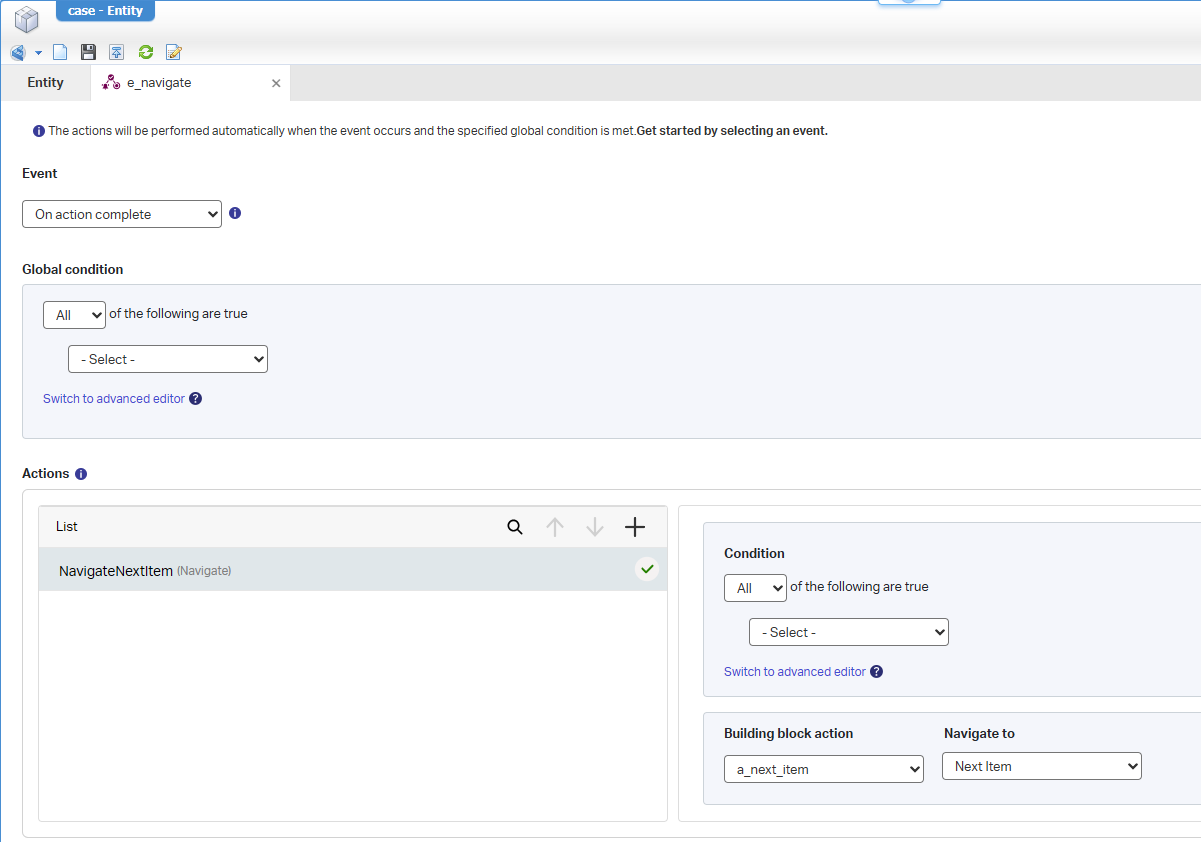
After publication, you can create 3 instances of the entity, open the first one, and hit “Next item” to move to the next item in the list…works great! 😎
The great question here is: What happens when you click “Next item” on the last item? AHA…We have smart people in the house! #SPOILER_ALERT, you’ll get back to the list overview.
Application preferences framework
Managing user-specific preferences…What end-user doesn’t want this as part of their user profile!? Well, I guess we all want more control in runtime, and this seems like our entry. It’s part of the identity package, and it’s as easy as extending a new entity CustomPreference (as a to-one relation from the ‘User’ entity):
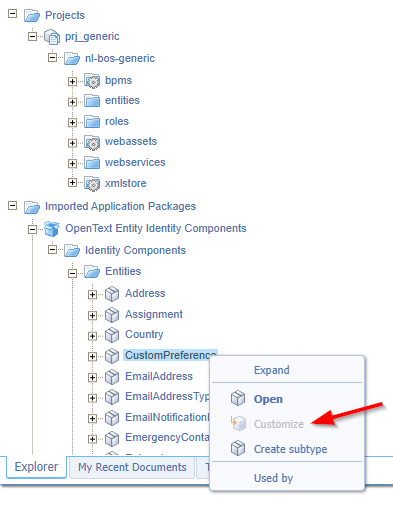
It’s grayed-out because I’m one step ahead of my post-writing! 🧐
I just quickly add a new property (incl. the update of the ‘Security’ BB) like this:
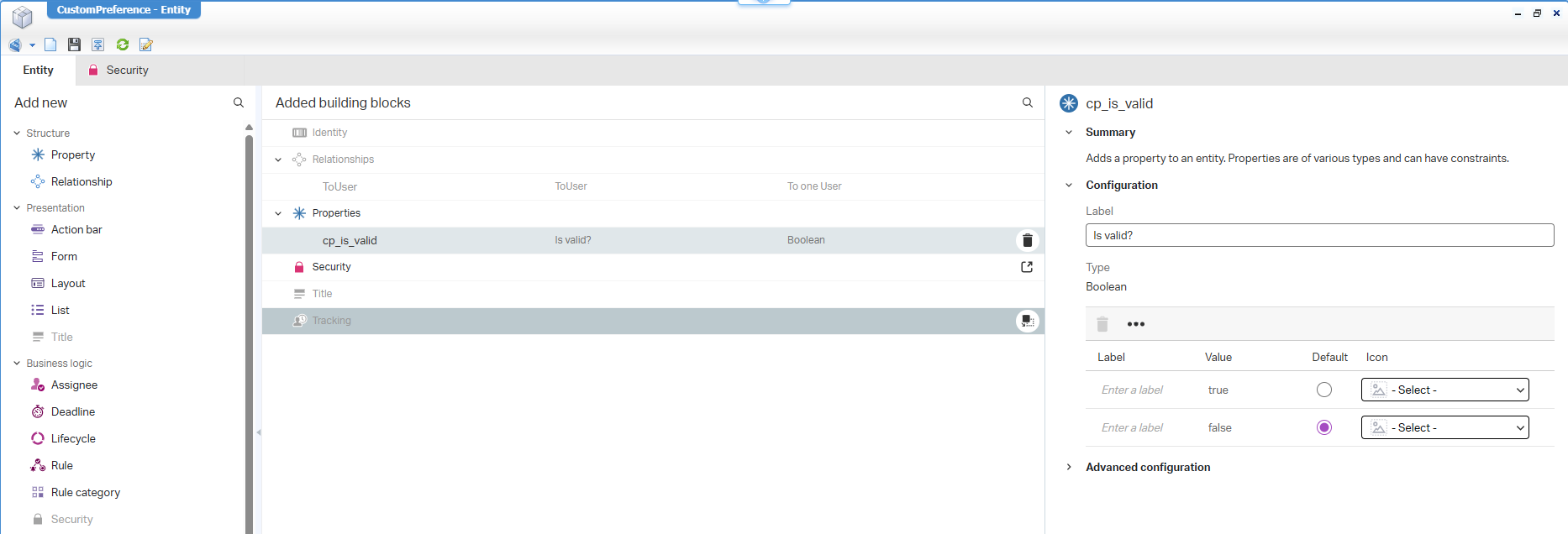
After publication, this is my view in runtime:
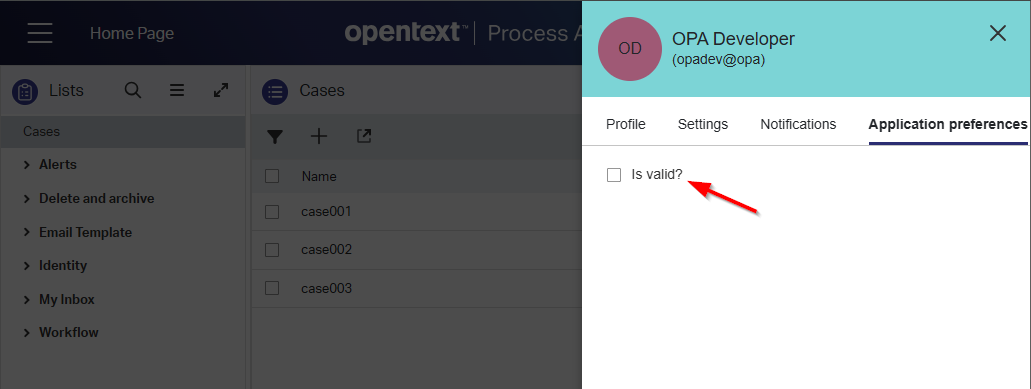
NICEEEEE!
AND from a low-code perspective, we can off-course use this information to conditionalize our rules:
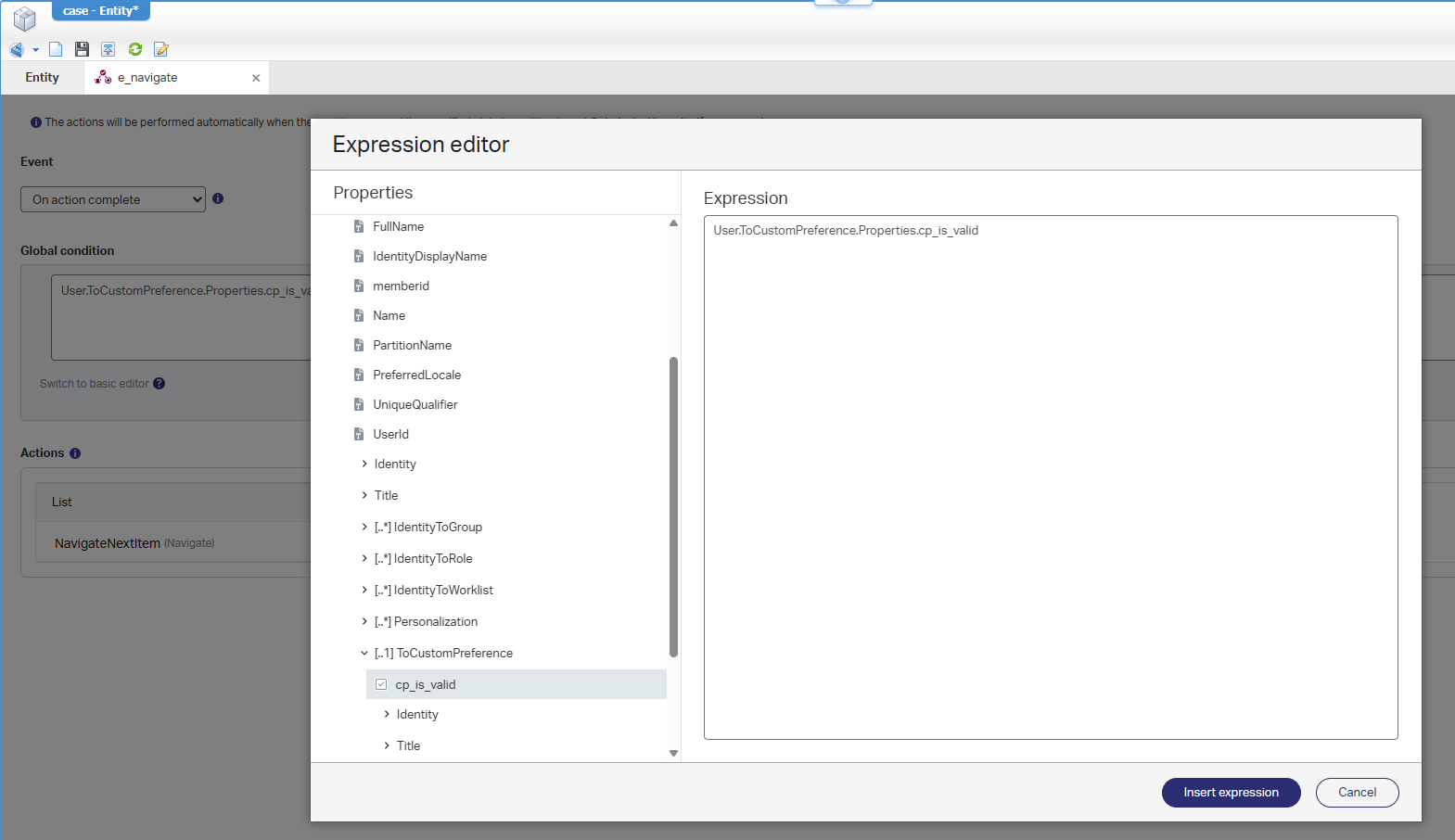
🤯 😵 🥴
Final quotation from the documentation: This framework provides a highly customizable and user-centric approach, enabling developers to personalize the application behavior without complex coding while giving the users a better eXperience!
Use dynamic workflow inside lifecycle
#WHAT? Dynamic workflows in lifecycles? Yes, my friends:
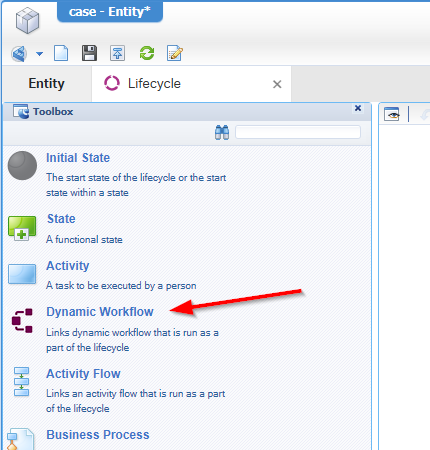
Let me first recap myself on the possible use-case as it should enhance flexibility and adaptability in case management!? Well, I assume it will indeed behave like you can also start a BPM (for advanced logic) in a lifecycle state. Starting a BPM from a lifecycle is not my first approach as it’s better to start it from a ‘Rule’ BB that matches the condition of the lifecycle state (which is another post on itself!). So, this is interesting…
Let’s do a first implementation like this:
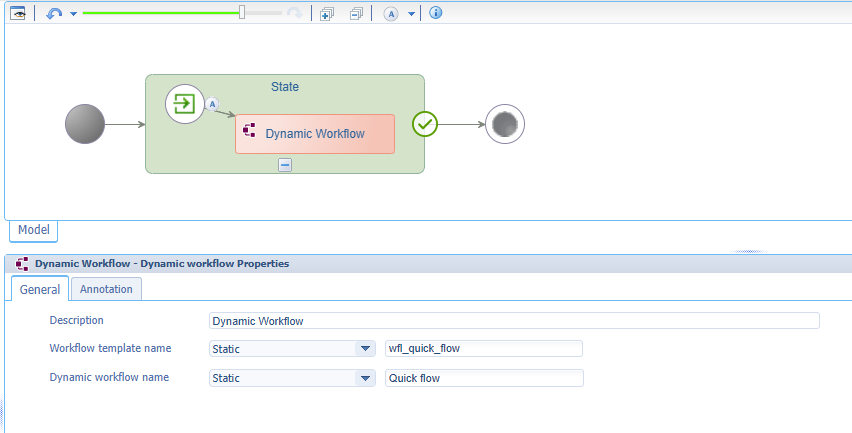
Notes:
- You need to add the ‘Dynamic workflow’ BB to your entity to make it publishable.
- In runtime, you need to create that configured dynamic workflow to make to avoid this error:
The template with name 'wfl_quick_flow' is not found while triggering the lifecycle activity in the entity 'case'- I also update my layout with some fancy panels; like the ‘Progress bar’, ‘Tasks’, and ‘Workflow Instances’ panels.
My dynamic workflow in runtime looks like this:
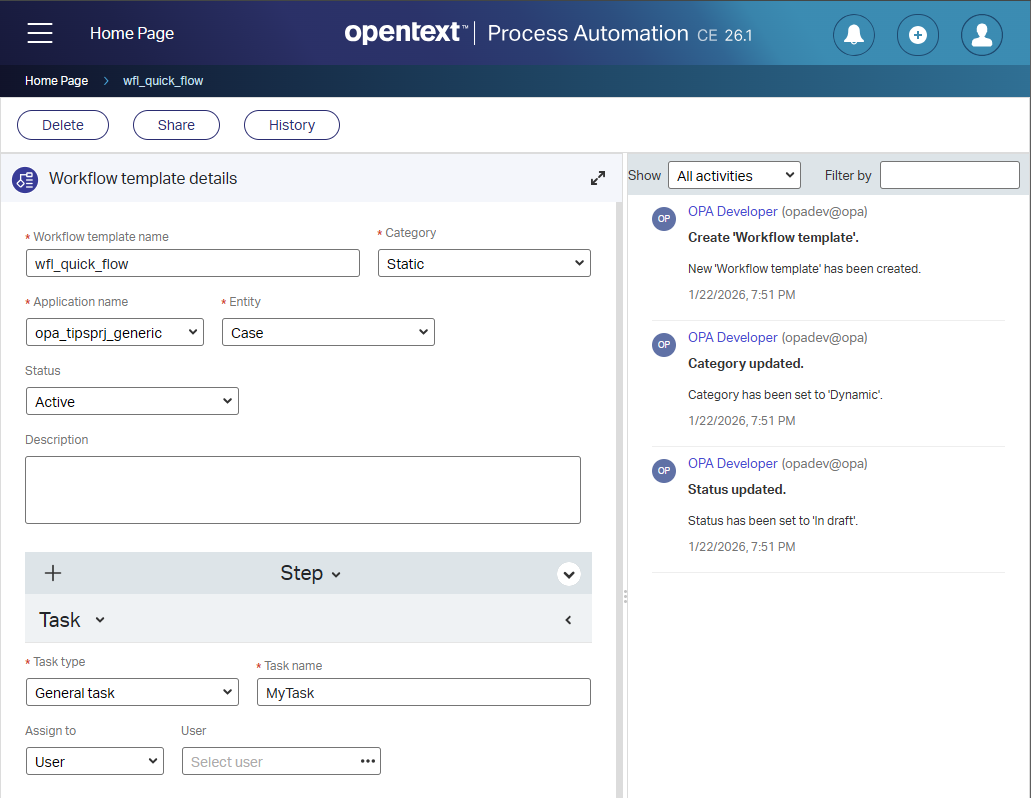
Be aware that you at least require the internal role ‘Workflow Template Creator’ to create this flow and ‘Workflow Template User’ to start it!
This is the end-result after creating a new case instance in runtime (with also a workflow instance in the other tab!):
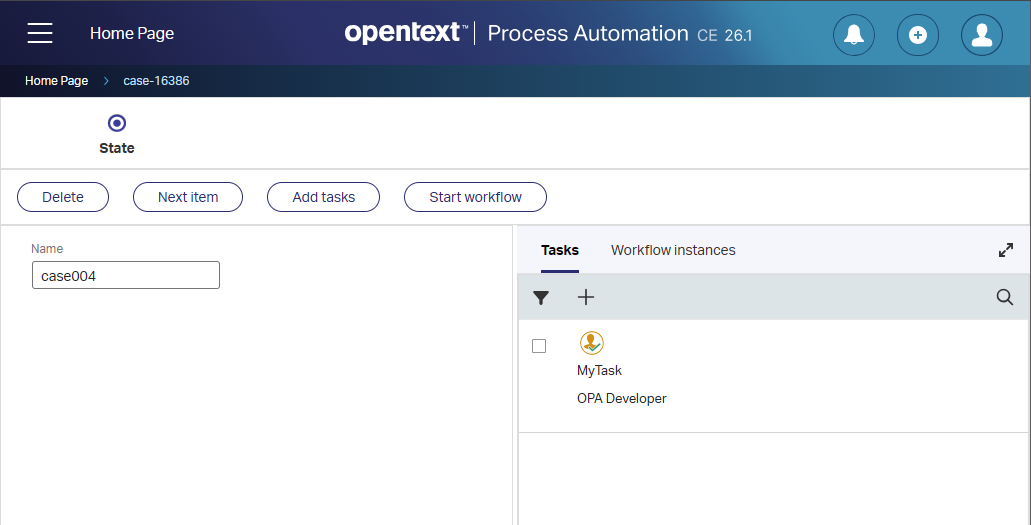
Back to my initial question: Why from a lifecycle and why not start it from a ‘Rule’? I leave this as a question for the comments below!
It would also be interesting how they create these integrations! Yes, that will be an advanced task; not for this post.
Content Enhancements
Again, a fascinating feature…You can disable drag & drop functionality for documents in the content panel!? In the beginning of my career (with Documentum Webtop), every project was shouting to enable it, which was always a struggle with plugins! Now we have it available out of the box, and we constrain ourselves with regulation rules to disable it! 🙃
It’s the world up-side-down, but here it is (after you also apply the ‘Content’ BB to your entity):
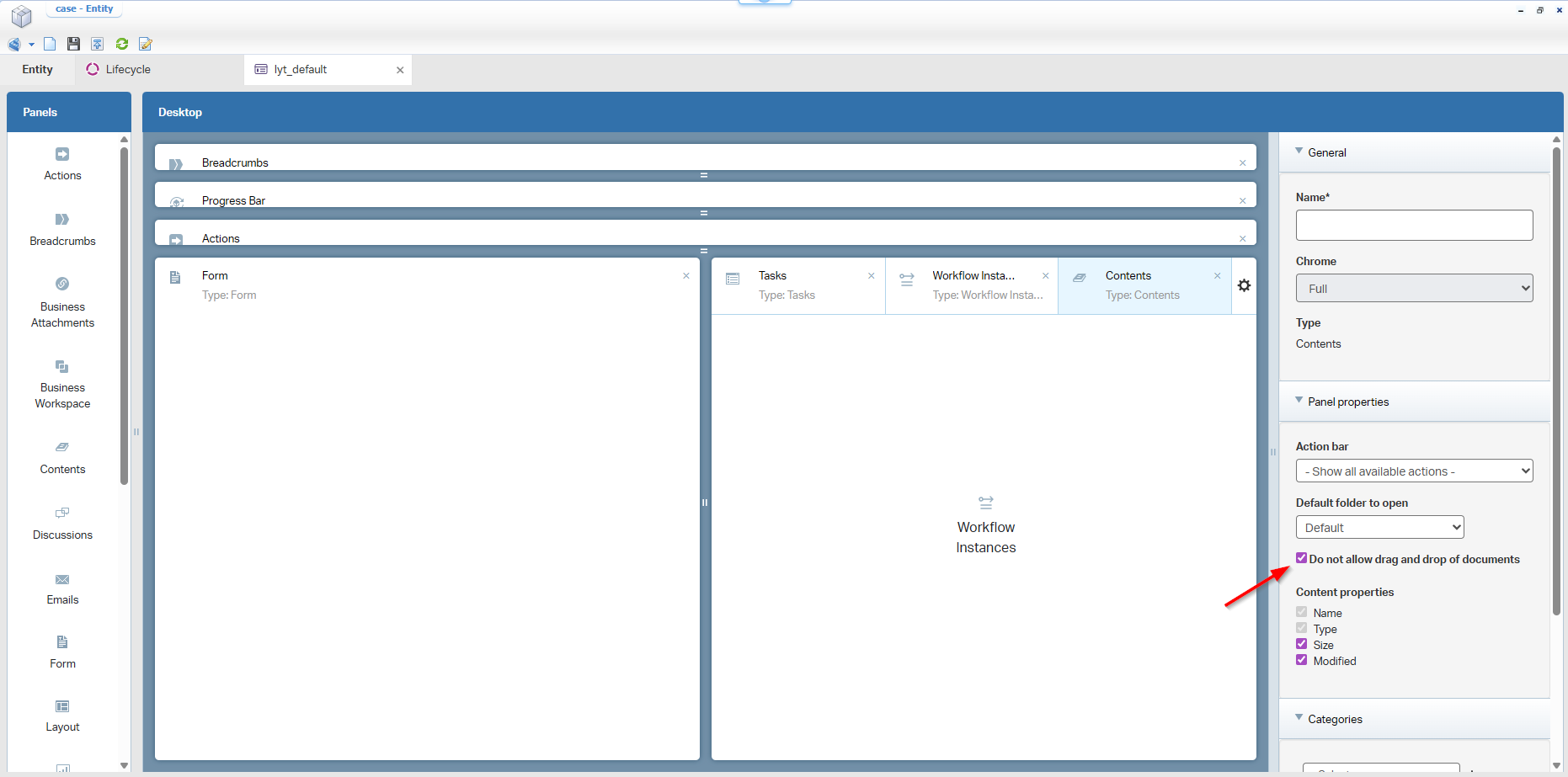
What about runtime?
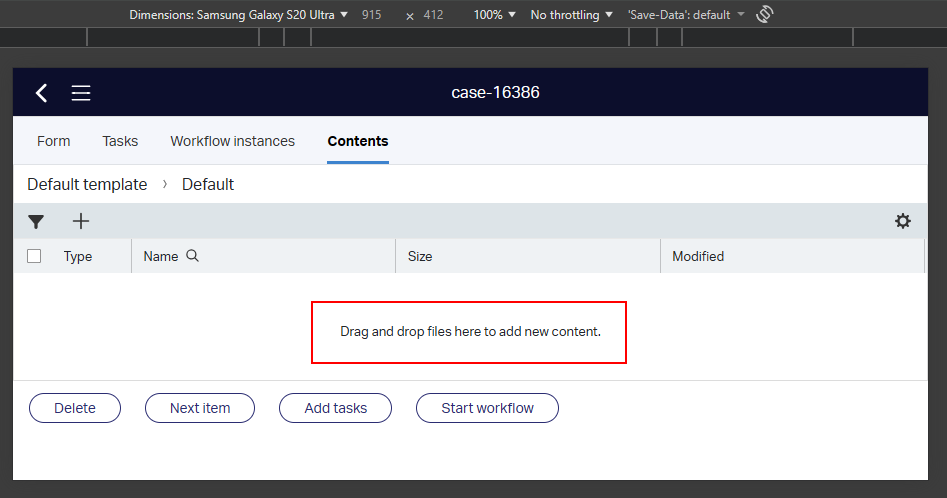
🤣 🤣 🤣 🤣 🤣…However, you can drag & drop whatever you want, but nothing is uploaded!
Discontinued and deprecated features
There are no discontinued and deprecated features for 26.1 release.
That’s a “DONE” on OpenText Process Automation Platform 26.1; The playground is open on further consumption with interesting new features for this Q1 2026 release. Have a great weekend, and we will see each other next week, with another topic at “Process Automation Tips”.
Don’t forget to subscribe to get updates on the activities happening on this site. Have you noticed the quiz where you find out if you are also “The Process Automation guy”?
