


Hi there “Process Automation” fans,
Welcome to a new installment of “Process Automation” tips.
This post is initialized based on one high-value question: What will happen with the current lifecycle instances when you change the lifecycle template in development AND you have running instances in production!? Well, not much…The current lifecycle instances will follow the old template, and the new instances will follow the new template. HOWEVER, if you have ‘Rule’ building blocks in place (or any other business logic) that depends on the lifecycle implementation (like state-checks or task-subject checks), you need to make sure those “business logic” dependencies are backwards compatible with the old and new instances of the ‘Lifecycle’ building block for your entity. We learned this with hard lessons, so we tell you with a simple example how to stay backward compatible with your lifecycle instances in production…
Let’s get right into it…
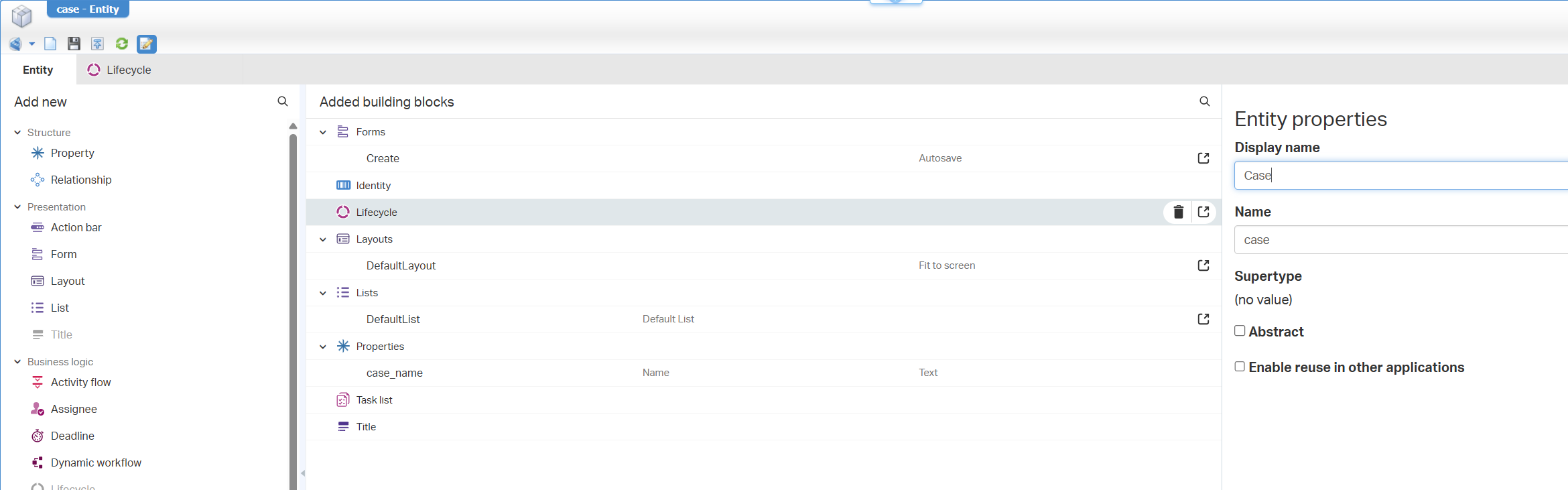
Boot up your OPA machine and dive into your workspace/project. I have a simple case entity with these building blocks in place:
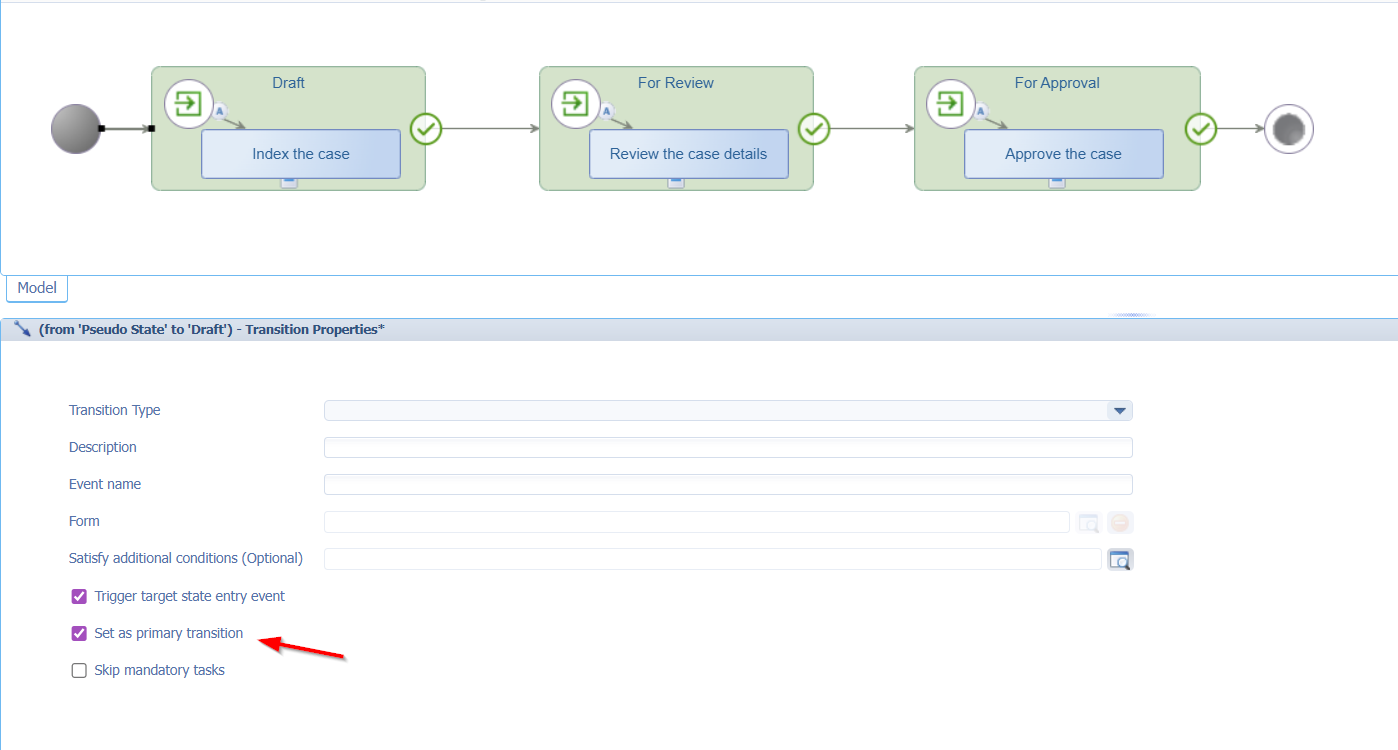
The lifecycle is kept easy like this with each transition flow set to “primary”:
The layout has an extra ‘Progress Bar’ and ‘Tasks’ panel to see the lifecycle/tasks details:
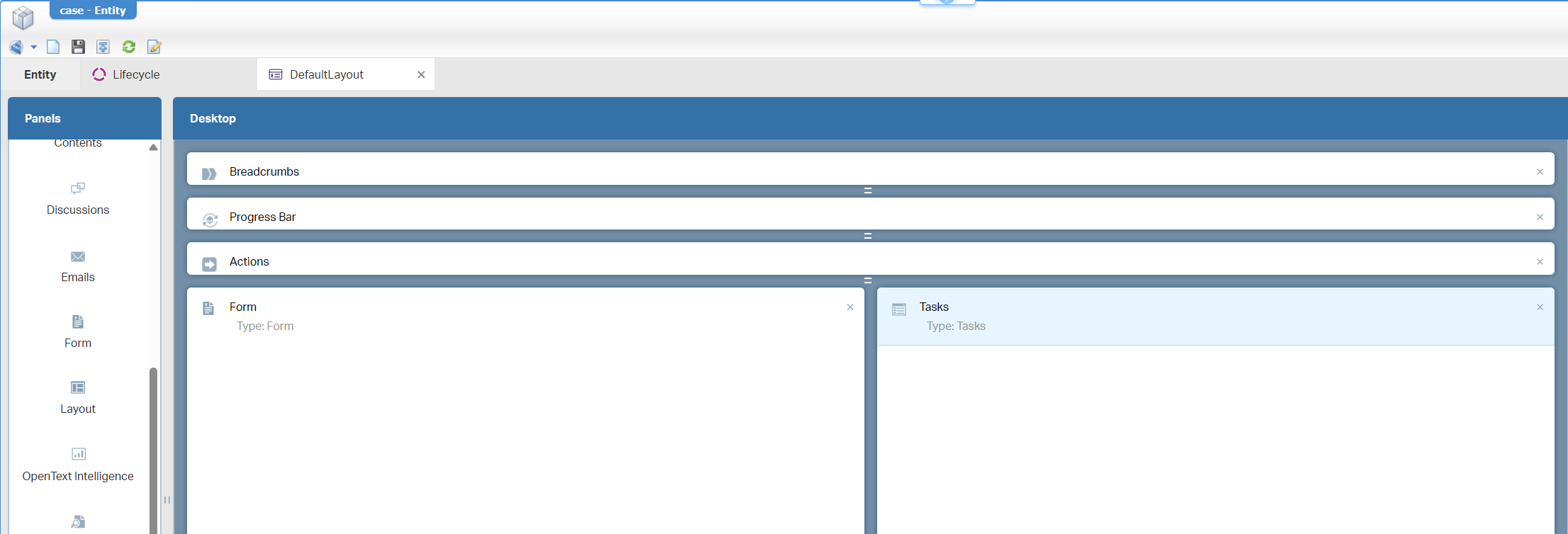
FYI: I always go for 6% height on those top panels; Runtime makes these 3 static bars.
This is the view in runtime for one instance:
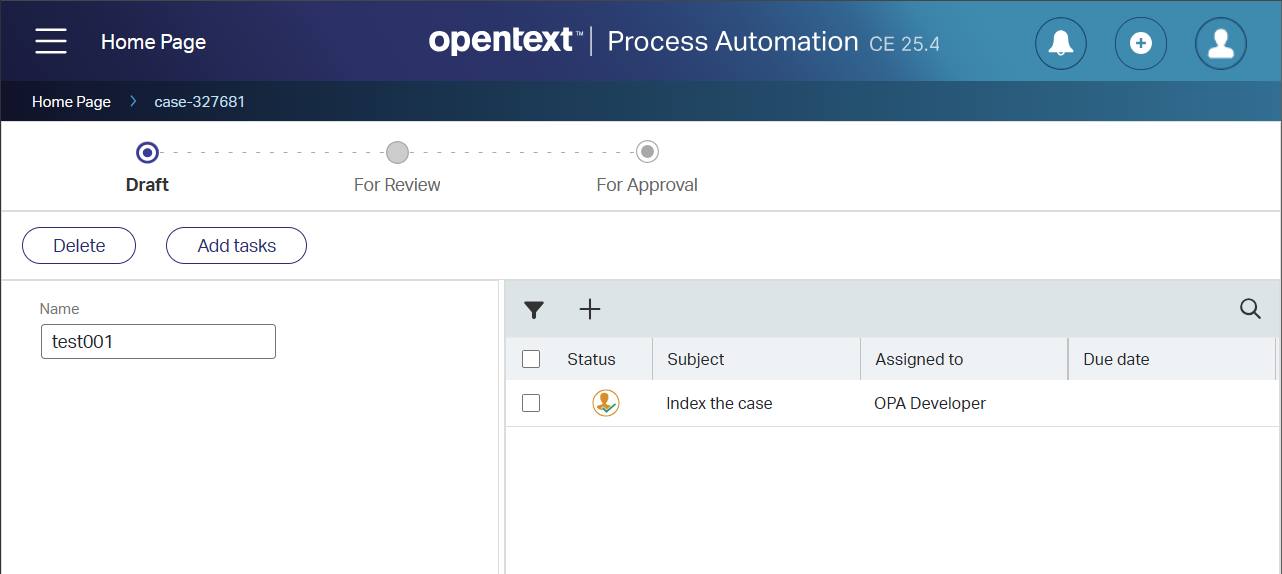
So far, just an ordinary day at the office where each entity instance starts with a fresh lifecycle! ☕
New ‘Rule’ implementation
First our scenario we want to implement. Let’s say, that in lifecycle-state “For Approval” and after the task, we want to start some advanced business logic (over a BPM). We can do things like this (which I revert again):
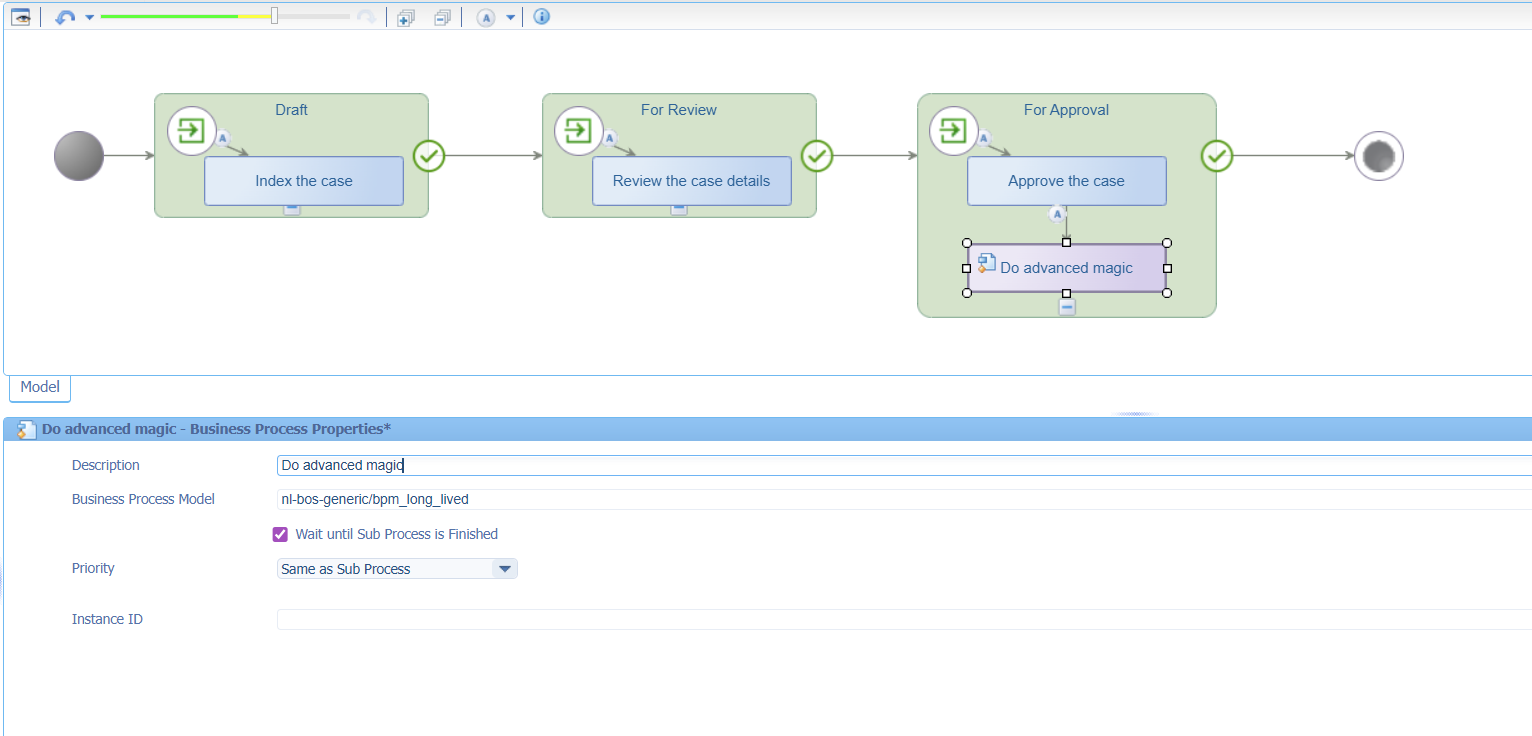
In my opinion, it’s better to implement a rule e_oc_start_bpm (‘event_on_complete_start_bpm’) like this in the related ‘LifecycleTask’ entity:
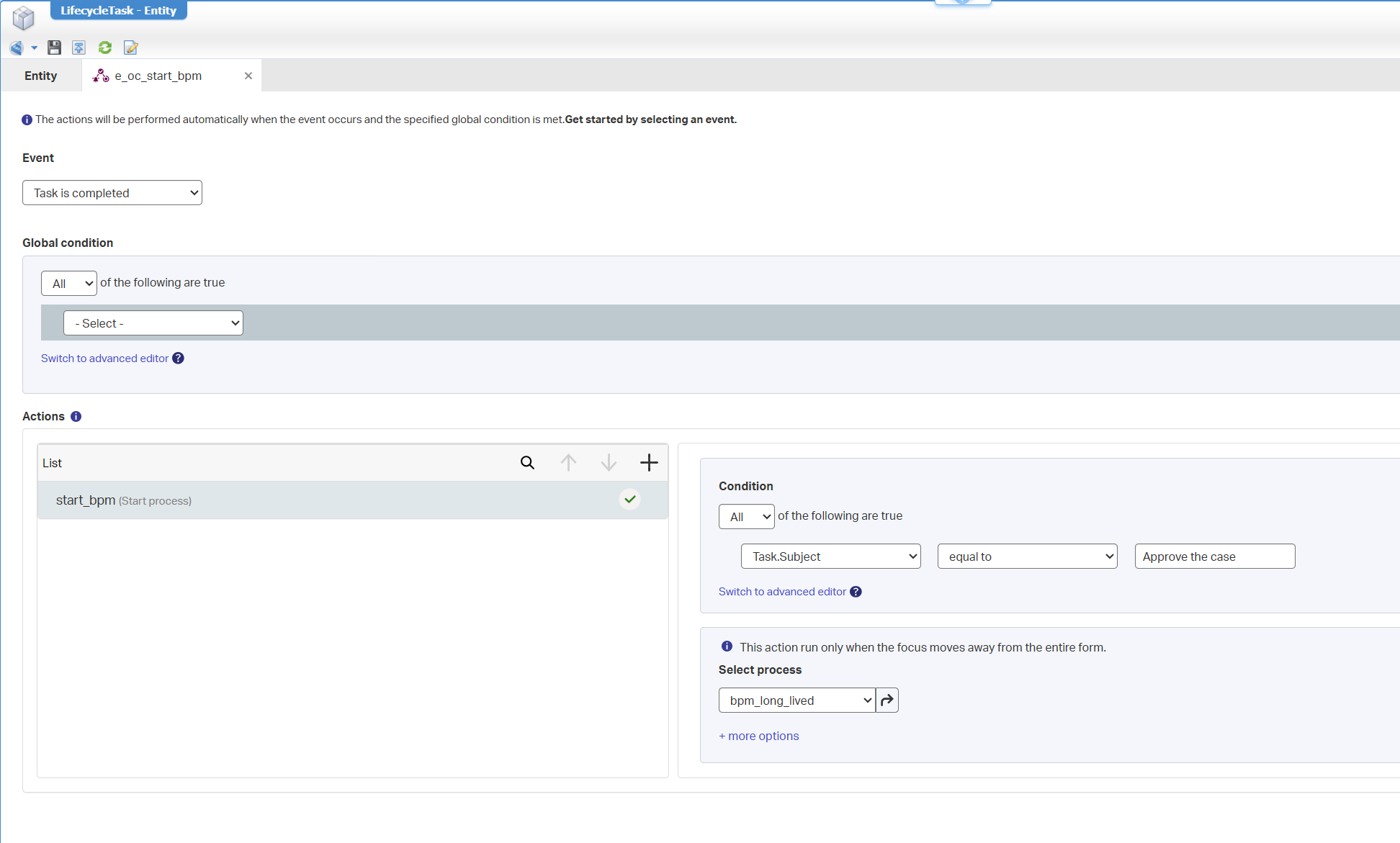
The advantage is that you don’t change the lifecycle (so you can reuse the initiated lifecycles in runtime) AND it keeps the lifecycle clean from advanced logic (which belongs with rules!)
The disadvantage is that you need to develop with a backward compatible mindset (we learn today), but that keeps it also very flexible.
Deploy the changes and do a test on your first instance of the case entity; Complete all the tasks…
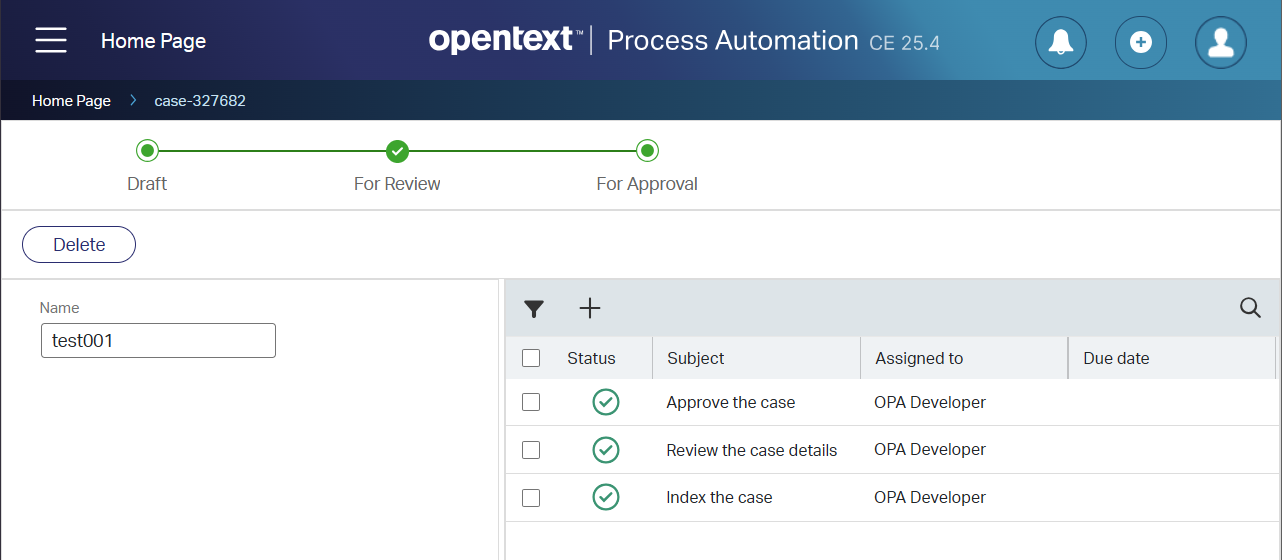
…and watch the PIM on your BPM instance:

Again, no rocket science, but we learn best practices here! ☕
Prepare some test-data
Ok, our first case has a completed lifecycle now, but we need to make sure we have some data to play with. #SPOILET_ALERT; The below tables already show the results of the outcomes of what is done in the next sections for this post!
Start creating multiple instances with these names (before the lifecycle change!) and don’t move them through the lifecycle (yet!):
| Name | Note | Result |
|---|---|---|
test_ok_before_001 |
correct_scenario; create_before_lfc_change; without_compatibility | The BPM starts as the old lifecycle still has the old activity name in place |
test_ok_before_comp_001 |
correct_scenario; create_before_lfc_change; with_compatibility | The BPM starts as the old lifecycle still has the old activity name in place |
Create these after the lifecycle is changed (I’ll note it in the sections below!):
| Name | Note | Result |
|---|---|---|
test_fail_after_001 |
failure_scenario; create_after_lfc_change; without_compatibility | The BPM does NOT start as the activity for the new lifecycle doesn’t match our rule |
test_ok_after_comp_001 |
correct_scenario; create_after_lfc_change; with_compatibility | The BPM does start as the activity for the new lifecycle does match our rule now |
FYI: This “tables”-section is also my tracking sheet on the results!
The ‘Lifecycle’ change
Imaging that the solution is now in production with our current lifecycle and those 2 case instances. Now your analyst-guy (there he is again!) is at your desk with this request to change to label of task Approve the case to a value Approve case for management. So, like this:
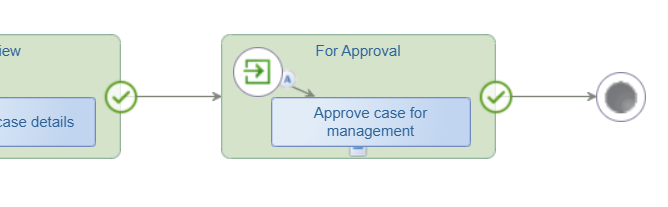
Save it, and publish changes into runtime…
Now, move into runtime and finish case test_ok_before_001.
The result? ➡️ The BPM starts as the OLD lifecycle still has the OLD activity name in place!
Create the new case test_fail_after_001 (with new lifecycle) and follow the flow to the end.
The result? ➡️ The BPM does not start as the NEW lifecycle activity name doesn’t match our rule!
Modify ‘Rule’ with backwards compatibility
For our scenario, we need to make sure our ‘Rule’ BB is backwards compatible. It’s a quick and easy change in the condition:
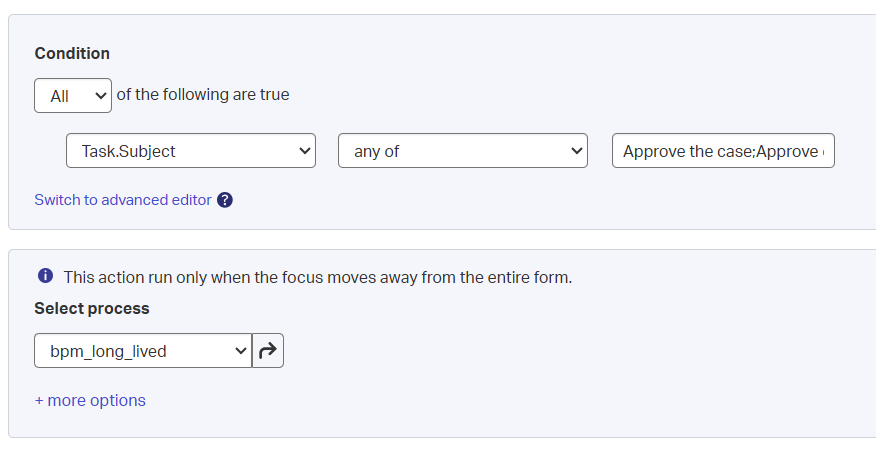
This is the advanced view:
item.Task.Subject in list ["Approve the case","Approve case for management"]
Save it, and publish changes into runtime…
Now, move into runtime and finish case test_ok_before_comp_001.
The result? ➡️ The BPM starts as the OLD lifecycle still has the OLD activity name in place!
Create the new case test_ok_after_comp_001 (with new lifecycle) and follow the flow to the end.
The result? ➡️ The BPM does start now as the NEW lifecycle activity name matches our rule again!
There you have it…a great backward compatible “DONE” where we share valuable lessons from challenging times in the past in a simplified example. What I always say; Building a solution is one thing, keeping it maintainable, understandable, and easy in logic, is another thing. Especially when your solution is delivered in production and your end-users collaborate with it. You want to keep them as your friends as unsatisfied end-users can break your solution to the ground, even if you put in your 100% effort and LOVE. Tell me about your failure (or best practices) to share it with the world to learn from it; You can use the comments below. Have a great weekend and CU in a new post about “Process Automation Tips”.
Don’t forget to subscribe to get updates on the activities happening on this site. Have you noticed the quiz where you find out if you are also “The Process Automation guy”?
