Provide a comment on task completion and ask your consultant to collect it
Hi there “Process Automation” fans,
Welcome to a new installment of “Process Automation” tips.
I see a lot of the OPA platform in projects, I read a lot about the platform, I talk a lot about the platform, write about it, and deep-dive (with R&D sessions) into the platform. Still, I’m amazed by what I see passing by on webservices with lots of questions and answers on how to use them. However, if you want to be a pro, you work with the pros and that’s where you grow during collaboration sessions with them using all the services. Some are undocumented, but this one is; However, the outcome is not always what you expect…
Let’s get right into it…
Boot up the VM and dive into your workspace/project. We’ll create a small entity (product) with a ‘Text’ property prd_name. You can generate all the rest, change the quick-wins (like naming), do a publication for the first tests in runtime…Nothing fancy! WAIT…One thing (actually two; no, three things!)…Open the layout…
…add the ‘Tasks’ panel (because we will execute task actions, like complete).
…add the ‘Progress Bar’ panel (to view the lifecycle instance which we initiate below).
…add the ‘History’ panel for receiving audit details for the product instances.
Now add the ‘History’ building block with a new history log configuration hl_product and add the ‘Lifecycle’ building block; add these states (incl. the state-entry and activity-constructs):
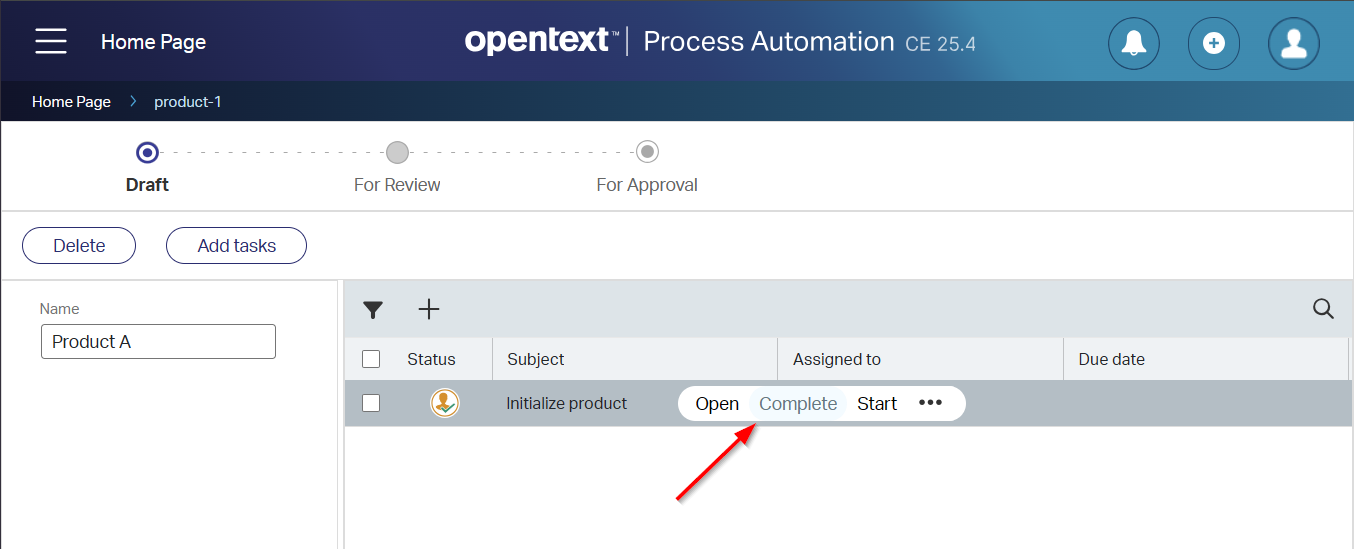
Publish it all again, and create a ‘Product’ entity (which will initialize the lifecycle) with a first view like this:
Don’t open the task (as we didn’t create any form/layout), but just complete it. Provide an (optional) comment and continue life. Do this for some tasks and ‘Product’ instances, so you have some “commenting” data to play with!
FYI: You can disable this “commenting” feature adding the following property in the ‘wcp.properties’ file and a restart of the TomEE instance: entity.task.showcommentdialog=false
Now also do some ‘Forward’, ‘Delegate’, ‘Suspend’, and ‘Resume’ actions for your tasks to make a full set of data to invest.
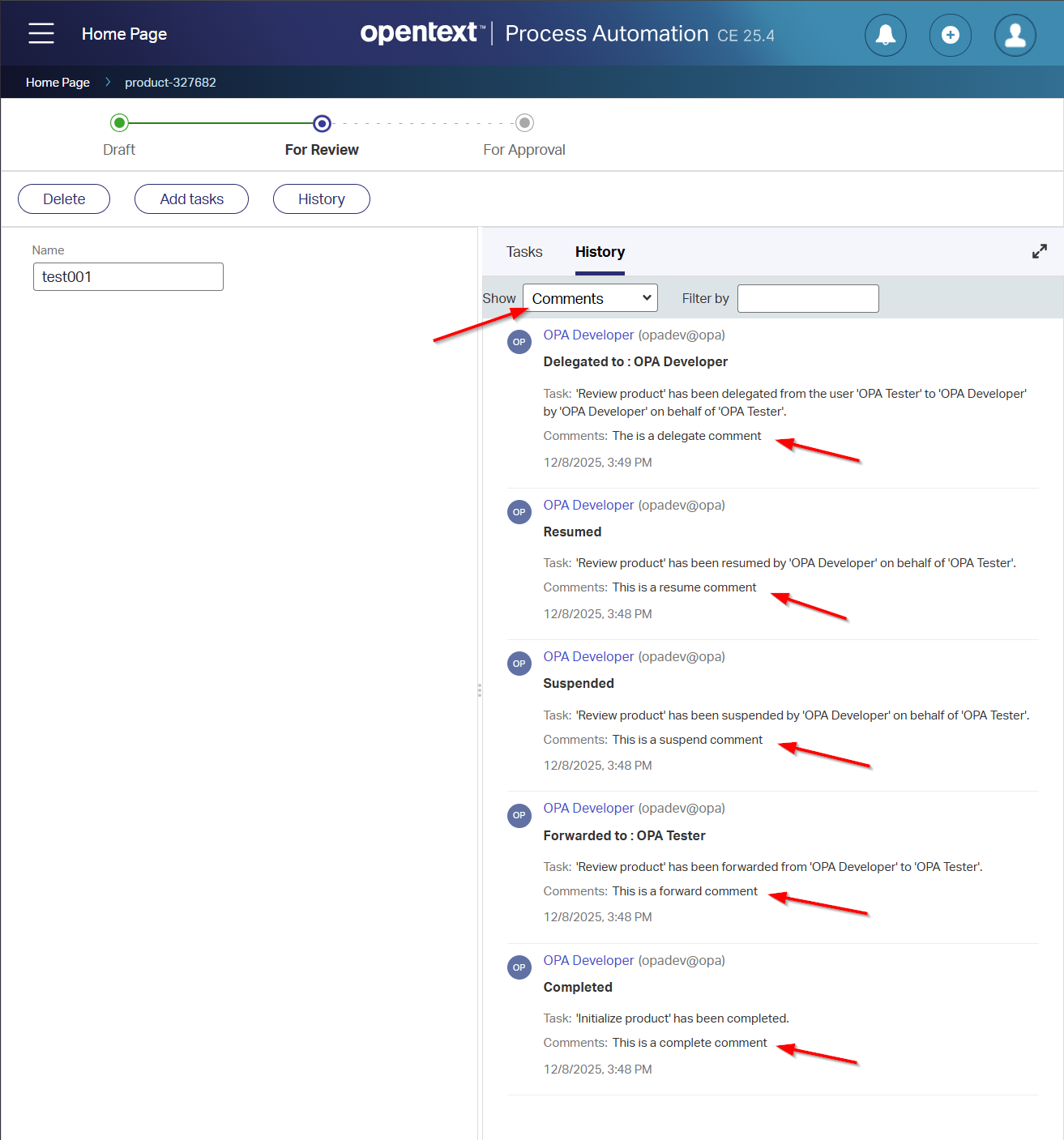
From the ‘History’ panel (history for your product!), you will find the comments here:
From a database perspective, you’ll find it here (convert_from is a PostgreSQL thing!):
1
2
3
4
5
6
7
SELECT s_when, convert_from(s_history_data, 'UTF8') AS s_history_data FROM o2opa_tipsprj_generichistoryloglist WHERE1=1 AND s_top_item_id='0800279aadfea1f0b50f736879b9b83c.327682' AND convert_from(s_history_data, 'UTF8') LIKE'%re=%' ORDERBY s_when desc ;
AND (after some DB query monitoring), I also found out about this table:
1
SELECT * from notf_memo;
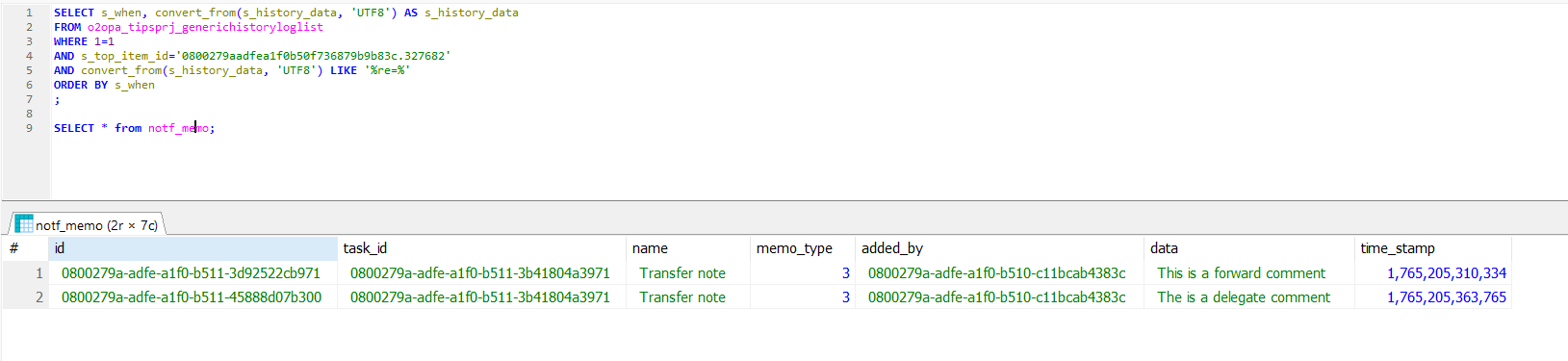
Now, I would expect all my comments would return in this last query, but watch this:
I only found two of my comments!? Did we find a bug here? Or is this as designed? You tell me…
…
Why do I eXplore all these details? Well, for one common call that was not within my knowledge pack (till now!): ViewMemosByTask
It raises questions I’d like to answer:
What does this call do?
How do we run it?
Why do we want to run it?
Q&A section
What does this call do? It returns the memos/comments related to a specified task (got it from the OPA Platform API Reference Guide)
Why do we want to run it? Well, it gives us easy access to the comments on a task by the end-users from a BPM perspective.
How do we run it? Watch and learn…
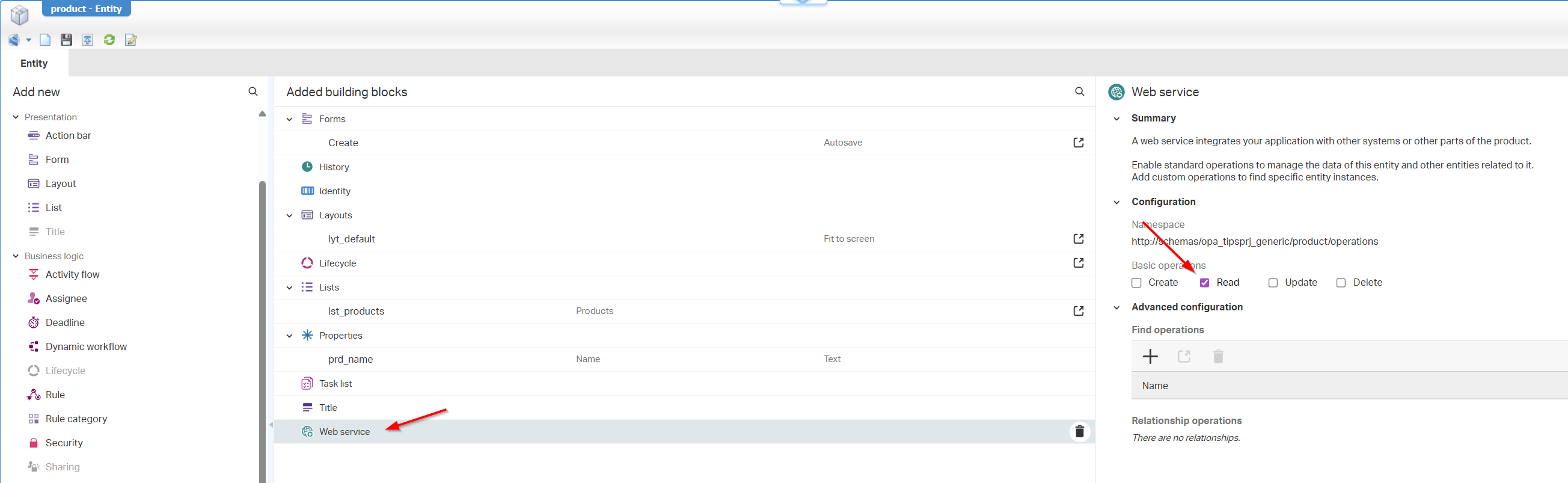
Add the READ operation from the ‘Web Service’ building block for your entity…
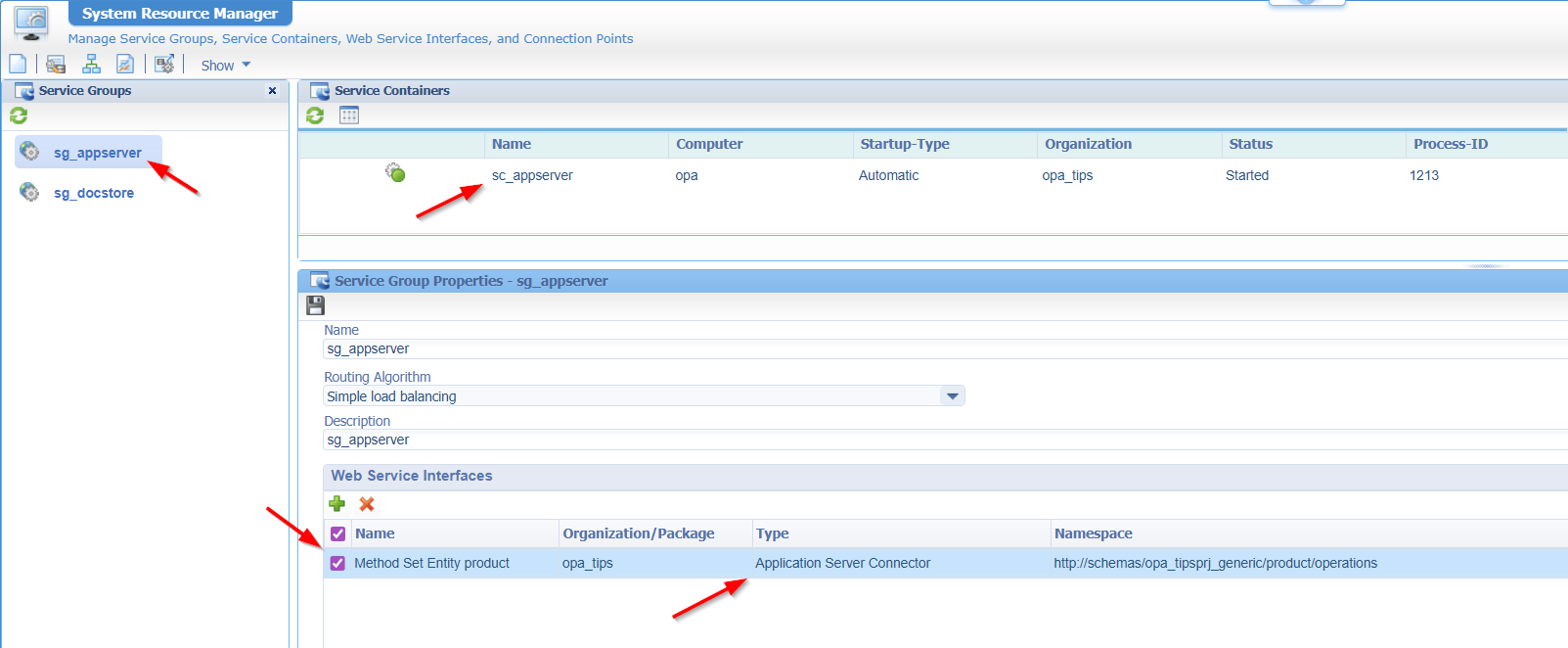
For this READ operation, we require a new ‘Application Server Connector’ service container in the ‘System Resource Manager’ artifact which includes the method set of your READ operation:
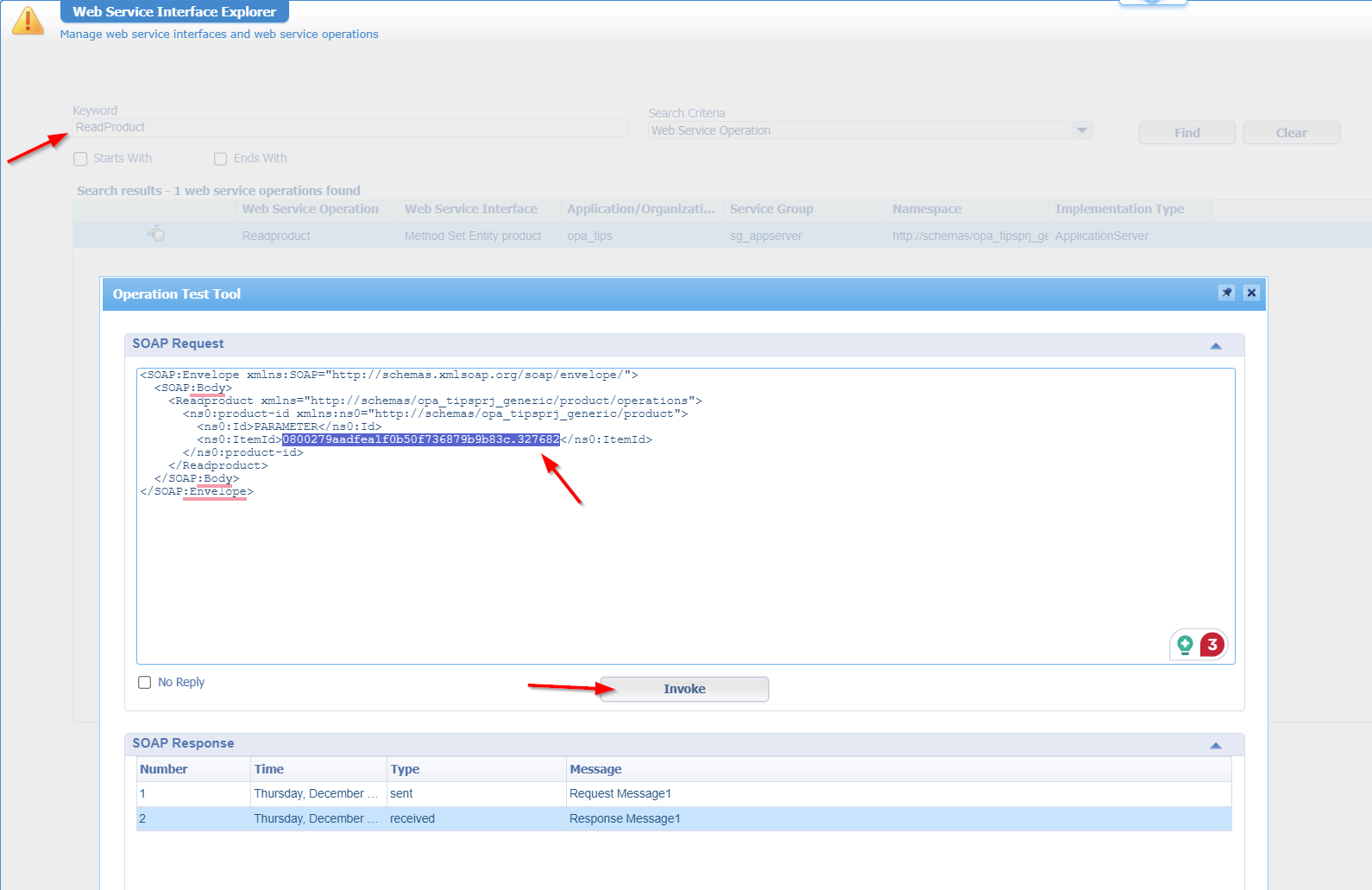
Next, we’ll use the ‘ItemId’ of a ‘Product’ entity instance in runtime (from the URL) and we’ll run the Readproduct service with the ‘Web Service Interface Explorer’:
The response will return XML data including a lifecycle instance ID; something like this: 0800279a-adfe-a1f0-b511-39aa010830f2
<data> <ViewMemosByTaskResponsexmlns:SOAP="http://schemas.xmlsoap.org/soap/envelope/"xmlns="http://schemas.cordys.com/notification/workflow/1.0"> <tuple> <old> <Memo> <MemoId>0800279a-adfe-a1f0-b511-3d92522cb971</MemoId> <TaskId>0800279a-adfe-a1f0-b511-3b41804a3971</TaskId> <MemoData>This is a forward comment</MemoData> <MemoTitle>Transfer note</MemoTitle> <MemoType>TRANSFER_REASON</MemoType> <TimeStamp>1765205310334</TimeStamp> <UserDisplayName>OPA Developer</UserDisplayName> <CreatedBy>cn=opadev@opa,cn=organizational users,o=opa_tips,cn=cordys,cn=defaultInst,o=mydomain.com</CreatedBy> </Memo> </old> </tuple> <tuple> <old> <Memo> <MemoId>0800279a-adfe-a1f0-b511-45888d07b300</MemoId> <TaskId>0800279a-adfe-a1f0-b511-3b41804a3971</TaskId> <MemoData>The is a delegate comment</MemoData> <MemoTitle>Transfer note</MemoTitle> <MemoType>TRANSFER_REASON</MemoType> <TimeStamp>1765205363765</TimeStamp> <UserDisplayName>OPA Developer</UserDisplayName> <CreatedBy>cn=opadev@opa,cn=organizational users,o=opa_tips,cn=cordys,cn=defaultInst,o=mydomain.com</CreatedBy> </Memo> </old> </tuple> <tuple> <old> <Memo> <MemoId>0800279a-adfe-a1f0-b513-9154aab6b0f2</MemoId> <TaskId>0800279a-adfe-a1f0-b511-3b41804a3971</TaskId> <MemoData>This is a second forward comment</MemoData> <MemoTitle>Transfer note</MemoTitle> <MemoType>TRANSFER_REASON</MemoType> <TimeStamp>1765209308406</TimeStamp> <UserDisplayName>OPA Developer</UserDisplayName> <CreatedBy>cn=opadev@opa,cn=organizational users,o=opa_tips,cn=cordys,cn=defaultInst,o=mydomain.com</CreatedBy> </Memo> </old> </tuple> </ViewMemosByTaskResponse> </data>
Perfect…We can now use this in our BPMs (via the Method Set Notification 1.0 runtimereference webservice) with some fascinating expressions to grab the latest one in the list:
1
2
3
4
5
6
7
8
--Get the latest transfer reason timestamp and save it in a variable 'latestTimestamp':
max(ns2:ViewMemosByTaskResponse/ns2:ViewMemosByTaskResponse/ns2:tuple/ns2:old/ns2:Memo[MemoType = 'TRANSFER_REASON']/ns2:TimeStamp/text())

--Reuse that variable in a call like this:
ns2:ViewMemosByTaskResponse/ns2:ViewMemosByTaskResponse/ns2:tuple/ns2:old/ns2:Memo[TimeStamp = //bpm:latestTimestamp/text()]/ns2:MemoData/text()

--Or do it in one call:
ns2:ViewMemosByTaskResponse/ns2:ViewMemosByTaskResponse/ns2:tuple/ns2:old/ns2:Memo[not(ns2:TimeStamp < //ns2:tuple/ns2:old/ns2:Memo/ns2:TimeStamp)]/ns2:MemoData/text()
…
So, ViewMemosByTask is explained (post DONE), but the greatest question of all remains open. How to grab the full list of comments without asking OT for a fix, whether or not it is a bug!? Well, we learned already that when the ‘History’ building block is in place, we see all our comments passing by in the greatest table ‘o2opa_tipsprj_generichistoryloglist’. My first thoughts would be like this…
A long time ago, I explained about the Northwind database (over a ‘WS-App Server connector’)…
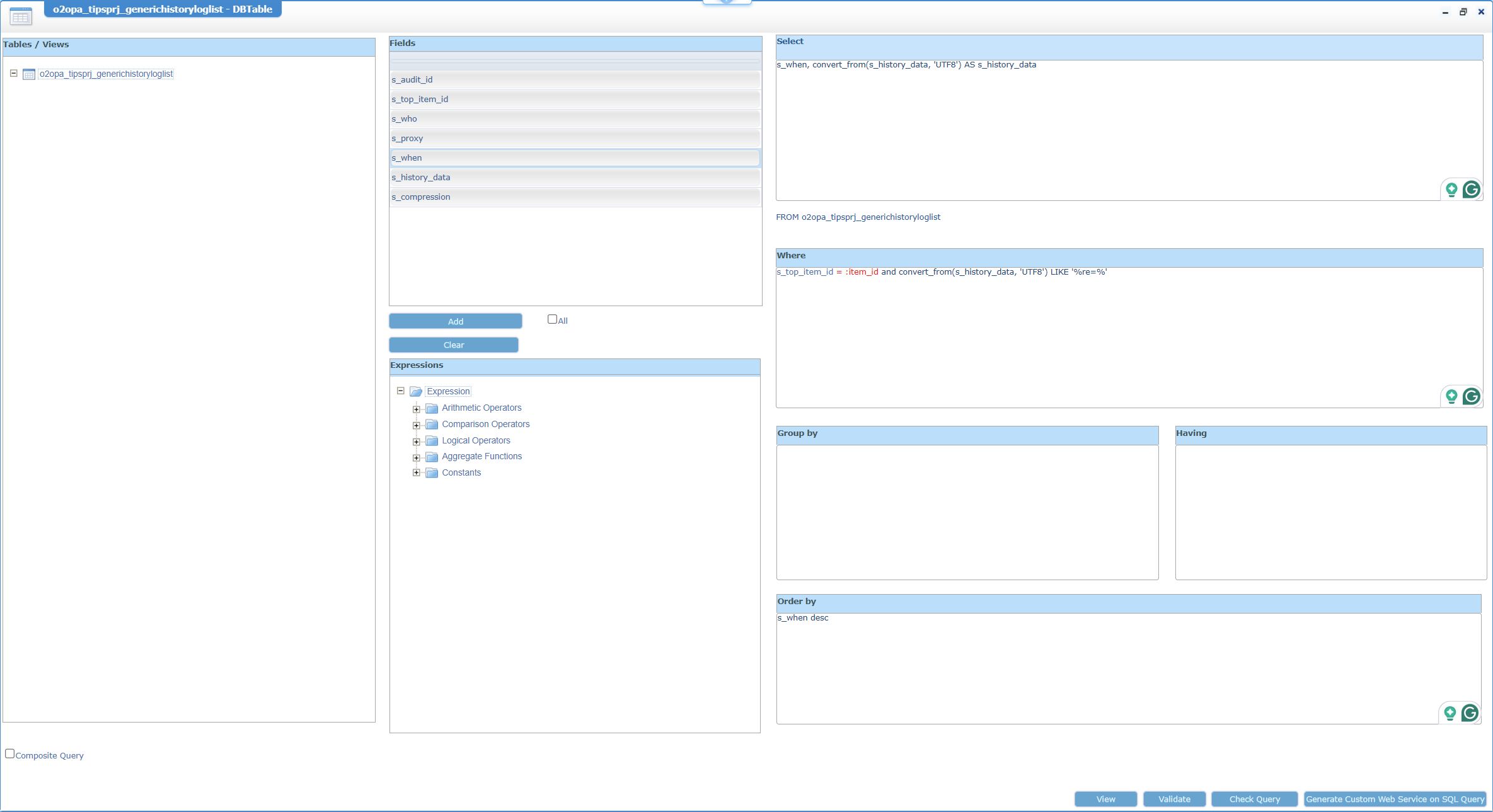
I did a quick setup on my own VM, following that Northwind post, and generating a fancy service like this from the ‘Database Metadata’ type of document:
Where this is the call from the ‘Web Service Interface Explorer’ (after the service generation and publication):
This was another post about a hidden service call only the experts of the platform know the existence of. It’s a “DONE” where you now also gain knowledge about this secret call and reuse it for your own project. I will never forget this call (and the masterdata DB-trick) again as it will benefit in every project where you want to collect data on the decisions and comments made by your knowledge workers! Have a great weekend and CU next week with a new topic about Process Automation Tips.
Don’t forget to subscribe to get updates on the activities happening on this site. Have you noticed the quiz where you find out if you are also “The Process Automation guy”?