


Hi there “Process Automation” fans,
Welcome to a new installment of “Process Automation” tips.
We had some troubles at our project with the runtime mail templates. A long story short, it was about the incorrect connection with the correct entity because of inheritance and subtyping. The solution came with a hotfix (25.1 HF13) which helped for the new templates. However, the old templates still had the incorrect entity type attached. To also solve these existing templates, we needed to do something totally unexpected…This is the afterburner post of that unexpected “feature”.
Let’s get right into it…
Boot up your machine and dive into your project. Have an entity (and a subtype-entity) available. Like ‘Case’ as parent and from its context menu create a new subtype entity ‘CaseHR’. Add the ‘Email’ building block to the parent ‘Case’ (with an email-config which you can select what’s already in the list for now), and add some email templates (without any further implementation) to both entities. You can add “Pre-defined” mail templates (the default checkmark “Show this email template to end users”) and “System-defined” (uncheck that option):
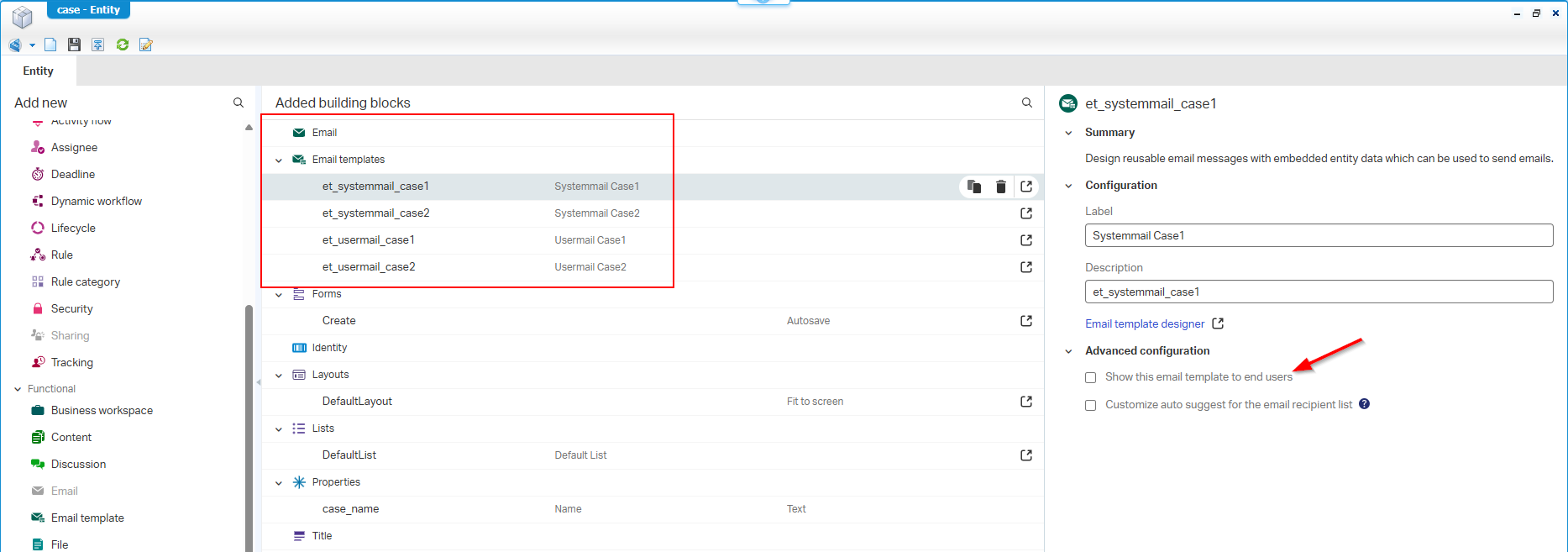
An overview specially for you:
- Entity name:
case(displayname ‘Case’)
- Mail template:
et_usermail_case1(displayname ‘Usermail Case1’)- Mail template:
et_usermail_case2(displayname ‘Usermail Case2’)- Mail template:
et_systemmail_case1(displayname ‘Systemmail Case1’)- Mail template:
et_systemmail_case2(displayname ‘Systemmail Case2’)- Entity name:
case_hr(displayname ‘CaseHR’)
- Mail template:
et_usermail_case_hr1(displayname ‘Usermail CaseHR1’)- Mail template:
et_usermail_case_hr2(displayname ‘Usermail CaseHR2’)- Mail template:
et_systemmail_case_hr1(displayname ‘Systemmail CaseHR1’)- Mail template:
et_systemmail_case_hr2(displayname ‘Systemmail CaseHR2’)
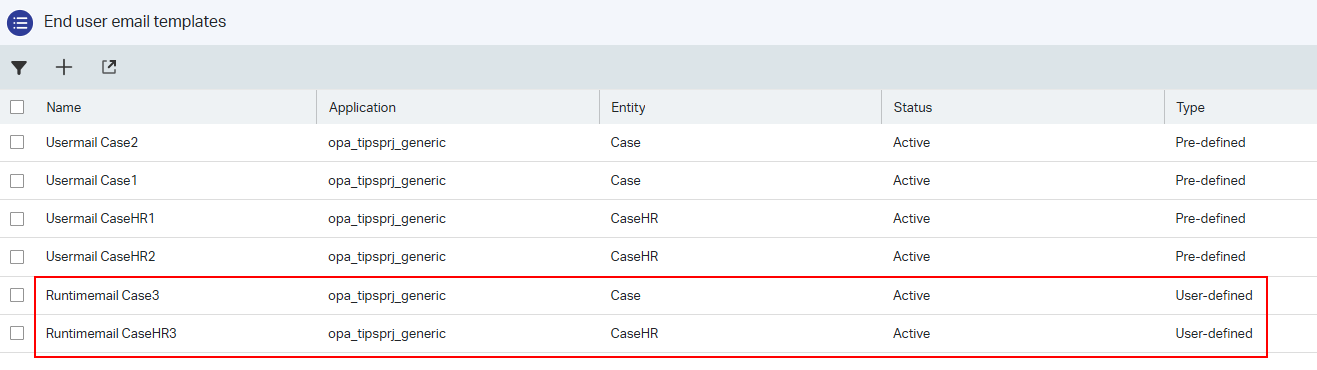
Make sure security is correct for these templates (if in place), and do a publication. In runtime, you can now eXperience this for the ‘End user email templates’:

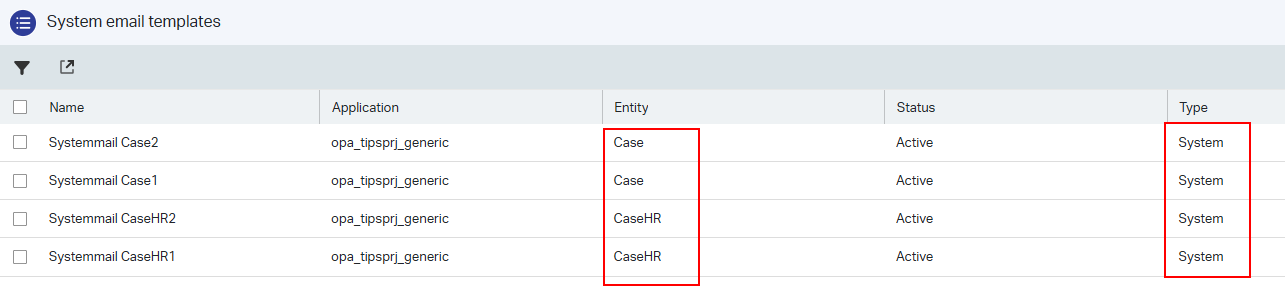
And this is the ‘System email templates’ node:
I’m on
25.3, but in25.1we saw all templates under entity ‘CaseHR’…Something was broken which raised a ticket with OT support!
From the ‘End user email templates’ node, you can create new templates under the type ‘User defined’:
We’re all good this far! Next step is all about the 🪄⊹₊⟡⋆!
Magic beyond the great reset
Why magic? Well, while our mail templates (in our project) were incorrect, we got the advice to do a “smart” clean on a certain table in the database AND after a refresh of the page in runtime, all templates “magically” would be restored!? #WTF, HOW? WHAT? WHERE?…We (me and a colleague) where flabbergasted and after a 100% verification we executed the following…
Open HeidiSQL and make connection with the database of the OPA platform (if you have the permission). This is our first query to validate some data:
1 | --DELETE |

Before we play…We’ll #CYA with a statement like this:
1 | SELECT * INTO o2opentextentityruntimemodelsutilruntimeemailtemplate_251117 |
The CYA-query, the double-dash commenting, and that smart where-clause (
WHERE 1=1), are things I learn from DBA people over time, watching and asking about their tricks…Now you know them as well!
…
!!KNOW WHAT YOU DO HERE!!
For recovery; You can restore with drop table o2opentextentityruntimemodelsutilruntimeemailtemplate and rename your backup-table to its original!
Works smoothly for this post, but I’m on an easy to restore VM with snapshots…take responsibility and ownership!
…
Ready…Let’s go for this query:
1 | DELETE |
Why skip the ‘User-defined’ templates? Well, these are crafted by our beloved end-users and not under control of our solution (delivered over CAP-files)! So, the magic will definitely NOT happen on those templates!
After this “delete” action, go into runtime and refresh both those email nodes and see what will happen! Well YES, all is restored again…!?!? Ok, my first question would be: Where on earth is this data received from!? Which is indeed a great question!
My first guess is the XML Data Store location where you also find the entity definitions from your solutions. We don’t need to dive into the ‘XDS_DOCUMENT’ table for it, we can use the splendid tool Cordys Management Console:
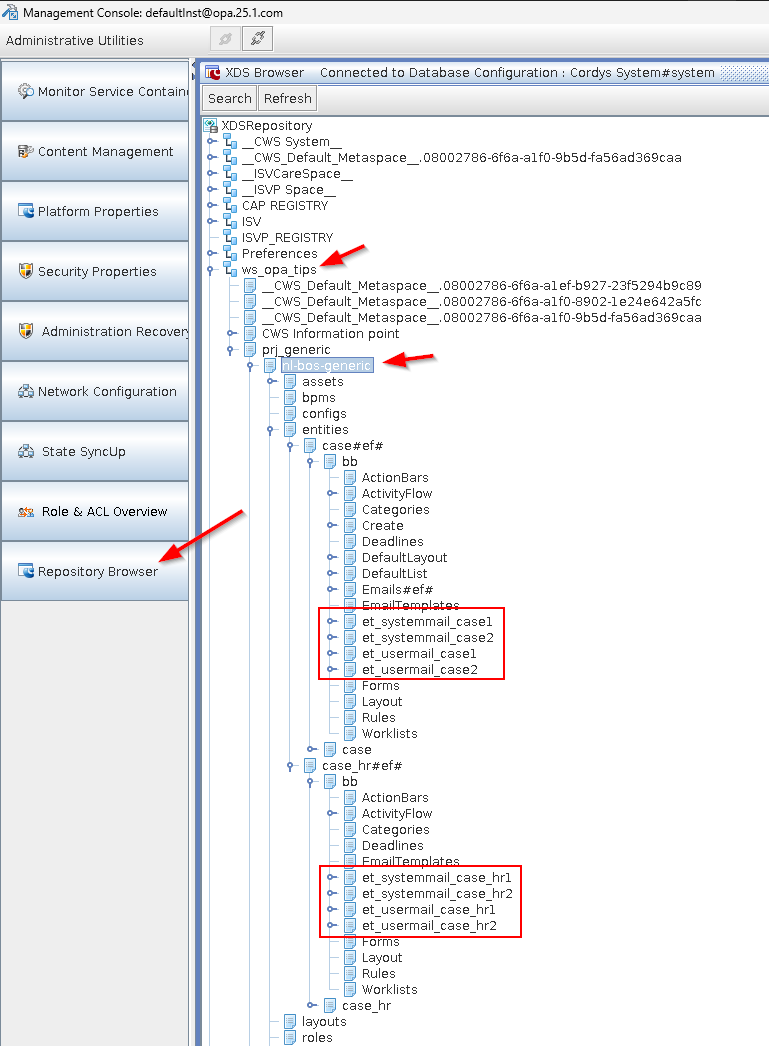
You can run it with
sh /opt/opentext/ProcessAutomationCE/defaultInst/bin/cmc.shusing the X11 display output from a RHEL perspective.
Find more about entity definitions here and the DB queries behind it.
…
Because of all the XDS guessing, I did a tooooo long R&D session (incl. remote debugging) with some fascinating insights…
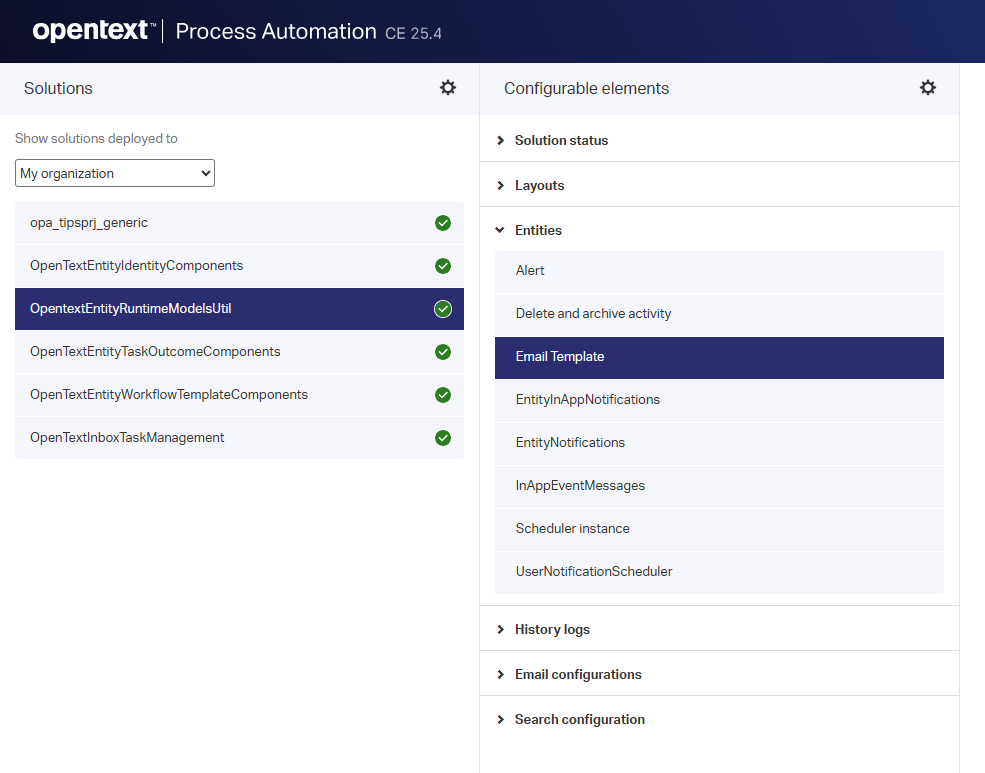
The instances (of the mail templates) you see in runtime are of entity type RuntimeEmailTemplate in the platform solution OpentextEntityRuntimeModelsUtil. The displayname for this entity is Email Template which you can see the administration console of the platform ‘/app/admin’:
After remote debugging, I also found an entry at class com.opentext.cordys.entity.rest.entityRuntimeEmailTemplate.EntityRuntimeEmailTemplateRestController in the TomEE webapp home#app#entityRestService
Following this class brought me to this trace from the JAR-file entityCore.jar:
1 | com.opentext.cordys.entityCore.elements.runtimeEmailTemplateElement |
This is where all the magic happens, and where recreation and syncing of the email templates pass by at a code level…For those who are interested! 🤓
It’s a “DONE” with a technical after-taste, but with great insights. We now know at least more about what happens on the backend after that magic refresh of the runtime page. Keep curious, keep asking questions, and you learn as you go. Don’t do it all at once, sometimes a good night sleep provides new routes to eXplore…That’s what I experienced for this post! Have a great weekend and I CU next week…cheers! 🍺
Don’t forget to subscribe to get updates on the activities happening on this site. Have you noticed the quiz where you find out if you are also “The Process Automation guy”?
