


Hi there “Process Automation” fans,
Welcome to a new installment of “Process Automation” tips.
A long time ago, we saw an introduction of a fascinating new JavaScript API for our beloved platform. Great for custom panels in a layout that need to communicate with each other and great to further communicate from such custom panels with other UI elements in a form. That’s all nice, but customizing is not the only thing we can do with it! Watch and learn how you can become a pro in manipulating live data with this API directly in runtime…
Let’s get right into it…
Boot up your OPA machine and dive into a workspace with relevant project. I have a simple project, with a simple ‘Case’ entity. Just one property to play with and a ‘Default’ form (not a layout this time; although it doesn’t matter) to view an instance like this (where indeed the field is set to “readonly”!):
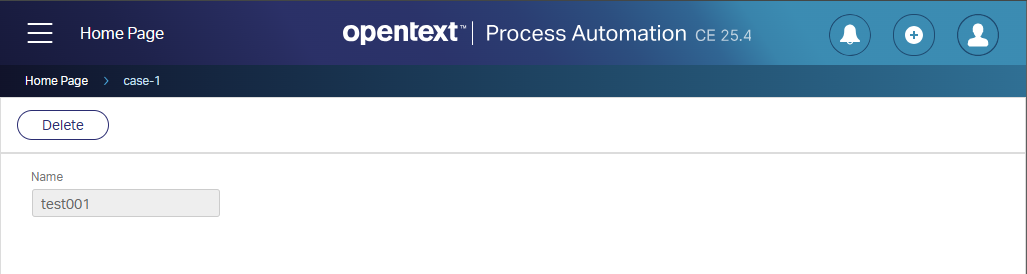
So far, easy-peasy!
FYI: I’m using a ‘Developer’ account and there is no further security attached at this moment.
Now the great question: Can we manipulate that “readonly” field? Well, normally I would say add a ‘Web Service’ building block, expose the UPDATE operation, add a relevant service container (from the ‘System Resource Manager’ artifact), and call the service from the ‘Web Service Interface Explorer’ artifact. Can we do this smarter…Even smarter than the god-mode tab from a while ago? Yes, we can!
…
Open the “Developer tools” of your browser in the ‘Console’ tab; Start typing this line and hit <Enter>:window.parent.publicAPIProvider.getItemData('0800279aadfea1f0aa830b935340a67d.1').then((item) => console.log(item.Properties));
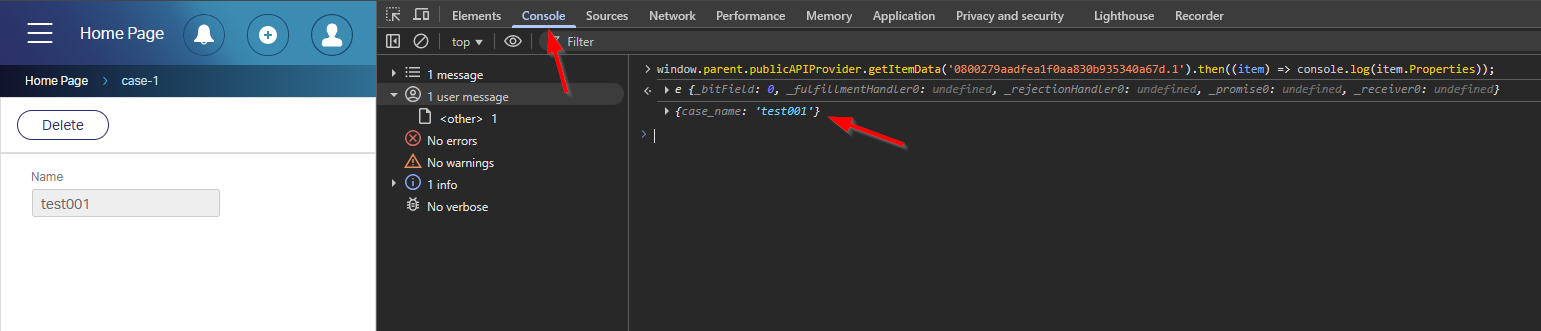
You can copy the value
0800279aadfea1f0aa830b935340a67d.1from the browser URL from your entity instance!
You see what I see!…From eXperience, we know that this is also valid to call:window.parent.publicAPIProvider.updateData('0800279aadfea1f0aa830b935340a67d.1', 'case_name', 'test002');
Check this out:

How about this:window.parent.publicAPIProvider.saveAllItems();
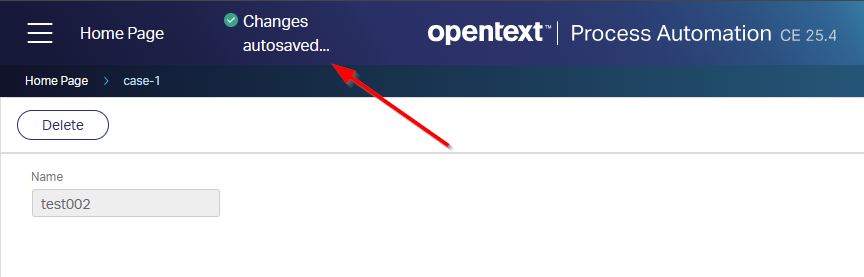
NICEEEEE! 😎
As far as I can see with this call
window.parent.publicAPIProvider, you can not ‘Create’ or ‘Delete’ an entity instance, but you can do other entity instance related actions…You find more examples here where the API got an extension.
…
Another critical question: What if we apply security? So, we make the field “normal/editable” again, but in an applied ‘Security’ BB, we disable it from updating it:
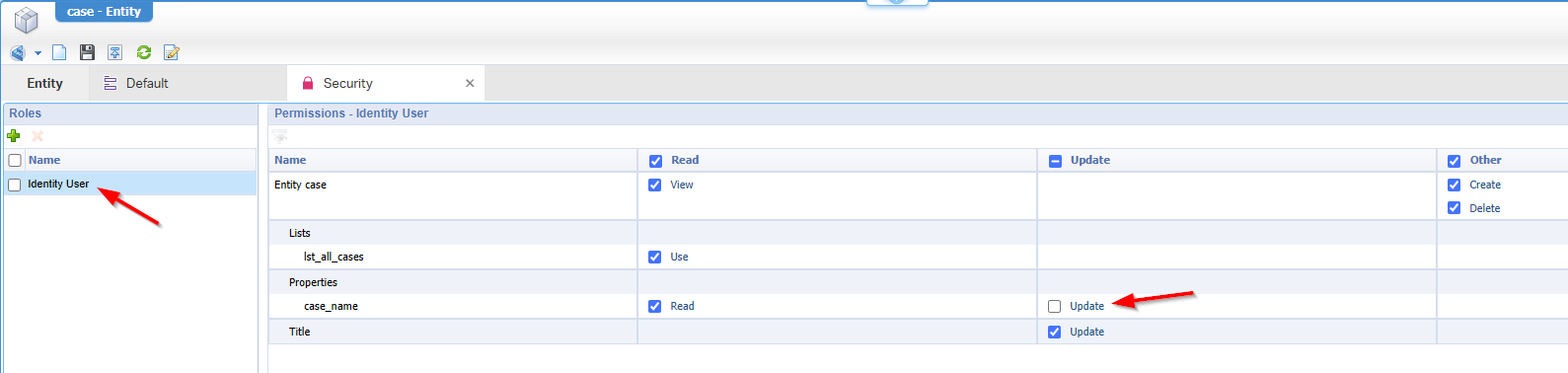
Well…Watch this!

The value updates, but does not get a commit; Refreshing the page will show the old value again…So, that’s valid! 😌
…
What wise lessons do we learn here? When you want to protect your data from changing, don’t “disable” it simply in the form! The only solid way of not manipulating data is disabling it from a ‘Security’ BB principle. On the other hand; You also don’t want to overengineer your security layer. You can also leave it open for editing, keep track on the value with the ‘History’ BB and leave the problem with your knowledge workers!? What I say…It all depends.
That’s a fascinating “DONE” exposing interesting insight on how the new JavaScript API can help us (low-code developers) manipulate data in runtime. These are the exact skills that separate you from the rest when !%^&&^% hits the fan and pressure is high. Pick these fruits for your benefits, and we see each-other next week in a new topic about “OpenText Process Automation Tips”…🍸
Don’t forget to subscribe to get updates on the activities happening on this site. Have you noticed the quiz where you find out if you are also “The Process Automation guy”?
